How Сan I Switch from Monthly to Annual Billing?
You can easily change your billing cycle from monthly to annual. Follow these simple steps to update your payment frequency:
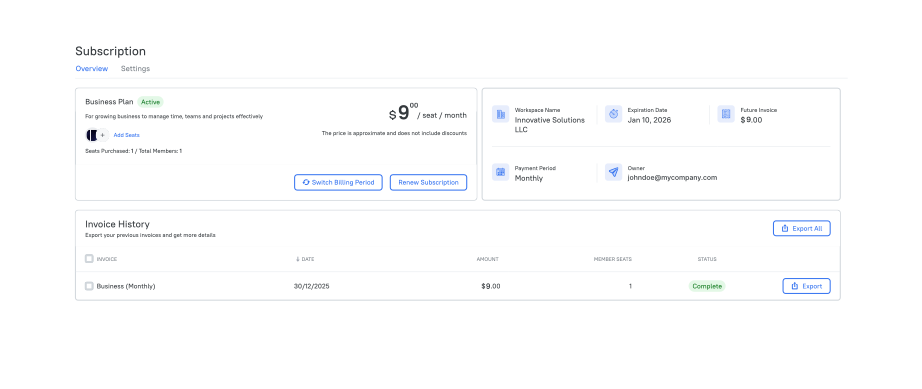
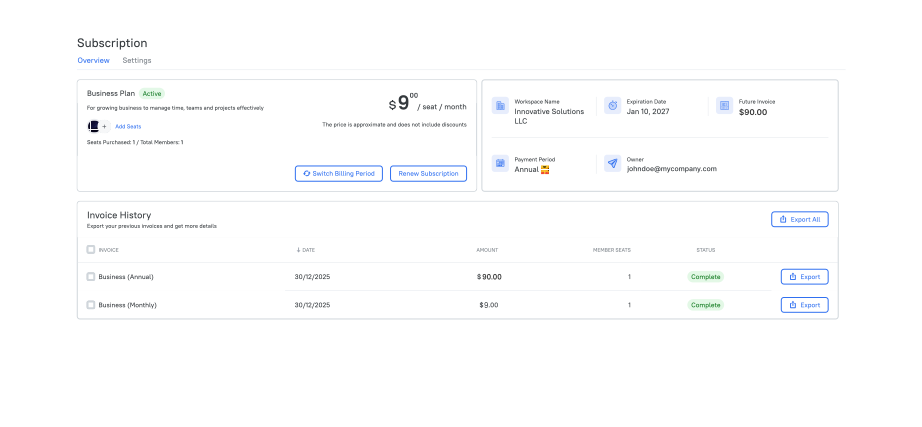
1. Go to Subscription in the sidebar menu.
2. Click the Renew Subscription button.
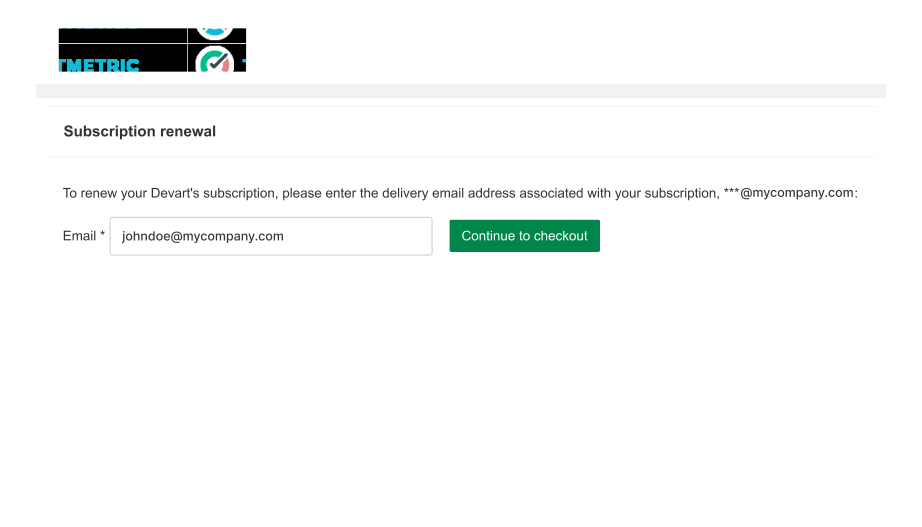
3. Enter the email address you used for your subscription in the field provided.
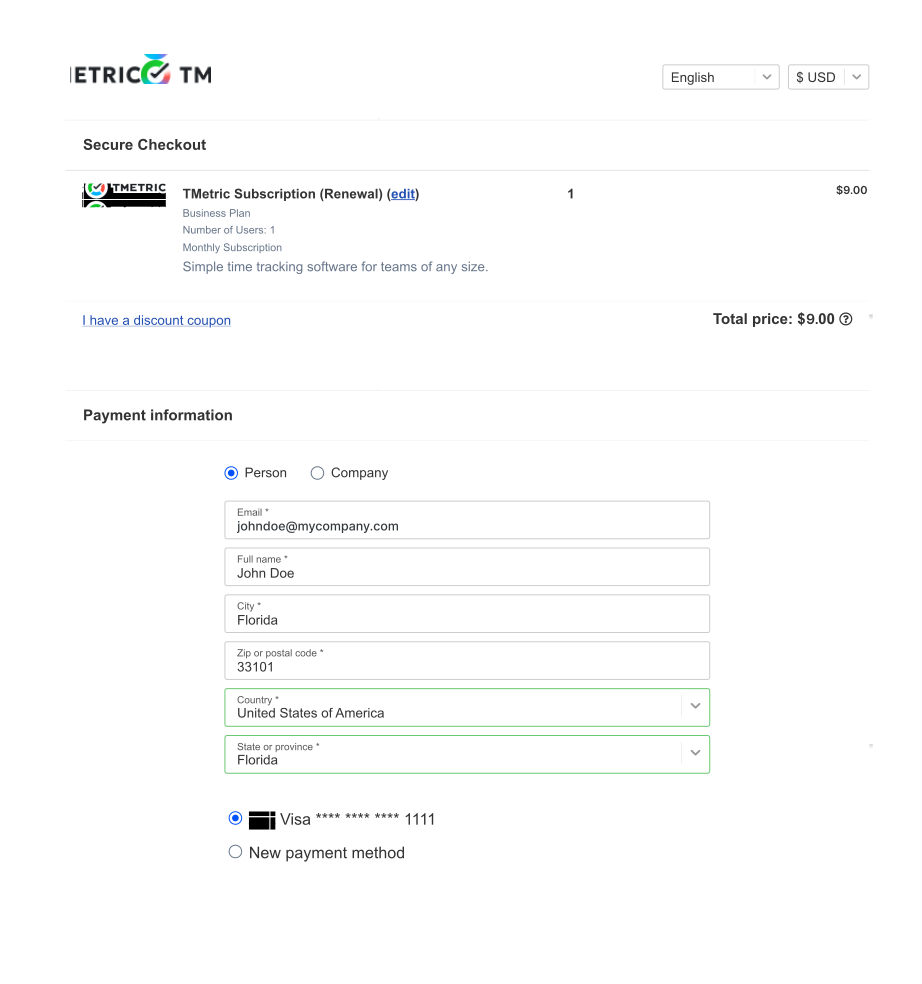
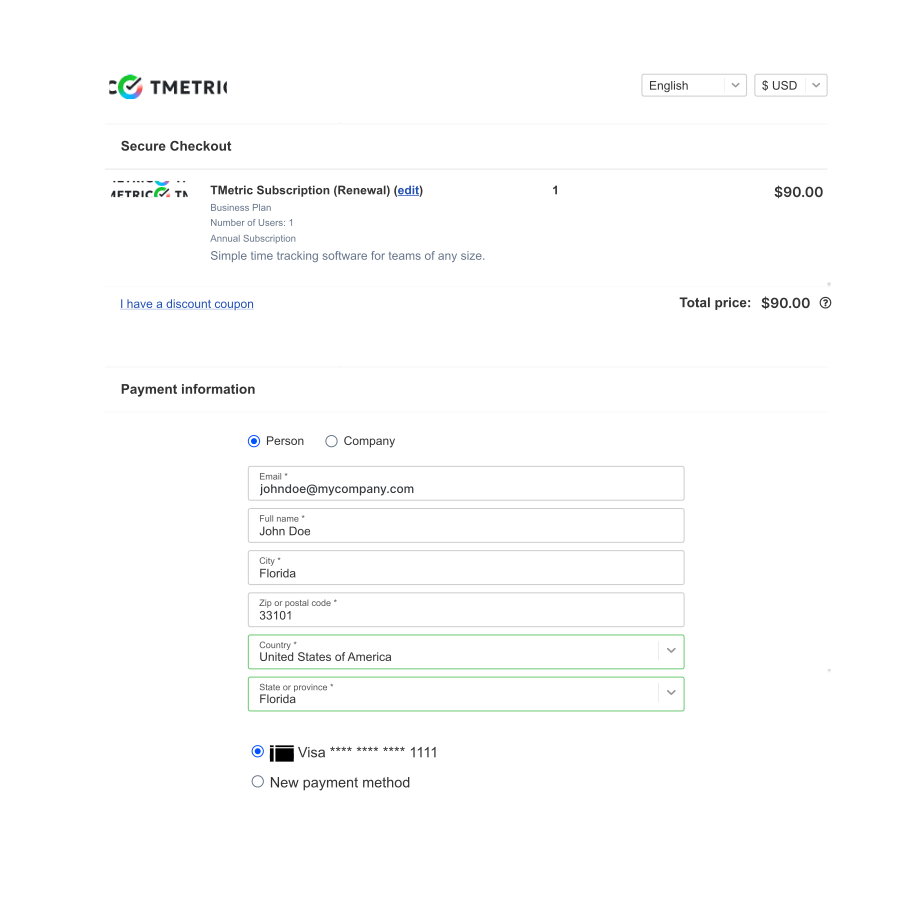
4. Click the edit link next to the TMetric Subscription (Renewal) title.
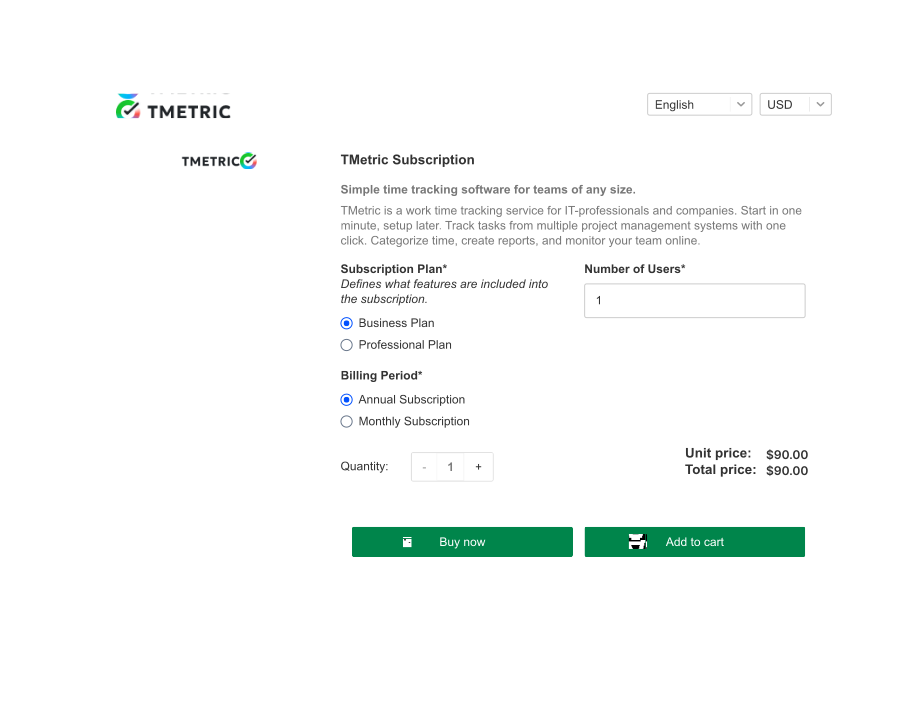
5. On the TMetric Subscription page, select Annual Subscription in the Billing Period section and click Buy now.
6. Go through the payment process.
7. After switching to annual billing, you’ll see on the TMetric Subscription page that your Expiration Date has been extended by one year from your monthly billing end date.
See Also
Didn’t find what you were looking for?
If you didn't find what you were looking for, you can make a support request or email us to [email protected]. We'll be glad to help you personally.