






Client Reporting Software

Track time by client, project, task, and team member, show billable and non-billable hours in clear reports, review project budgets, costs, and time spent, and export client-ready reports in PDF or CSV format.

Fully functional 14-day trial | No credit card needed

Trusted by over 10 000 companies worldwide

  • Endygo
  • ITsyndicate
  • Pulso
  • 050media
  • JOT Digital
  • Freshlab
  • Mvad
  • Swaven

What is TMetric client reporting software?

TMetric is a client reporting tool that helps teams track work, monitor billable hours, and create accurate reports for every client and project. With built-in reporting, budgeting, and invoicing support, it simplifies client communication while giving managers full visibility into project performance.

Why service teams need client reporting software

Without TMetric

  • Client reports are created manually.
  • Billable hours are difficult to verify.
  • Project costs and budgets are spread across multiple spreadsheets.
  • Managers have limited visibility into project progress and client profitability.

With TMetric

  • Generate accurate client reports automatically.
  • Review billable hours before invoicing.
  • Monitor project budgets, costs, and profitability from one reporting dashboard.
  • Share reports that improve transparency and strengthen client relationships.

Key features of TMetric for client reporting

Time reports by client and project

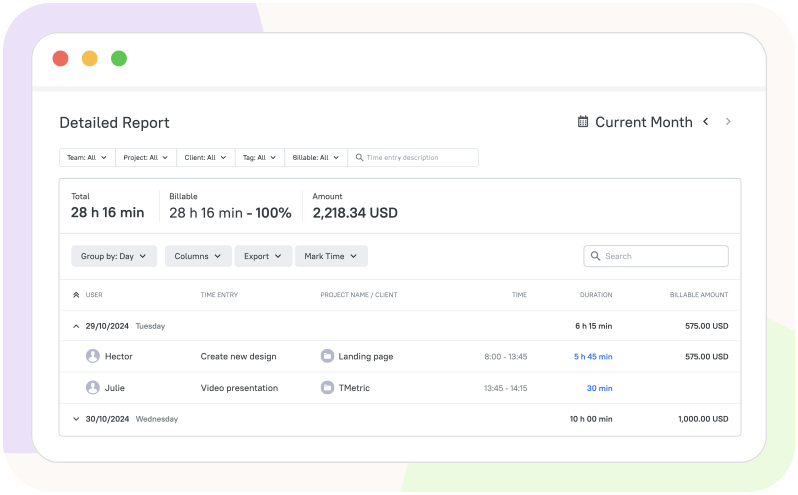
Generate detailed reports grouped by both clients and projects to see exactly where your team's time is spent. This project client reporting software is ideal for agencies and service teams managing multiple clients or several active projects for the same client.
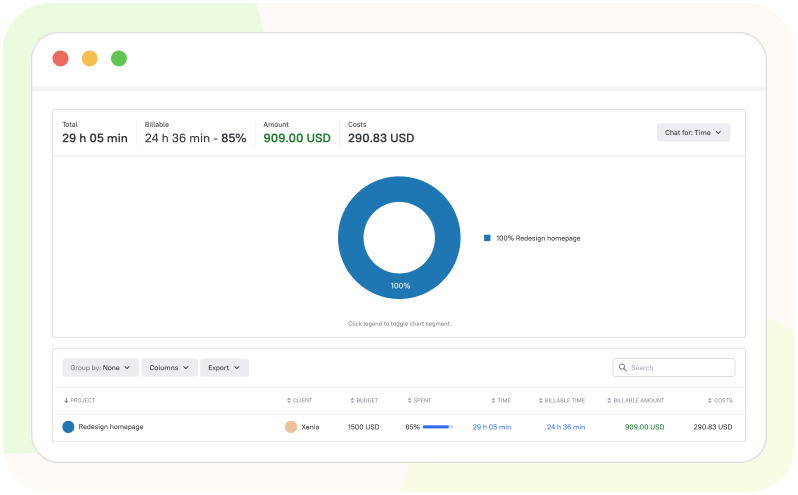
Time reports by client and project

Billable hours reporting

Track billable and non-billable time separately to ensure every invoice is based on accurate data. Billable hours reports help teams quickly calculate what should be invoiced while maintaining complete transparency with clients.

Billable hours reporting

Project budget and cost visibility

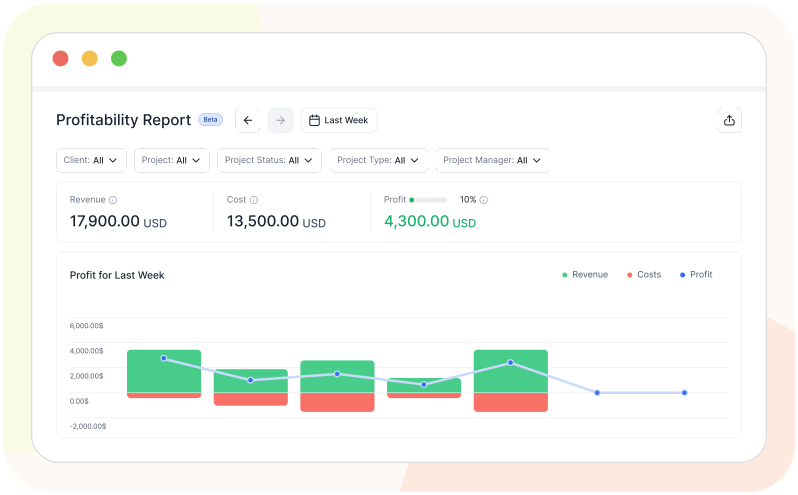
Monitor budget spending, labor costs, and project profitability in real time through the client reporting dashboard. Early visibility into budget overruns helps managers take corrective action before projects exceed financial targets.

Project budget and cost visibility

Invoicing support

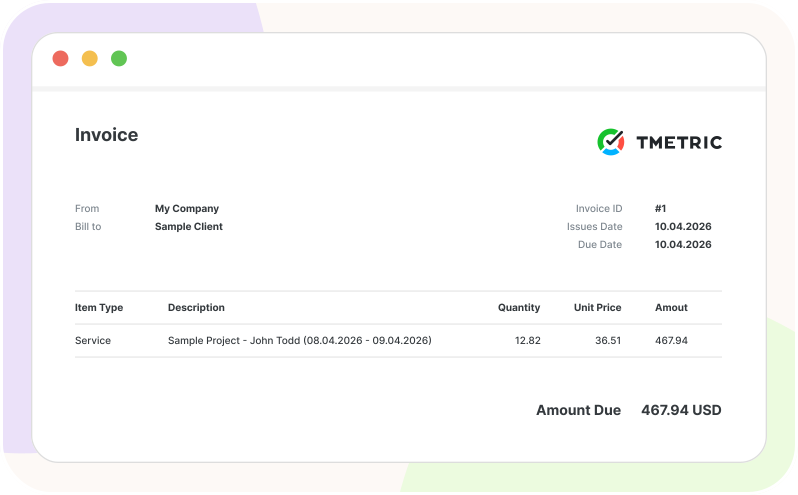
TMetric connects reporting and invoicing into one efficient workflow: track time, review billable entries, verify reports, and prepare invoices with confidence. This software for client reporting helps teams reduce billing errors while speeding up the invoicing process.

Invoicing support

How TMetric works for client reporting

  • Step 1

    Create clients and projects

    Organize work by clients and projects from the start, making reports easy to filter, analyze, and share later.


  • Step 2

    Track time against tasks and projects

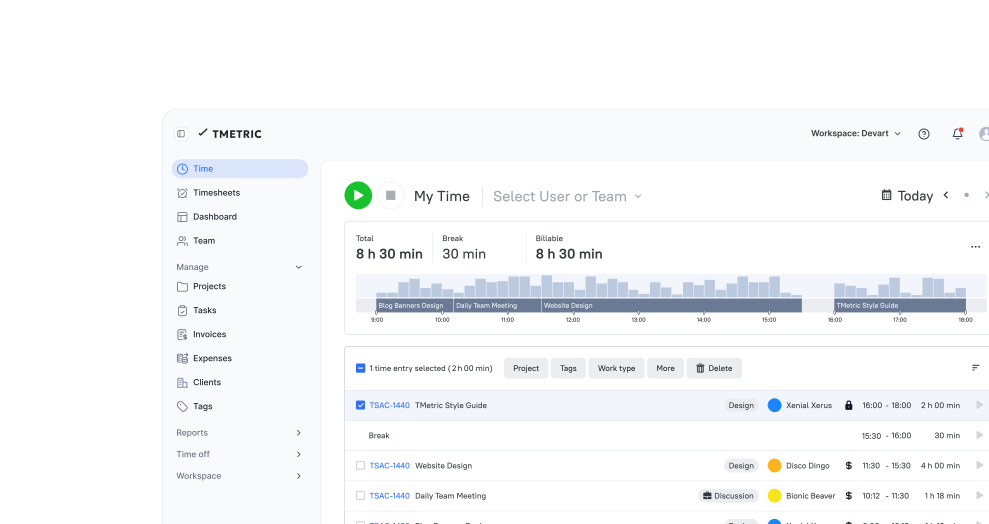
    Employees record their work using manual time entry, the timer, desktop app, browser extension, or integrations that fit their daily workflow.


  • Step 3

    Mark work as billable or non-billable

    Separate billable work from meetings, administration, internal communication, or support tasks to keep client billing transparent and accurate.


  • Step 4

    Review client reports before sharing

    Managers can verify time entries, billable hours, and project data before sending reports, helping ensure accuracy and a professional client experience.


  • Step 5

    Export or use report data for invoicing

    Export reports as PDF or CSV, include reporting data in client updates, or use verified billable hours to prepare and send invoices.


Time tracking across 50+ popular services

Time is captured directly from where your team works - no switching tabs, no manual entry.

See all integrations

Frequently Asked Questions

What is client reporting software?

Client reporting software helps teams track work, monitor billable hours, and generate accurate reports for each client and project.

How does TMetric help create client reports?

TMetric automatically compiles tracked time, billable hours, and project data into detailed reports ready to review or share.

Can I create reports for a specific client in TMetric?

Yes. TMetric lets you generate reports grouped by client and project, so you can see exactly where time is spent for each one.

Can TMetric show billable and non-billable hours in client reports?

Yes. TMetric tracks billable and non-billable time separately, so reports clearly show what should be invoiced.

Can I export client reports to PDF or CSV?

Yes. Reports can be exported as polished PDFs for clients or CSV files for deeper analysis and finance workflows.

How do client reports help reduce billing disputes?

By showing verified, detailed time records for every client and project, reports give clients clear evidence of the work performed, reducing disagreements over invoices.

Can TMetric reports be used before creating invoices?

Yes. Managers can review and verify billable hours in reports before using that data to prepare invoices.

Is TMetric suitable for agencies and consultants?

Yes. TMetric is built for agencies, consultants, and service teams managing multiple clients and projects.

How is client reporting different from basic time reporting?

Client reporting adds billing, budget, and project-level context to raw time data, making it ready to share directly with clients rather than just internal use.

Is TMetric a marketing reporting dashboard?

No. TMetric is a time tracking and client reporting tool focused on billable hours, project budgets, and invoicing - not marketing campaign analytics.

Create professional client reports

Track time, generate accurate client reports, monitor project profitability, and take care of invoicing.

Start free trial
Create professional client reports