Android Time Tracking App

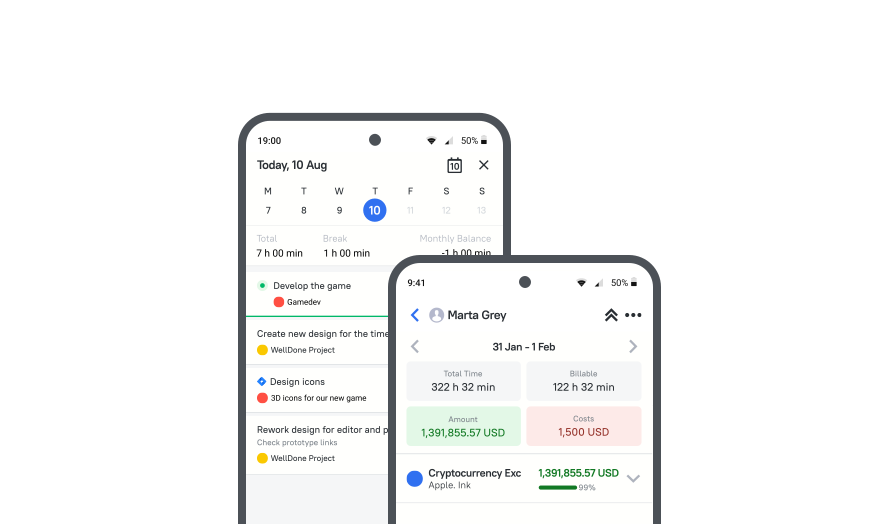
Start and stop time from your Android device, add manual time entries and breaks on the go, track billable hours for projects and clients, view tracked time, costs, and reports anywhere. Sync across Android, web, and desktop.


Fully functional 14-day trial | No credit card needed

Trusted by over 10 000 companies worldwide

  • Endygo
  • ITsyndicate
  • Pulso
  • 050media
  • JOT Digital
  • Freshlab
  • Mvad
  • Swaven

What Is the TMetric Android Time Tracking App?

TMetric tracking app for Android is a user-friendly tool for tracking work hours on the move.

The time tracker download for Android is as easy as pie, and you get a great solution in your pocket.

Why Use an Android Time Tracking App Instead of Desktop-Only Tracking

Without TMetric

  • Miss tracking work hours as they happen
  • End up with incomplete or forgotten time entries
  • Lose track of work when away from your desk
  • Face inaccuracies in billing, payroll, and reports
  • Feel disconnected from your work across devices

With TMetric

  • Track work hours the moment work happens
  • Avoid missed hours and incomplete time entries
  • Keep work moving when you are away from your desk
  • Maintain more accurate billing, payroll, and reporting data
  • Stay connected to your workday across devices

What Makes TMetric a Good Android Time Tracking App

Track Time on the Go with One Tap

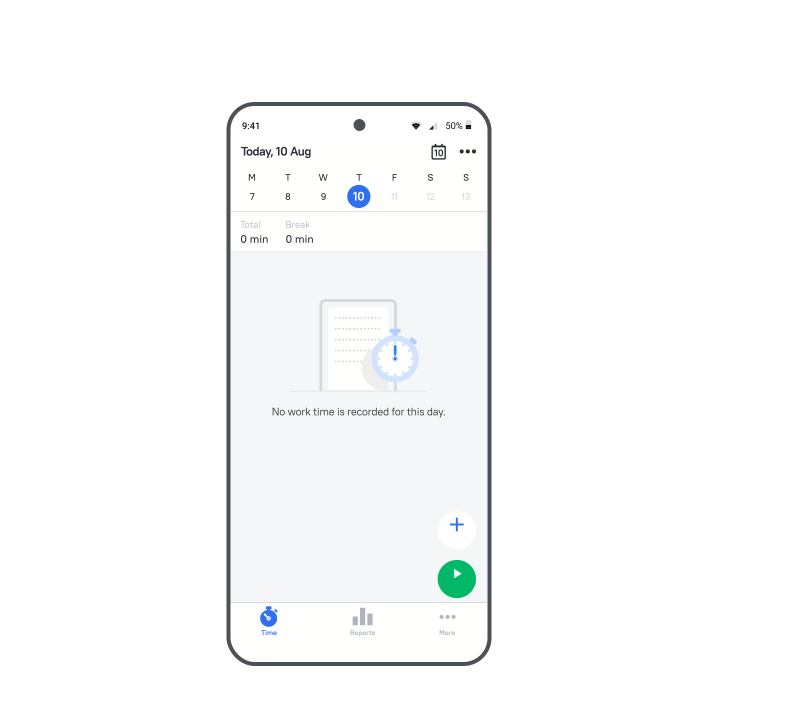
No matter where you are, at a meeting, on a business trip, or working on a client site, the TMetric Android time tracking app lets you start, stop, and edit time entries effortlessly with a single tap.
Track Time on the Go with One Tap

Manage Time Entries and Breaks More Easily

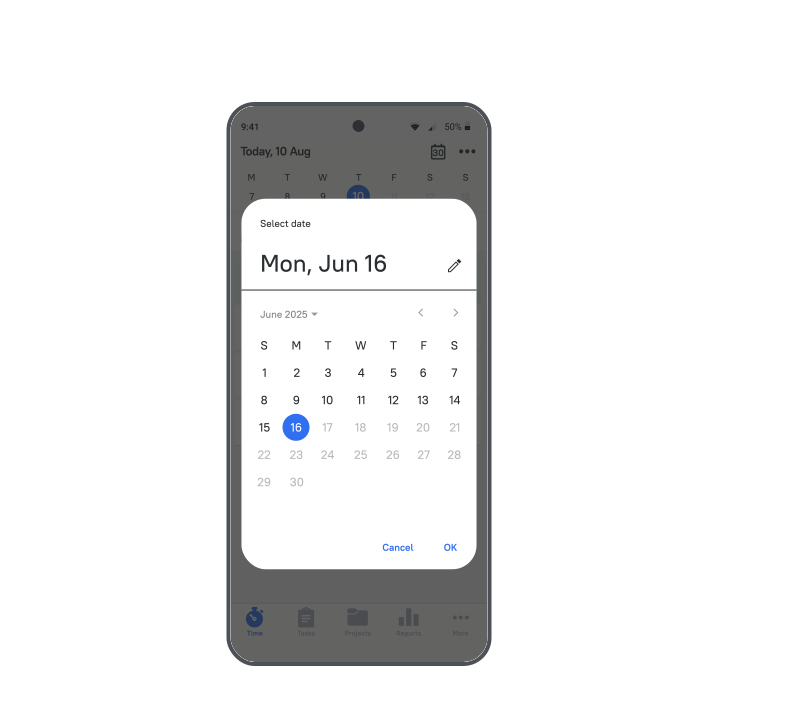
In the TMetric tracking app for Android, you can easily navigate between days and view your workflow in one place. You can quickly add a time entry and a break to any day, and edit the time entry when needed.
Manage Time Entries and Breaks More Easily

Track Billable Hours and Support Invoicing

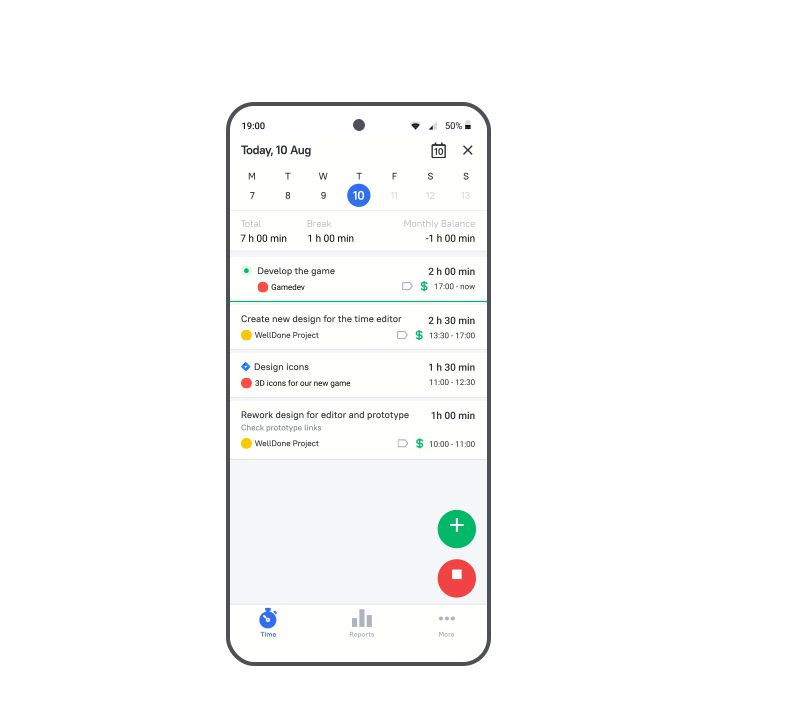
In the TMetric web app, create a billable project, set a rate to calculate costs, and use it for time tracking in the mobile app. Tracked time will be included in the invoice for client billing.
Track Billable Hours and Support Invoicing

Review Time Data, Costs, and Reports from Anywhere

The TMetric time tracking app for Android includes a reporting feature to help you analyze your time tracking data. You can view all project data, including costs, billable time, and billable amount - all in one place.
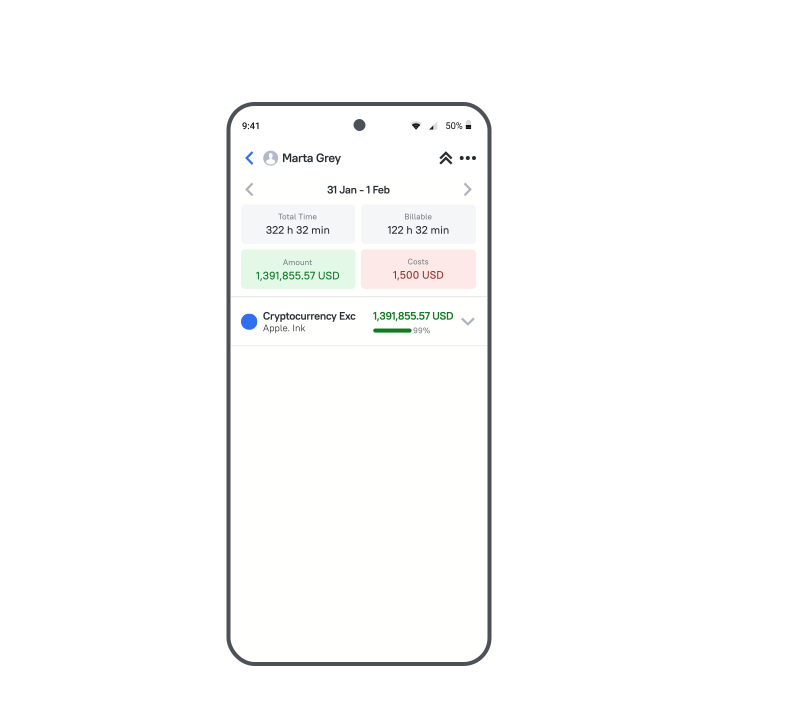
Review Time Data, Costs, and Reports from Anywhere

Sync Across Android, Web, and Desktop

The TMetric time tracker for Android lets you track time from anywhere, syncing data automatically across all TMetric apps, so there’s no need for manual adjustment and error checking.
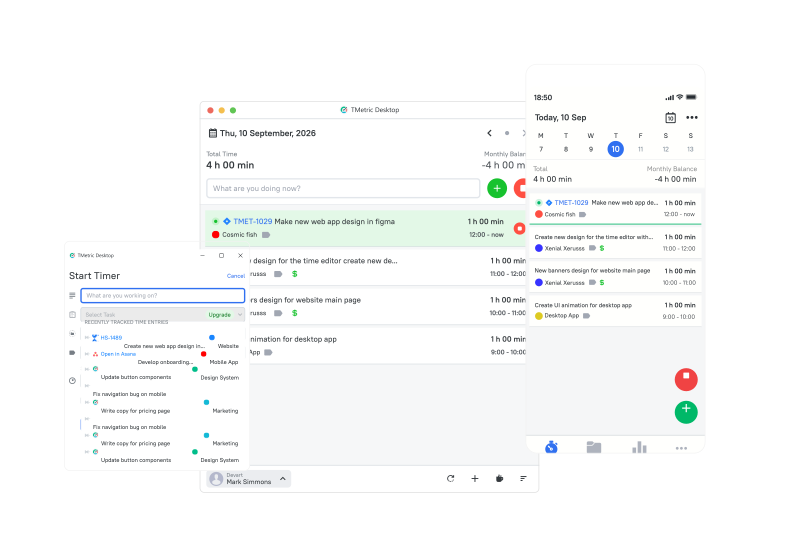

Sync Across Android, Web, and Desktop

How to Start Tracking Time on Android with TMetric

  • Step 1

    Installing the app

  • Step 2

    Signing In

    Launch the app, then log in using your TMetric account credentials or sign up if you're new.
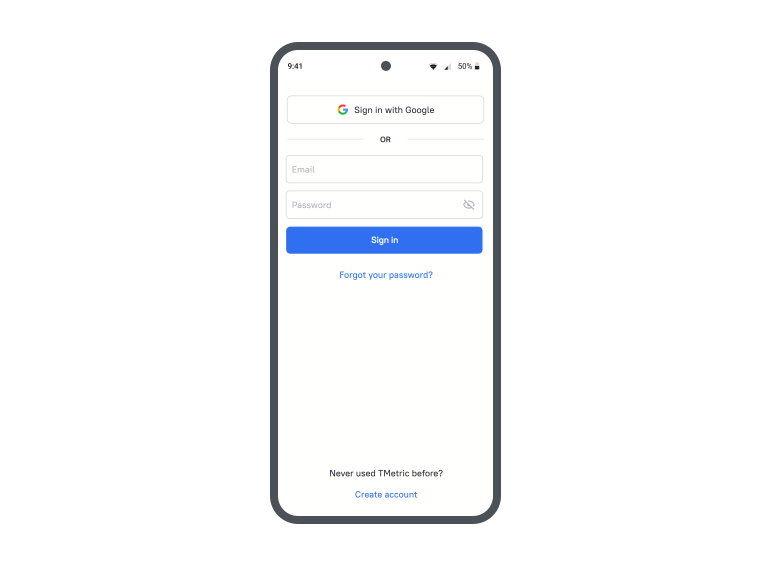
    Signing In

  • Step 3

    Syncing Across Devices

    Time tracked using the TMetric Android tracking software is automatically synced with both the web and desktop versions.
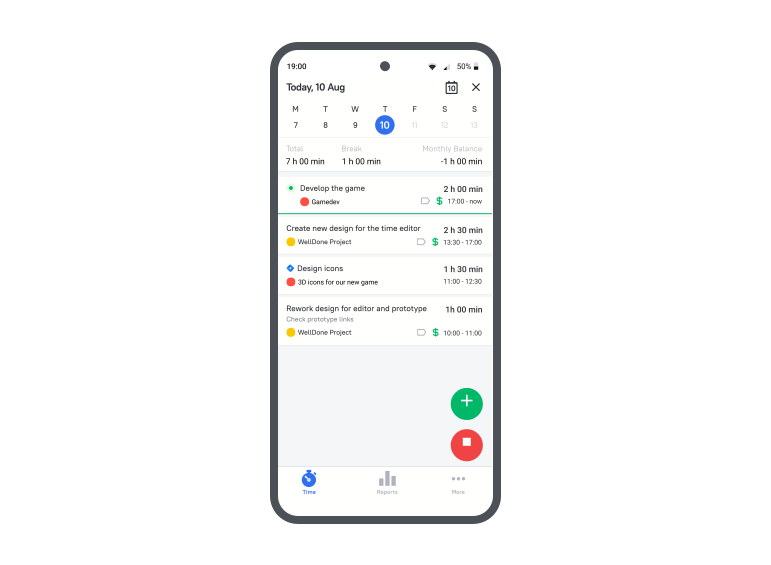
    Syncing Across Devices

  • Step 4

    Tracking Billable Time

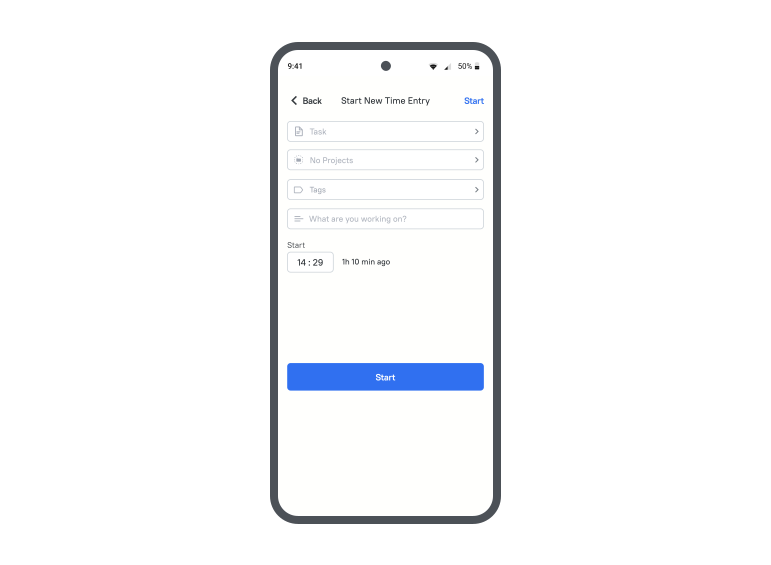
    Start the timer to track billable time on the project. Then generate a report to analyze the tracked data and see how much you’ve earned.
    Tracking Billable Time

Benefits of using TMetric for professionals

Better accuracy for mobile workdays

Better accuracy for mobile workdays

Precise, effortless time tracking when you work remotely or outside the office.

More reliable billing and payroll inputs

More reliable billing and payroll inputs

Accurate mobile time tracking and quick report generation for billing and payroll.

Faster logging with fewer missed entries

Faster logging with fewer missed entries

Automatic, error-free time tracking with fewer forgotten or missed entries.

Cross-device continuity

Cross-device continuity

Real-time insights help allocate resources efficiently and minimize idle time.

Greater flexibility on the move

Greater flexibility on the move

More freedom and ease to work or manage tasks without being tied to a single workspace.

Frequently Asked Questions

How can I track my work hours on Android using TMetric?

  • Download and open the TMetric app on Android.
  • Log in or create an account.
  • Tap the green play button on the Time page to track your time.
  • Tap the red stop button to end tracking.
  • Edit or add time entries if needed.
  • Your time syncs automatically across all devices.

Can TMetric sync my time entries across multiple devices?

Yes, TMetric time and attendance app for Android automatically syncs your time entries across multiple devices, including Android, web, and desktop apps. This ensures your data stays up to date no matter where you track your time.

What are the key features of TMetric for Android users?

  • One-Tap Time Tracking: Start, stop, and edit time entries with ease.
  • Project and Task Selection: Assign time to specific projects and tasks.
  • Break Logging: Record breaks to keep your work hours accurate.
  • Team View: Monitor your team’s activity and progress (if you're a manager).
  • Detailed Reports: View summaries of time spent, earnings, and costs.
  • Cross-Device Sync: All time entries sync automatically with web and desktop apps.

Is it possible to track time offline with TMetric?

Yes, TMetric allows you to track time offline using the desktop app. Once you're back online, all your tracked time will automatically sync across your devices.

How do I generate reports in TMetric for my projects?

  • Log in to your TMetric account (via web or mobile).
  • Go to the Reports section.
  • Generate the Project Summary report.

What are the benefits of using TMetric for time tracking on mobile?

  • Track Time Anywhere
  • Real-Time Sync
  • Simple Interface
  • Project & Task Tracking
  • Billable Hours & Invoicing
  • Reporting on the Go
  • Team Monitoring

How does TMetric compare to other time tracking apps for Android?

The TMetric Android time tracker is a user-friendly app with powerful features like billable time tracking, detailed reports, and seamless device sync, making it more versatile than many other time tracking apps.

What pricing plans does TMetric offer for Android users?

TMetric time tracking software for Android offers three pricing plans for users: a Free plan (for up to 2 users) with essential features like unlimited projects and clients; a Professional plan at $7/user/month with extras like billable rates, project budgets, invoicing, and calendar sync; and a Business plan at $9/user/month that includes advanced features like screenshot capture and paid time off tracking. All plans sync across devices and come with a 14-day free trial.

How do I get started with TMetric on my Android device?

To get started with TMetric time management tool for Android, simply download the TMetric app from the Google Play Store, install it, and sign in or create an account. Once logged in, you can start tracking time.

Make time work for you!

Track time anytime, anywhere with TMetric. Boost productivity on the go!

Make time work for you!