





Employee Productivity Tracker for Teams

  • Time tracking
  • Activity monitoring
  • Screenshots
  • Timesheets
  • Team dashboard
  • Apps & website usage
Fully functional 14-day trial | No credit card needed

Trusted by over 10 000 companies worldwide

  • Endygo
  • ITsyndicate
  • Pulso
  • 050media
  • JOT Digital
  • Freshlab
  • Mvad
  • Swaven

What Is a TMetric Productivity Tracker?

An employee productivity tracking application is a tool that helps teams and individuals track time, monitor activity, and understand how work time is spent.

It tracks time on tasks and projects, monitors activity levels and app and website usage, and turns this data into clear productivity reports.

Productivity Problems
TMetric Helps Solve

Without TMetric

  • Work hours are estimated instead of tracked, leading to blurred accountability
  • Productivity is judged by busyness, not by real output
  • Managers rely on gut feeling instead of data
  • Team members struggle to understand where their time actually goes

With TMetric

  • Every work hour is captured automatically and accurately
  • Clear visibility into how time is spent across tasks and projects
  • Data-driven insights replace guesswork in performance reviews
  • Teams build healthier, more focused work habits

Key Features of TMetric Productivity Tracking Software

Productivity Dashboard

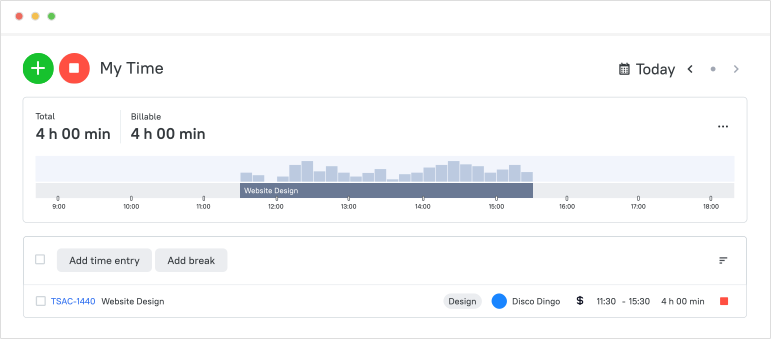
An employee productivity dashboard represents employee productivity tracking software aimed at measuring efficiency and driving growth in any organization. It typically includes metrics such as time spent on tasks, the number of completed tasks, and the quality of work. By reviewing this data, employers can identify areas where their team may need additional training or support.

Productivity Dashboard

App & Website Usage Insights

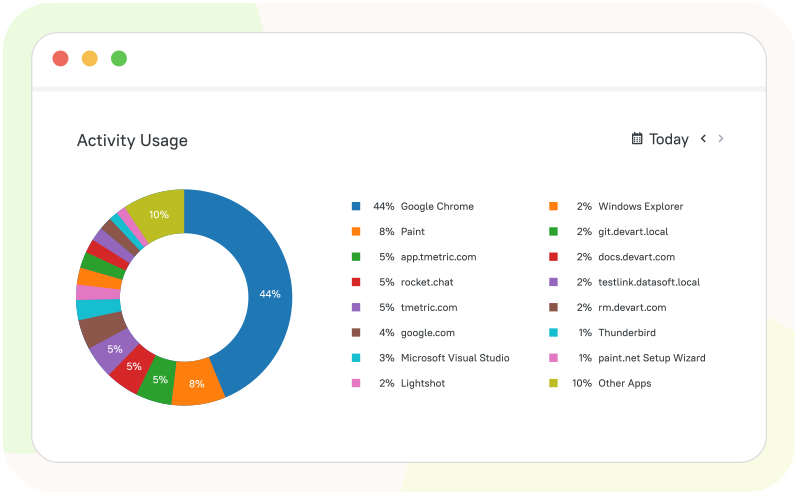
Employee productivity monitoring tools allow managers to see what websites team members visit and what apps they use during their work. They help businesses ensure that their employees are using company devices for work-related purposes and not accessing personal or inappropriate content. There are detailed reports on the app usage and website visits to identify any security threats or performance issues.

App & Website Usage Insights

Screenshot Capture

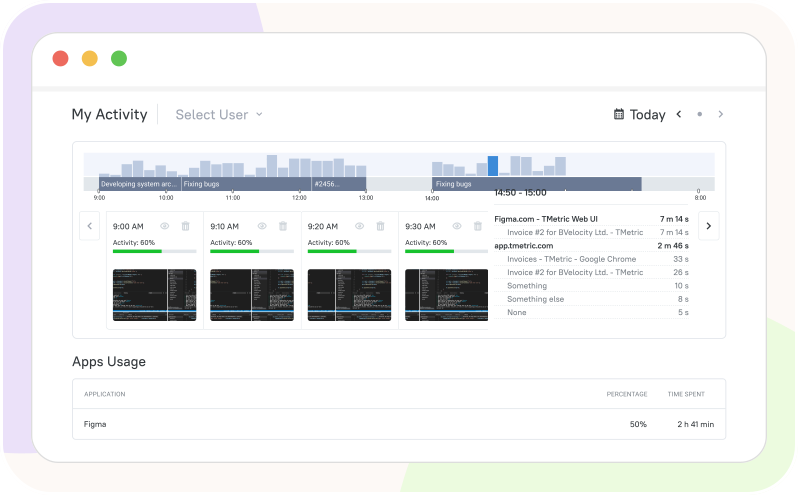
Software for tracking employee productivity allows you to capture images of your team members' computer screens while they work. TMetric includes the Screenshots Capture option, which makes it possible to see what employees do at work. These screenshots can help you monitor their progress, identify any distractions or obstacles, and keep track of completed projects and tasks.

Screenshot Capture

Team Dashboard

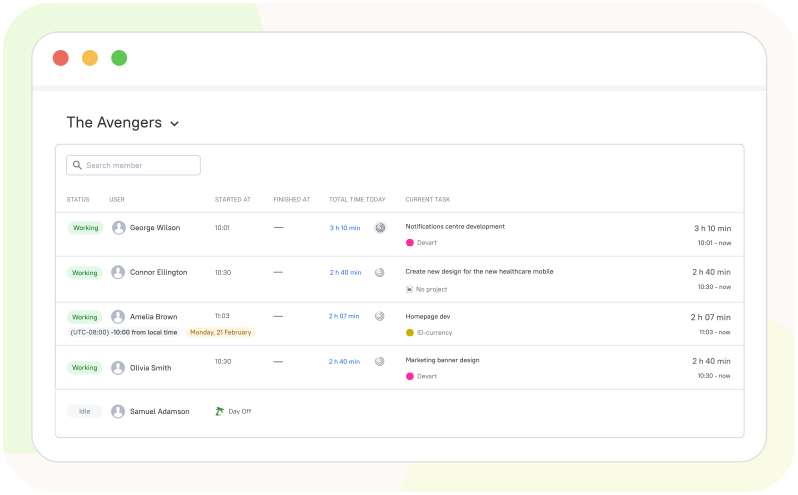
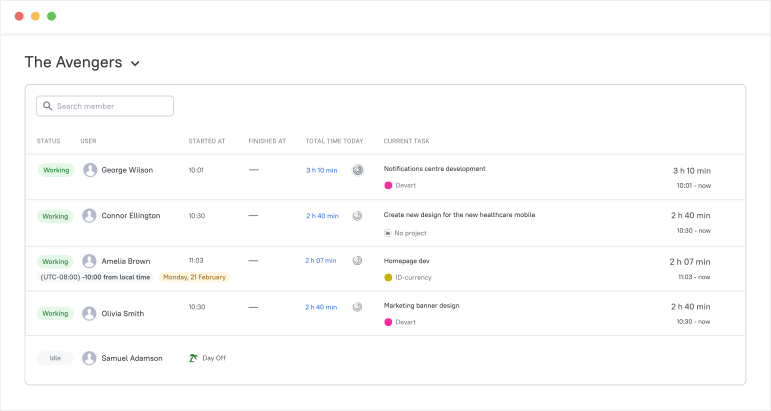
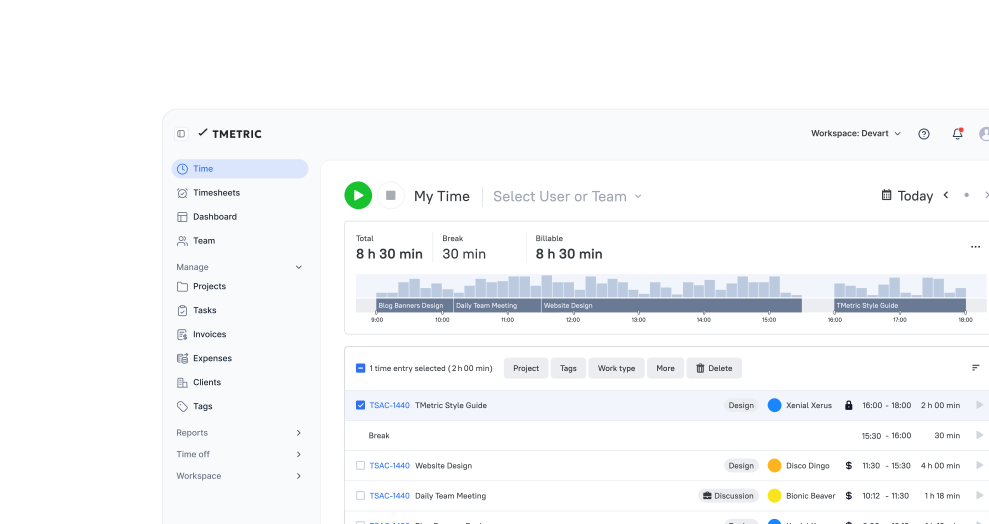
The Team Dashboard provides a clear, real-time overview of your employees' activity, showing what tasks they're working on, how much time they spend, and whether they're currently active. Managers get quick access to information about their team to manage it effectively and boost productivity.

Team Dashboard

Active vs. Idle Time & Activity Levels

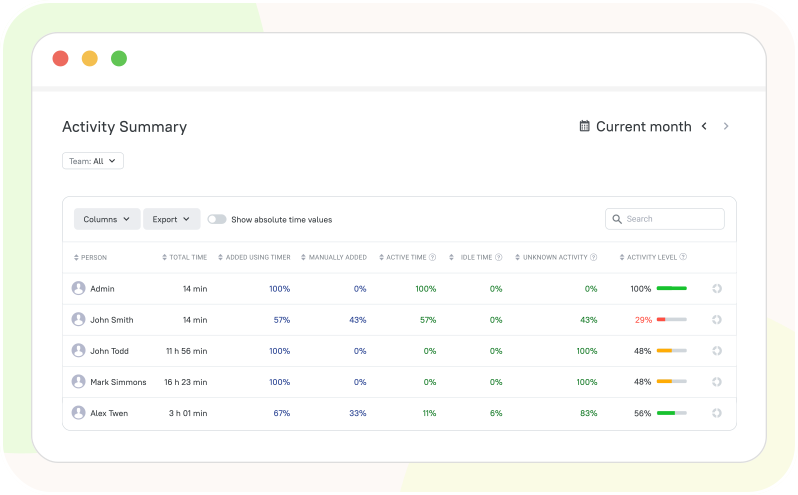
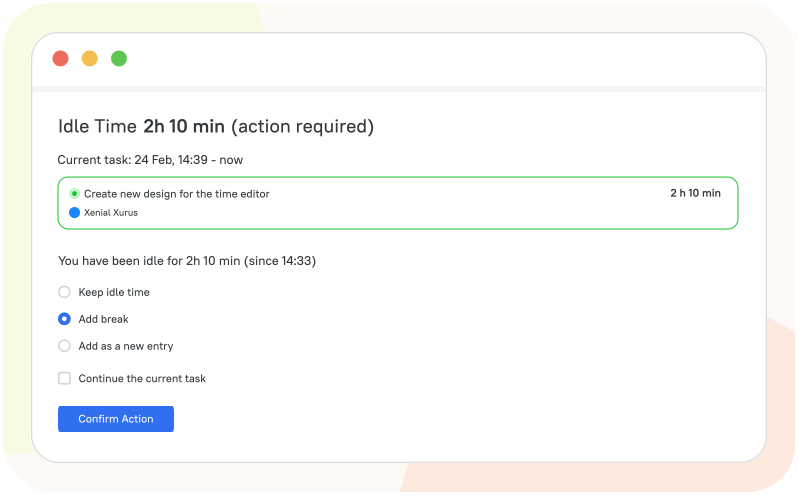
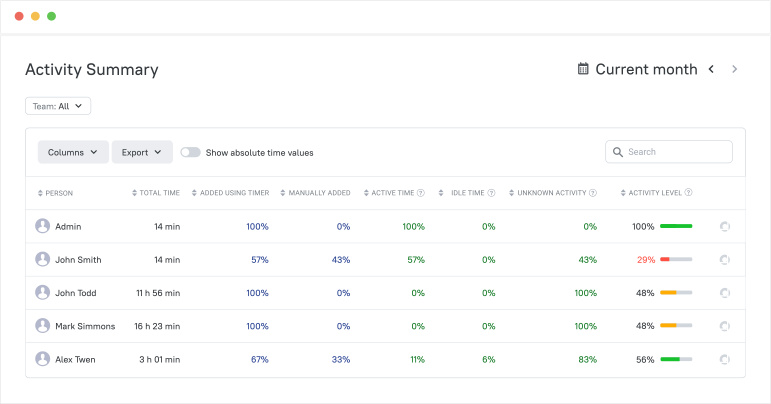
TMetric helps you track productivity with features like Idle Time Detection, which spots periods of inactivity, and Active vs. Idle time breakdowns that show how work hours are spent. With Activity Levels, you can see how engaged team members are based on mouse and keyboard use. The Activity Summary report consolidates all this data in one place.

Active vs. Idle Time & Activity Levels

Project Progress & Delivery Control

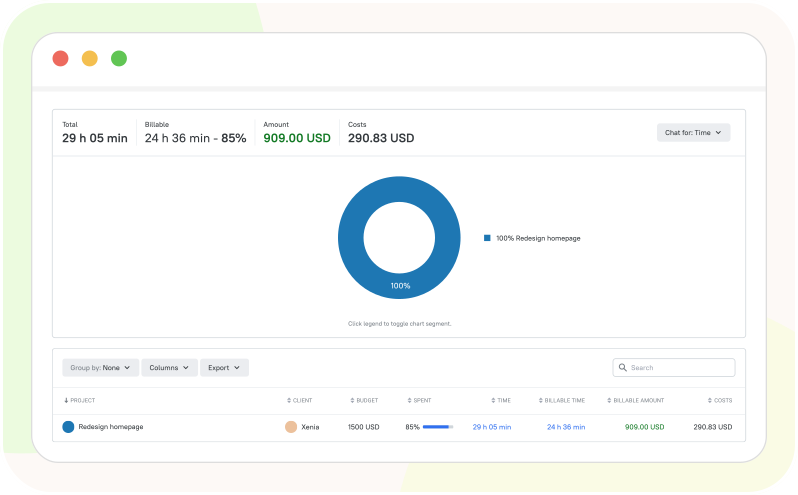
With the TMetric productivity tracker, you can track progress, time spent, and team involvement across all tasks and projects. Employees track time on individual tasks, while managers monitor project progress in real time to stay on top of deadlines and budgets. Easily assign tasks, balance workloads, and keep every project on track and within scope.

Project Progress & Delivery Control

Productivity Reports and Exports

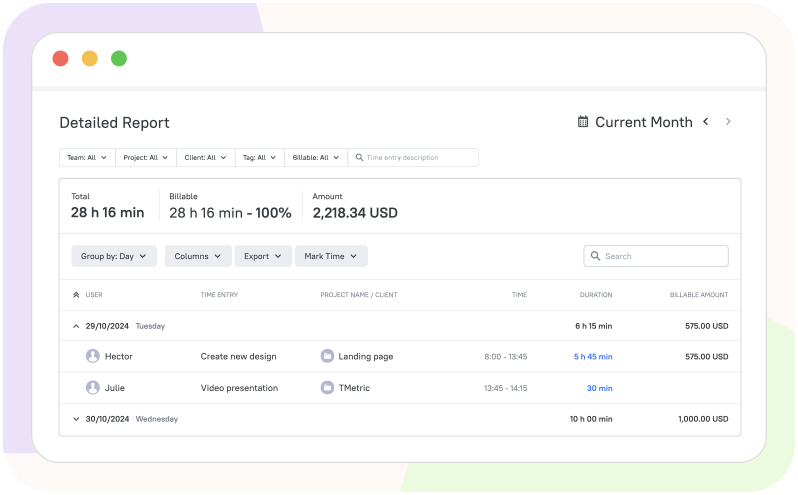
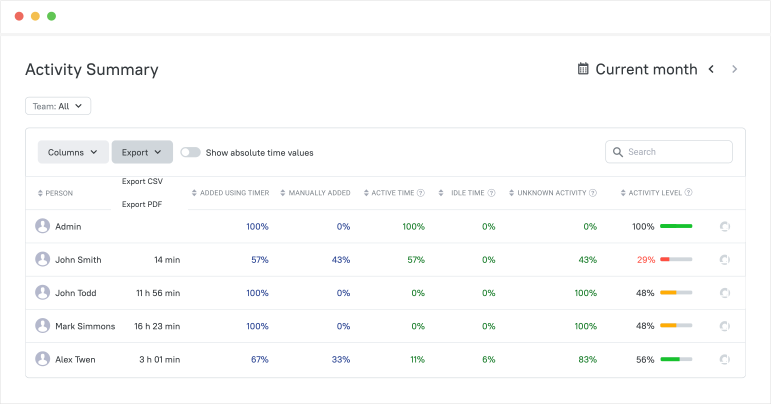
The TMetric productivity tracking app allows managers to generate productivity reports that show how work time is used, helping them make informed day-to-day and strategic decisions. These reports include Team Summary, Activity Summary, and Apps Usage reports. You can export them to CSV and PDF files for further use.

Productivity Reports and Exports

How the Productivity Tracker App Works

  • Step 1

    Set Up Workspace

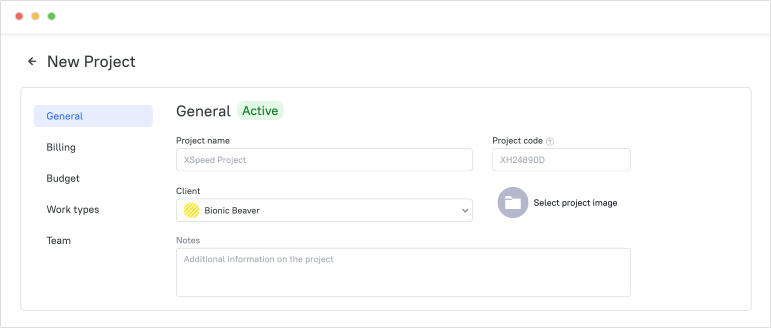
    Create a workspace, invite team members, and configure projects and tasks

    Set Up Workspace

  • Step 2

    Track work time

    Employees track time with a timer while working on tasks and projects

    Track work time

  • Step 3

    Monitor team's work

    View your team’s work in real time using the Team Dashboard

    Monitor team's work

  • Step 4

    Analyze productivity data

    Managers view reports to understand productivity, utilization, and progress

    Analyze productivity data

  • Step 5

    Export report data

    Export reports in CSV or PDF formats for analysis and sharing

    Export report data

Seamless Integrations
for a Unified Workflow

Time is captured directly from where your team works - no switching tabs, no manual entry.

See all integrations

Frequently Asked Questions

What exactly does TMetric track for productivity insights?

The TMetric desktop client collects and records user activity, including websites and applications that a user accesses during work hours, user activity levels on the computer, and screenshots of each monitor.

Can employees see their own productivity data and activity reports?

Yes, employees can view their own productivity data and activity reports in the TMetric time tracking productivity app. They can monitor their daily work using the Dashboard and see their work results in the Activity Summary report.

How does idle time detection work, and how should teams interpret it?

You install the desktop client to track user productivity at work, monitor activity levels, and measure time spent online during work hours. When you are away from your computer, the desktop client records this time, and when you return, you can decide how to classify it, either as working time or as a break. 

Is TMetric suitable for remote and hybrid teams across different time zones?

Yes, TMetric productivity software with activity tracking is suitable for remote and hybrid teams across different time zones. It allows team members to track time and activity from anywhere, while managers can view reports and productivity data regardless of location or time zone.

How quickly can a team roll out TMetric, and what does onboarding look like?

Teams can start using TMetric productivity time tracking software within hours by setting up a workspace, adding projects and members, installing the apps, and beginning time tracking.

Why choose TMetric over other productivity monitoring tools?

TMetric stands out because it’s easy to set up and use, tracks time, activity, and app usage in one place, and offers flexible reports in CSV, XLSX, or PDF formats. It’s also ideal for remote and hybrid teams at an affordable, competitive price.

What integrations does TMetric offer?

TMetric integrates with popular tools like Jira, Asana, Trello, GitHub, Slack, Gmail, Outlook, Notion, and QuickBooks. It also supports Google/Outlook Calendar and offers browser extensions that works with the tools you use every day.

What’s included in the 14-day trial?

The 14-day trial gives full access to all TMetric features, including time and activity tracking, reports, project management, integrations, and data exports, letting teams try everything before choosing a plan.

Turn time into your competitive advantage

Start tracking productivity with TMetric and give your team the clarity to work smarter.

Start free trial
Turn time into your competitive advantage