




Team Management Dashboard

  • Time tracking
  • Team activity
  • Productivity insights
  • Projects & Tasks
  • Work schedules
  • Time off
Fully functional 14-day trial | No credit card needed

Trusted by over 10 000 companies worldwide

  • Endygo
  • ITsyndicate
  • Pulso
  • 050media
  • JOT Digital
  • Freshlab
  • Mvad
  • Swaven

What Is a TMetric Team Management Dashboard?

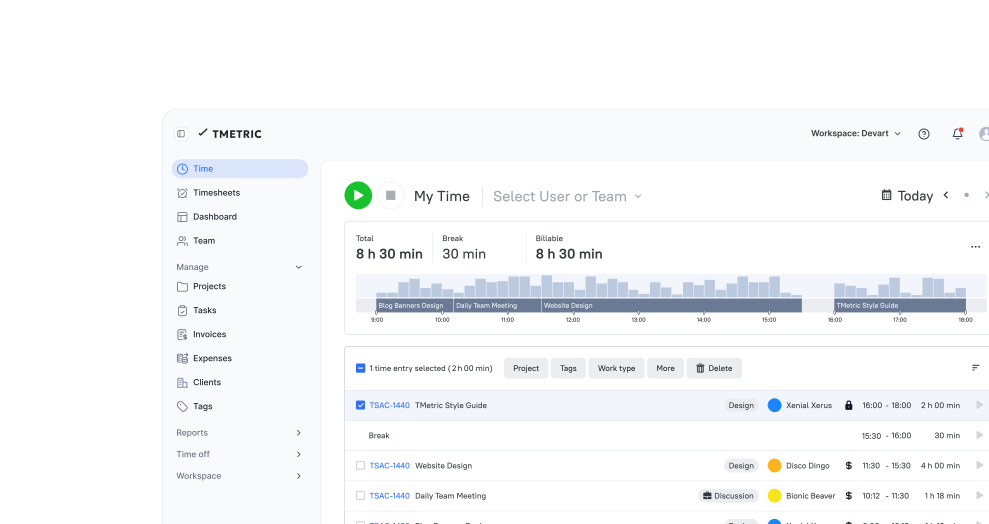
The TMetric Team Management Dashboard is a central workspace that helps managers monitor team activity, workload, tracked time, task progress, and availability in one place. It works as a team workstreams dashboard, making it easier to manage team workstreams in one dashboard and spot workload imbalances or productivity trends. With performance dashboards for team analytics, managers get a clear overview of how work is progressing and where attention may be needed.

Why Teams Need a Dashboard Like This

Without TMetric

  • Managers do not see who is active and who is blocked
  • Work is distributed unevenly
  • Time goes into tasks without clear visibility
  • Task progress, attendance, and time data live in different places

With TMetric

  • See your team’s work clearly and act on it in real time
  • Track who is actively working and who is idle
  • Balance workloads by understanding how time is distributed
  • Get a unified view of all data in one dashboard

What Makes TMetric a Good Team Management Dashboard

View the team productivity dashboard

Effective team management is a must, and by applying the team productivity dashboard in TMetric, you get everything you need for it. The team performance dashboard gives you access to employees’ activities throughout the day to see how many team members are working or not at the moment, and what exactly they are busy with.
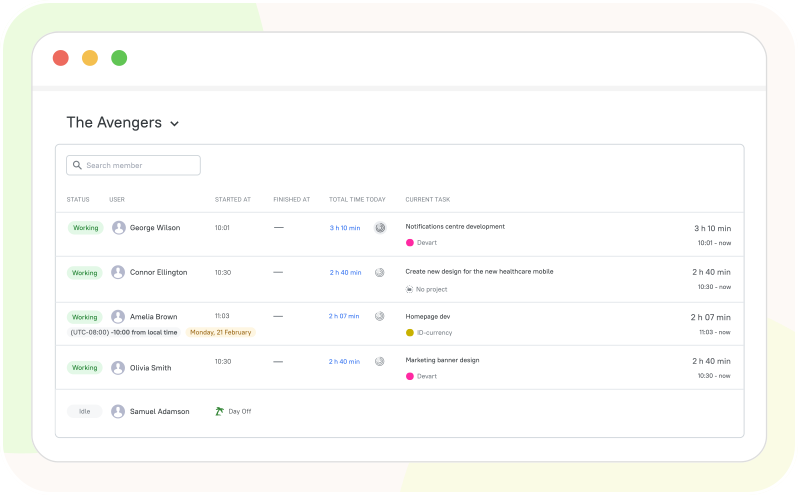
View the team productivity dashboard

Analyze daily agenda of your team

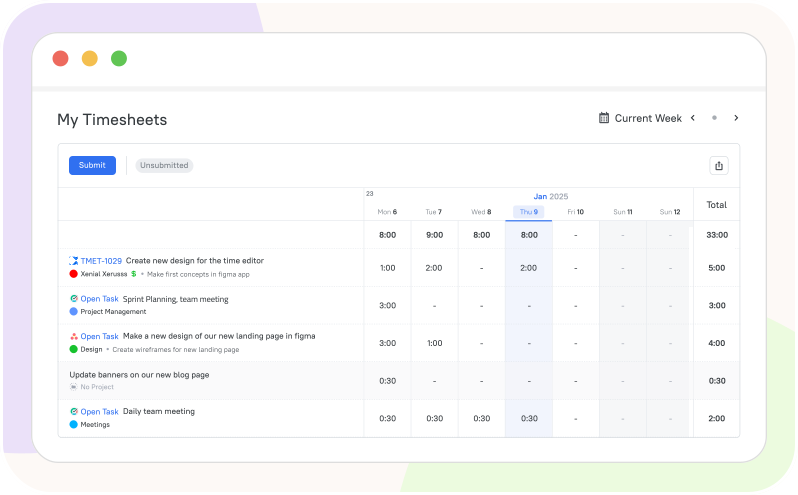
Team dashboard software TMetric makes a smart choice when it comes to daily agenda tracking, as it displays all the needed data in one place and helps you plan the workday properly. The team metrics dashboard also has the power to increase performance and keep you and your team productive all day.

Analyze daily agenda of your team

See workload of your employees

The team work dashboard illustrates the activities of each team member, and you can manage their workload right in the software to better plan and optimize the task and project completion. Just use the team workload dashboard to control the amount of work assigned to each team member and set up the workflows effectively.

See workload of your employees

Task management dashboard

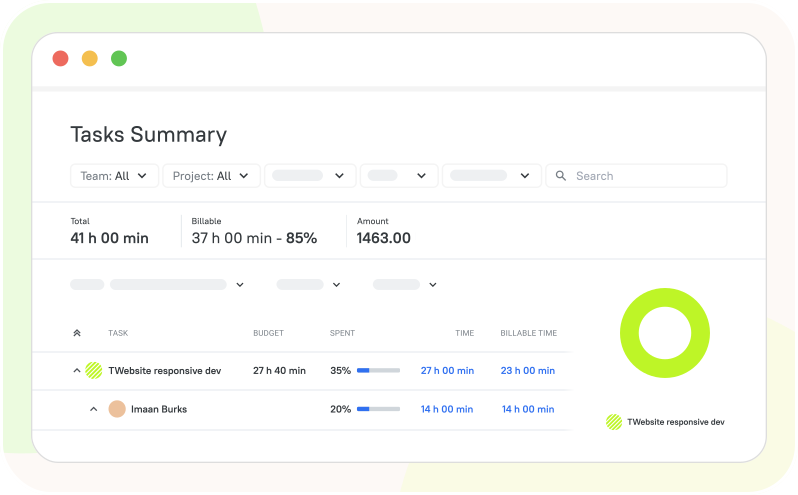
The project team dashboard displays insights across all tasks and projects, helping get things done on time. This way you can follow the progress your team makes and get the metrics about task statuses. Get dashboard team real-time updates in the extremely intuitive, well-organized interface.

Task management dashboard

Overview tracked time dashboard

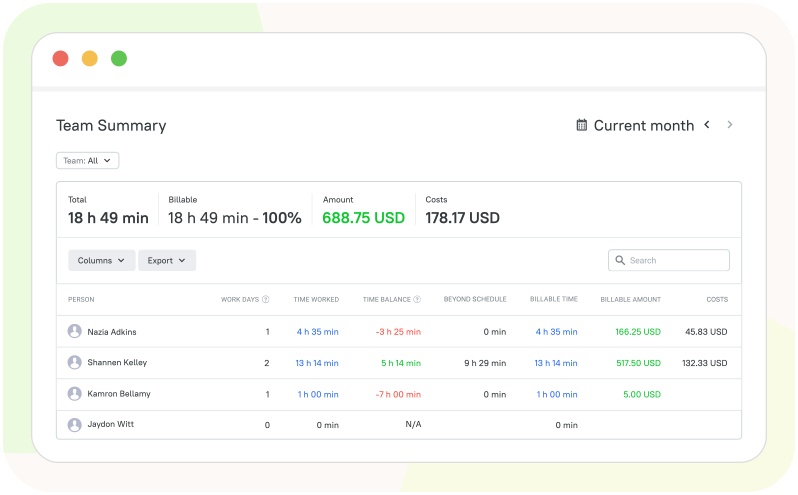
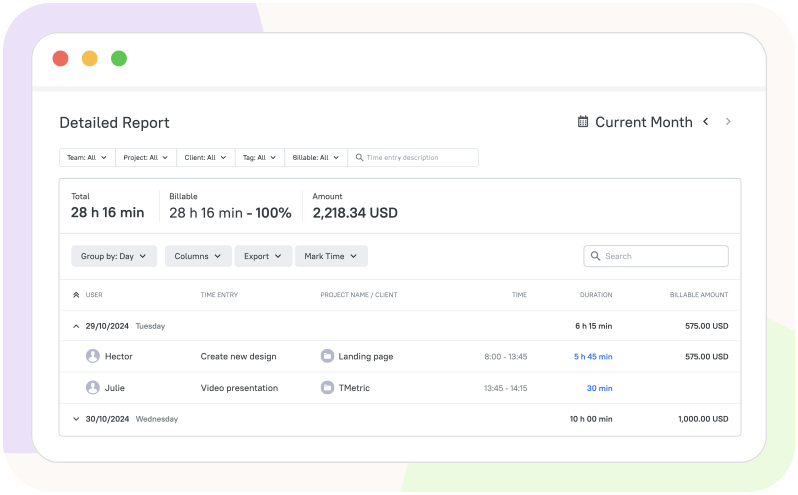
The summary of the tracked time is displayed in the dashboard for teams, clarifying how much time is spent on every activity, and the team metrics dashboard offers a possibility to view it for different time ranges for better analysis. Metrics from the team analytics dashboard give a broad overview of users’ activities and work time usage.

Overview tracked time dashboard

Manage time off calendars

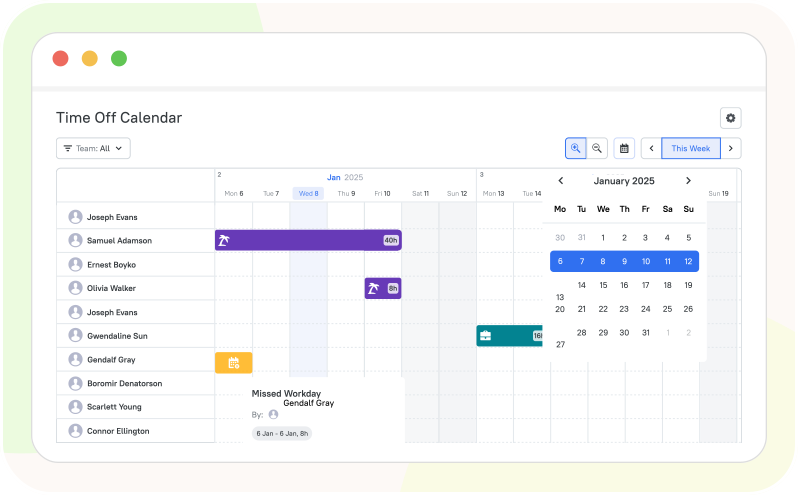
Thanks to the office team dashboard, each employee can also see their time off requests and missed days for their convenience. This makes our teamwork dashboard a wonderful tool to automate processes inside the team and save time on manual checks. See who is at work and who has a day off, and plan your communication and daily agenda accordingly.

Manage time off calendars

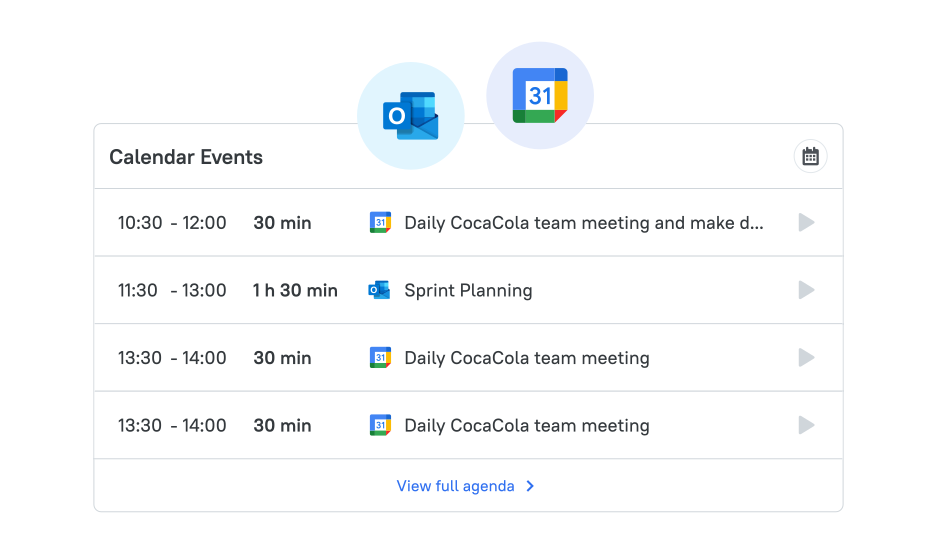
Integrate Google Calendar with TMetric

TMetric allows you to connect your calendar to the team management dashboard to better organize and never miss your events and meetings; this way you can see and track time on them right in TMetric without switching to the calendar. Use our team performance dashboard to manage your work time to your benefit and for better productivity.

Integrate Google Calendar with TMetric

How Managers Use the Team Dashboard

  • Step 1

    Start the day with team visibility

    See team members’ current attendance status, working hours, and availability directly in TMetric to understand who is working and when.

  • Step 2

    Review workload before assigning new work

    Check tracked time and current workload in TMetric to see how much time team members have already spent on their work before assigning additional tasks.

  • Step 3

    Monitor progress and time during the week

    Use TMetric’s tracked-time data and team reports to monitor how much time employees spend on tasks and projects throughout the week.

  • Step 4

    Plan around meetings, availability, and time off

    View employees’ attendance, work schedules, and time off information in TMetric to coordinate work around availability and planned absences.

Seamless Integrations for a Unified Workflow

Time is captured directly from where your team works - no switching tabs, no manual entry.

See all integrations

Frequently Asked Questions

What can managers see in the TMetric team dashboard?

Managers can view tracked time, employee activity, project hours, and attendance information from one centralized view. TMetric provides performance dashboards for team analytics to help managers understand how work time is distributed. This makes it easier to identify workload patterns and review team activity.

How does the TMetric team dashboard help manage team workload?

The dashboard gives managers visibility into how employees allocate their working time across projects and tasks. It helps manage team workstreams in one dashboard by bringing key time and workload data together. Managers can use this information to spot uneven workloads and adjust priorities when needed.

Can I see what my team is working on in real time?

TMetric provides visibility into employees' current tracked activities and the projects or tasks they are working on. The team workstreams dashboard gives managers a centralized view of ongoing work. This helps them stay informed without repeatedly asking team members for status updates.

Does the team dashboard show tracked time for each employee?

Yes, managers can review tracked time for individual employees and see how their hours are distributed across projects and tasks. TMetric works as software for tracking team productivity in dashboards, giving managers a clear overview of recorded work time. This data can also be used to compare workload and productivity patterns across the team.

Can managers use TMetric to review task progress across the team?

Yes, managers can use tracked time and activity data to monitor work across projects and tasks. TMetric provides a team workstream management dashboard that helps managers understand where team members are spending their time. This supports regular progress reviews and helps identify tasks that may require attention.

Does the dashboard include time off and attendance visibility?

Yes, TMetric gives managers visibility into team attendance and time off information alongside tracked work time. This helps provide a more complete picture of employee availability and working hours. Managers can use the dashboard to coordinate schedules and workload more effectively.

Can I connect Google Calendar to the TMetric team dashboard?

Yes, TMetric integrates with Google Calendar so scheduled calendar events can be connected with time tracking. This can help managers coordinate schedules and understand planned activities alongside tracked work. The integration adds useful context when using TMetric to manage team workstreams in one dashboard.

Bring clarity to your team’s workday

See who’s working on what, how time is spent, and where to optimize - without switching between tools.

Start free trial
Bring clarity to your team’s workday