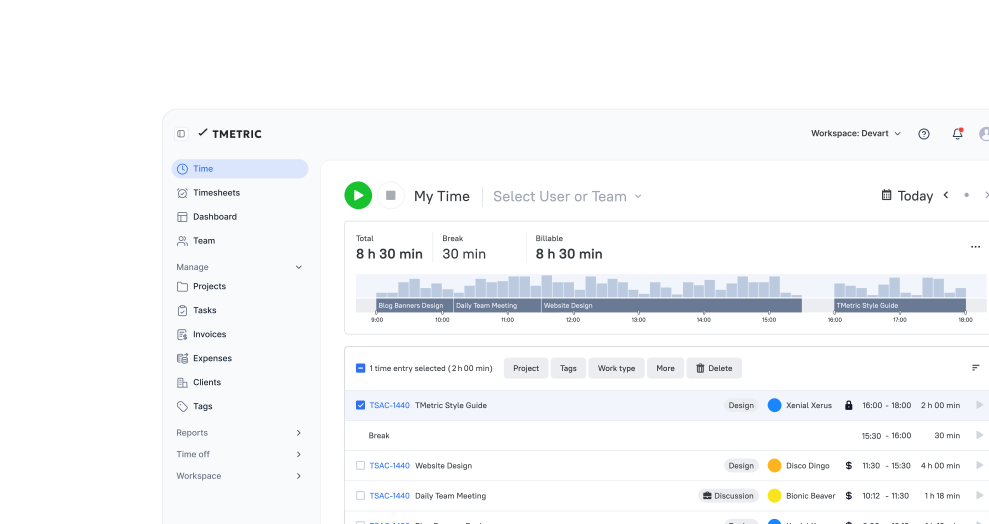







Time Tracking Software

TMetric is a time tracker designed to maintain high team productivity and performance. Track your employees’ working hours, maintain attendance control, provide accurate payroll, and allocate workloads effectively.

Fully functional 14-day trial | No credit card needed

Trusted by over 10 000 companies worldwide

  • Endygo
  • ITsyndicate
  • Pulso
  • 050media
  • JOT Digital
  • Freshlab
  • Mvad
  • Swaven

Why Time Tracking Is a Challenge

Without TMetric

  • I lose track of billable hours daily.
  • Manual timesheets waste my team's time.
  • I can't see where time actually goes.
  • Anxiety about remote team productivity.
  • Hours spent on payroll calculations.

With TMetric

  • Every minute is captured automatically.
  • Time entries are created in one click.
  • Detailed reports show time by project & task.
  • Privacy-first insights without micromanaging.
  • Automated payroll exports in minutes.

Turn Time Data Into Project Success

Stop losing revenue to forgotten hours. See exactly how your team invests time, so you can bill accurately, plan better, and deliver projects profitably.

25% increase in billable hours captured
5+ hours saved per week on timesheet admin

TMetric Key Features for Time Tracking

Accurate Time Tracking That Captures Every Billable Minute

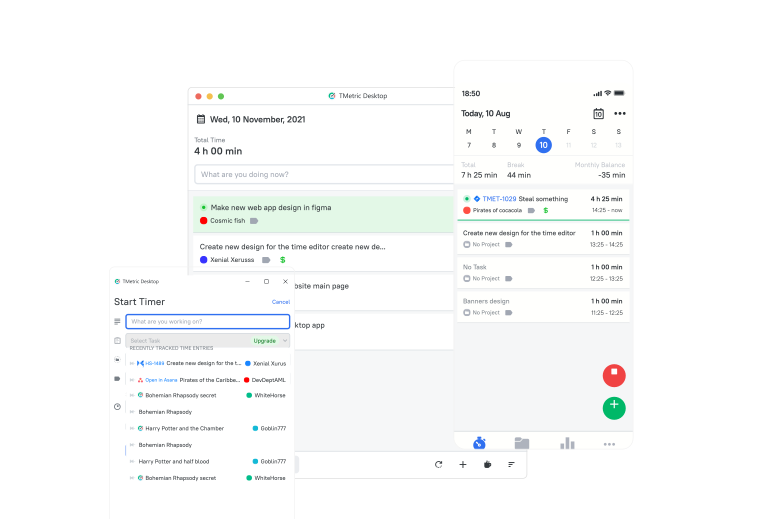
Start tracking with one click or let TMetric automatically capture time from your existing tools. Desktop, mobile, and browser apps ensure no work goes unrecorded, whether your team is in the office or working remotely.

  • One-click timer: Start/stop tracking instantly from desktop, mobile, or browser
  • Automatic time capture: Track time directly from Jira, Asana, Trello, and 50+ tools
  • Offline mode: Track time without internet - syncs automatically when reconnected
  • Timer reminders: Get notified when you forget to start tracking
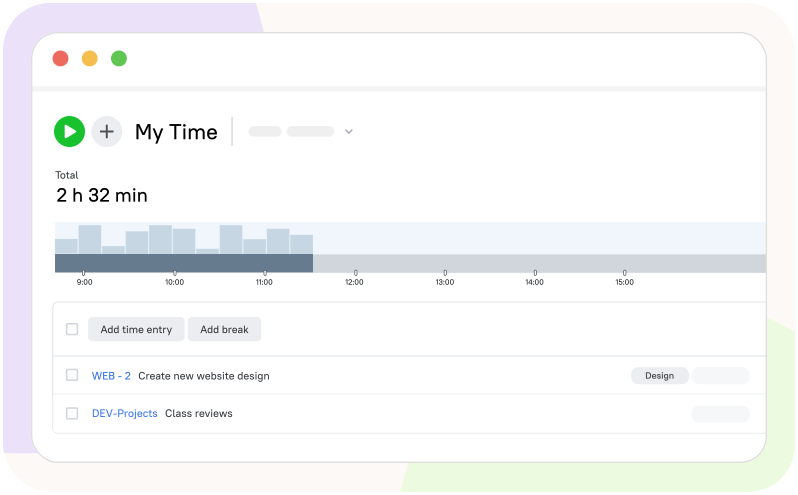
Accurate Time Tracking That Captures Every Billable Minute

Project & Task Tracking for Perfect Organization

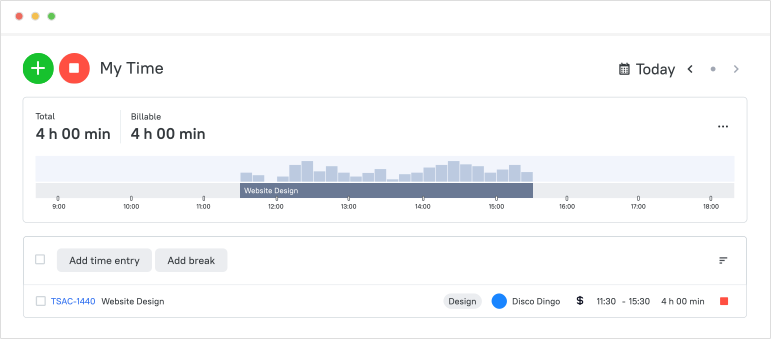
Organize time with the precision you need for client billing and project profitability. Track time by client, project, and task with billable/non-billable separation, custom tags, and budget alerts.

  • Multi-level tracking: Client → Project → Task hierarchy
  • Billable vs. non-billable designation: Separate client work from internal tasks instantly
  • Project budgets with alerts: Get notified when approaching time or cost limits
  • Custom tags and labels: Categorize work by department, activity type, or billing code
Project & Task Tracking for Perfect Organization

Detailed Time Reports & Analytics

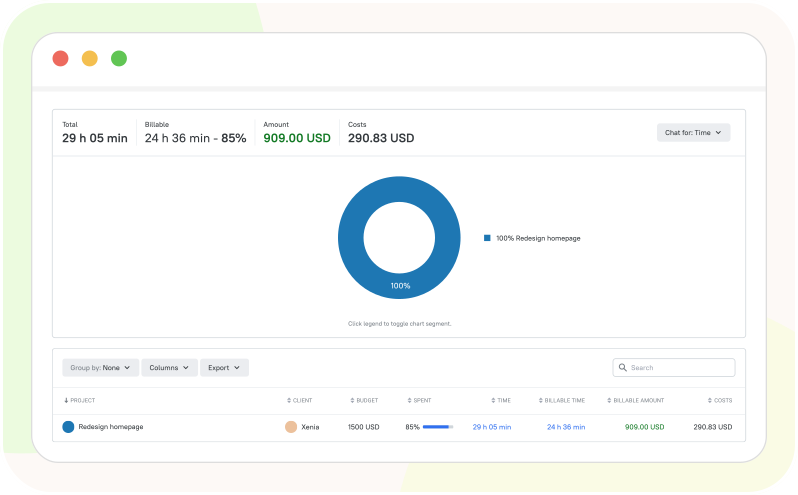
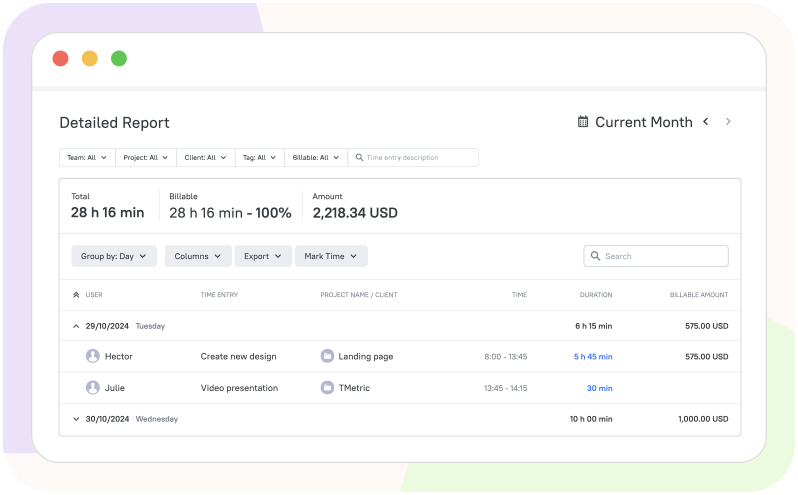
Make informed business decisions with powerful reports that reveal project profitability, team productivity patterns, budget utilization, and the percentage of billable hours. Export to Excel or PDF for stakeholder presentations.

  • Profitability reports: Compare estimated vs. actual time and costs per project
  • Billable hours analysis: Track billable percentage and revenue potential by client
  • Budget utilization tracking: See project progress against time and cost budgets
  • Team productivity reports: Identify efficiency patterns and workload distribution
Detailed Time Reports & Analytics

Effortless Invoicing from Tracked Time

Stop spending hours compiling timesheets for invoicing. Generate professional, accurate invoices directly from tracked time with one click. Customize templates, apply different billing rates, and export to QuickBooks, Xero, or your accounting software.

  • One-click invoice generation: Convert time entries to invoices instantly
  • Customizable templates: Add your branding, logo, and custom fields
  • Multiple billing rates: Different rates per project, client, task, or team member
  • Accounting integrations: Export to QuickBooks, Xero, FreshBooks, Wave, NetSuite
  • Invoice tracking: Monitor payment status and invoice history
Effortless Invoicing from Tracked Time

Team Productivity & Workload Management

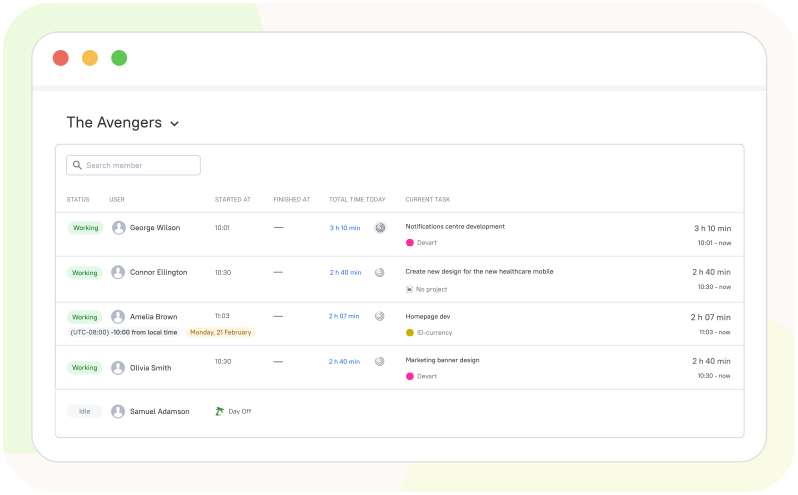
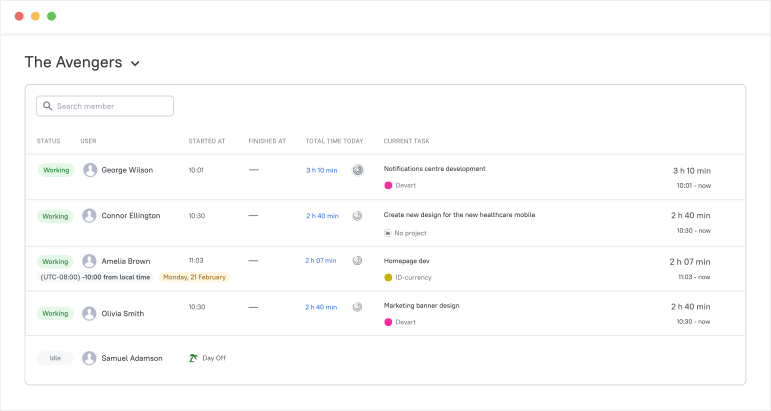
Get visibility into how your distributed team spends time with non-intrusive productivity insights. See real-time team activity, balance workloads fairly, track attendance, and prevent burnout - all with privacy-first controls that respect your team.

  • Real-time team dashboard: See who's working on what right now
  • Non-intrusive activity tracking: Optional app/website usage with full privacy controls
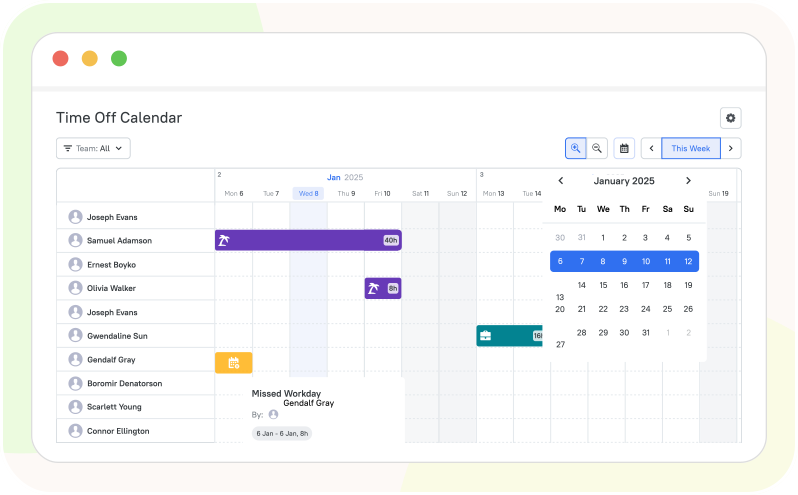
  • Workload visualization: Identify who's overloaded vs. who has capacity
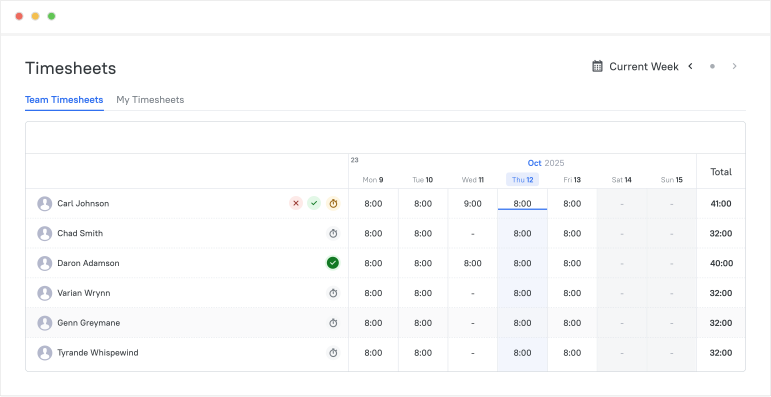
  • Attendance tracking: Clock in/clock out with timesheet approvals
Team Productivity & Workload Management

Easy Integrations with
Your Workflow

Track time from Jira, Asana, QuickBooks, and 50+ tools you already use daily.

See all integrations

See TMetric in Action

Experience the power of effortless time tracking. Let TMetric capture every billable minute and automate your timesheets, so you can focus on the work that matters.

Frequently Asked Questions

What is time tracking and how does TMetric help?

Time tracking is the process of recording how much time you spend on tasks, projects, or clients. TMetric makes this easy with one-click timers, manual time entries, and detailed reports, helping teams stay productive, accountable, and on budget.

How can I track time in TMetric?

You can track time using a simple start/stop timer, add time manually, or track time directly from tasks in tools like Jira, Asana, and Trello. TMetric also offers desktop and mobile apps so you can track time wherever you work.

Can I track time without an internet connection?

Absolutely. TMetric includes an offline mode. If you lose your connection, the desktop app will continue to record your time. Once you are back online, your data will automatically sync with your web account.

How do I track time within other apps like Jira, Asana, or Trello?

You can use the TMetric browser extension (available for Chrome, Firefox, Edge, and Safari). Once installed, a "Start Timer" button will appear directly inside 50+ popular project management tools, allowing you to track time without switching tabs.

Does TMetric support idle time detection?

Yes. The desktop app detects when there has been no keyboard or mouse activity for a set period. It will then prompt you to decide whether to keep the idle time, discard it, or apply it to a different task.

Can I track billable and non-billable time separately?

Sure, TMetric lets you mark time entries as billable or non-billable, set custom billable rates, and generate accurate reports for invoicing and client billing.

Does TMetric provide reports based on tracked time?

Yes. TMetric offers reports showing time spent by project, task, user, or client. These insights help managers monitor workload, optimize processes, and make data-driven decisions.

Start Capturing Every Billable Hour Automatically

Everything companies need to capture billable hours and deliver profitable projects.

Start free trial
Start Capturing Every Billable Hour Automatically