





Overtime Tracking Software for Employees and Teams

Track employee overtime hours automatically, apply overtime rules and thresholds, review overtime by employee, and turn overtime records into payroll reports.

Fully functional 14-day trial | No credit card needed

Trusted by over 10 000 companies worldwide

  • Endygo
  • ITsyndicate
  • Pulso
  • 050media
  • JOT Digital
  • Freshlab
  • Mvad
  • Swaven

What is TMetric Overtime Tracker?

The TMetric overtime tracking software is a powerful tool designed to help businesses efficiently track and manage employee overtime. It automatically records hours worked beyond regular shifts, calculates overtime based on custom rules or rates, and generates detailed reports. TMetric ensures accurate compensation, aids in payroll management, and integrates with other time tracking features for a comprehensive overview of employee productivity.

Why Businesses Need Overtime Tracking Software

Without TMetric

  • Overtime hours are tracked manually
  • Payroll calculations become unreliable
  • Excessive overtime goes unnoticed
  • Scheduling decisions are made without clear data

With TMetric

  • Reduce manual overtime errors
  • Support payroll accuracy
  • Prevent excessive overtime and overload
  • Improve scheduling and staffing decisions

Key Features of TMetric Overtime Tracker

Overtime rules and thresholds

TMetric lets managers define work schedules, expected hours, and overtime thresholds for teams or individual employees. With an overtime tracking system, businesses can automatically identify hours worked beyond regular schedules and apply consistent overtime rules without relying on manual calculations.
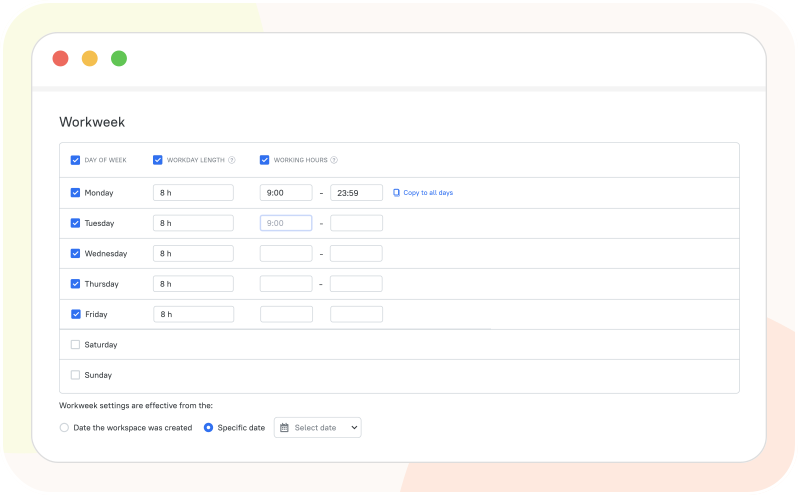
Overtime rules and thresholds

Overtime visibility by employee and team

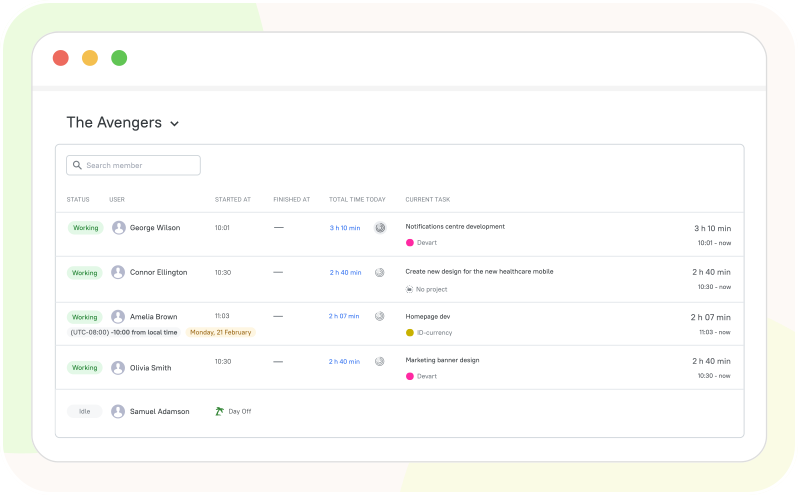
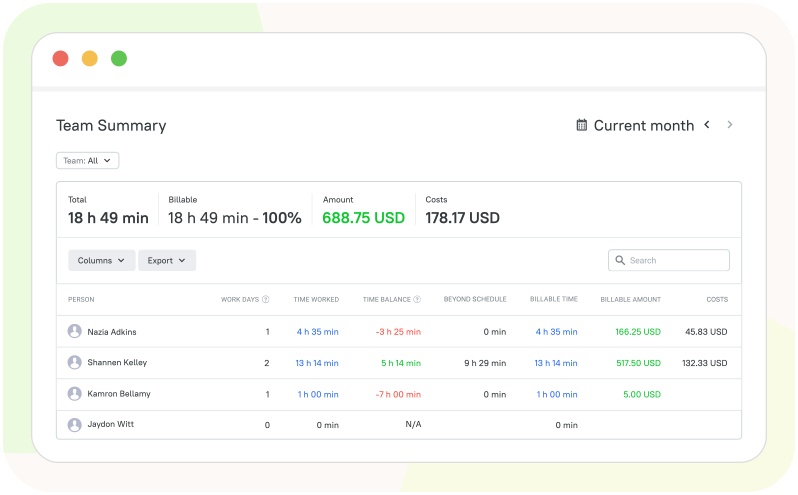
Get a clear view of overtime across individual employees and entire teams from centralized reports and dashboards. Employee overtime tracking makes it easy to identify who is working beyond scheduled hours, compare overtime across teams, and monitor workload patterns in real time.

Overtime visibility by employee and team

Payroll-ready overtime records

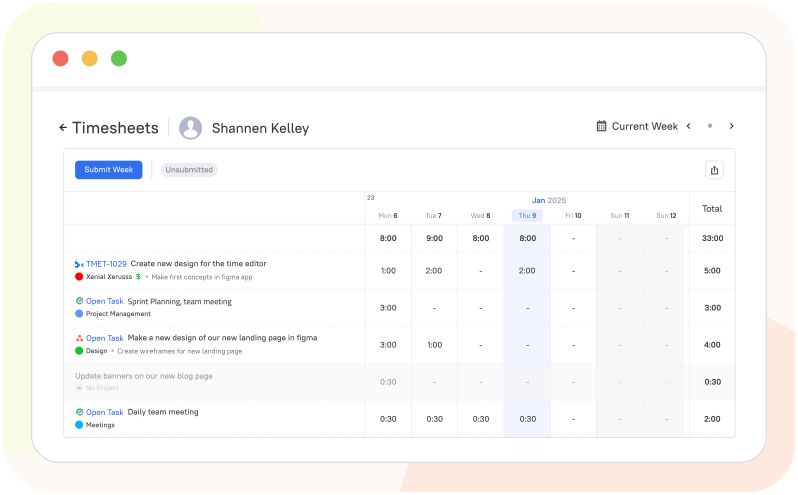
TMetric automatically records overtime hours alongside regular work time, giving HR and payroll teams accurate data for compensation and payroll processing. As an employee overtime hours tracker, it provides detailed reports that can be filtered by employee, team, or period and exported for further payroll management.

Payroll-ready overtime records

Alerts and workload control

Monitor overtime as it accumulates and identify employees who consistently exceed their scheduled hours. The overtime tracker app gives managers better visibility into workload and helps them take action before excessive overtime affects employee capacity, costs, or project schedules.

Alerts and workload control

How to Set Up Overtime Tracking in TMetric

  • Step 1

    Creating an Account and Setting Up Overtime Rules

    • Sign up for a TMetric account if you haven't already, or log in if you have one.
    • Go to the workspace settings and open the Work Schedule tab.
    • Set the Workday Length option as needed.
    • The Time Balance value in the Team Summary report will show employees' overtime, if any.
  • Step 2

    Inviting Team Members

    • Navigate to the Members page.
    • Click Invite Members.
    • Enter the emails of the users you wish to add, and click Send Emails.
  • Step 3

    Logging Work Hours and Overtime

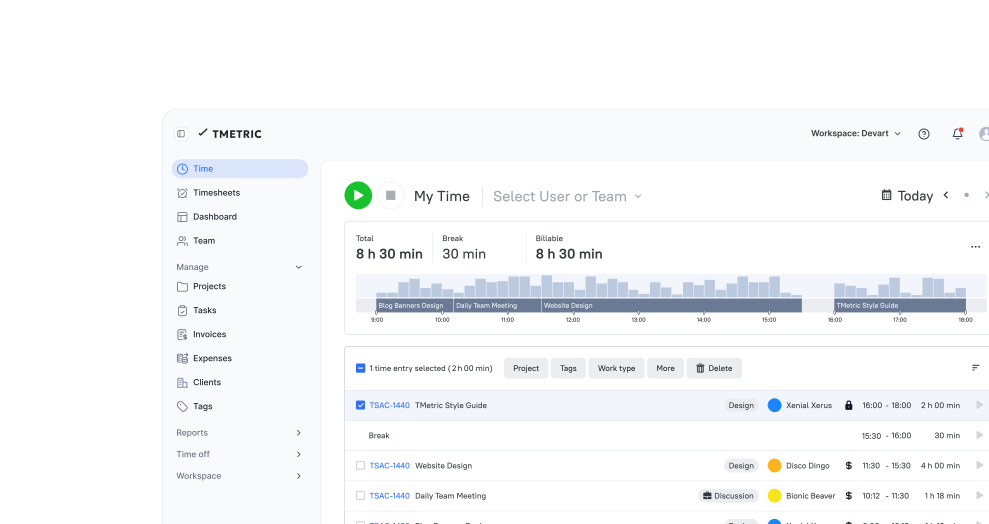
    • Employees click the Start timer button to track time as they work.
    • TMetric automatically tracks overtime based on the set work schedule.
    • Managers check the Team Summary report to see the Time Balance value, which displays overtime hours worked.

Integrate TMetric with the Tools You Already Use

Time is captured directly from where your team works - no switching tabs, no manual entry.

See all integrations

Frequently Asked Questions

What is an employee overtime tracker?

An employee overtime tracking tool records the hours employees work beyond their scheduled or standard working time. It helps managers monitor overtime, identify workload issues, and maintain accurate work-hour records.

How does TMetric track overtime hours?

TMetric automatically records employees' working hours and compares them with their assigned schedules. As an overtime tracking system, it helps identify time worked beyond regular hours and provides detailed reports for review.

Can I set overtime rules and thresholds in TMetric?

Yes, TMetric lets you configure work schedules and define the conditions used to identify overtime. The overtime tracking app then helps you monitor hours that exceed the expected working time.

Can I review overtime by employee or team?

Yes, TMetric provides reports that let managers review tracked time and overtime across individual employees or teams. An overtime tracker app makes it easier to identify overtime patterns and compare workloads.

Does TMetric help with payroll reporting for overtime?

Yes, TMetric provides detailed time reports that can be used to review regular and overtime hours before payroll processing. As an employee overtime hours tracker, it helps maintain accurate records and export work-time data for payroll purposes.

Can I track overtime for remote and in-office employees?

Yes, TMetric can track working hours for employees regardless of where they work. Its overtime tracking system gives managers centralized visibility into overtime across remote, hybrid, and in-office teams.

How can overtime tracking help reduce labor costs?

Employee overtime tracking helps businesses identify excessive or recurring overtime and understand where additional labor costs come from. Managers can use these insights to balance workloads, adjust schedules, and prevent unnecessary overtime.

Control overtime before it becomes a problem

Start using TMetric to manage overtime with clarity, stay compliant, and keep workloads balanced.

Start free trial
Control overtime before it becomes a problem