






Computer Activity Tracking Software

Track computer activity with TMetric to understand how work time is spent across applications, websites, tasks, and projects.

Fully functional 14-day trial | No credit card needed

Trusted by over 10 000 companies worldwide

  • Endygo
  • ITsyndicate
  • Pulso
  • 050media
  • JOT Digital
  • Freshlab
  • Mvad
  • Swaven

What is TMetric computer activity tracking software?

TMetric is computer activity tracking software that combines time tracking with application usage, website monitoring, productivity insights, and activity reports in one platform. It helps businesses track employee computer activity while giving managers the visibility they need to optimize performance and support productive work habits.

Why teams need computer activity tracking software

Without TMetric

  • Limited visibility into how work hours are actually spent.
  • No reliable way to track employee computer activity across apps and websites.
  • Difficult to identify distractions, workload imbalance, or productivity trends.
  • Decisions rely on assumptions instead of accurate activity data.

With TMetric

  • Track computer activity with automatic app and website monitoring.
  • Understand how employees spend time across projects, tasks, and digital tools.
  • Spot productivity patterns through clear reports and visual summaries.
  • Build accountability with transparent, privacy-aware computer activity tracking.

Key features of TMetric for tracking computer activity

Website and apps usage tracking

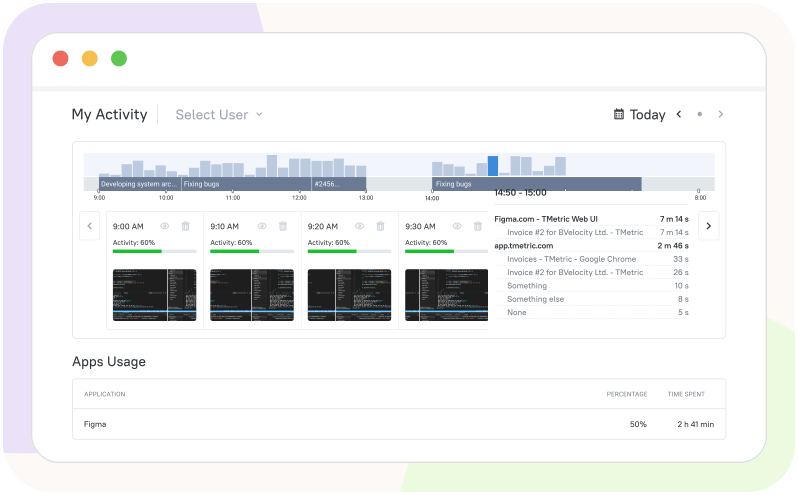
TMetric automatically tracks which desktop applications and website domains are used during work, showing how much time employees spend in each one. The Apps Usage report provides a clear overview of application names, website domains, and time spent, helping teams understand work patterns without manual reporting.
Website and apps usage tracking

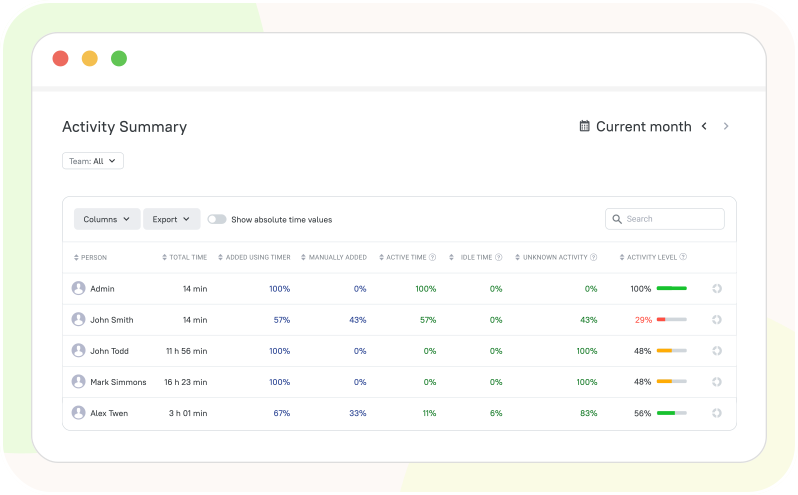
Activity reports and visual summaries

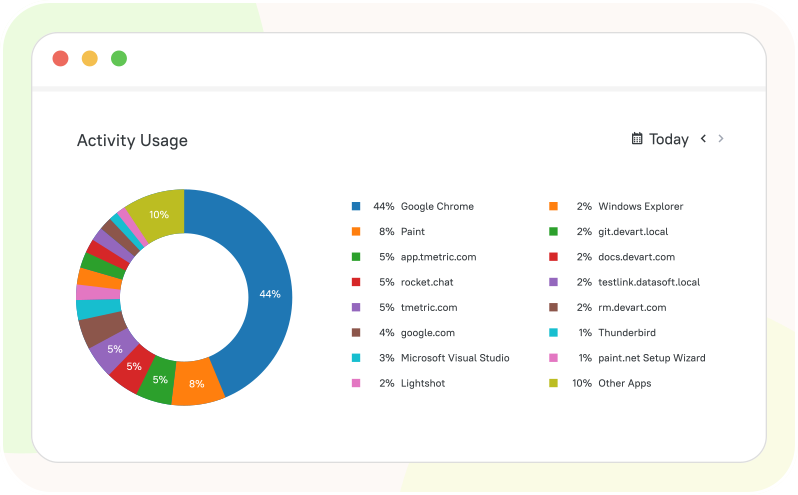
Instead of reviewing raw activity logs, managers get easy-to-read reports, charts, and summaries that highlight productivity trends and computer activity over time. These insights make tracking employee computer activity more actionable and help teams make informed decisions.

Activity reports and visual summaries

Optional screenshots for added transparency

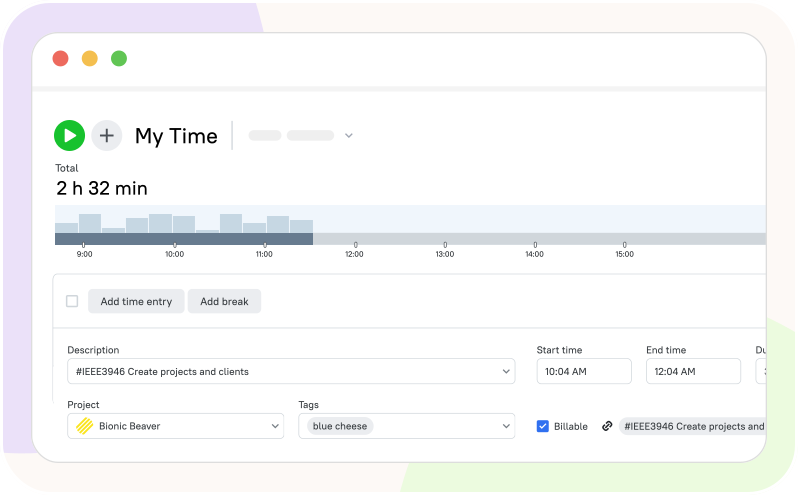
When additional visibility is needed, TMetric can capture optional screenshots that provide context for recorded work activity. Screenshots help verify completed work, support remote collaboration, and increase transparency while remaining configurable to match company policies.

Optional screenshots for added transparency

Productivity tracking across people, tasks, and projects 

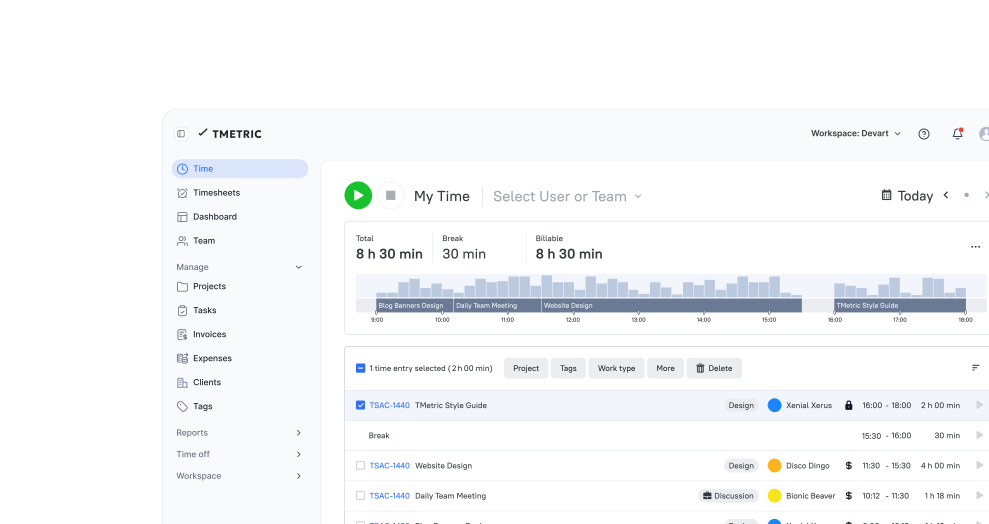
TMetric connects computer activity tracking with time entries, projects, tasks, and team members, turning activity data into meaningful business insights. Managers can see not only what employees use, but also how that activity contributes to project progress and overall productivity.

Productivity tracking across people, tasks, and projects 

How TMetric works for computer activity tracking

  • Step 1

    Install the desktop app

    Install the TMetric desktop app to start tracking computer activity automatically while employees work.


  • Step 2

    Enable app and site monitoring

    Choose the application and website tracking options that fit your team's workflow and monitoring requirements.


  • Step 3

    Track work activity during work hours

    TMetric records computer activity alongside time tracking, creating a complete picture of daily work without interrupting employees.


  • Step 4

    Review apps, sites, and activity reports

    Use reports and visual summaries to analyze application usage, website activity, and productivity trends instead of reviewing raw logs.


  • Step 5

    Use insights to improve accountability and productivity

    Turn activity data into better decisions by helping teams stay focused, improve accountability, and optimize how work gets done.


Time tracking across 50+ popular services

Time is captured directly from where your team works - no switching tabs, no manual entry.

See all integrations

Frequently Asked Questions

What does it mean to track computer activity?

Tracking computer activity means monitoring how work time is spent across applications, websites, and tasks to gain visibility into daily work patterns.

How can TMetric track app and website usage during work hours?

TMetric automatically records which desktop applications and website domains are used during tracked work time, without manual input.

Does TMetric show which applications employees use most?

Yes. The Apps Usage report shows application names and time spent in each one, giving a clear view of usage patterns.

Can TMetric track website usage on work computers?

Yes. TMetric monitors website domains visited during work hours alongside application usage.

Does TMetric provide reports for computer activity and app usage?

Yes. TMetric generates visual reports and summaries that highlight productivity trends instead of raw activity logs.

Can TMetric capture screenshots as part of activity tracking?

Yes. TMetric can optionally capture screenshots for added context and transparency, configurable to match company policy.

How does computer activity tracking help improve team productivity?

By connecting activity data with time entries, tasks, and projects, teams can spot patterns, address distractions, and make more informed decisions.

Does TMetric protect employee privacy while tracking activity?

Yes. TMetric offers configurable monitoring settings so organizations can balance visibility with employee privacy.

Is TMetric suitable for remote and hybrid teams?

Yes. TMetric helps remote and hybrid teams maintain visibility into work activity and stay accountable regardless of location.

How is computer activity tracking different from basic time tracking?

Unlike basic time tracking, computer activity tracking adds insight into app and website usage, giving a fuller picture of how work time is actually spent.

Start tracking computer activity for free

Track employee computer activity and understand productivity patterns - all while respecting privacy through flexible, configurable monitoring.

Start free trial
Start tracking computer activity for free