Timesheet Approvals
In TMetric, timesheet approvals help you review and confirm that recorded work time is accurate before it is used for payroll, billing, or reporting. You can quickly and easily review, submit, withdraw, and approve your team's timesheets in one place.
On the Timesheets page, click the Approvals tab to see a list of your team members' timesheets. They are displayed in a table with the following columns:
- Member - the team member's name
- Tracked - the tracked work time for the specific period selected in the calendar above
- Time Off - the number of paid time off days and hours
- Billable - a progress bar showing the percentage of billable time out of the total tracked time
- Approver - the preferred approver's name
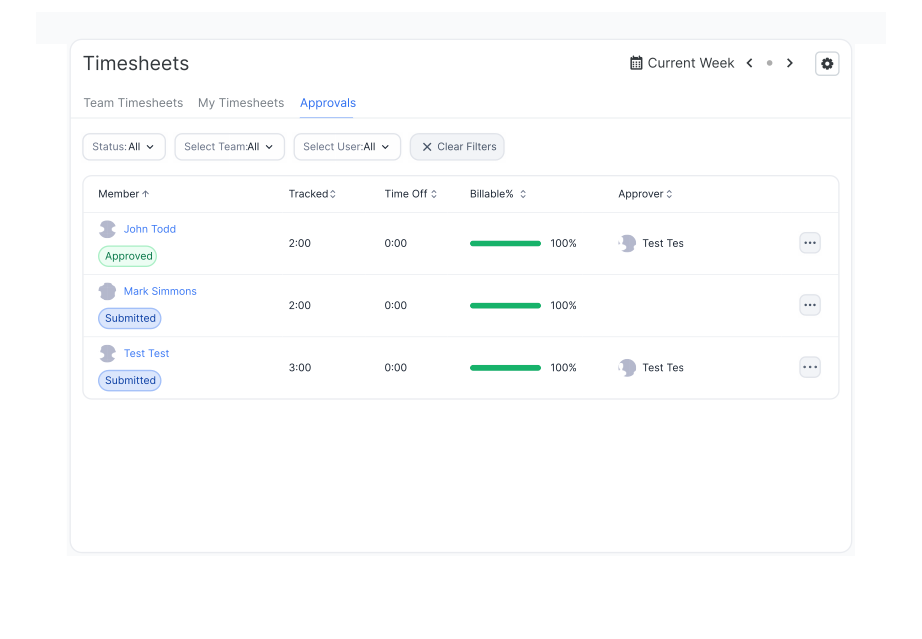
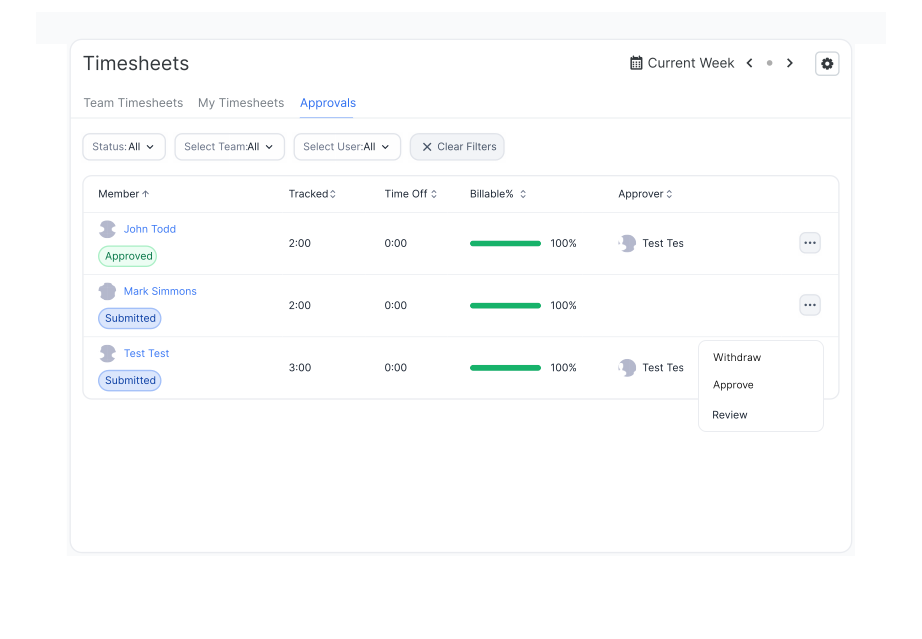
You can quickly submit, withdraw, approve, or review any timesheet in the list by clicking the Actions button next to it and selecting the appropriate action. A dialog box opens, where you can review the action details and confirm your choice.
You can also use the Bulk Actions option to submit, reject, withdraw, or approve multiple timesheets at once.
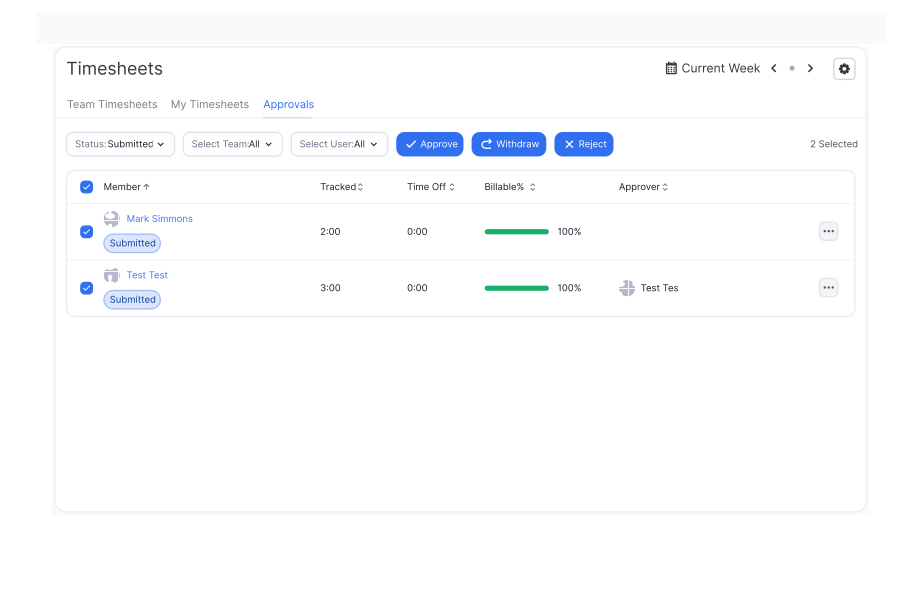
You can organize the timesheets in the table using the Status, Select Team, and Select User filters. Click the filter you want to use, then select the appropriate option from the drop-down list. To remove all applied filters, click the Clear Filters button.
See Also
Didn’t find what you were looking for?
If you didn't find what you were looking for, you can make a support request or email us to [email protected]. We'll be glad to help you personally.