TMetric + Claude: Filter Your Time Data and Build Custom Reports

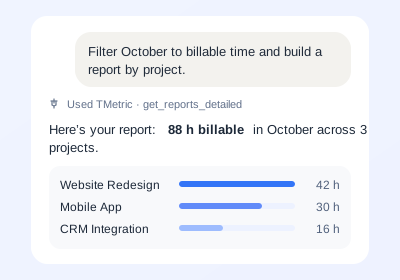
Connect TMetric with Claude to turn your time data into tailored insights and reports. With Claude connectors and Claude integrations, you can analyze tracked time, filter data, and create custom reports based on your needs.

Fully functional 14-day trial No credit card needed
TMetric + Claude: Filter Your Time Data and Build Custom Reports

Add the TMetric Claude Connector

  • Enable MCP in TMetric

    Enable MCP in TMetric

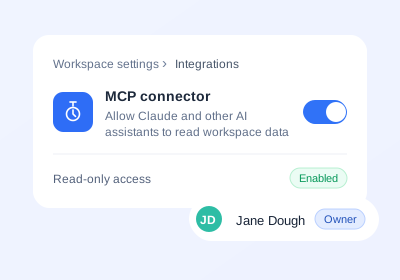
    Turn on MCP in your TMetric workspace to make your time data available to Claude through a secure, read-only connection.

  • Add the Connector to Claude

    Add the Connector to Claude

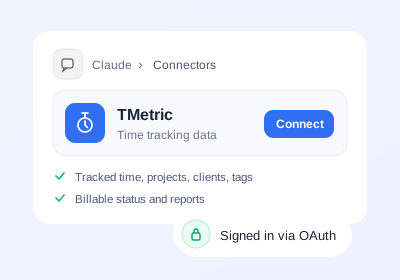
    Add the TMetric Claude MCP connector in Claude and complete the OAuth authorization. You can use it with Claude Desktop connectors and other Claude MCP integrations.

  • Ask Your First Question

    Ask Your First Question

    Once connected, ask Claude to analyze your TMetric data, filter tracked time, or create a custom report. See how to use Claude connectors to get useful insights from your time data.

What data Claude can access with TMetric

TMetric lets Claude access your tracked hours, projects, clients, tags, billable and non-billable time, and reports. The connection is read-only: Claude can use your authorized TMetric data to answer questions, filter information, and build custom reports, but it cannot modify or delete your data.
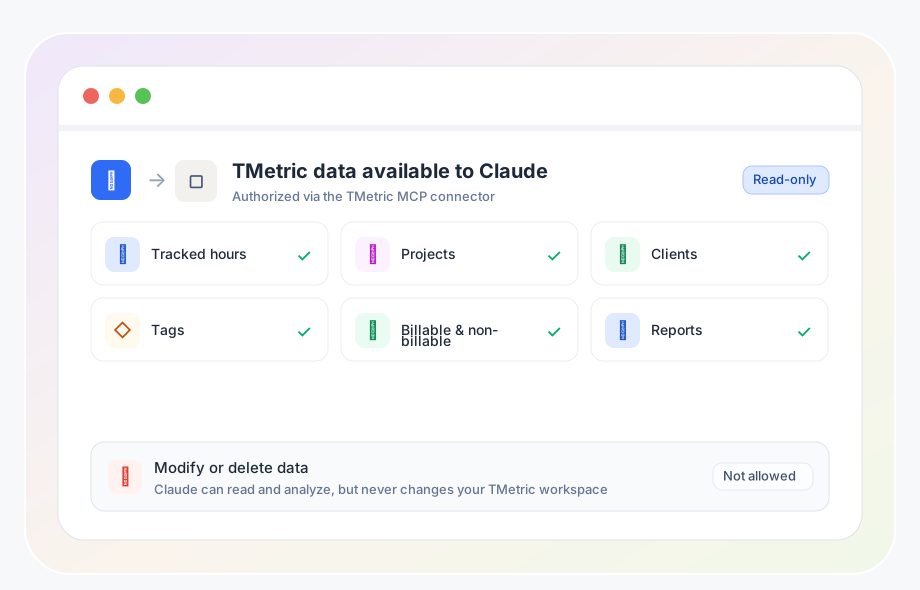
What data Claude can access with TMetric

What you can ask Claude about your time data

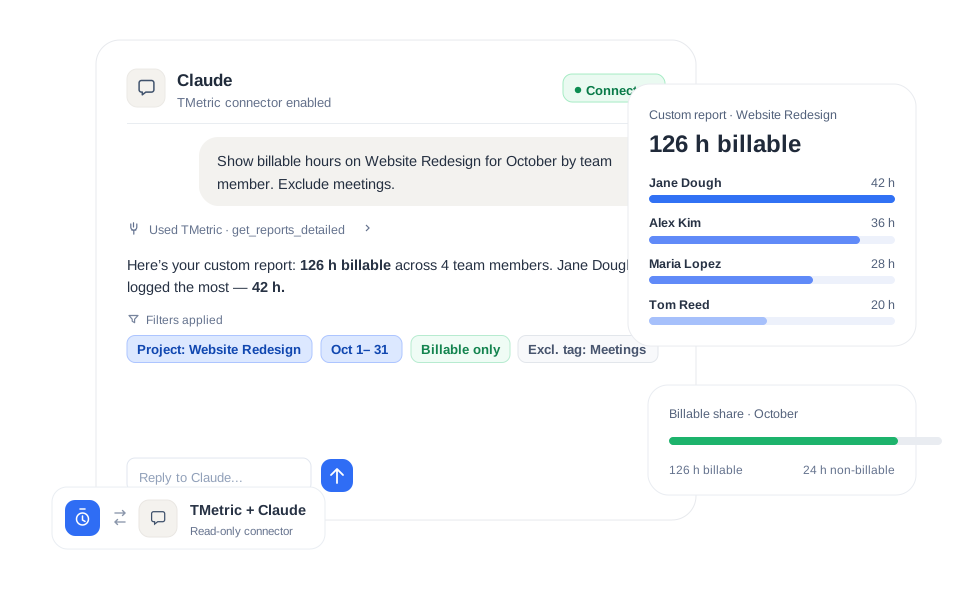
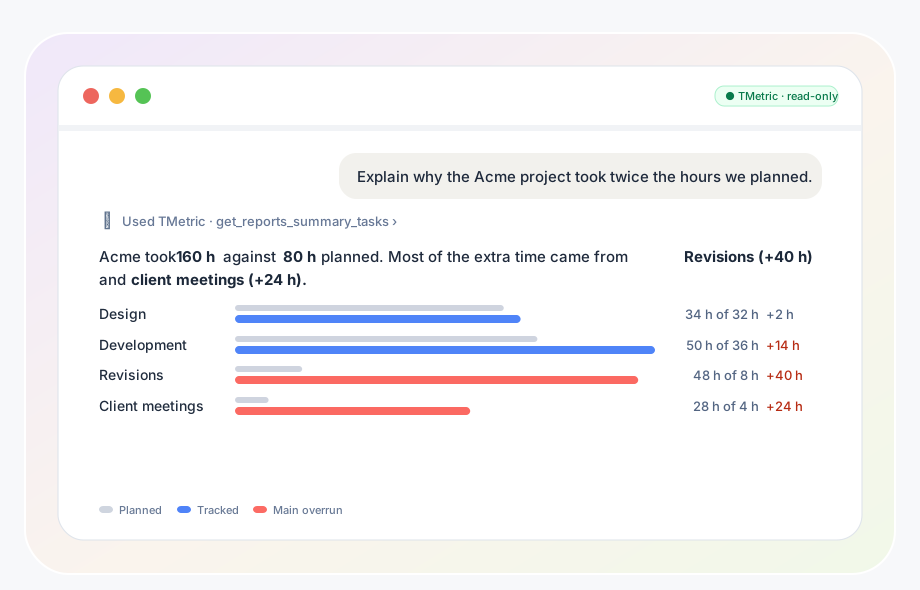
Ask Claude to analyze your TMetric data, compare trends, investigate unexpected results, and turn tracked time into useful insights. Every prompt is read-only, Claude can analyze your data but cannot create, edit, or delete anything in TMetric.

What you can ask Claude about your time data

Billing & invoicing insights for agencies and consultants

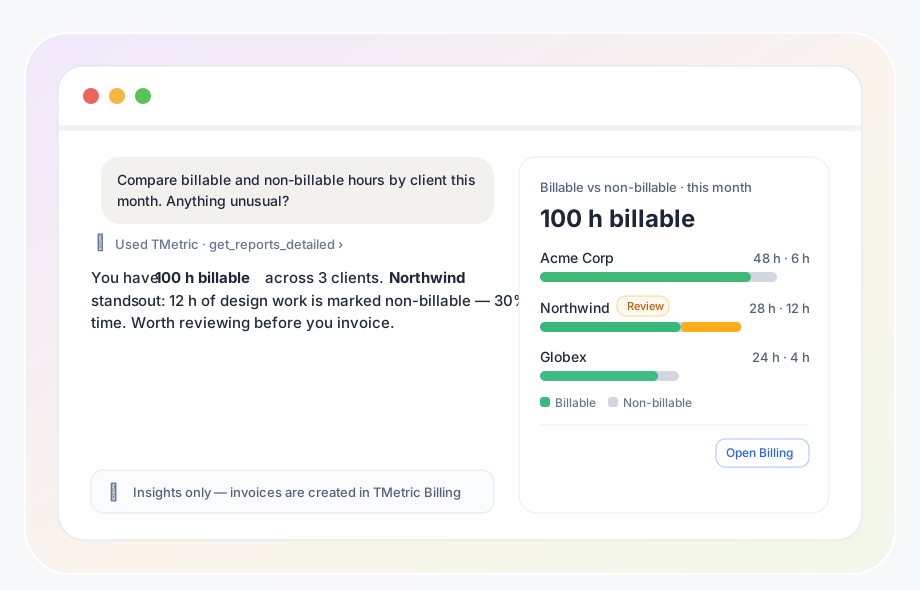
For agencies and consulting teams, Claude can help compare billable and non-billable hours by client, project, or team member. Use your TMetric data to identify billable time, review client workloads, and prepare accurate figures for invoicing.

Billing & invoicing insights for agencies and consultants

Who Uses TMetric with Claude?

Time Tracking for Developers

Developers can use TMetric with Asana to track time spent on tasks, bug fixes, sprint work, and client requests without leaving the task workflow.

  • Improve sprint planning and task estimation accuracy
  • Ensure precise billing for engineering and client work
  • Support individual developers and development teams
Use this solution
  • Task tracking and accurate time estimates
  • Activity insights and development focus patterns
  • Project planning and budget tracking
  • Share time logs for billing and client reporting
Linda Förster

Linda Förster

Project manager at Medudy

5 out of 5 stars rating

TMetric helps provide us with valuable insights into our work patterns, which has resulted in increased efficiency and productivity.

Time Tracking for Marketing Agencies

Marketing agencies can use TMetric with Asana to track campaign work, meetings, client tasks, and billable hours in one reporting workflow.

  • Track all marketing activities and meetings
  • Manage client billing
  • Gain insights into your processes by reporting data
Use this solution
  • Use of time tracking data to analyze where time goes
  • Budget management
  • Project planning, task estimation, and deadlines
  • Detailed reporting for clients
Brian Reilly

Brian Reilly

Financial Marketer at BankBound

5 out of 5 stars rating

We’ve found TMetric to be both user-friendly and robust. It was easy to set up which allowed us to begin leveraging the tool immediately.

Time Tracking for Designers

Designers can use TMetric with Asana to track creative tasks, separate billable work from internal revisions, and show clients where project time goes.

  • Track billable hours to manage income
  • Increase client satisfaction
  • Protect project profitability
Use this solution
  • Time tracking on client’s project
  • Reporting
  • Inviting a client representative to TMetric workspace to see reports
  • By-the-hour payments
Swen Roethlisberger

Swen Roethlisberger

CEO & Founder of Floowedit

5 out of 5 stars rating

TMetric is faster, more convenient, and cheaper, the support is responsive and they fixed some bugs quickly.

Time Tracking for Accountants

Accountants can use TMetric with Asana to track client work, apply billing rates, and prepare invoice-ready time records.

  • Track billable and non-billable client hours
  • Apply hourly rates by project or service type
  • Prepare accurate records for invoicing and reporting
Use this solution
  • Client time tracking and billing records
  • Time reports by project, client, and employee
  • Budget tracking and workload visibility
  • Export data for invoicing and accounting workflows
Julie Lunn

Julie Lunn

Small Business Bookkeeper

5 out of 5 stars rating

TMetric's Chrome add-on makes time tracking easier and streamlines accounting procedures by integrating with QuickBooks Online with ease.

Time Tracking for Consultants

Consultants can use TMetric with Asana to track billable project work, manage budgets, and prepare client invoices from approved time entries.

  • Track billable consulting hours from Asana tasks
  • Monitor project budgets and time allocation
  • Prepare accurate reports and client invoices
Use this solution
  • Time tracking by task, client, and project
  • Budget monitoring and workload visibility
  • Billable hours and invoice preparation
  • Export reports for client approval and billing
Galeno Chua

Galeno Chua

Founder, Strategist and Coach at The Idea Founding Principal

5 out of 5 stars rating

It’s been pivotal for helping us gather better decision-making information, grow our topline and reduce our bottomline.

How to Use the TMetric Claude Connector

  • Step 1

    Open MCP settings in your TMetric workspace

    Enable the TMetric MCP connection to use Claude time tracking and make your authorized time data available to Claude.

  • Step 2

    Add the connector in Claude

    Find TMetric among the available Claude connectors and add the Claude MCP connector to your workspace.

  • Step 3

    Authorize access

    Complete the authorization to connect TMetric with Claude, including through supported Claude integrations, Claude Desktop connectors, or other Claude MCP integrations.

  • Step 4

    Ask a question and review the answer against your Reports tab

    The easiest way to learn how to use Claude connectors is to start with one simple question about your tracked time. Then compare Claude’s answer with your TMetric Reports to verify the results.

Frequently Asked Questions

What data can Claude access through the TMetric connector?

If you’re wondering what data can Claude access through connectors, the TMetric connector provides access to tracked time, projects, clients, tags, billable and non-billable hours, and time reports. Claude can use this data to filter entries, answer questions, and build custom reports without modifying it.

What is the difference between Claude connectors and MCP?

Claude connectors vs MCP comes down to their roles: connectors let Claude securely access external tools and data, while MCP (Model Context Protocol) provides the standard for connecting them. A Claude MCP connector uses this protocol to connect Claude with services such as TMetric.

Can Claude change or delete my TMetric data?

No. The TMetric Claude MCP connector is read-only, so Claude cannot edit or delete time entries, start or stop timers, create projects, or otherwise modify your data. It can only access the data you authorize and use it to answer questions and generate insights.

Does this work in Claude Desktop?

Yes. TMetric works with Claude Desktop connectors, allowing you to access authorized TMetric data from Claude Desktop and ask questions about your tracked time, projects, clients, and reports.

Ask Claude about your tracked time

Get clearer insights into your projects, clients, and team workload without digging through reports manually.

Bottom cta section image