Cursor Time Tracking Integration

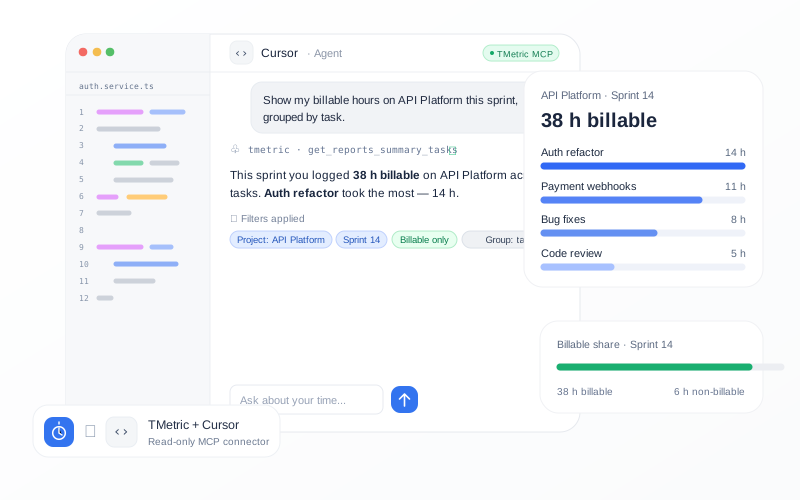
Connect TMetric to Cursor through MCP and query your existing time and project data directly from your development environment. Review tracked hours by project, client, or period, compare development effort, and generate project and workload summaries without leaving Cursor.

Fully functional 14-day trial No credit card needed
Cursor Time Tracking Integration

How to connect TMetric to Cursor

  • Track development work in TMetric

    Track development work in TMetric

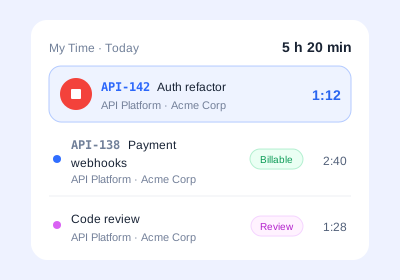
    Track development time in TMetric as you work on projects and tasks, creating the historical records used for Cursor project time tracking.

  • Connect the TMetric MCP Server to Cursor

    Connect the TMetric MCP Server to Cursor

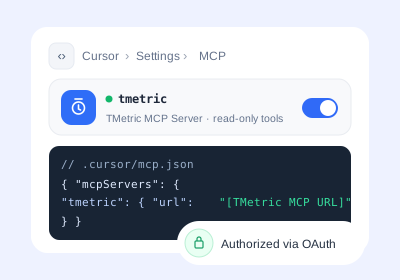
    Connect the TMetric MCP server to Cursor so the Cursor time tracking integration can securely make your existing TMetric data available for queries.

  • Ask Cursor about your TMetric data

    Ask Cursor about your TMetric data

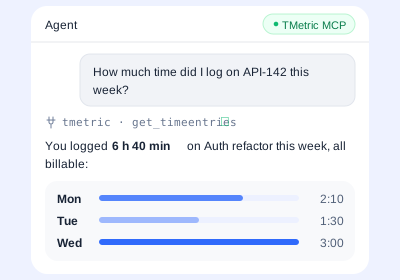
    Ask Cursor questions about your tracked time, projects, clients, or periods and use conversational Cursor MCP time tracking to retrieve and summarize the relevant TMetric data.

What can developers do with TMetric and Cursor?

Review time spent on development projects

Development work is spread across features, bugs, maintenance, infrastructure, and client or internal projects, making it difficult to see where time goes. With time tracking for Cursor, TMetric historical records can be retrieved through MCP to review development time and understand how hours are allocated across projects and tasks.
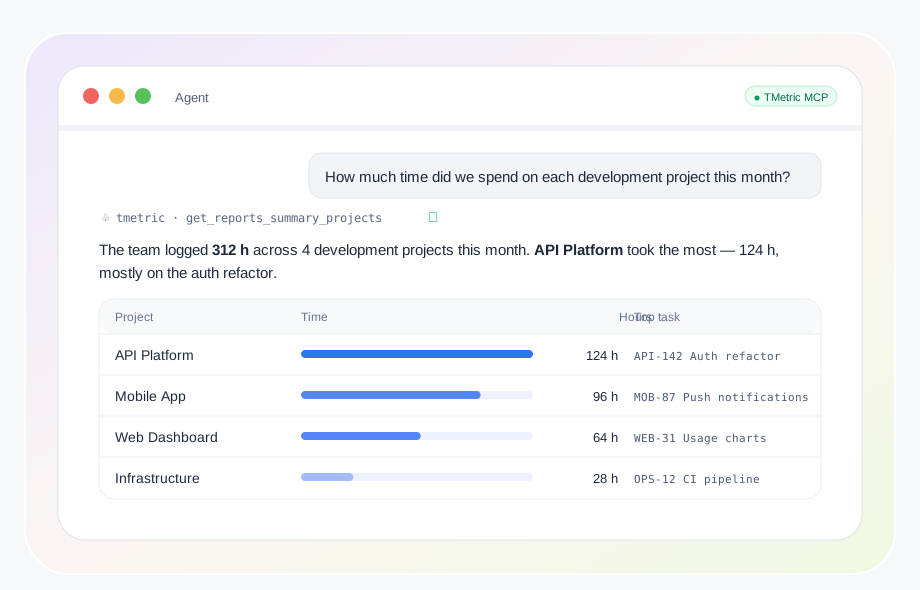
Review time spent on development projects

Analyze billable development hours

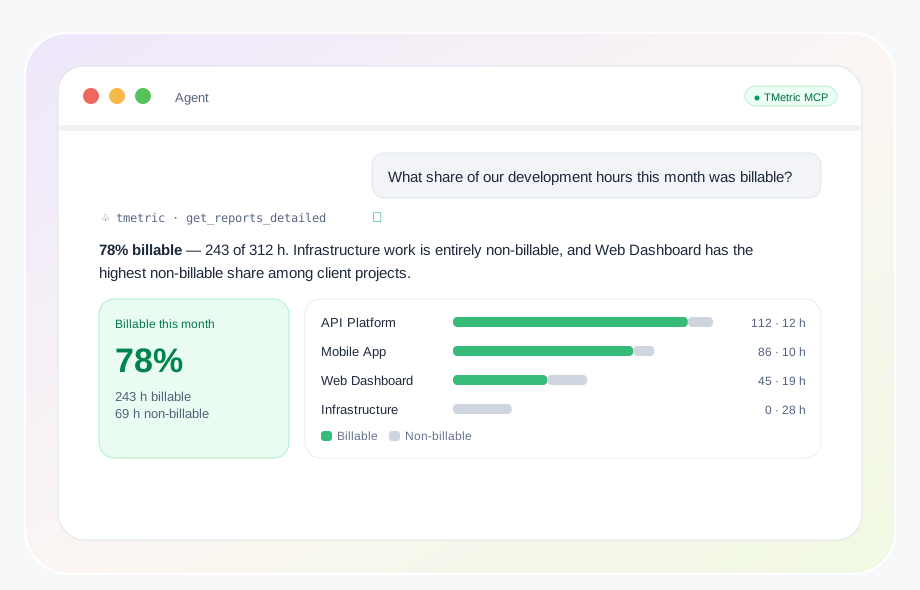
Freelancers, software agencies, outsourced teams, and technical consultants often need quick answers about hours logged for specific clients and projects. A Cursor time tracking app, TMetric, can retrieve billable hours by project or period, helping users check contracted hours, monthly development time, and project usage.

Analyze billable development hours

Compare engineering work across projects and periods

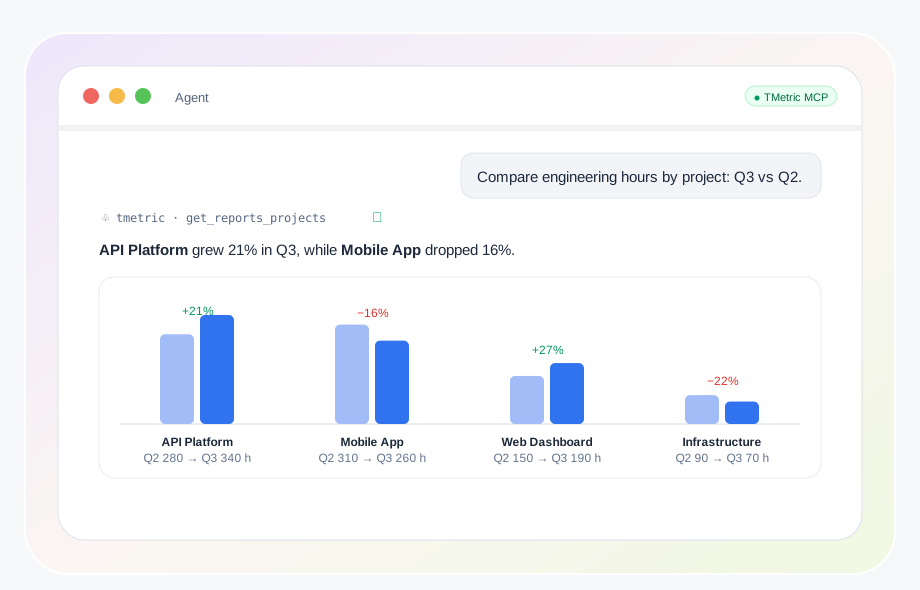
A total number of hours does not always show how engineering effort is distributed or how it changes over time. Cursor AI time tracking through MCP lets developers ask follow-up questions about TMetric data, such as filtering by period, excluding internal work, or comparing project totals with the previous period.

Compare engineering work across projects and periods

Prepare sprint and project summaries

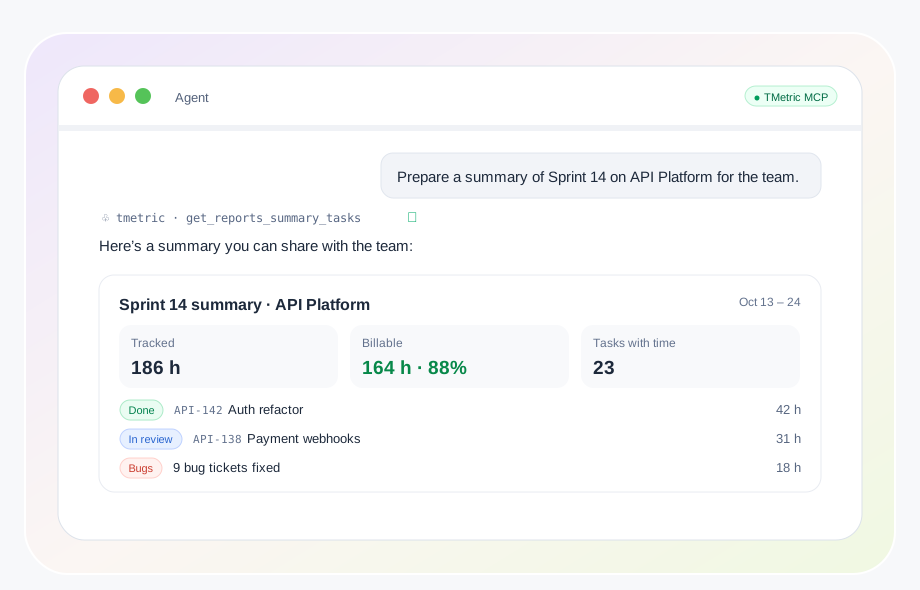
Teams often need a quick time-based summary before a sprint review, weekly report, project meeting, client update, or 1:1. With Cursor project time tracking, Cursor can retrieve TMetric data through MCP and summarize tracked hours, task allocation, contributors, billable versus non-billable time, and changes from another period.

Prepare sprint and project summaries

Analyze your own development work patterns

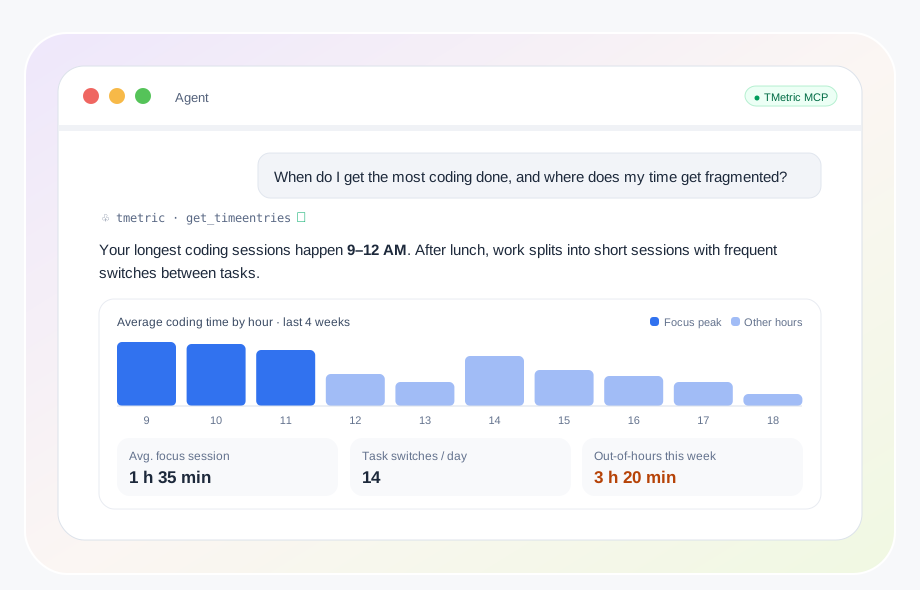
Historical time records can show which projects dominate a developer’s schedule, how time is divided across types of work, and whether project allocation changes over time. Using time tracking in Cursor, developers can query TMetric records conversationally to better understand their own work patterns and unexpected time demands.

Analyze your own development work patterns

How Cursor time tracking with TMetric works

  • Step 1

    Open MCP settings in Cursor

    Open Cursor’s MCP settings to manage the servers available for your development environment.

  • Step 2

    Add the TMetric MCP Server

    Add the TMetric MCP Server to enable the Cursor time tracking integration.

  • Step 3

    Sign in to TMetric

    Sign in to your TMetric account to connect your existing time and project data.

  • Step 4

    Authorize the workspace

    Authorize the relevant TMetric workspace so Cursor can access the data needed for time tracking for Cursor.

  • Step 5

    Test the connection

    Send a test query in Cursor to confirm that your TMetric data can be retrieved through MCP and used for Cursor time tracking.

Frequently asked questions

Does Cursor have built-in time tracking?

Cursor does not provide a native Cursor time tracker for recording development time. TMetric can track time separately and make your existing time data available in Cursor through MCP.

How does TMetric work with Cursor?

TMetric tracks your development time and stores it with projects and tasks, while the TMetric MCP Server lets Cursor retrieve and analyze that data through natural-language queries. This provides time tracking in Cursor without making MCP responsible for recording the time.

Can I track coding time in Cursor with TMetric?

Yes, you can track coding time in TMetric while working on your development projects and then query those records from Cursor. This provides Cursor time tracking by connecting your tracked time data with your coding workflow.

Can Cursor analyze billable developer hours?

Yes, Cursor can retrieve TMetric data through MCP and analyze billable time by project, client, or period. This makes Cursor AI time tracking useful for checking client hours, contracted time, and development effort.

Can Cursor create a developer timesheet?

Cursor can retrieve and summarize time entries and timesheet data available through TMetric, helping you review hours by project, task, or period. The underlying timesheet remains in TMetric, while Cursor provides a conversational way to analyze it.

Is TMetric MCP read-only in Cursor?

Yes, the TMetric MCP connection is designed for read-only access to TMetric data, allowing Cursor to retrieve and analyze information without changing the underlying records. MCP provides the connection and query layer rather than tracking or editing time itself.

What TMetric data can Cursor access?

Depending on the available MCP tools and permissions, Cursor can retrieve information such as time entries, projects, tasks, timesheets, clients, reports, and billable time from TMetric. This gives developers access to the data needed for Cursor project time tracking analysis.

Is Cursor time tracking suitable for freelancers?

Yes, freelancers can use TMetric to track work and then query their project, client, and billable-hour data from Cursor. The Cursor time tracking app workflow can make it easier to review development hours, compare projects, and prepare time-based client summaries.

Track development time without leaving Cursor

Connect TMetric to Cursor through MCP and query your tracked time, project, and billable data directly from your development environment.

Bottom cta section image