TMetric + ChatGPT: Ask Your Data Anything

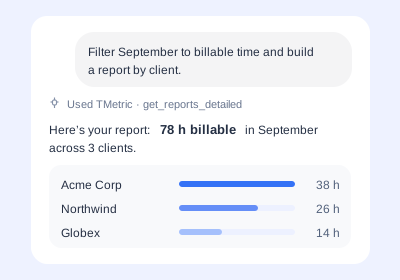
Connect TMetric with ChatGPT connectors to explore your time data, get instant answers, and build custom reports using natural language.

Fully functional 14-day trial No credit card needed
TMetric + ChatGPT: Ask Your Data Anything

Add the TMetric ChatGPT Connector

  • Enable MCP in TMetric

    Enable MCP in TMetric

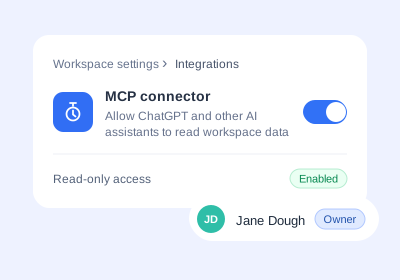
    Turn on MCP in your TMetric workspace settings to make your time tracking data available to connected AI tools.

  • Add the Connector to ChatGPT

    Add the Connector to ChatGPT

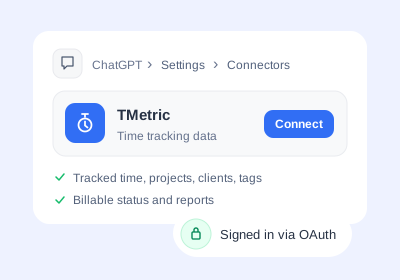
    Add the TMetric ChatGPT MCP connector to ChatGPT and authorize access to your workspace. This lets you use ChatGPT custom MCP connectors to work with your TMetric data.

  • Ask Your First Question

    Ask Your First Question

    Once connected, use ChatGPT custom connectors to ask questions about your tracked time, projects, clients, and reports in natural language.

What data ChatGPT can access with TMetric

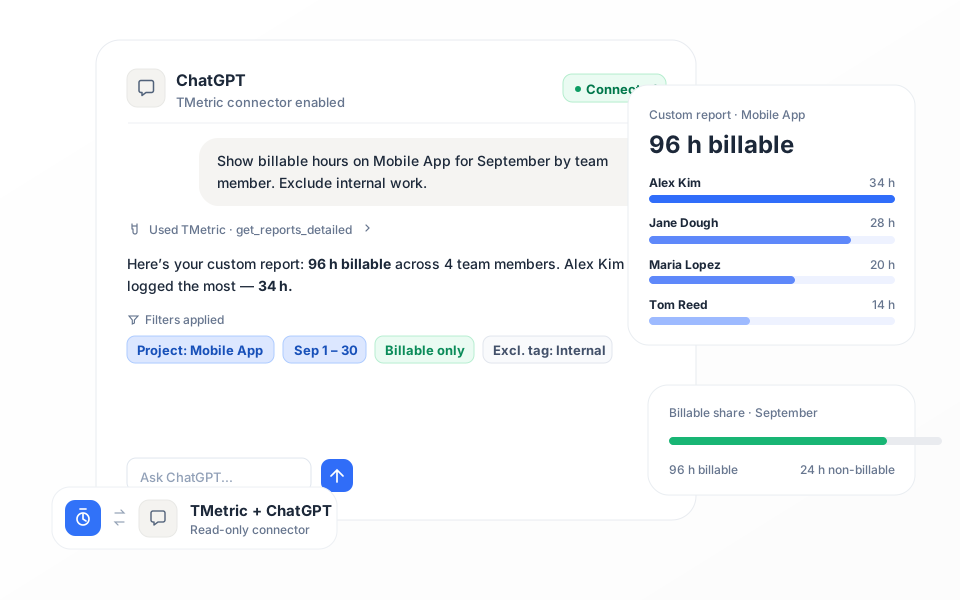
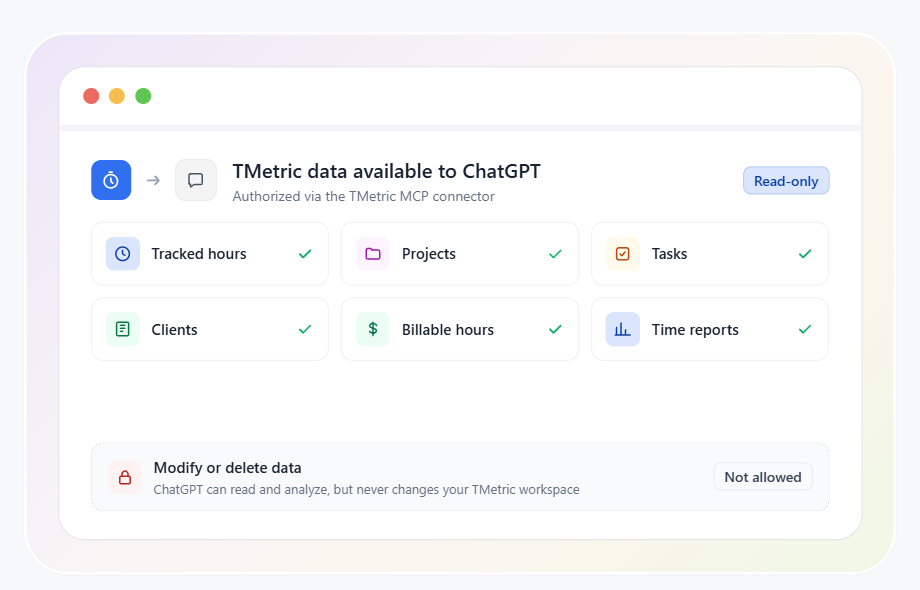
What are ChatGPT connectors useful for with TMetric? They let ChatGPT access selected workspace data so you can ask questions and analyze your time information in natural language. ChatGPT can access tracked hours, projects, clients, tags, billable and non-billable hours, and time reports.
What data ChatGPT can access with TMetric

Use ChatGPT for project management with your TMetric data

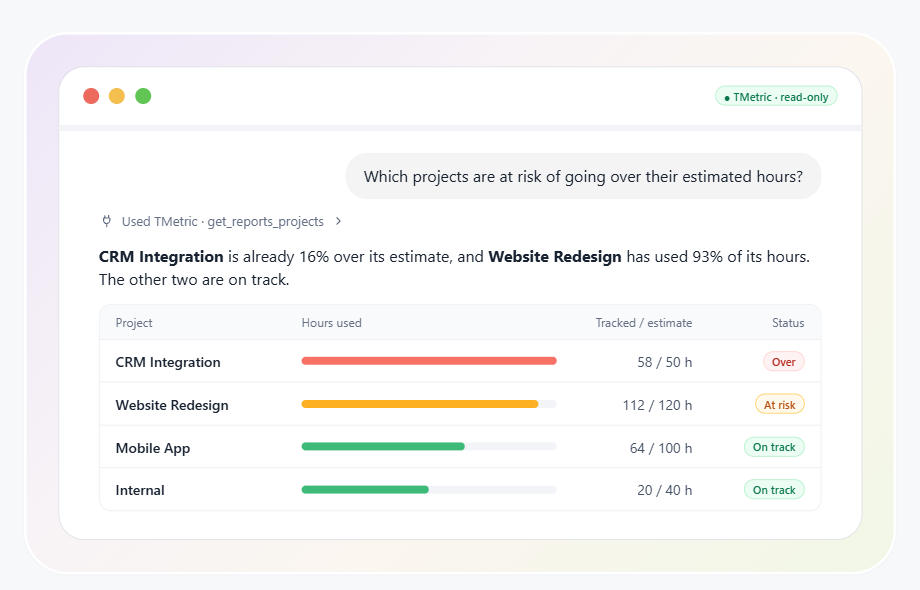
ChatGPT for project management can help you turn your TMetric data into quick answers about projects, workload, and tracked time. Using it means asking questions about your existing data instead of manually filtering reports.

Use ChatGPT for project management with your TMetric data

Sprint and workload insights for product teams

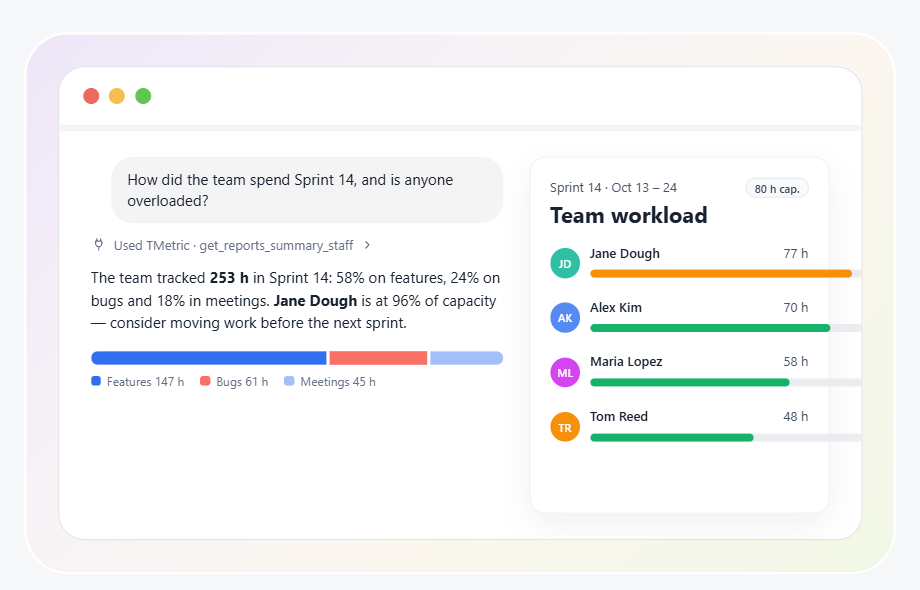
For product and IT teams, ChatGPT can help turn TMetric data into quick insights about sprint progress and team workload. Ask about hours by project, compare how much time different projects are consuming, or identify team members with the heaviest workload.

Sprint and workload insights for product teams

Who Uses TMetric with ChatGPT?

Time Tracking for Developers

Developers can use TMetric with Asana to track time spent on tasks, bug fixes, sprint work, and client requests without leaving the task workflow.

  • Improve sprint planning and task estimation accuracy
  • Ensure precise billing for engineering and client work
  • Support individual developers and development teams
Use this solution
  • Task tracking and accurate time estimates
  • Activity insights and development focus patterns
  • Project planning and budget tracking
  • Share time logs for billing and client reporting
Linda Förster

Linda Förster

Project manager at Medudy

5 out of 5 stars rating

TMetric helps provide us with valuable insights into our work patterns, which has resulted in increased efficiency and productivity.

Time Tracking for Marketing Agencies

Marketing agencies can use TMetric with Asana to track campaign work, meetings, client tasks, and billable hours in one reporting workflow.

  • Track all marketing activities and meetings
  • Manage client billing
  • Gain insights into your processes by reporting data
Use this solution
  • Use of time tracking data to analyze where time goes
  • Budget management
  • Project planning, task estimation, and deadlines
  • Detailed reporting for clients
Brian Reilly

Brian Reilly

Financial Marketer at BankBound

5 out of 5 stars rating

We’ve found TMetric to be both user-friendly and robust. It was easy to set up which allowed us to begin leveraging the tool immediately.

Time Tracking for Designers

Designers can use TMetric with Asana to track creative tasks, separate billable work from internal revisions, and show clients where project time goes.

  • Track billable hours to manage income
  • Increase client satisfaction
  • Protect project profitability
Use this solution
  • Time tracking on client’s project
  • Reporting
  • Inviting a client representative to TMetric workspace to see reports
  • By-the-hour payments
Swen Roethlisberger

Swen Roethlisberger

CEO & Founder of Floowedit

5 out of 5 stars rating

TMetric is faster, more convenient, and cheaper, the support is responsive and they fixed some bugs quickly.

Time Tracking for Accountants

Accountants can use TMetric with Asana to track client work, apply billing rates, and prepare invoice-ready time records.

  • Track billable and non-billable client hours
  • Apply hourly rates by project or service type
  • Prepare accurate records for invoicing and reporting
Use this solution
  • Client time tracking and billing records
  • Time reports by project, client, and employee
  • Budget tracking and workload visibility
  • Export data for invoicing and accounting workflows
Julie Lunn

Julie Lunn

Small Business Bookkeeper

5 out of 5 stars rating

TMetric's Chrome add-on makes time tracking easier and streamlines accounting procedures by integrating with QuickBooks Online with ease.

Time Tracking for Consultants

Consultants can use TMetric with Asana to track billable project work, manage budgets, and prepare client invoices from approved time entries.

  • Track billable consulting hours from Asana tasks
  • Monitor project budgets and time allocation
  • Prepare accurate reports and client invoices
Use this solution
  • Time tracking by task, client, and project
  • Budget monitoring and workload visibility
  • Billable hours and invoice preparation
  • Export reports for client approval and billing
Galeno Chua

Galeno Chua

Founder, Strategist and Coach at The Idea Founding Principal

5 out of 5 stars rating

It’s been pivotal for helping us gather better decision-making information, grow our topline and reduce our bottomline.

How to Use the TMetric ChatGPT Connector

  • Step 1

    Open MCP settings in your TMetric workspace

    Open your TMetric workspace settings and enable MCP to connect your time tracking data with ChatGPT. This prepares TMetric for ChatGPT integrations.

  • Step 2

    Add the connector in ChatGPT

    Add the TMetric connector to ChatGPT and connect it to your workspace. This ChatGPT MCP connector lets ChatGPT access your TMetric data for analysis and reporting.

  • Step 3

    Authorize access

    Authorize the connection to allow ChatGPT to access your TMetric data. ChatGPT custom connectors provide a secure way to work with connected data without manually exporting reports.

  • Step 4

    Ask a question and review the answer against your Reports tab

    Ask ChatGPT about your tracked time, projects, clients, or reports, then compare the answer with the Reports tab in TMetric. This is a practical way of using ChatGPT for project management and time analysis.

Frequently Asked Questions

What are connectors in ChatGPT?

ChatGPT connectors are integrations that let ChatGPT securely access data and information from connected apps and services. In other words, what are connectors in ChatGPT? They provide a way to bring external data into ChatGPT so you can ask questions and work with it in natural language.

Can I use ChatGPT for project management with TMetric data?

Yes, you can use ChatGPT for project management with TMetric data. Connect TMetric to ChatGPT to analyze tracked time, projects, clients, and reports, helping you understand project progress, workload, and time spent without manually compiling the data.

Do I need a paid ChatGPT plan to use connectors?

Connector availability depends on your ChatGPT plan and the connectors supported by your account. Check your ChatGPT account and OpenAI's current plan requirements to confirm whether connectors are available to you.

Can ChatGPT track my time automatically?

No. ChatGPT does not automatically track your time. TMetric handles ChatGPT time tracking by collecting your tracked time, while ChatGPT can access that data through the connector and help you analyze it, answer questions, and create reports.

Is my TMetric data safe when I connect it to ChatGPT?

Yes. The TMetric ChatGPT connector gives ChatGPT read-only access to your workspace data. ChatGPT can read tracked hours, projects, clients, and reports, but it cannot create, edit, or delete time entries or any other data in TMetric. Only the workspace owner can connect TMetric to ChatGPT, and the owner can revoke access at any time. See Full security details.

Ask ChatGPT about your project data

Connect TMetric to ChatGPT and make time tracking and project management easier.

Bottom cta section image