5 Best Employee Management Software
You can keep adding tools, dashboards, and reports, but if your team still feels chaotic, something is off. The issue is not effort. It is a lack of structure and insight. The best employee management platforms do not just track work, they show you how work flows. This list breaks down five tools that actually solve that problem.

By Dereck Mushingairi | March 26, 2026
Most employee management tools miss how work really gets done day-to-day. That leaves managers in the dark on team capacity and performance, until it’s too late. No wonder Gallup’s report showed only 21% of employees are engaged, the lowest in a decade! The right employee management software changes the game. It balances workloads and gives managers the insight to act fast. Let’s dive into the top solutions!
Our top picks
What employee management software does
Employee management software brings the operational side of people management into one system. Instead of handling attendance, tasks, performance, and employee records across disconnected tools, it gives teams a single place to manage day-to-day work, accountability, and employee data. A modern employee management platform typically covers several core areas:
- Time and attendance. Clock-ins, timesheets, shift schedules, overtime tracking, and approval workflows that replace manual logs and spreadsheets.
- Employee data management software. Centralized employee profiles, roles, contracts, and documentation, to make it easier to maintain accurate records and reduce administrative overhead.
- Task and workflow oversight. Assignment tracking, approvals, handoffs, and status visibility that help managers see how work moves across teams and where bottlenecks form.
- Performance management. Goal tracking, reviews, and feedback loops—often delivered as part of broader employee performance management software rather than standalone tools.
- Communication and coordination. Announcements, team updates, and lightweight collaboration features, especially important in mobile employee management software environments where teams are distributed or deskless.
- Reporting and analytics. Insights into utilization, attendance patterns, workload distribution, and productivity trends that support more informed decisions.
A solid online employee management system replaces chaos with consistent records and cleaner workflows, so HR, ops, and delivery teams can make decisions from the same source of truth.
| What managers want to know | What the system shows | Why it matters in practice |
|---|---|---|
| Who’s actually available this week? | Attendance, schedules, PTO | Helps plan work realistically and avoid assigning tasks to unavailable people |
| Where is time really going? | Timesheets linked to tasks and projects | Makes inefficiencies, scope creep, and misaligned priorities visible |
| Which roles or people are stretched too thin? | Utilization and workload distribution | Signals when to rebalance work, hire, or reset expectations |
| Are we delivering consistently over time? | Historical productivity and trend reports | Supports better forecasting and more predictable delivery |
This shared visibility helps HR, operations, and delivery teams work from the same source of truth.
Editor’s take: Employee management software works best when it mirrors daily decision-making. Systems that surface actionable signals early help teams adjust rhythm and priorities without disruption.
Why trust our employee management software reviews
Each employee management solution in this list was reviewed using a consistent, practical framework focused on real operational use. The goal was to understand how these tools perform in everyday scenarios where managers need clear visibility, reliable data, and minimal friction.
How we evaluated employee management software
| Evaluation area | What we assessed |
|---|---|
| Ease of use & UI clarity | Whether managers can approve time, review attendance, or assess workload quickly and intuitively. |
| Core HR workflows | Employee records, onboarding essentials, org structure, permissions, and audit-ready data handling. |
| Time & attendance tracking | Accuracy of time capture, approvals, PTO/leave handling, timesheets, and payroll readiness. |
| Performance management | Support for goals, reviews, feedback cycles, and lightweight continuous performance tracking. |
| Analytics & reporting | Visibility into utilization, attendance patterns, workload distribution, and productivity trends. |
| Pricing transparency & scaling | Clarity of starting costs and how pricing evolves with added users, modules, or usage. |
| Use-case fit | Suitability as employee management software for small businesses versus enterprise-grade environments. |
We also reviewed published pricing pages, plan documentation, and trusted third-party summaries where pricing or features vary by module.
Note: Tools scored higher when signals connected across workflows. Time data carried more weight when tied to tasks, attendance, and reporting.
List of the best employee management software
There’s no single “best” tool for every team. Some employee management apps are HR-first (records, onboarding, performance). Others are time-first (attendance, utilization, invoicing). Others are project-first (workload, tasks, dashboards).
That said, for small and mid-size teams that need one platform to track attendance + time + workload visibility without heavy HR overhead, TMetric stands out as a practical all-in-one pick, especially for agencies, service teams, and distributed delivery.
Here are the best employee management software options for you to consider.
1. TMetric
🌟 4.6/5 (G2)
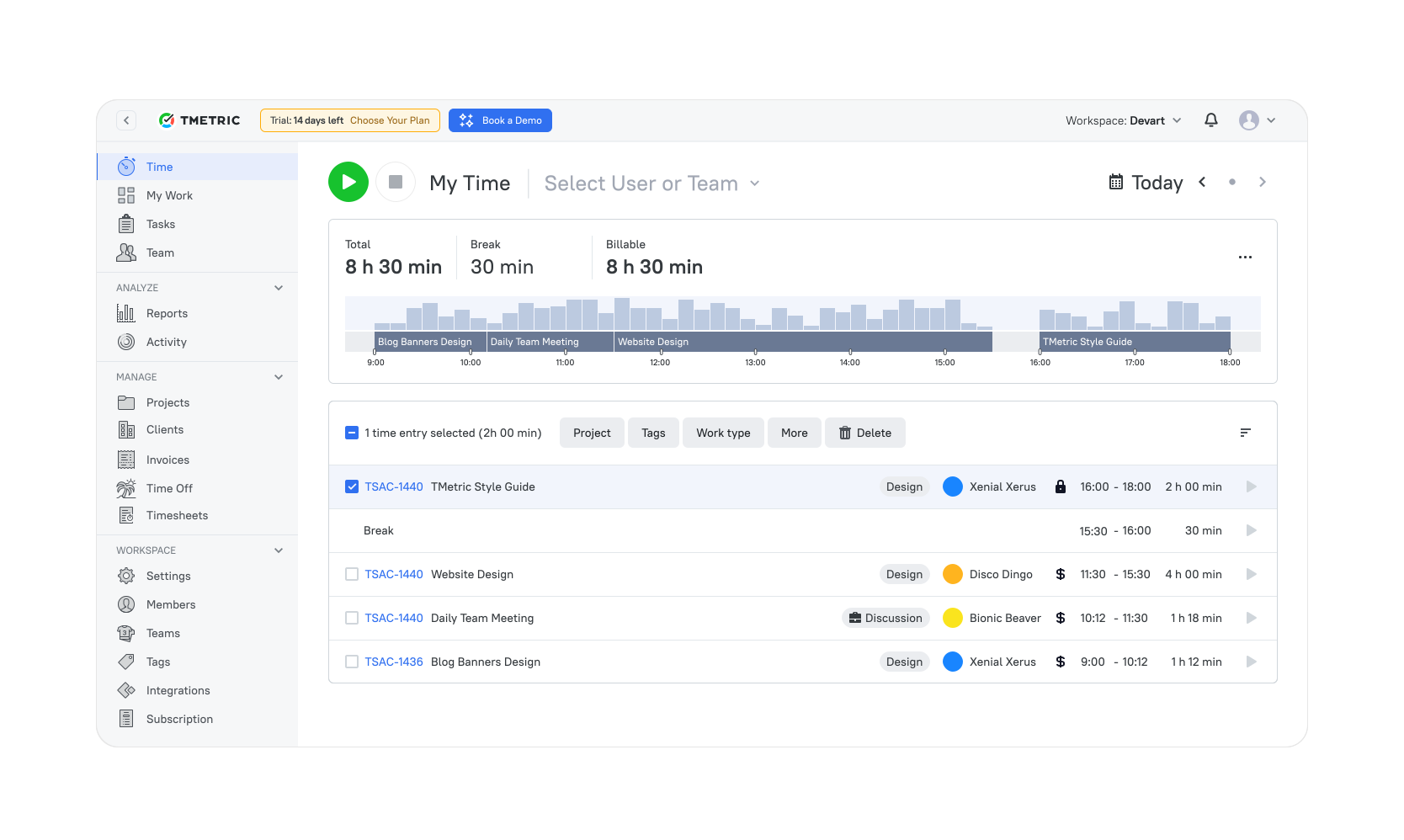
Best for: Small to mid-size teams, agencies, and remote or hybrid teams that need reliable attendance, working hours, and workload visibility in one system.
Why TMetric ranks first
TMetric positions employee management around how work time is planned, tracked, and analyzed, rather than traditional HR administration. It brings together time tracking, attendance, task-level visibility, and productivity reporting in one platform. This makes it especially practical for teams where accurate working hours directly affect delivery, billing, or payroll.
Also, as employee attendance tracking software, TMetric connects working hours to tasks, projects, and clients. This makes time data usable across operations, finance, and management—supporting payroll preparation, invoicing, and performance analysis with consistent, structured inputs.
💡Did you know? TMetric supports 10,000+ businesses worldwide, with strong adoption among service-based and project-driven teams that depend on accurate time data.
Key features
- Time tracking across web, desktop, and mobile applications.
- Timesheets with exportable reporting options.
- Work scheduling and time-off tracking.
- App and website monitoring, with optional screenshots in higher tiers.
- Time entries linked to tasks, projects, and clients.
- Invoicing, budgeting, and QuickBooks synchronization in paid plans.
- Integrations with tools such as Jira, ClickUp, and other work platforms.
Pros
- Connects time tracking directly to projects and billing workflows.
- Easy adoption across desktop and mobile environments.
- Detailed reporting for productivity and utilization.
- Generous free plan for small teams.
Cons
- Limited HR record management capabilities.
- Some advanced reporting features are restricted to higher-tier plans.
Pricing
Free for up to 2 users. Paid plans start at around $5.83 per user/month.
What TMetric users are saying
We are tracking time of developers and reviewing their work according to TMetric data and it really helps us to manage our team and product development. Also TMetric is part of our KPI calculation. —Ali N, CTO
2. BambooHR
🌟 4.4/5 (G2)

Best for: Growing teams that need a centralized HR system for employee records, onboarding, and core people operations.
Available on: Web, iOS, Android.
Where BambooHR works best
BambooHR is an HR-first employee management system designed to centralize employee data and standardize people operations. It replaces spreadsheets and fragmented records with structured employee profiles, document management, and onboarding workflows.
The platform is especially effective for organizations where HR needs consistency across departments. Onboarding tasks, role changes, and employee records are managed in one place, reducing manual follow-ups as teams grow. BambooHR works best as an HR hub rather than a system for tracking daily work or project delivery.
Key features
- Centralized employee records with role-based access controls.
- Structured onboarding and offboarding workflows.
- Time-off and leave management with approval processes.
- Performance reviews and goal tracking (depending on plan).
- HR reporting for headcount, turnover, and compliance.
Pros
- Well-structured employee data management and HR reporting.
- Clear and efficient onboarding and lifecycle workflows.
- Comprehensive HR coverage within a single platform.
- Consistently rated as easy to use by HR teams and employees.
Cons
- Limited visibility into project workloads and operational execution.
- Pricing typically requires a custom quote.
- May feel too lightweight for advanced administrative control or complex HR processes.
Pricing
Sales-led pricing model with flat monthly rates for teams up to 25 employees, and per-employee pricing for larger organizations.
Reviews
“A delightful tool for employees, but a bit too simple for power-user Admins. If you want a system that people actually enjoy logging into, this is it.” — Capterra reviewer
3. Rippling
🌟 4.8/5 (G2)
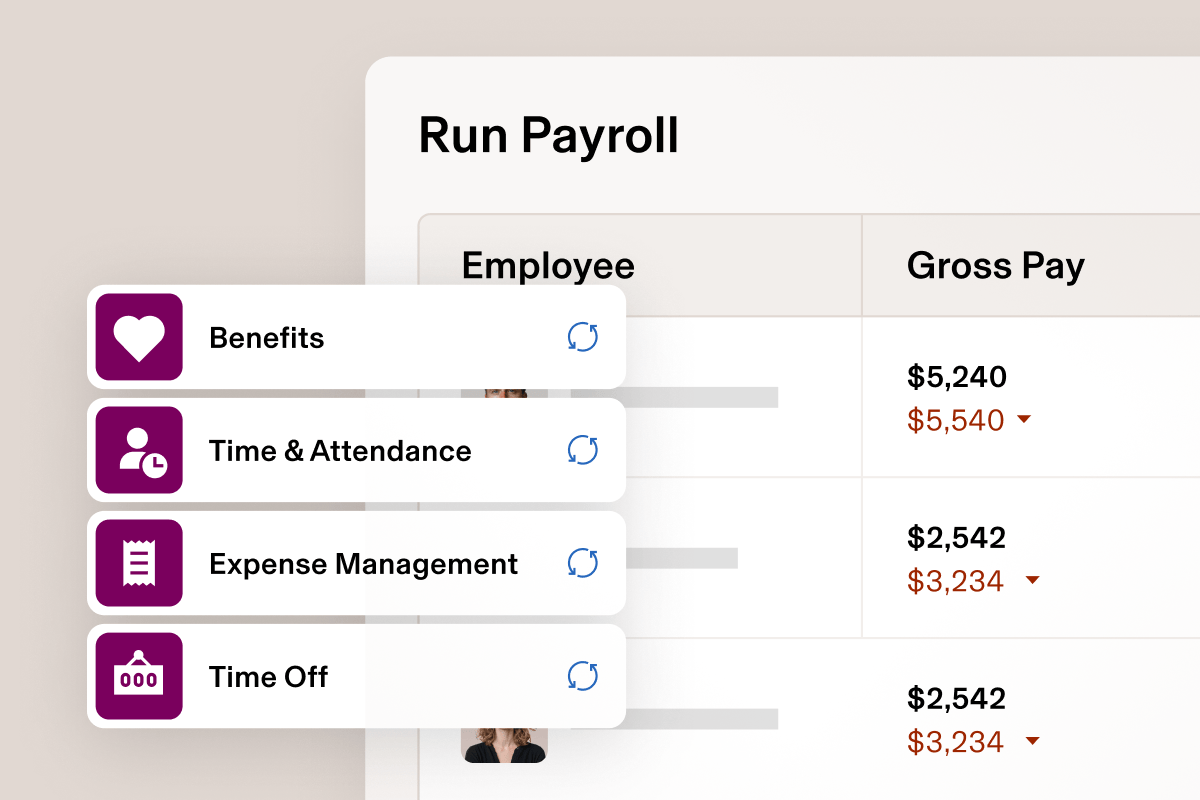
Best for: Mid-sized to large companies that want HR, payroll, and IT automation under one unified platform.
Where Rippling works best
Rippling combines HR, payroll, and IT operations into a single system. Employee lifecycle events (such as hiring, role changes, and offboarding) can automatically trigger payroll updates, app access, and device provisioning.
This makes Rippling especially valuable for organizations managing complex workforce operations. Instead of coordinating HR and IT tasks manually, teams can automate workflows that keep systems, access, and compliance aligned as the company grows.
Key features
- Centralized HRIS for managing the full employee lifecycle.
- Payroll processing with tax compliance available as an add-on.
- Automated onboarding and offboarding workflows.
- Device and application access management.
- Workflow automation supported by reporting and analytics.
Pros
- One of the most comprehensive HR and IT management platforms available.
- Powerful automation across workforce and access systems.
- Strong support for compliance, access control, and lifecycle management.
- Consistently high customer satisfaction ratings on G2.
Cons
- Modular pricing can increase total cost as additional features are enabled.
- May offer more functionality than smaller companies require.
- Implementation and configuration can be more complex than simpler HR tools.
Pricing
Base HRIS pricing typically starts around $8 per employee/month (plus a monthly base fee), with final costs depending on selected modules and business requirements.
Reviews
“I very much enjoy using Rippling as an employee since it makes time off, pay stubs, and organizational charts straightforward, simple, and easy to access.” — Capterra reviewer
4. Zoho People
🌟 4.4/5 (G2)
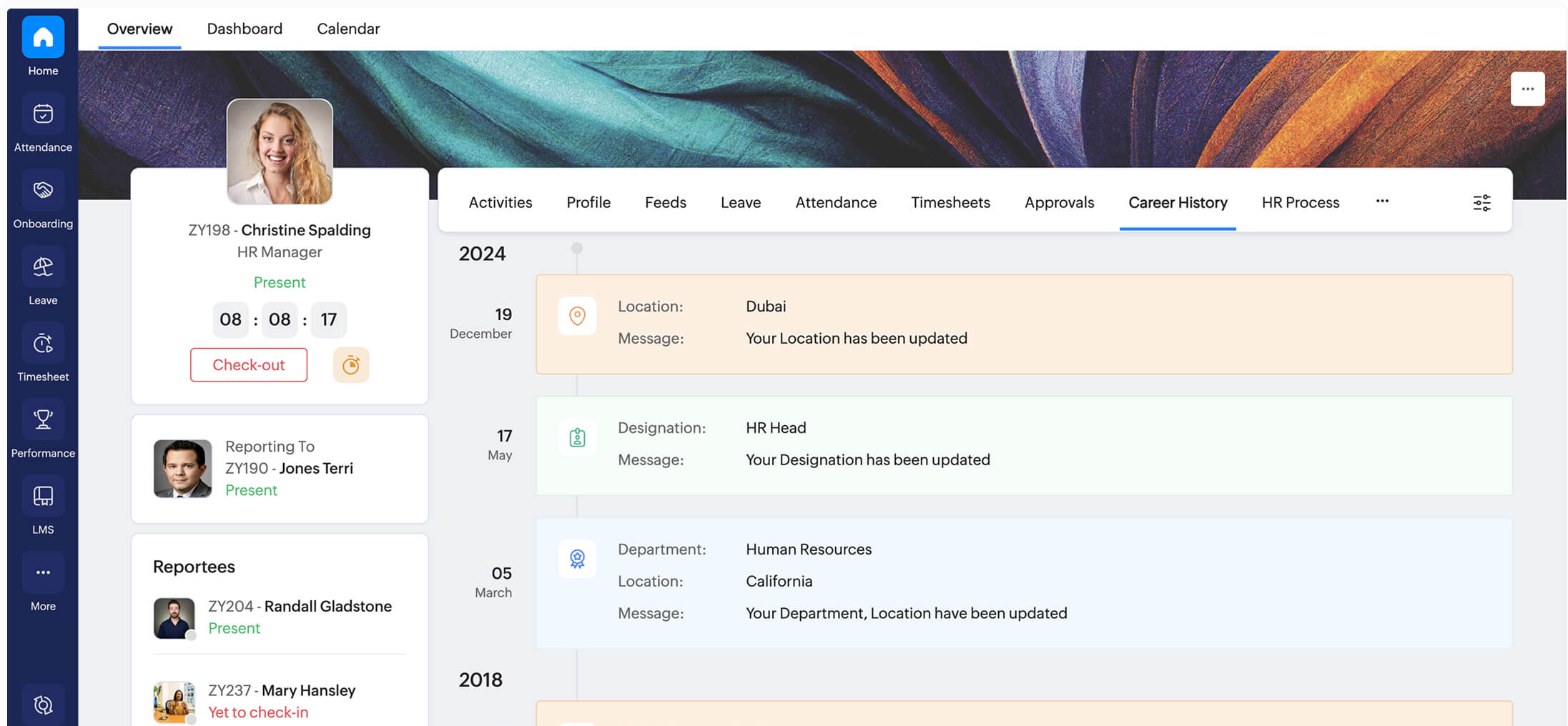
Best for: Small and mid-size businesses needing a flexible HR management system with attendance, leave, and performance tracking.
Where Zoho People works best
Zoho People is a modular HR platform that balances breadth and affordability. It covers employee records, attendance, leave, shift scheduling, and performance management without the cost or complexity of enterprise HR systems.
The platform scales gradually, allowing teams to start with basic HR workflows and expand into analytics and performance tools as needs evolve. Integration with the broader Zoho ecosystem helps organizations keep HR data connected to payroll, finance, and operations.
Key features
- Employee database with a self-service portal.
- Attendance, leave, and shift management tools.
- Digital timesheets and time tracking functionality.
- Performance appraisals and HR analytics.
- Integration with other Zoho applications.
Pros
- Wide range of HR features at a competitive price.
- Strong attendance and leave management capabilities.
- Well suited for businesses already using Zoho products.
- Flexible per-user pricing with a free plan for small teams.
Cons
- Initial setup may involve a learning curve.
- Advanced features and deeper analytics are not always included in lower-tier plans.
- Interface complexity can increase as additional modules are enabled.
Pricing
Free for up to 5 users. Paid plans start at approximately $1.25–$4.50 per user/month (annual billing), depending on the selected features.
Reviews
“Enables us (all employees) to have our schedules, leaves, benefits, and performance view updates no matter where one is. Ease, security, and quick approvals perfecting remote collaboration.” (Capterra reviewer)
5. Connecteam
🌟 4.6/5 (G2)

Best for: Deskless, mobile, and field teams that need scheduling, time tracking, and communication in one app.
Where Connecteam works best
Connecteam is designed specifically for teams that work away from desks. It brings scheduling, time clocks, task management, and communication into a single mobile-first app that employees can use directly from their phones.
For frontline managers, this simplifies daily coordination. Shifts, hours, tasks, and team updates live in one place, reducing reliance on texts, emails, and spreadsheets. The result is clearer oversight without building a full HR stack.
Key features
- Mobile time clock with optional GPS tracking and geofencing.
- Drag-and-drop shift scheduling with availability tracking.
- Built-in chat, announcements, and surveys.
- Task management with digital forms.
- Basic HR and employee training tools.
Pros
- Designed for deskless teams with a mobile-first experience.
- Combines scheduling, time tracking, communication, and training in one platform.
- Reduces the need to switch between multiple apps for frontline teams.
- Free plan available for small teams.
Cons
- Pricing structure becomes more complex as features are divided across hubs.
- Costs increase when multiple hubs or advanced features are required.
- Notification settings may require adjustment for larger teams.
Pricing
Free for up to 10 users. Paid plans start at around $29/month for up to 30 users, with tiered pricing per hub and additional costs for larger teams.
Reviews
“Overall, it has been pretty positive. Adding employees to Connecteam has been simple after taking 5-10 minutes of learning and exploring. I will say that as a Director for our Company, I get notifications every time someone confirms a shift or a shift changes, and that can be quite a lot, but I am sure there is a way to disable that.” — Capterra reviewer
Top employee management software at a glance
| Software | Best for | Key features | Platforms | Starting price | Free plan |
|---|---|---|---|---|---|
| TMetric | Small & mid-size teams, agencies, remote teams | Time tracking, attendance, PTO, employee profiles, productivity analytics, budgeting, invoicing | Web, macOS, Windows, Linux, iOS, Android | $5/user/month | Yes |
| BambooHR | HR teams, onboarding-heavy companies | Employee records, onboarding, PTO, performance management | Web, iOS, Android | Custom pricing | No |
| Rippling | Companies needing HR + IT automation | HRIS, payroll, device management, workflows | Web, iOS, Android | From $8/user/month | No |
| Zoho People | SMBs needing modular HR tools | Time tracking, attendance, leave, performance, HR workflows | Web, iOS, Android | $1/user/month | Yes |
| Connecteam | Deskless & mobile teams | Scheduling, tasks, time clock, chat, training | Web, iOS, Android | $29/month (up to 30 users) | Yes |
How to choose the right employee management software
Choosing the right employee management platform is less about feature volume and more about fit. The best tool aligns with how your team actually operates day-to-day—not with how software vendors describe “ideal” workflows.
1) Start with team size and structure
Team size directly affects complexity, permissions, and overhead.
- Small teams (10–50 employees): Prioritize fast setup, transparent pricing, and core functionality, including attendance, time tracking, and basic performance visibility. Look for small business employee management software that minimizes administrative effort.
- Scaling teams (50–300 employees): Stronger role permissions, reporting, and process consistency become critical as more managers and departments get involved.
- Enterprise organizations: Governance, auditability, security controls, and deep integrations matter more than speed of setup.
2) Factor in remote vs. onsite work
Remote and hybrid teams require more deliberate structure. Informal coordination is weaker, and without consistent tracking, it becomes difficult to spot workload imbalances or productivity issues early. Use this workplace productivity questionnaire to assess where your team stands. Clear workflows and shared visibility are far more important in distributed environments.
3) Validate integrations early
Before committing, confirm that the platform fits your existing ecosystem. Common requirements include integrations with Jira, QuickBooks, Slack, payroll systems, or identity and device management tools. Integration gaps often surface after rollout, when they’re hardest to fix.
A quick decision guide
- Need time, attendance, and budgeting visibility? → TMetric
- Want structured HR records and onboarding? → BambooHR or Zoho People
- Looking for HR + IT lifecycle automation? → Rippling
- Considering mobile tools for deskless teams? → Connecteam
- Need project and people oversight in one workspace? → ClickUp or monday.com
- Want an all-in-one suite with organization-level pricing? → Bitrix24
The Takeaway
The best employee management software does more than organize people—it reduces ambiguity in how work is planned, tracked, and delivered. With global engagement remaining low and operational pressure increasing, teams benefit most from systems that replace manual processes with consistent visibility and execution.
For organizations prioritizing workforce visibility (across time, attendance, utilization, and reporting), TMetric stands out as a practical choice. It offers small and mid-size teams an employee management solution grounded in day-to-day operations, not just HR administration.
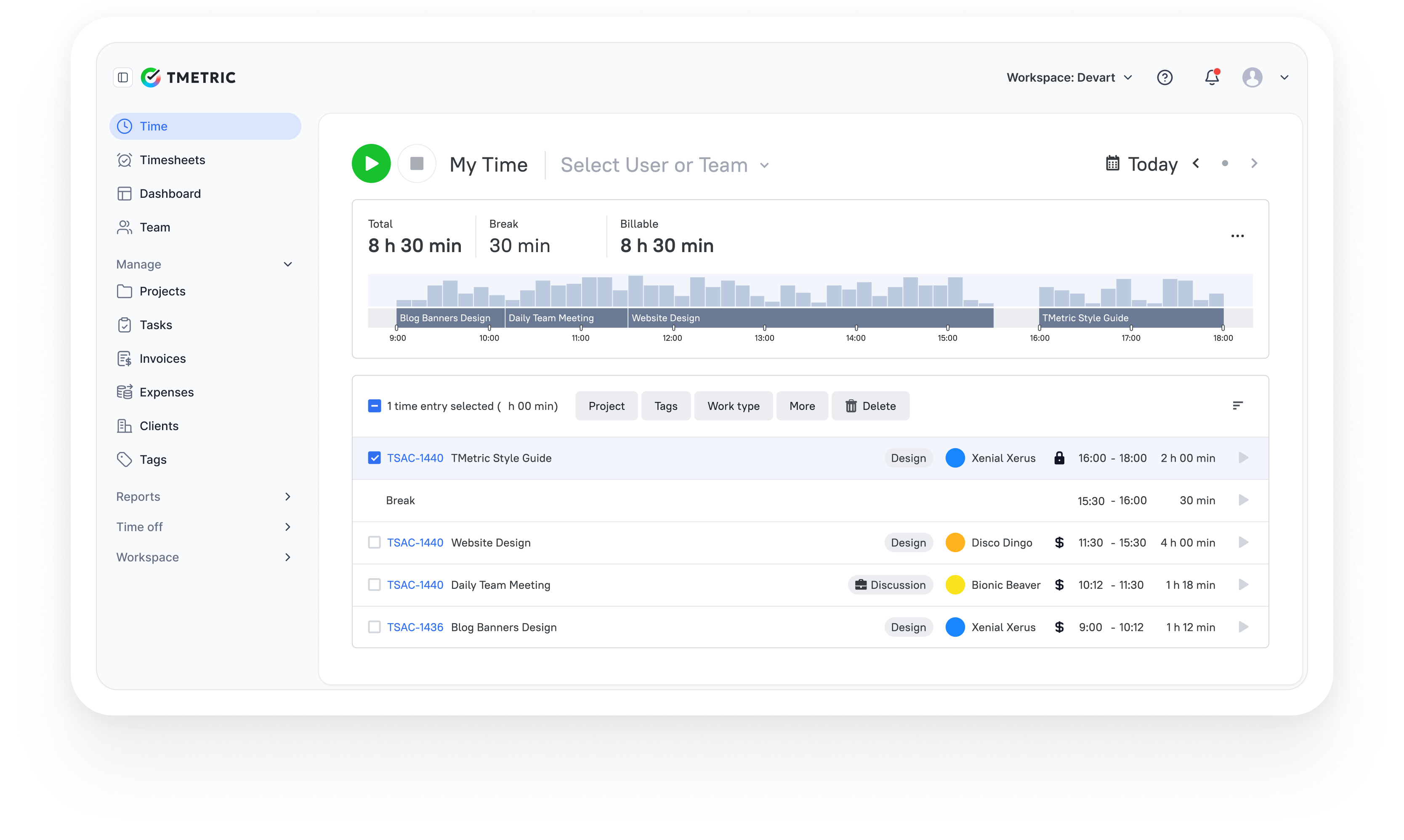
3,000+ companies, teams, and individuals worldwide use TMetric to track time, manage work, and bill with confidence.