Best Time Tracking Software With Invoicing & Billing in 2026
In today’s high-stakes business environment, every untracked hour is lost revenue, yet many teams still juggle timers, spreadsheets, and separate billing tools, then scramble at month-end to reconstruct what actually happened.

By Dereck Mushingairi | February 27, 2026
Modern time tracking with invoicing removes that chaos. It captures work in real time and turns it into accurate, ready-to-send invoices. This guide compares the best time tracking tools with invoicing and billing, ensuring every billable hour is money in the bank.
Our top picks:
Who is time tracking and invoicing software suitable for
Time tracking and invoicing tools are used across many industries, but the value they deliver depends on how work is billed. The roles below show where these platforms have the greatest impact and why they are widely adopted.
| Role/business type | How they use time tracking & invoicing | Typical billing model | Practical benefit |
| Freelancers | Track hours per client and generate invoices directly from time logs | Hourly, fixed-price | Faster billing and fewer disputes |
| Agencies | Monitor team time across multiple projects and bill clients monthly | Retainers, hourly, project-based | Clear client billing and margin control |
| Consultants | Record billable sessions and issue detailed invoices | Hourly, recurring | Transparent billing and predictable revenue |
| Software Development Teams | Track work by tasks or sprints and convert time into client invoices | Hourly, milestone-based | Accurate billing tied to actual work |
| Marketing and Creative Teams | Track creative work across campaigns and bill by role or service | Retainers, mixed pricing | Consistent invoicing across clients |
| Designers | Log design time and issue branded invoices | Hourly, project-based | Simple billing tied to deliverables |
| Small Businesses | Combine time tracking and billing in one system | Mixed models | Reduced admin work and clearer cash flow |
| Finance and Accounting Teams | Review billing data and reconcile invoices | Internal cost tracking | Reliable financial records and reporting |
With that in mind, it’s clear that different teams have unique needs, but these roles benefit most when time tracking and invoicing work side by side. Let’s now look at the key benefits of bringing these two capabilities together.
Why combine time tracking with invoicing?
Here they are the advantages of combining time tracking and invoicing.
| Benefit | What it means in practice | Business impact |
| Greater efficiency | One system replaces multiple tools; tracked hours convert to invoices instantly | Less admin work and fewer billing errors |
| Faster payments | Send invoices as soon as work is completed; automate reminders | Improved cash flow and fewer late payments |
| Transparency and accuracy | Detailed time entries appear on invoices | Fewer disputes and stronger client trust |
| Better business insight | Real-time visibility into project profitability and client value | Smarter pricing and resource decisions |
Key features to look for
The right tool should ensure accurate time tracking and convert those hours into billable income. To choose the best option, focus on these essential capabilities:
- Accurate time tracking
Automatic tracking helps capture work as it happens, reducing missed hours and manual errors. The software should also organize time by project, client, and task, with options for timers, manual entries, or calendar-based logging.
- Flexible Rates and Budgets
Different work often requires different pricing. Look for tools that allow rates by client, project, role, or task. Budget tracking with alerts helps prevent overruns and protects profitability.
- Easy Invoice Creation
Invoices should be generated directly from tracked time and remain easy to review before sending. Support for recurring billing, retainers, milestone payments, and deposits is especially useful for ongoing work.
- Taxes, Currencies, and Compliance
If you work with international clients, the software should handle taxes such as VAT and support multiple currencies with automatic calculations.
- Payment Processing
Built-in payment options like card payments, PayPal, or Stripe help clients pay faster. Payment tracking and automated reminders reduce overdue invoices.
- Integrations, Mobile Access, and Reporting
Mobile apps allow time tracking from anywhere. Integrations with tools like project management, accounting, and CRM systems reduce manual work. Reporting features provide insight into revenue, utilization, and project performance.
Top time tracking tools with invoicing
After identifying the essential features, it’s time to compare the top time tracking tools with invoicing. Each of these solutions offers a unique set of strengths, so let’s break down what makes them stand out.
1. TMetric
🌟 4.7/5
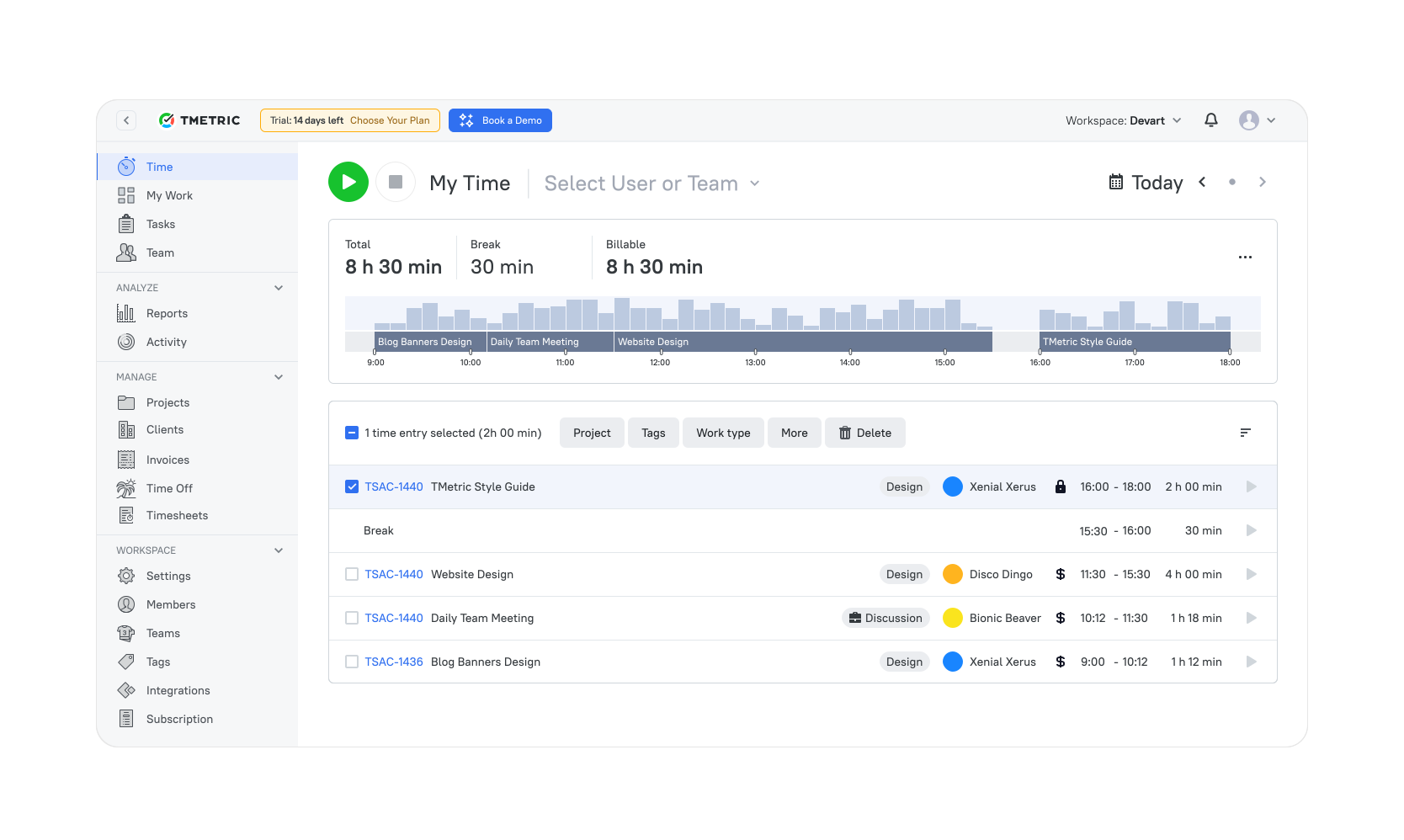
Best for: Freelancers, agencies, and service teams that want invoices generated directly from tracked time with strong profitability visibility.
Price: Free for up to 2 users; paid plans start at $5.83 per user/month (annual billing).
Available on: Web, Windows, macOS, Linux, iOS, Android.
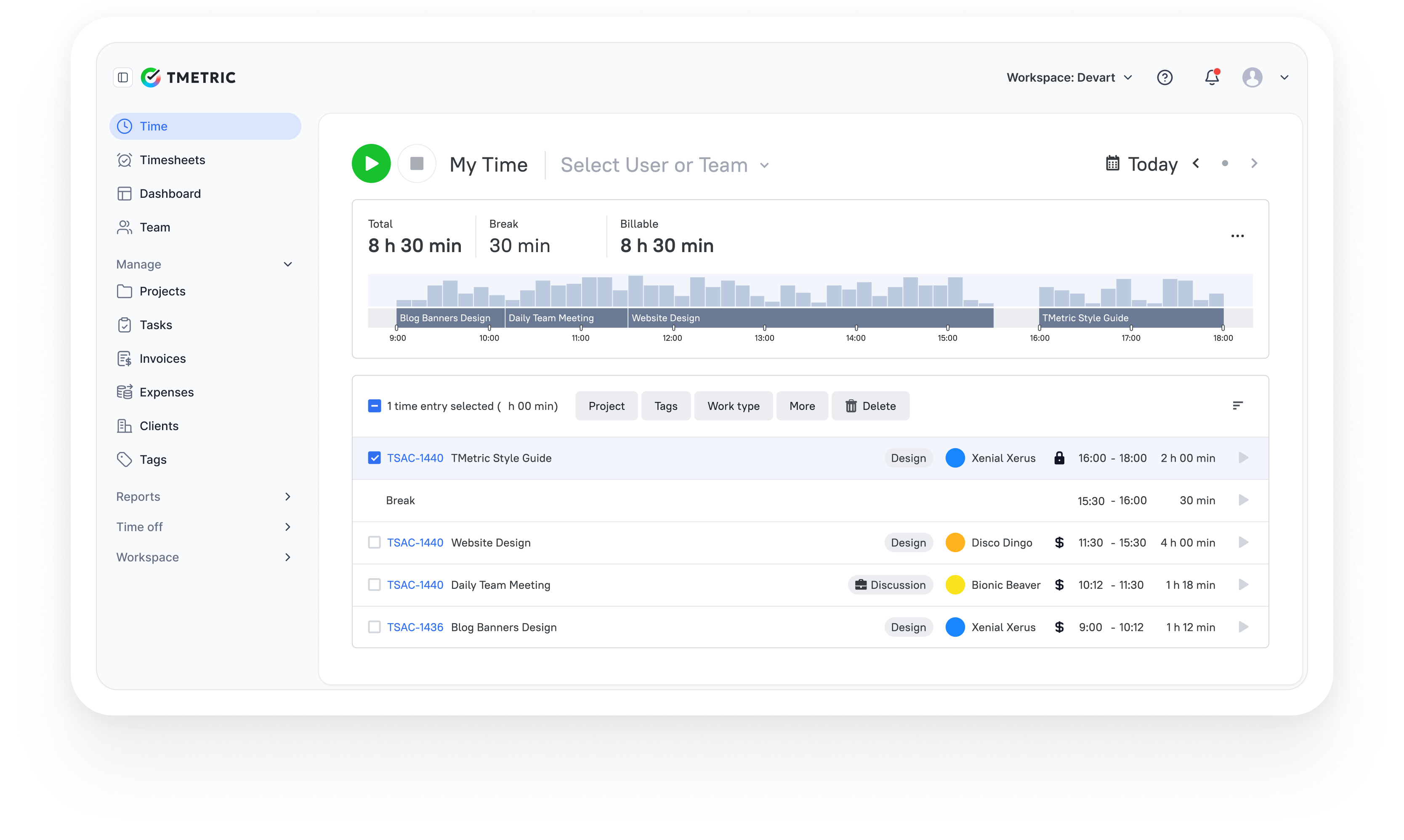
TMetric is a dedicated time tracking platform built for teams and professionals who bill for their work. Its core strength lies in turning tracked time into accurate invoices without manual calculations. Unlike accounting-heavy tools, it focuses on real productivity data (budgets, billable rates, and project costs), making it especially effective for agencies, consultants, and service businesses that need clear visibility into profitability.
Product summary
| Category | Details |
| Company | Devart |
| Best for | Freelancers, agencies, and service teams |
| Billing support | Built-in invoicing from tracked time |
| Platforms | Web, Windows, macOS, Linux, iOS, Android |
| Integrations | 50+ tools, including QuickBooks, Jira, Asana, GitHub |
Key features
- Automatic and manual time tracking.
- Billable vs non-billable time classification.
- Multiple billing rates by project, task, or team member.
- Invoice generation directly from time logs.
- Project budgets with alerts for overspending.
- Detailed reports on profitability and utilization.
- Exportable invoices and reports.
- Integrations with accounting and project tools.
Pros
- Direct conversion of time data into invoices.
- Clear visibility into project costs and margins.
- Flexible billing configurations.
- Cross-platform apps with real-time sync.
- Strong reporting for business decisions.
Cons
- Advanced billing features require paid plans.
- Limited built-in accounting capabilities.
- Interface prioritizes functionality over visual customization.
Pricing
Free-for-life
Available
Premium plans
Start at $7 per seat/month
Example use case
Think of a digital marketing team that uses TMetric to log every billable hour across their clients. As the team works (designing, writing, and planning), everyone tracks their time. At the end of the month, the project lead uses TMetric to create invoices by role—charging designers $75/hour, writers $60, and planners $90. Everything is calculated automatically, exports cleanly, and they send professional, accurate bills to their clients, without hassle.
User reviews
“We like that with a few clicks, my team can log time with TMetric's user-friendly interface, and that reports guarantee billing on the time spent (this also helps us prevent scope creep and set reasonable project budgets).” — G2 reviewer
2. Toggl Track
Rating: ⭐ 4.6/5

Best for: Small teams and startups that need lightweight time tracking with simple invoice creation and strong reporting.
Price: Free for up to 5 users; paid plans start at $9 per user/month.
Available on: Web, Windows, macOS, Linux, iOS, Android.
Toggl Track is a lightweight time tracking tool designed for teams that want simplicity without sacrificing reporting power. Its standout strength is ease of use: a one-click timer, clean interface, and minimal setup make it accessible even for non-technical users. While not a full accounting solution, it provides solid invoicing capabilities through billable rates, expense tracking, and integrations, making it a strong choice for small teams that need fast adoption and reliable time data.
Product summary
| Category | Details |
| Company | Toggl |
| Best for | Small teams and startups |
| Billing support | Invoice creation from tracked time |
| Platforms | Web, Windows, macOS, Linux, iOS, Android |
| Integrations | QuickBooks, Xero, and 100+ productivity tools |
Key features
- One-click timer for instant time tracking.
- Billable rates by client or project.
- PDF invoice generation from time reports.
- Expense tracking and budgeting tools.
- Workforce timesheets with approvals.
- Detailed reporting on billable hours.
- Integrations with accounting platforms.
- Mobile apps for tracking on the go.
Pros
- Extremely easy to learn and deploy.
- Generous free plan for teams.
- Clean, intuitive interface.
- Strong reporting for billable time.
- Reliable mobile tracking capabilities.
Cons
- Limited advanced billing features.
- No built-in payment processing.
- Basic project management functionality.
- Limited invoice customization options.
Pricing
Free for up to 5 users, with paid plans starting at $9 per user per month (advanced reporting and billing features in paid tiers).
User reviews
I love that I can track every single task within my to-do list. Then that allows me to bill my clients for the hours worked. — G2 reviewer
3. Harvest
Rating: ⭐ 4.3/5
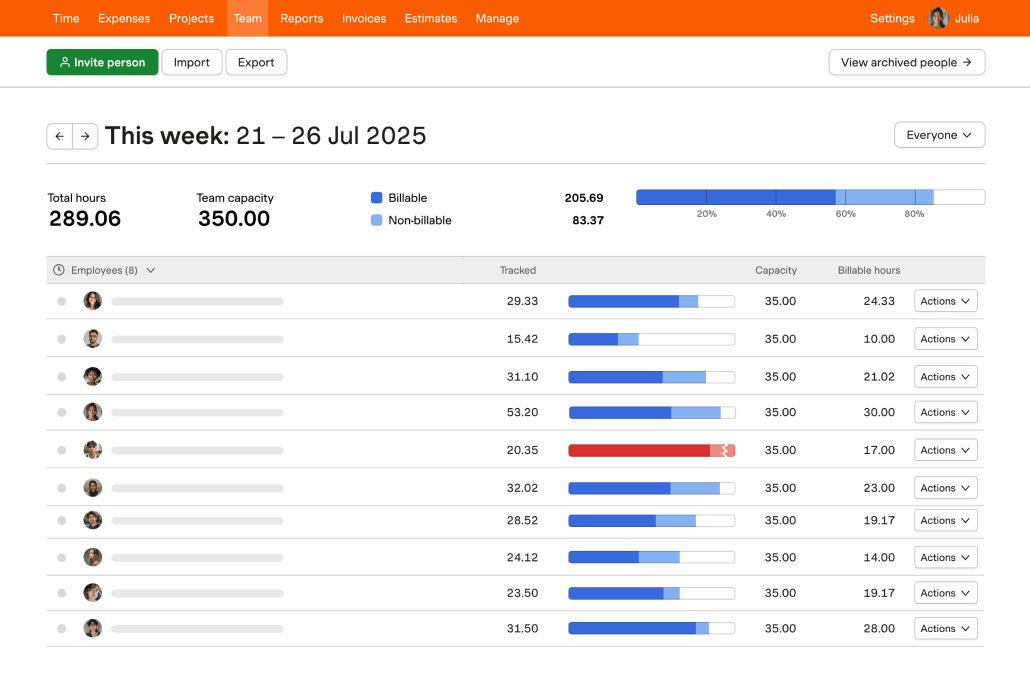
Best for: Service businesses and consultancies that want polished invoicing with built-in online payments and client-facing transparency.
Price: Free for 1 user and 2 projects; paid plans start at $11 per user/month.
Available on: Web, Windows, macOS, iOS, Android.
Harvest is a time tracking and invoicing platform built for service-based businesses that need clear client billing and payment collection in one place.
Its standout advantage is the client portal, which allows clients to view invoices, payments, and project progress in real time — improving transparency and reducing back-and-forth communication. Combined with built-in payment processing and strong reporting, Harvest is particularly effective for consultancies, agencies, and professional services firms.
Product summary
| Category | Details |
| Company | Harvest |
| Best for | Service-based businesses and consultancies |
| Billing support | Full invoicing with built-in online payments |
| Platforms | Web, Windows, macOS, iOS, Android |
| Integrations | QuickBooks, Xero, Slack, Asana, and more |
Key features
- Professional invoice creation from tracked time and expenses.
- Customizable branded invoices.
- Built-in online payments (cards, PayPal, Stripe).
- Automated payment reminders.
- Recurring billing for retainers.
- Expense tracking with billable options.
- Client portal for invoice access and status tracking.
- Project profitability and budget reporting.
Pros
- Smooth conversion of time and expenses into invoices.
- Clients can pay directly online.
- Strong reporting on project profitability.
- Improves transparency with the client-facing portal.
- Reliable recurring billing for long-term engagements.
Cons
- Free plan limited to one user and two projects.
- Less suitable for large teams without upgrading.
- Project management capabilities are basic.
Pricing
Free for 1 user and 2 projects, with paid plans starting at $11 per user per month (includes invoicing and online payments).
User reviews
I like using Harvest for tracking time accurately with its effortless one-click timer that starts tracking instantly from desktop, browser, or mobile. The detailed profitability reports are also great for drilling into billable hours versus costs per project or client. — G2 reviewer
4. FreshBooks
Rating: ⭐ 4.5/5
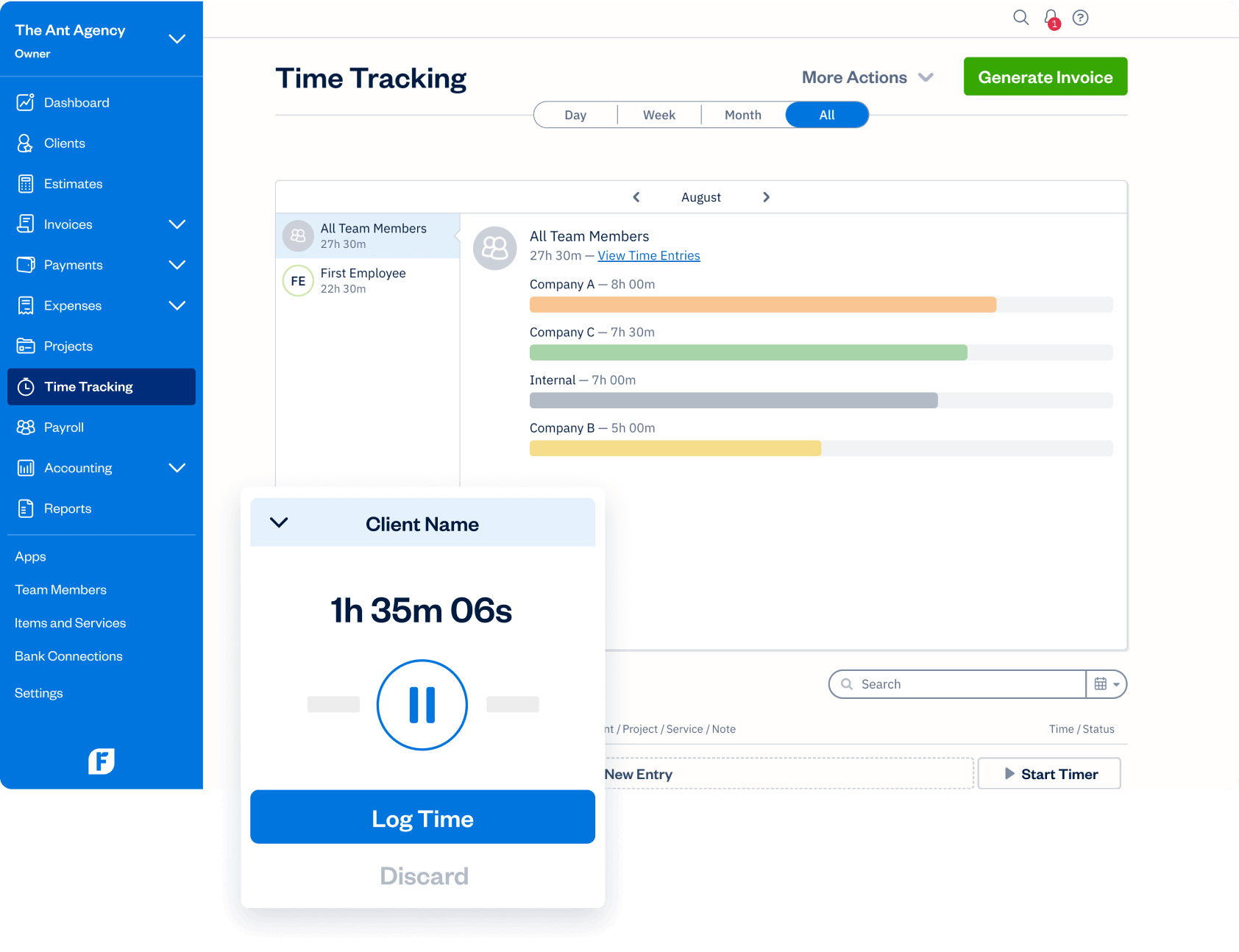
Best for: Small businesses and service professionals who want time tracking plus full invoicing, payments, and accounting workflows.
Price: Paid plans start at about $21/month (pricing increases by tier and client limits; trial availability varies).
Available on: Web, iOS, Android.
FreshBooks is a full accounting platform that also delivers strong time tracking and billing capabilities. Unlike lightweight trackers, it covers the entire financial workflow — from estimates and proposals to invoicing, payments, and reporting. Its standout strength is comprehensive payment processing with multi-currency support and automated billing, making it ideal for small businesses that want an all-in-one system to manage revenue, expenses, and client work.
Product summary
| Category | Details |
| Company | FreshBooks |
| Best for | Small businesses and service professionals |
| Billing support | Advanced invoicing with integrated payments |
| Platforms | Web, iOS, Android |
| Integrations | Stripe, PayPal, G Suite, Shopify, and more |
Key features
- Advanced invoice creation with professional templates.
- Automated recurring billing and invoice scheduling.
- Built-in online payment processing.
- Multi-currency support.
- Automatic tax calculations.
- Late fees and payment reminders.
- Estimates, proposals, and contract tracking.
- Detailed financial and revenue reports.
Pros
- Comprehensive financial management in one platform.
- Strong invoicing automation and payment tools.
- Supports the full client lifecycle from quote to payment.
- Built-in tax handling simplifies compliance.
- Useful proposal and estimate features.
Cons
- The feature-rich interface can feel complex at first.
- Project management tools are basic compared to dedicated PM software.
- Pricing increases as the number of clients grows.
User reviews
I find FreshBooks incredibly valuable for its simplicity, especially when it comes to creating and sending invoices. The process is straightforward and hassle-free, which streamlines a crucial aspect of my small business operations. — G2 reviewer
5. Clockify
Rating: ⭐ 4.5/5
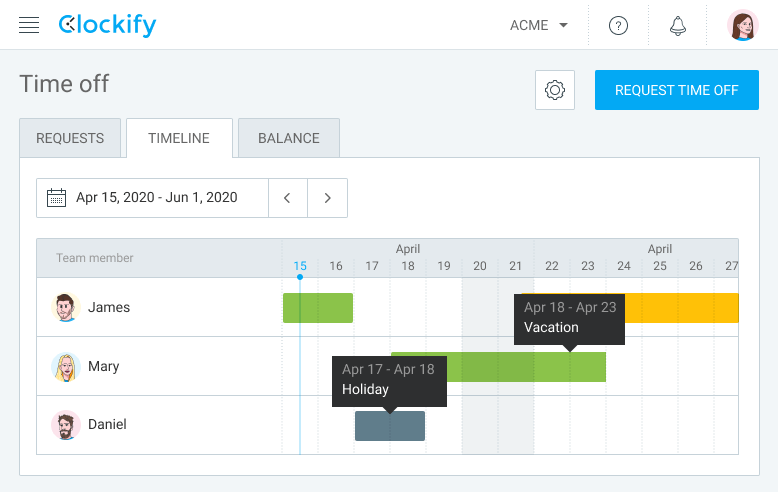
Best for: Growing teams that need scalable time tracking with invoice generation and a generous free plan.
Price: Free for unlimited users; paid plans start at $5.49 per user/month (invoicing features in paid plans).
Available on: Web, Windows, macOS, Linux, iOS, Android.
Clockify is a scalable time tracking platform known for its generous free plan and ability to support teams of any size. Its key advantage is offering robust tracking and basic invoicing without user limits, making it especially attractive for growing organizations that need cost control as they scale. While not a full accounting solution, it provides solid billing tools, expense tracking, and profitability insights that help teams convert time data into actionable financial information.
Product summary
| Category | Details |
| Company | CAKE.com (Clockify) |
| Best for | Growing teams and organizations |
| Billing support | Invoice generation from tracked time |
| Platforms | Web, Windows, macOS, Linux, iOS, Android |
| Integrations | QuickBooks, Jira, Trello, Asana, and more |
Key features
- Unlimited time tracking for users and projects.
- Invoice creation based on time logs.
- Multiple billing rates and project-based pricing.
- Expense tracking with billable options.
- Customizable invoice templates and branding.
- Budget tracking and profitability analysis.
- Payment status monitoring.
- Cross-platform apps across devices.
Pros
- Powerful free plan with no user limits.
- Scales easily as teams grow.
- Strong reporting and analytics capabilities.
- Quick setup and minimal learning curve.
- Works across virtually all operating systems.
Cons
- Mobile app stability issues have been reported by some users.
- Limited advanced billing functionality.
- Reporting customization is basic.
Pricing
Free for unlimited users, with paid plans starting at $5.49 per user per month (invoicing features available in paid plans).
User reviews
The best thing is how simple and effective it is for tracking time without any unnecessary distractions. It’s super helpful, so whether you’re logging hours for work, personal projects, or just staying on your productivity, it’s easy to use. — G2 reviewer
6. TimeCamp
Rating: ⭐ 4.6 / 5
Best for: Teams focused on budgeting and profitability that want automatic tracking plus invoice creation from captured work.
Price: Free plan available; paid plans start at $2.99 per user/month (advanced billing features in higher tiers).
Available on: Web, Windows, macOS, Linux, iOS, Android.
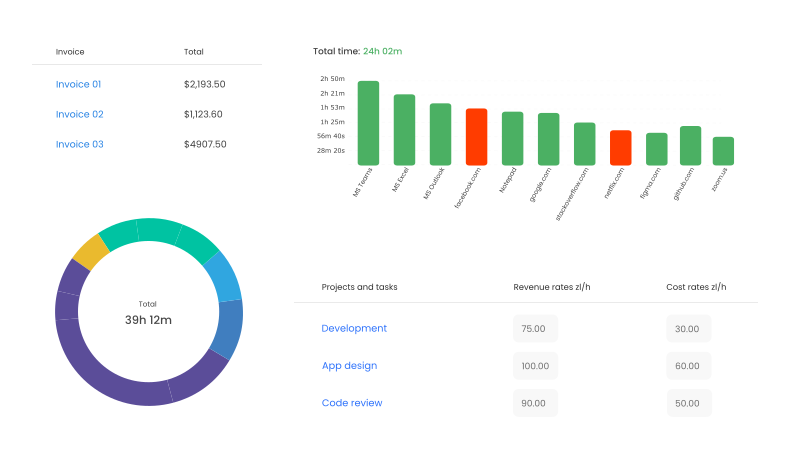
TimeCamp is a powerful time tracking and invoicing platform built for teams that need deep visibility into project costs and budget performance. Its standout strength is automatic tracking across apps and websites, combined with robust billing tools that convert captured work into invoices. With strong budget monitoring, profitability analysis, and reporting, it is particularly well-suited for organizations that want tight financial control over projects and client engagements.
Product summary
| Category | Details |
| Company | TimeCamp |
| Best for | Teams focused on budgeting and profitability |
| Billing support | Invoice generation from tracked time |
| Platforms | Web, Windows, macOS, Linux, iOS, Android |
| Integrations | QuickBooks, Xero, Trello, Asana, and more |
Key features
- Automatic time tracking across applications and websites.
- Invoice generation directly from time entries.
- Multiple billing rates and currency support.
- Customizable invoice templates.
- Recurring invoices and retainer management.
- Expense tracking with billable options.
- Project budgets with spending alerts.
- Profitability and performance reports.
Pros
- Detailed insight into how time is spent across projects.
- Strong budget tracking and cost control.
- Flexible billing configurations.
- Comprehensive reporting for decision-making.
- Competitive pricing for teams.
Cons
- Mobile app functionality is limited.
- Offline tracking reliability can vary.
- Interface may require an initial setup time.
Pricing
Free plan available, with paid plans starting at $2.99 per user per month (advanced billing and reporting in higher tiers).
User reviews
I can organize all my clients and assign specific tasks to each, so I always know exactly what work was done. Setting fees and receiving alerts when a project exceeds its budget is extremely helpful. I also appreciate the ability to mark time as billable or non-billable — it gives great control over invoicing. — G2 reviewer
7. Paymo
Rating: ⭐ 4.6/5

Best for: Project-based service teams that want time tracking tied to tasks, milestones, and flexible billing models.
Price: Free for up to 5 users and 10 projects; paid plans start at $5.90 per user/month.
Available on: Web, Windows, macOS, Linux, iOS, Android.
Paymo is a project-focused time tracking and invoicing platform designed for service businesses that want full visibility into profitability. Its key strength is combining project management, time tracking, billing, and financial insights in one system. By linking invoices directly to tasks, milestones, and expenses, Paymo helps teams understand not just what to bill, but whether projects are actually profitable.
Product summary
| Category | Details |
| Company | Paymo |
| Best for | Professional services and project-based teams |
| Billing support | Task-based invoicing with multiple billing models |
| Platforms | Web, Windows, macOS, Linux, iOS, Android |
| Integrations | QuickBooks, Slack, Zapier, Google Workspace, and more |
Key features
- Time tracking is linked directly to project tasks.
- Invoice creation from tasks, milestones, or time entries.
- Multiple billing methods (hourly, fixed fee, retainers).
- Expense tracking with tax calculations.
- Customizable invoice templates and branding.
- Automated payment reminders.
- Project budgeting and profitability analysis.
- Integration with accounting tools.
Pros
- Covers the full project lifecycle from planning to payment.
- Strong visibility into project profitability.
- Flexible billing options for different contract types.
- Milestone-based invoicing capabilities.
- Helpful expense tracking for pricing decisions.
Cons
- The free plan has strict limits on users and projects.
- Advanced billing features require paid plans.
- Recurring invoices available only in higher tiers.
Pricing
Free for up to 5 users and 10 projects, with paid plans starting at $5.90 per user per month (additional billing features in paid tiers).
User reviews
Paymo’s precise time tracking links every minute to specific tasks and projects, simplifying billing and productivity tracking. Customizable, well-designed invoices and clear, visual stats make progress easy to see, all within an intuitive interface that’s effortless to learn. — G2 reviewer
Before making your final choice, it helps to see how each tool stacks up side by side. Below is a comparison table that highlights their invoicing features, pricing, and key capabilities, giving you a clear snapshot of what each offers.
Comparison table: Features at a glance
| Software | Invoicing features | Price |
| TMetric | • Create bills from time logged or send full reports marked as billed; • Error-free billing from hours logged; • Set cash limits for projects and cost tracking; • Supports hourly, project-based, and cost tracking; • Automated billing calculations; • CSV export for bills; • 50+ integrations, including QuickBooks |
Free plan available for individuals. Paid plans start at $5.83/user/month |
| Toggl Track | • PDF invoice creation based on tracked time; • Billable rate configuration by client/project; • Expense tracking; • Workforce timesheets with authorization; • Task-based budgeting; • QuickBooks and Xero integrations; • Auto-populate invoices with time report data |
Free: up to 5 users; Starter: from $9/user/month |
| Harvest | • Professional invoice generation with customization; • Branded invoices with company logo and colors; • Multiple payment options (credit cards, PayPal, Stripe); • Automated invoice reminders; • Recurring billing for retainer clients; • Expense tracking; • Real-time project profitability analysis; • Client portal for invoice viewing |
Free: 1 user, 2 projects; Pro: from $11/user/month |
| FreshBooks | • Advanced invoicing with professional templates; • Comprehensive payment processing; • Multi-currency support; • Tax calculations; • Automatic invoice generation; • Late fee calculations; • Payment reminders; • Detailed financial reporting; • Estimates and proposals |
Lite: from about $21/month (up to 5 clients); Plus: from about $38/month (up to 50 clients) |
| Clockify | • High-quality invoices based on time logs; • Various billing rates and project-based charges; • Expense monitoring; • Customizable invoice templates; • Company branding; • Automatic invoice generation; • Payment monitoring; • Profitability analysis and budgeting |
Free: unlimited users; Paid: from $5.49/user/month |
| TimeCamp | • Invoice generation from tracked time; • Multiple billing rates and currencies; • Customizable invoice templates; • Automated billing service; • Accounting software integration; • Expense tracking; • Recurring invoices; • Profitability analysis; • Client portal access |
Free plan available. Starter: from $2.99/user/month |
| Paymo | • Invoice creation based on project tasks; • Multiple billing methods (hourly, fixed fees, retainers); • Custom branding; • Automated payment reminders; • Expense tracking; • Tax calculations; • Accounting software integration; • Profitability analysis; • Invoice templates for customization |
Free: up to 5 users, 10 projects; Starter: from $5.90/user/month |
This side-by-side comparison should help you narrow down the best tool based on your team’s needs, whether it’s flexible billing, advanced reporting, or a generous free plan.
The Takeaway
Each of these tools combines time tracking and invoicing in its own way, so the best choice depends on your workflow and billing style. TMetric strikes a strong balance of usability and billing power, while Toggl Track is refreshingly simple. Harvest shines in professional invoicing, FreshBooks delivers full accounting, and Clockify stands out for its generous free plan.
Most of these platforms offer free trials, allowing you to test their features in real workflows. By experimenting, you’ll find the tool that simplifies billing, clarifies your finances, and maximizes every billable hour.
10,000+ companies, teams, and individuals worldwide use TMetric to track time, manage work, and bill with confidence.