7 Best Time Tracking Software for QuickBooks
Time is money, especially when using QuickBooks. We’ve rounded up the best time tracking solutions that integrate smoothly, turning tracked hours into instant invoices and clear payroll. Say goodbye to manual entries and hello to time well spent.

By Dereck Mushingairi | March 13, 2026
Top 7 Time Tracking Software for QuickBooks
QuickBooks handles accounting well, but what about your team’s time? Without a dedicated tracker, billable hours slip through the cracks, and manual invoicing eats up your day.
That’s where time tracking apps built for QuickBooks become invaluable: syncing hours, projects, and payroll smoothly. In this guide, we cut straight to the top tools that’ll boost your billing accuracy and make your workflow effortless.
Compare:
The method behind our trusted time tracking reviews
Selecting the best time tracking software for QuickBooks requires evaluating more than feature lists. Each tool in this guide was reviewed based on integration reliability, automation capabilities, reporting accuracy, usability, and real-world performance with QuickBooks.
The table below summarizes the evaluation criteria used to assess each solution.
| Evaluation criteria | What we examined | Why it matters |
| QuickBooks Integration | Native or connector-based integration, sync reliability for hours, invoices, and payroll | Ensures accurate financial data without manual exports |
| Automation Features | Automatic time capture, invoice generation, payroll sync | Reduces administrative work and minimizes accounting errors |
| Reporting Accuracy | Project profitability reports, billable hour tracking, and productivity insights | Helps businesses monitor performance and financial health |
| Ease of Use | Interface simplicity, onboarding experience, and learning curve | Improves adoption across teams and ensures consistent time tracking |
| Scalability | Ability to support growing teams, advanced reporting, and integrations | Prevents businesses from needing to switch tools later |
| Real-World Feedback | Official documentation, user reviews, and practical use cases | Confirms that features work reliably in real business environments |
This evaluation approach helps businesses compare the top time tracking apps for QuickBooks objectively and select the solution that best supports their QuickBooks workflow.
With these criteria in mind, let’s move from the ‘why’ behind our reviews to the ‘what’—a detailed comparison of the best time tracking software that aligns perfectly with QuickBooks.
Time tracking software for QuickBooks: comparison table
The comparison table below helps businesses quickly find the best time tracking app for QuickBooks. It highlights integration type, automation level, pricing structure, and ideal use cases so readers can identify suitable tools without reading every review.
| Software | Best for | QuickBooks integration | Automation level | Payroll sync | Free plan | Starting price |
| TMetric | Agencies, consultancies, SaaS teams | Native QuickBooks Online integration | High | Yes | Yes | Free / $7 user/month |
| Toggl Track | Freelancers, small teams, agencies | Direct QuickBooks Online integration | Medium | No | Yes | €9 user/month |
| Timely | Automated time tracking | Native QuickBooks Online integration | High | Limited | Trial | $9 user/month |
| TrackingTime | Project teams, small businesses | Zapier integration with QuickBooks Online | Medium | Limited | Yes | $3.75 user/month |
| MinuteDock | Consultants, freelancers | Native QuickBooks Online integration | Medium | Yes | Trial | $19/month |
| Clockify | Startups, agencies, distributed teams | Native QuickBooks Online integration (paid feature) | Medium | Limited | Yes | €5.49 user/month |
| Harvest | Agencies, consultants | Native QuickBooks Online integration | High | Limited | Limited | $9 user/month |
Now that you’ve seen the top options side by side, let’s explore each tool individually.
List of the best time tracking apps for QuickBooks
In this section, we’ll break down how each time tracking app actually performs, fits into your QuickBooks workflow, and helps your business run more smoothly. Let’s explore!
1. TMetric
⭐ 4.6/5 (G2)
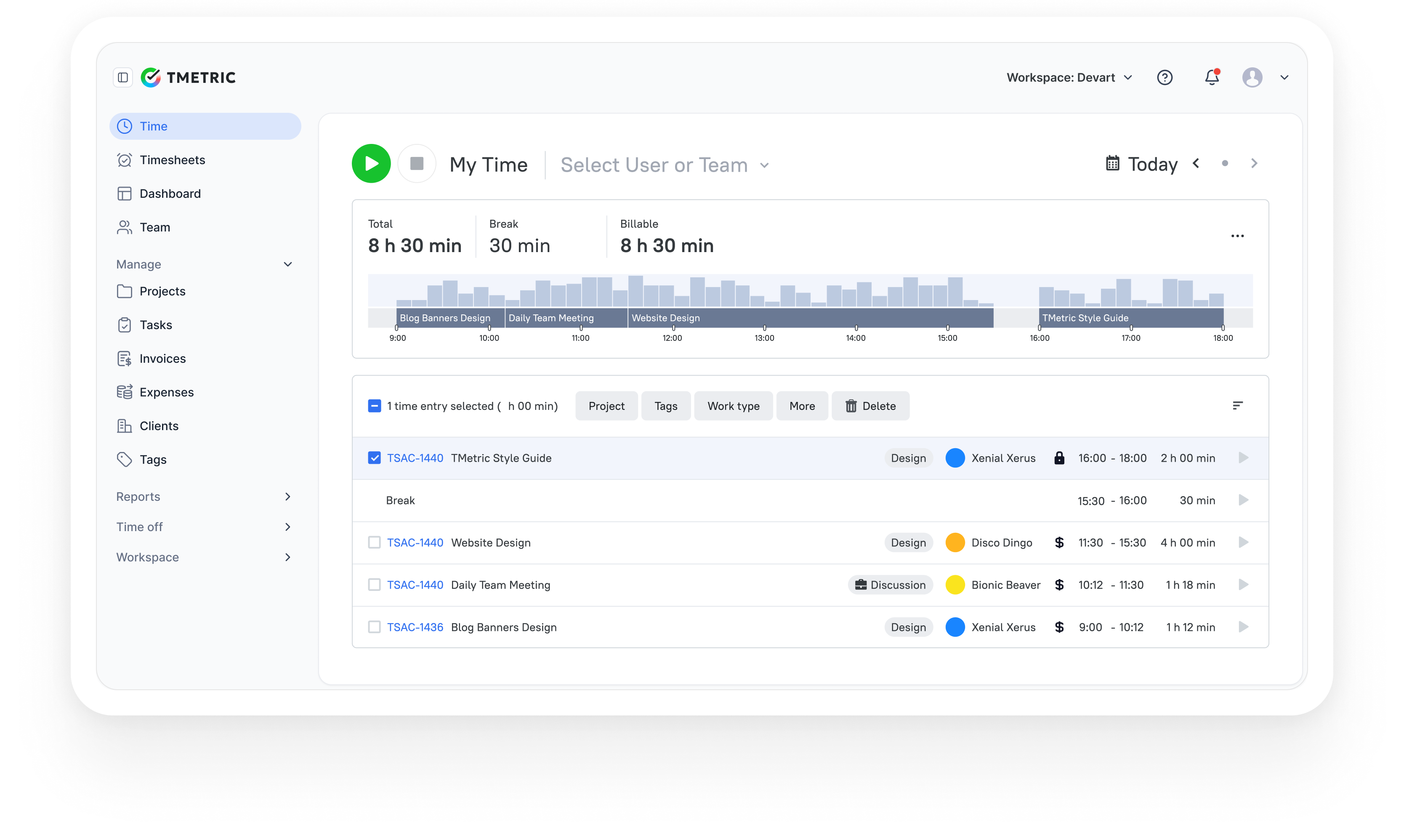
TMetric is the best time tracking app for QuickBooks integration, designed for teams that rely on accurate time data for billing, payroll, and project management. It allows businesses to track work hours, manage project budgets, and synchronize time entries with accounting systems such as QuickBooks.
The platform focuses on connecting operational work data (such as time entries, billable rates, and project activity) with financial workflows. Through its QuickBooks Online integration, businesses can send approved billable hours directly to QuickBooks for invoicing and payroll processing. This makes TMetric particularly useful for service-based organizations where labor utilization and billable time drive revenue.
Overview
| Category | Details |
| Company | Devart |
| Best for | Agencies, consultancies, SaaS teams, service businesses |
| QuickBooks integration | Native integration with QuickBooks Online |
| Reporting focus | Project profitability, utilization, and cost control |
| Data sources | Time entries, billable rates, expenses, budgets |
| Platforms | Web, Windows, macOS, Linux, iOS, Android |
Key Features
- Automatic time tracking using timer-based or manual entries.
- Native integration with QuickBooks Online.
- Transfer approved billable hours directly to QuickBooks.
- Timesheet review and approval before synchronizing data.
- Manual or automatic synchronization of tracked time.
- Time tracking by task, client, or project.
- Project budgeting with comparisons between planned and actual time.
- Detailed reports on billable hours and team utilization.
- Mobile applications for time tracking and reporting.
Pros
- Smooth integration with QuickBooks Online for payroll and invoicing workflows.
- Clear visibility into project profitability and labor costs.
- Quick setup with minimal onboarding effort.
- Combines time tracking, budgeting, and reporting in one platform.
- Affordable pricing suitable for freelancers and growing teams.
Cons
- Integration limited to QuickBooks Online.
- Not designed to replace a full accounting system.
- Financial forecasting capabilities are limited compared to dedicated FP&A tools.
Pricing
TMetric offers a free plan for up to two users. Paid plans start at $$5.83 per user per month (Professional plan), with higher tiers adding budgeting, advanced reporting, and team management capabilities.
Review
“We like that with a few clicks, my team can log time with TMetric's user-friendly interface, and that reports guarantee billing on the time spent (this also helps us prevent scope creep and set reasonable project budgets).” — G2 Reviewer
2. Toggl Track
⭐ 4.6/5 (G2)
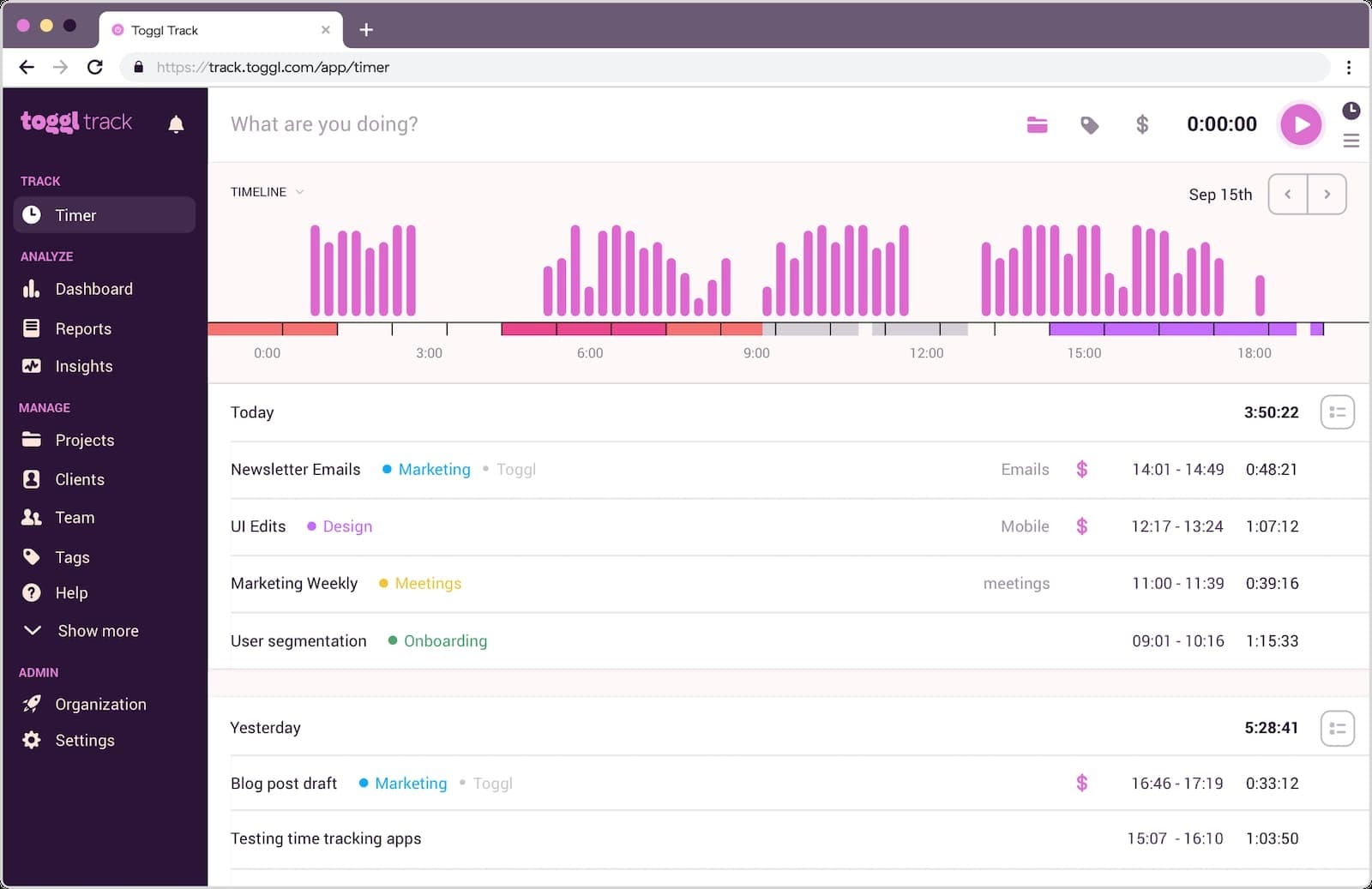
Toggl Track is a simple time-tracking tool that helps freelancers and small teams track work hours and turn them into invoices. Its QuickBooks Online integration lets users create invoices from Toggl Track Summary Reports and send them directly to QuickBooks, reducing manual admin work and invoicing errors.
Overview
| Category | Details |
| Company | Toggl |
| Best for | Freelancers, small teams, agencies |
| QuickBooks integration | Direct integration with QuickBooks Online |
| Reporting focus | Time summaries, invoicing, and work tracking |
| Data sources | Time entries, clients, projects, summary reports |
| Platforms | Web, Windows, macOS, Linux, iOS, Android |
Key Features
- One-click timers and manual time entry.
- Time tracking via browser, desktop, and mobile applications.
- Summary reports designed for invoice preparation.
- Generate invoices directly from tracked time.
- Send invoices directly to QuickBooks Online.
- Quick setup through the Integrations page.
- Available on Starter and Premium plans.
Pros
- Direct integration with QuickBooks Online.
- Speeds up invoice creation workflows.
- Reduces manual accounting data entry.
- Simple setup with an easy-to-use interface.
Cons
- QuickBooks integration not available on the free plan.
- QuickBooks workflow mainly supports invoicing rather than payroll.
- Advanced functionality requires paid tiers.
Pricing
Toggl Track offers a free plan for up to 5 users. Paid plans start at €9 per user/month (Starter) and €18 per user/month (Premium) when billed annually. Enterprise pricing is custom.
Review
“Toggl Track helped me get a clear picture of how my time is actually spent during the day. Instead of guessing, I can log small tasks and later check where my focus went, which makes daily work feel more planned and less scattered.” — G2 Reviewer
3. Timely
⭐ 4.8/5 (G2)
Description
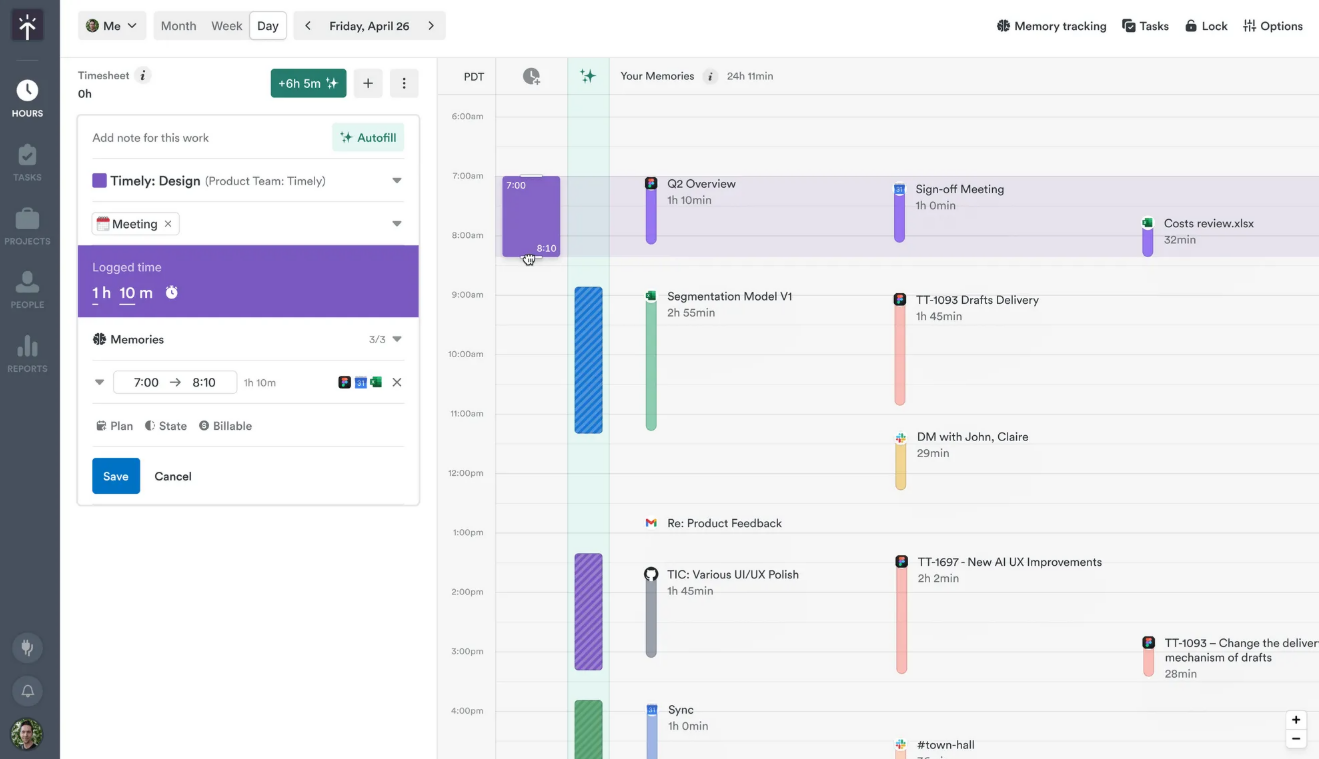
Timely is an automatic time tracking platform that records work activity across apps and turns it into timesheet entries. Its QuickBooks Online integration allows businesses to generate invoices from tracked time and sync them with QuickBooks, helping reduce manual invoicing and prevent billing errors.
Overview
| Category | Details |
| Company | Memory AI |
| Best for | Agencies, consulting teams, service businesses |
| QuickBooks integration | Native integration with QuickBooks Online |
| Reporting focus | Activity tracking, billable hours, project insights |
| Data sources | Time entries, projects, and billable rates |
| Platforms | Web, Windows, macOS, iOS, Android |
Key Features
- Automatic time tracking across applications and devices.
- AI-assisted timesheet generation.
- Create invoices directly from tracked time.
- Sync invoices with QuickBooks Online.
- Two-way invoice synchronization between Timely and QuickBooks.
- Automatically mark billed hours when invoices are paid.
- Project dashboards and performance reporting.
Pros
- Automatic activity tracking reduces the need for manual timers.
- Invoice synchronization helps prevent underbilling.
- Two-way QuickBooks sync keeps financial records aligned.
- Strong reporting capabilities for project-based teams.
Cons
- QuickBooks synchronization available only on Premium and Unlimited plans.
- Captured time entries must be reviewed for accuracy.
- Pricing is higher than many basic time tracking tools.
Pricing
Timely plans start at $9 per user/month (Starter), $16 per user/month (Premium), and $22 per user/month (Unlimited) when billed annually. Enterprise pricing is custom.
Review
“Timely automatically tracks work activity and turns it into accurate timesheets, which makes billing much easier.” — G2 Reviewer
4. TrackingTime
⭐ 4.4/5 (G2)
Description
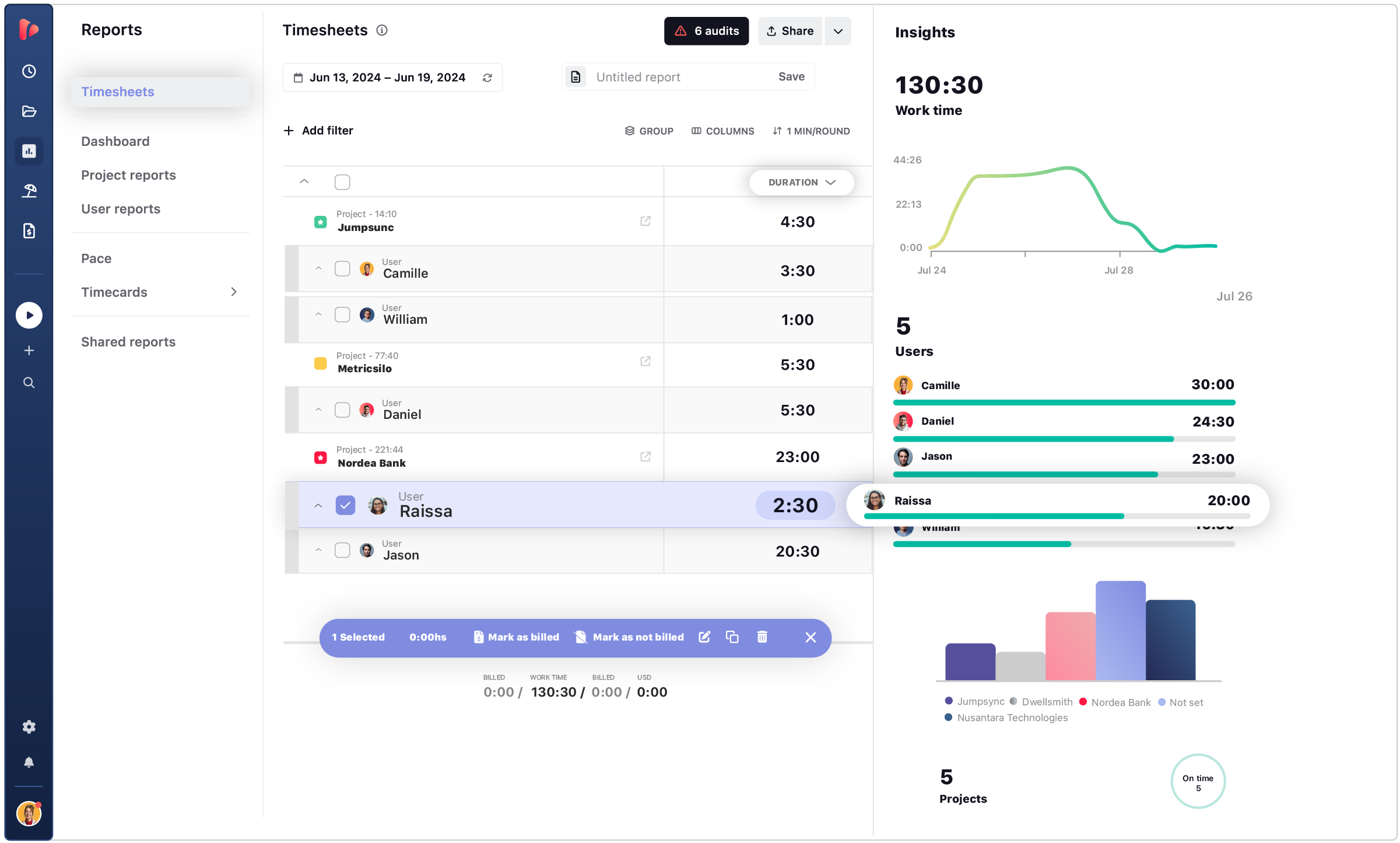
TrackingTime is a time tracking and team collaboration platform that helps businesses monitor work hours while organizing tasks and projects. It allows teams to track time with timers or timesheets and generate reports that show how work hours are distributed across projects and clients.
TrackingTime can connect with QuickBooks Online through Zapier, enabling businesses to automate the transfer of time entries between the two systems. This integration helps teams sync time tracking data with accounting workflows while benefiting from detailed analytics and productivity insights.
Overview
| Category | Details |
| Company | TrackingTime LLC |
| Best for | Project teams, agencies, and small businesses |
| QuickBooks integration | Zapier automation with QuickBooks Online |
| Reporting focus | Productivity analytics and project reporting |
| Data sources | Time entries, tasks, projects |
| Platforms | Web, Windows, macOS, iOS, Android |
Key Features
- Real-time timers and manual time entries.
- Team timesheets with approval workflows.
- Project dashboards and productivity reports.
- Integrations with Trello, Asana, Slack, and other productivity tools.
- Automation workflows through Zapier.
- Sync time entries between TrackingTime and QuickBooks.
Pros
- Combines time tracking with task management capabilities.
- QuickBooks automation available through Zapier.
- Integrates with widely used project management platforms.
- Useful productivity analytics and reporting tools.
Cons
- No native QuickBooks integration.
- Requires Zapier to automate accounting workflows.
- Reporting features are simpler than those offered by some competitors.
Pricing
TrackingTime offers a free plan. Paid plans start at $3.75 per user/month (Starter), $5.75 per user/month (Pro), and $10 per user/month (Business) when billed annually.
Review
“I like the fact that I can maintain multiple projects open and fill in each minute i spend on them during a long period of time.” — G2 Reviewer
5. MinuteDock
⭐ 4.4/5 (G2)
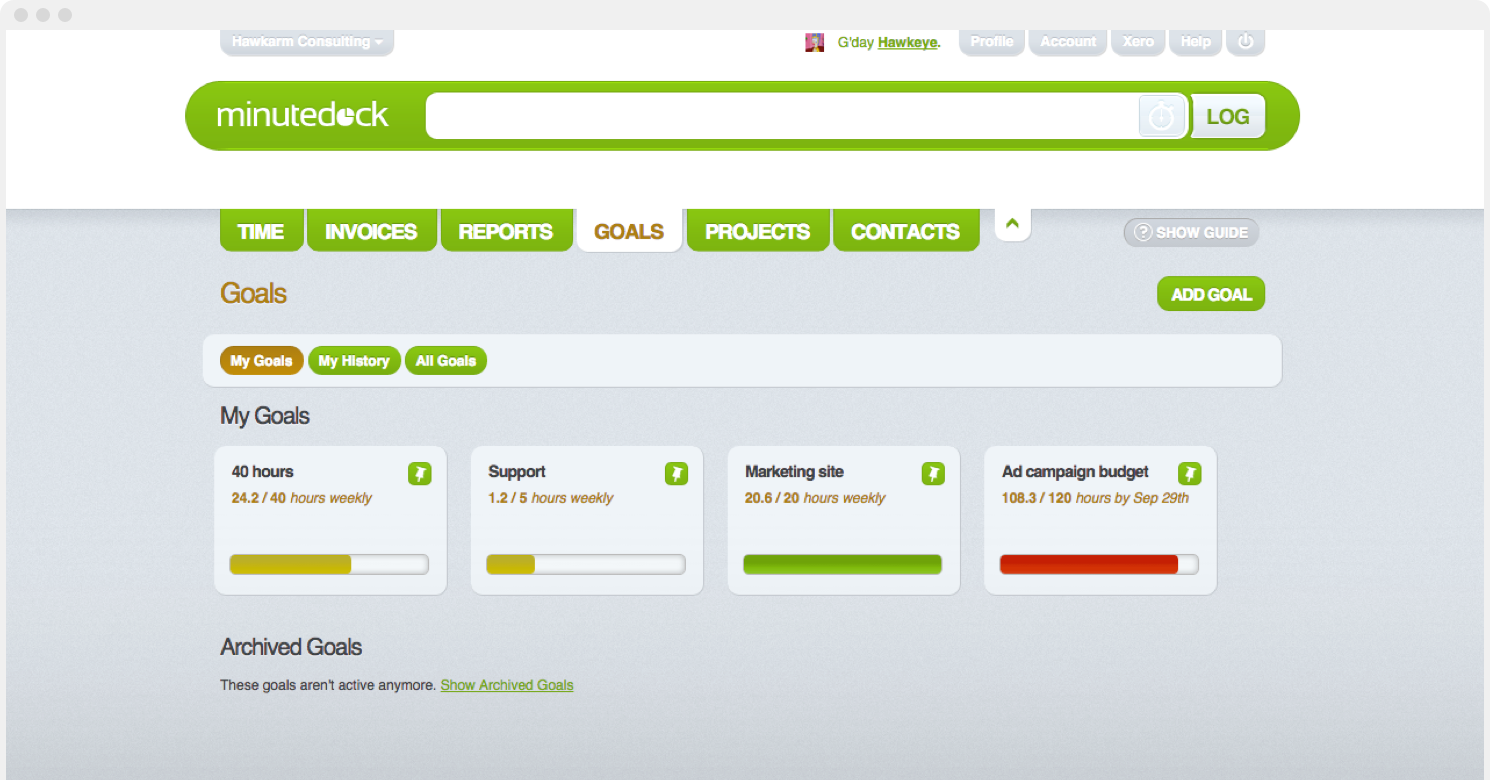
MinuteDock is a time tracking and billing platform designed for businesses that invoice clients based on billable hours. It provides a simple workflow that connects time tracking directly with client billing.
The platform integrates with QuickBooks Online, allowing users to convert tracked time into invoices and send them to QuickBooks for billing and payment processing. Businesses can also send timesheets directly to QuickBooks for payroll, creating a seamless workflow from tracking work hours to managing invoices and payments.
Overview
| Category | Details |
| Company | MinuteDock |
| Best for | Consultants, freelancers, service businesses |
| QuickBooks integration | Native integration with QuickBooks Online |
| Reporting focus | Billable hours, project progress, and revenue |
| Data sources | Time entries, clients, projects |
| Platforms | Web, iOS |
Key Features
- Timer-based time tracking.
- Convert tracked time into QuickBooks invoices.
- Send timesheets directly to QuickBooks for payroll processing.
- Client and project time tracking.
- Reporting dashboards for billable hours and revenue insights.
- Set targets and budgets for teams, clients, or projects.
Pros
- Smooth workflow from time tracking to QuickBooks invoicing.
- Designed specifically for service-based businesses.
- Simple interface with fast setup.
- Strong invoicing integration with QuickBooks Online.
Cons
- Limited project management functionality.
- Fewer productivity analytics compared with some competitors.
- Mobile applications are more limited than those of other time tracking tools.
Pricing
MinuteDock plans start at $19/month (Freelancer – 1 user), $49/month (Small Team – 5 users), and $99/month (Business – 10 users). Additional users cost $9 per user/month.
Review
“The system is so easy to use. And for billing out the billable hours, the software is so efficient.” — User Review
6. Clockify
⭐ 4.5/5 (G2)
Description
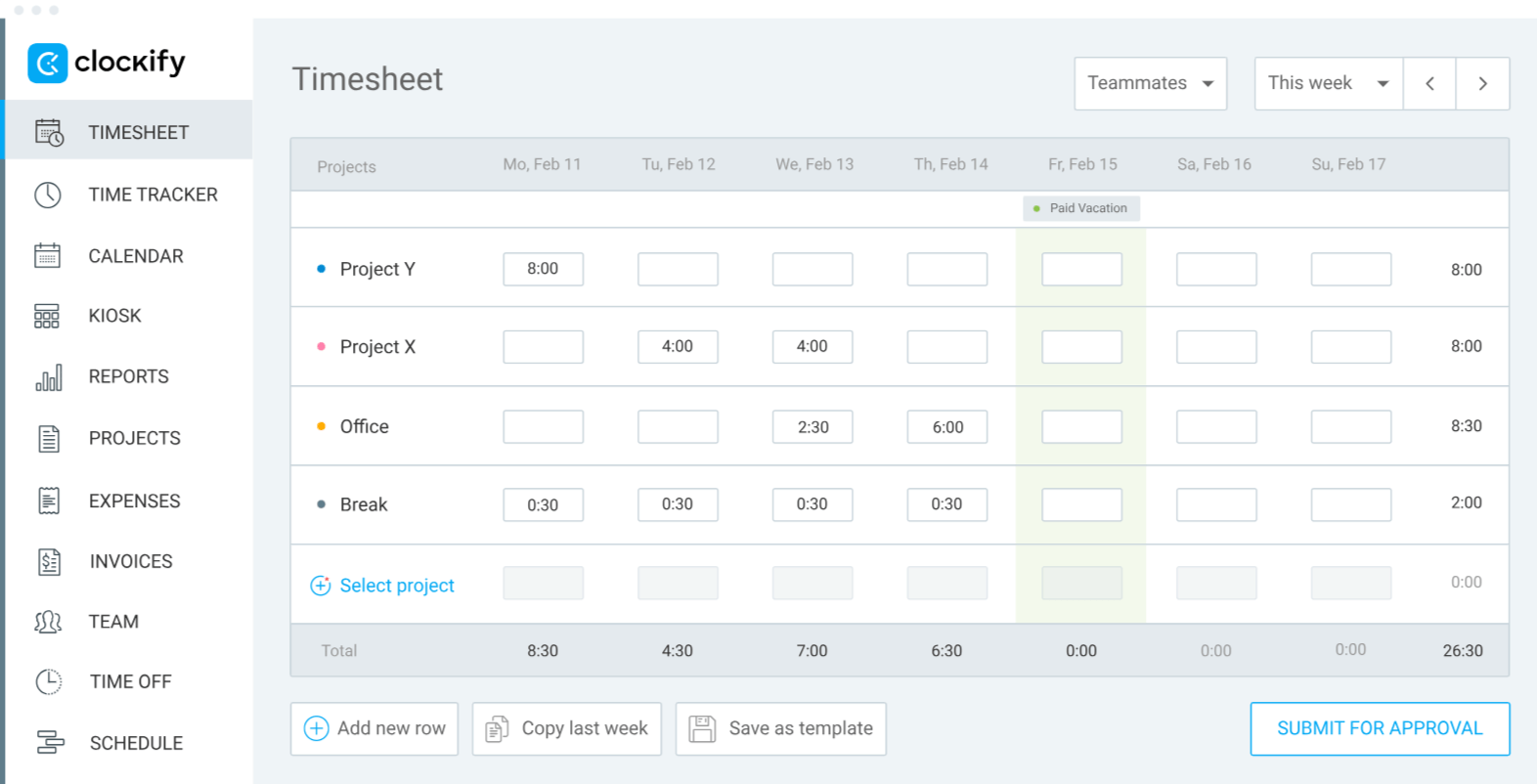
Clockify is a widely used time tracking platform that helps teams monitor work hours across projects and tasks. Its generous free plan supports unlimited users, making it popular among startups, agencies, and distributed teams.
Clockify also offers QuickBooks Online integration, allowing businesses to send tracked time directly to QuickBooks for billing and accounting. Teams can track time using timers or timesheets, review reports, and transfer billable hours into their accounting workflows to simplify invoicing and improve billing accuracy.
Overview
| Category | Details |
| Company | CAKE.com |
| Best for | Startups, agencies, distributed teams |
| QuickBooks integration | Native integration with QuickBooks Online |
| Reporting focus | Time usage, productivity, billable hours |
| Data sources | Time entries, projects, tasks |
| Platforms | Web, Windows, macOS, Linux, iOS, Android |
Key Features
- Timer-based and manual time tracking.
- Team timesheets and productivity reports.
- Set hourly rates for employees, projects, or tasks.
- Sync users and customers with QuickBooks.
- Send billable time to QuickBooks directly from reports.
- Track both billable and non-billable working hours.
Pros
- Free plan supports unlimited users.
- Direct integration with QuickBooks Online.
- Available across web, desktop, and mobile platforms.
- Useful reporting tools for monitoring billable hours.
Cons
- QuickBooks integration is a paid feature.
- Not compatible with QuickBooks Payroll.
- Advanced reporting capabilities require paid plans.
Pricing
Clockify offers a free plan with unlimited users. Paid plans start at €5.49 per user/month (Standard), €7.99 (Pro), and €11.99 (Enterprise) when billed annually.
Review
“It is the time control and tracking tool that we use in the company, and in my area, I use it to keep track of the activities and times of my team both in the main office and in the remote offices.” — G2 Reviewer
7. Harvest
⭐ 4.3/5 (G2)
Description1
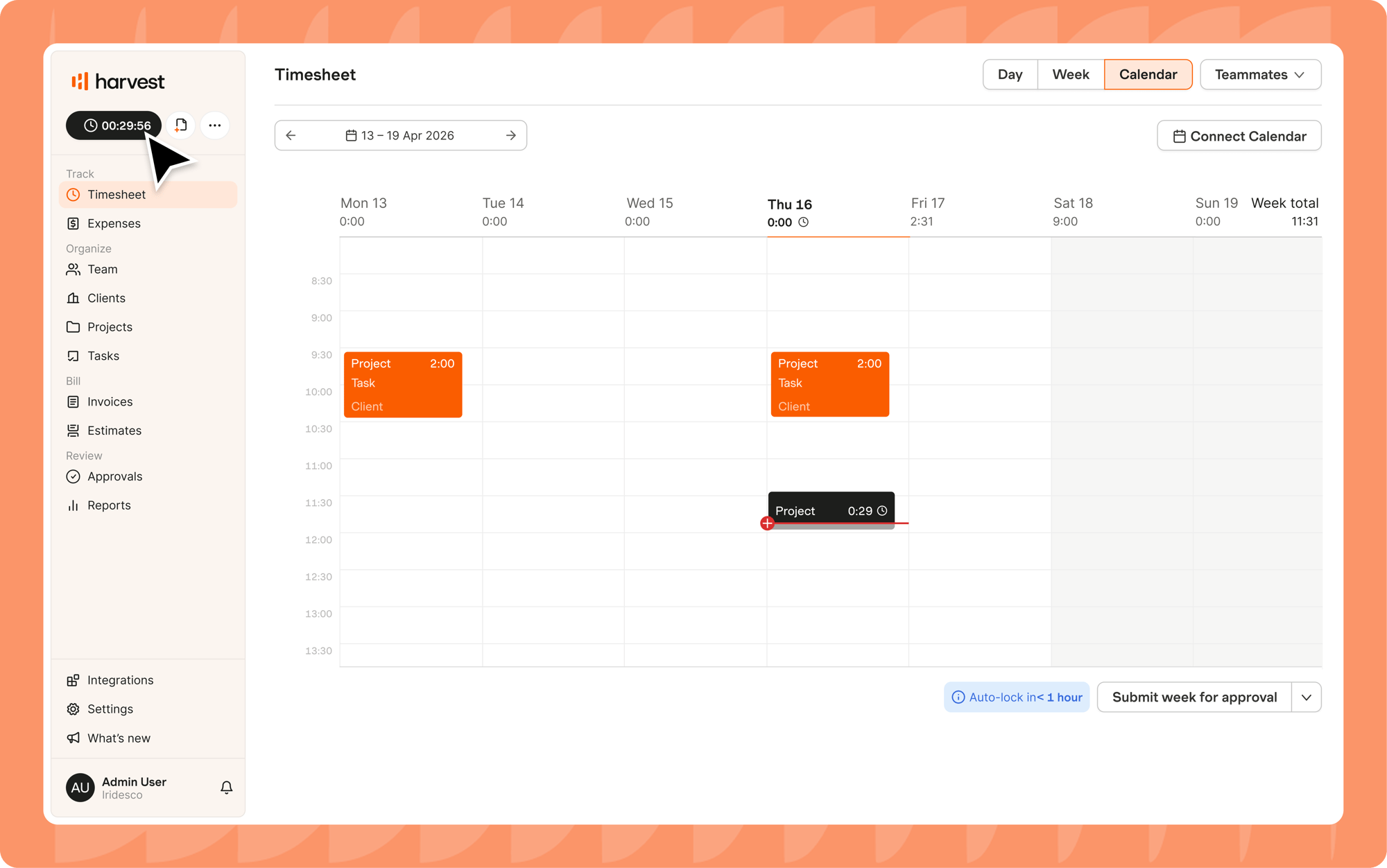
Harvest is a time tracking and invoicing platform used by agencies, consultants, and service-based teams to manage billable work. It allows teams to track time across projects, assign billable rates, and generate invoices directly from timesheets.
Harvest integrates with QuickBooks Online, enabling businesses to sync invoices and payments between the two systems. This helps teams maintain accurate billing records while reducing manual accounting work.
Overview
| Category | Details |
| Company | Harvest |
| Best for | Agencies, consultants, service teams |
| QuickBooks integration | Native integration with QuickBooks Online |
| Reporting focus | Billable hours, project profitability |
| Data sources | Time entries, expenses, project budgets |
| Platforms | Web, Windows, macOS, iOS, Android |
Key Features
- Timer-based and manual time tracking.
- Assign billable rates to projects and team members.
- Generate invoices directly from tracked time.
- Expense tracking and project budgeting tools.
- Financial reports and profitability insights.
- Synchronize invoices and payments with QuickBooks.
Pros
- Strong invoicing and billing workflows.
- Native integration with QuickBooks Online.
- Clear reporting for billable hours and project budgets.
- Simple interface designed for service-based teams.
Cons
- Limited advanced workforce management features.
- Free plan supports only one user.
- Some advanced capabilities require paid plans.
Pricing
Harvest offers a free plan for one user with two projects. Paid plans start at $9 per user/month (Teams) when billed annually. Enterprise pricing is customizable.
Review
“Our team uses Harvest to track the hours across different internal projects and client-related work. It allows us to visualize how we distribute the time between tasks such as planning and testing.” — G2 Reviewer
How to choose the best time tracking software for QuickBooks
Selecting the best time tracking app for QuickBooks Online requires evaluating how well a tool integrates with QuickBooks, automates billing workflows, and scales with your team. The right platform should reduce manual accounting work while providing accurate data for invoicing, payroll, and project reporting.
Consider your business size and team structure
Different organizations require different time tracking capabilities. Freelancers or small teams often need simple timers and basic invoicing tools, while agencies and SaaS companies require advanced reporting, team management, and project tracking.
Choosing software that supports your team size ensures smoother adoption and prevents workflow disruptions as the business grows.
Review automation and payroll synchronization features
Automation is one of the main reasons businesses adopt time tracking tools. Features such as automatic timesheet creation, invoice generation, and synchronization with QuickBooks reduce manual data entry and accounting errors.
Companies that rely on billable hours benefit the most from tools that automatically transfer tracked time into payroll and invoicing workflows.
Analyze reporting, billing, and financial tracking capabilities
Reporting tools help businesses understand how time translates into revenue. Strong reporting features allow teams to monitor billable hours, track project profitability, and evaluate employee productivity.
These insights help managers make better decisions about project pricing, staffing, and operational efficiency.
Evaluate ease of use and implementation time
Time tracking tools must be simple enough for teams to use consistently. If employees find the system difficult to navigate, timesheets quickly become incomplete or inaccurate.
Solutions with intuitive interfaces, quick onboarding, and minimal configuration typically achieve higher adoption rates across teams.
Assess scalability and long-term business fit
Businesses should select tools that support long-term growth. Scalable platforms offer advanced reporting, automation, and team management features that adapt as organizations expand.
Choosing software with strong scalability reduces the need to migrate to another system later, which can be disruptive and costly.
Takeaway
Businesses using QuickBooks often need dedicated time tracking tools to manage billable hours, payroll, and productivity reporting. Without specialized software, teams must rely on manual timesheets and spreadsheets that increase administrative work.
The best time tracking software for QuickBooks automates these workflows through QuickBooks time tracking integration, synchronizing work hours, invoices, and payroll data directly with accounting records.
Among the best QuickBooks time tracking software solutions reviewed, TMetric stands out for its strong integration, flexible pricing, and advanced productivity tracking features. Its free plan and scalable paid tiers make it suitable for freelancers, agencies, and growing teams.
Start tracking time with Time tracking software and sync it with QuickBooks today!