





Employee Attendance Tracking System

  • Time tracking
  • Timesheets
  • Reports
  • Payroll
  • Time off
  • Work schedules
Fully functional 14-day trial | No credit card needed

Trusted by over 10 000 companies worldwide

  • Endygo
  • ITsyndicate
  • Pulso
  • 050media
  • JOT Digital
  • Freshlab
  • Mvad
  • Swaven

What is Attendance Tracking Software?

An attendance tracking system monitors employee attendance by recording work hours, clock-in and clock-out times, and leave.

It transforms this data into usable insights for managers and payroll operations. It matters because it reduces errors from manual tracking and keeps attendance data consistent across teams.

Why Choose TMetric for Attendance Tracking?

Without TMetric

  • Manual time entry creates errors
  • Attendance data scattered across spreadsheets
  • No view into remote employee hours
  • Hard to track PTO and schedules

With TMetric

  • Automatic attendance tracking gets it right
  • One dashboard shows everything
  • Real-time attendance monitoring
  • Built-in time off calendar and schedules

TMetric - Best Employee Attendance Tracking Solution

Automated attendance tracking

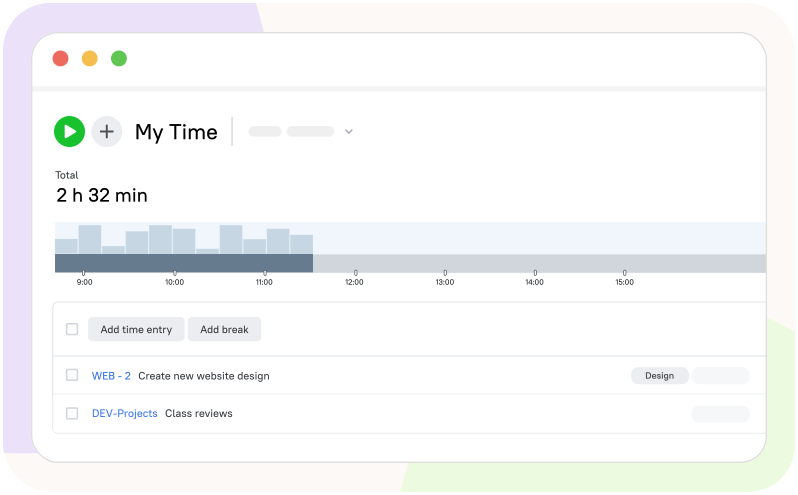
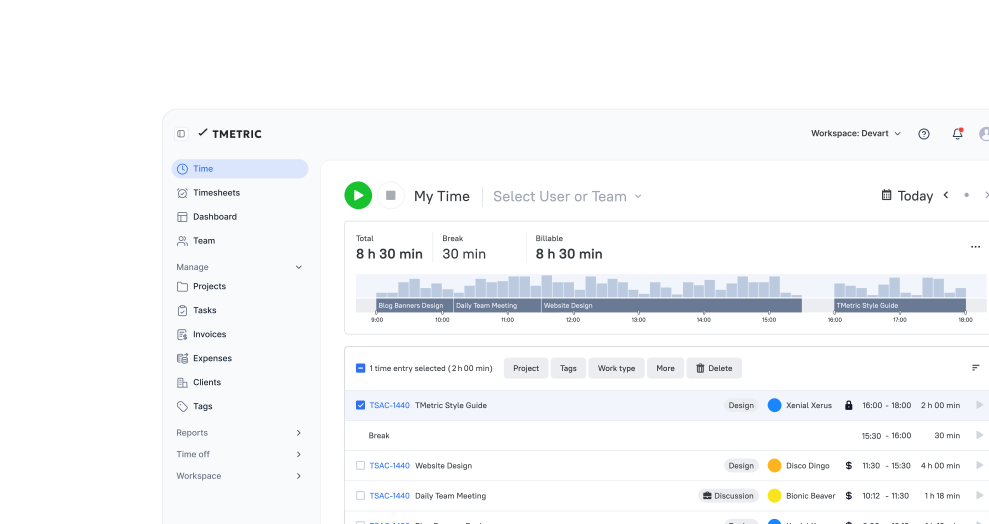
The timer captures exact work hours as employees move through their day - whether they're at a desk, working remotely, or out in the field.

  • Timer starts with one click on any device
  • Desktop and mobile apps track attendance anywhere
  • Idle time detection keeps work hours accurate
  • Offline mode syncs data when you're back online
Automated attendance tracking

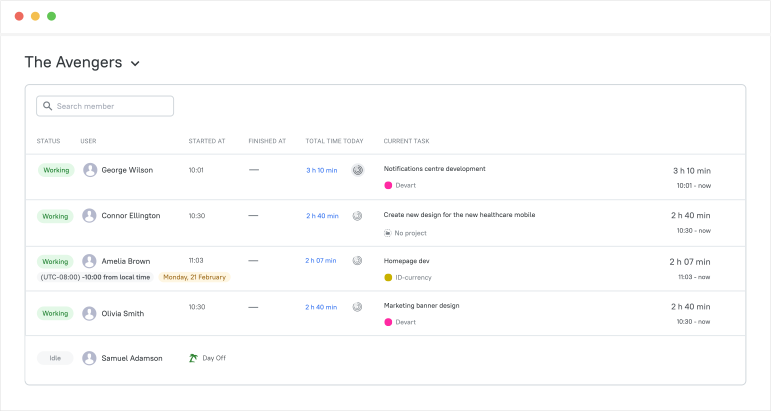
Employee attendance dashboard

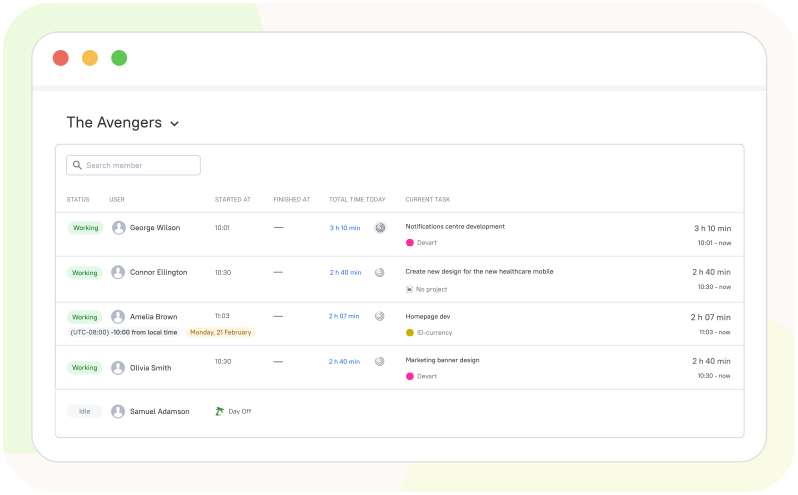
The Team Dashboard shows who's currently working, what tasks they're doing, and how much time they've logged.

  • Real-time view of who's working now
  • See current tasks and time spent on them
  • Monitor remote teams across different time zones
  • Check activity levels and productivity at a glance
Employee attendance dashboard

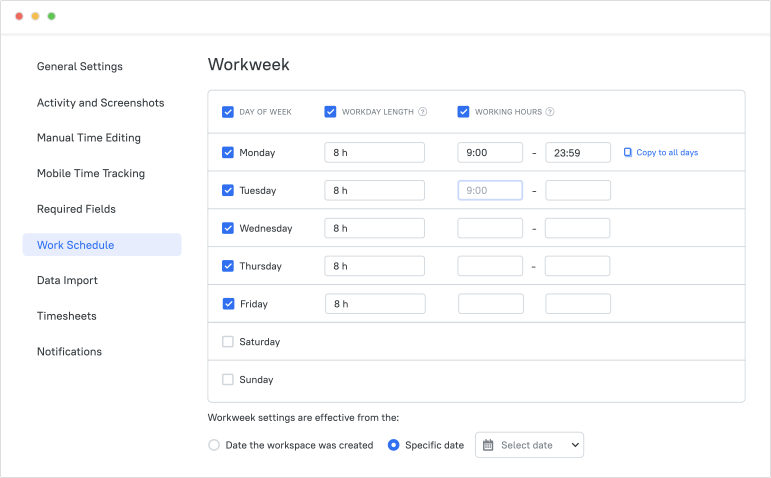
Work schedules and attendance policies

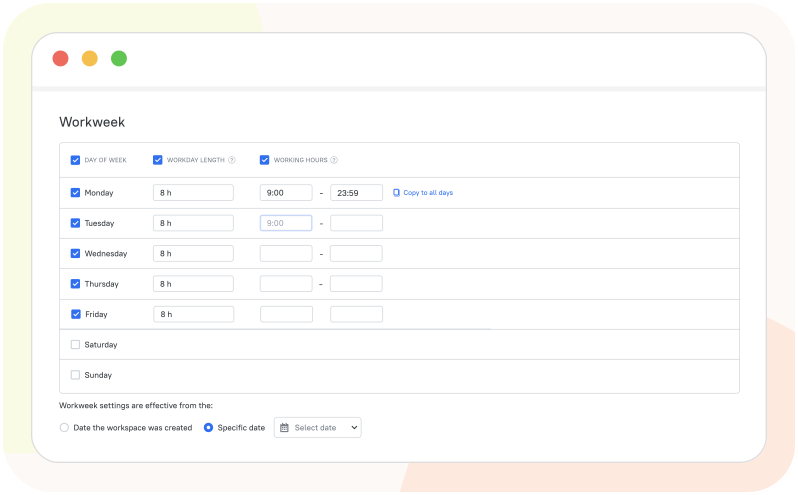
Set flexible work schedules for your entire company or customize them for individual employees.

  • Customize workday length for each day (e.g., 8 hours Monday, 6 hours Friday)
  • Define specific working hours for shift workers (e.g., 9am-5pm)
  • Choose an effective date for schedule changes
  • Copy company settings to individual employees with one click
Work schedules and attendance policies

Payroll-ready reports and exports

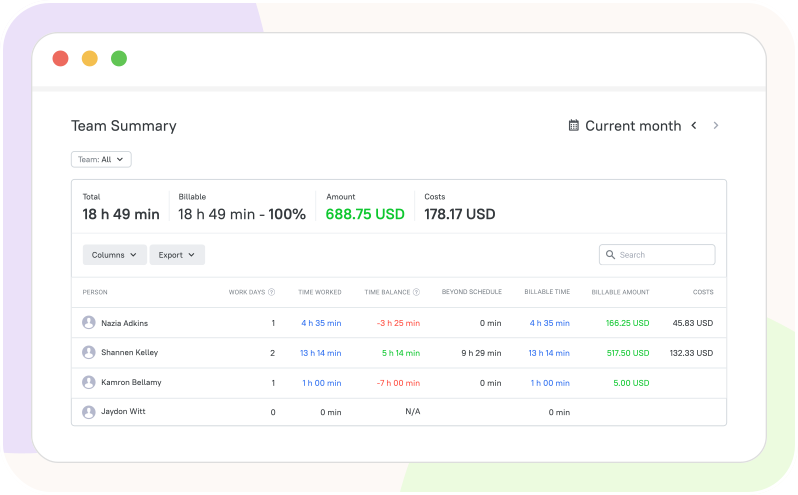
The Team Summary report shows hours worked, time balance, overtime, and costs for each employee.

  • Team Summary report ready for payroll processing
  • Automatic calculation of regular hours and overtime
  • Set individual cost rates per employee
  • Export to CSV, PDF, or Excel for your payroll system
Payroll-ready reports and exports

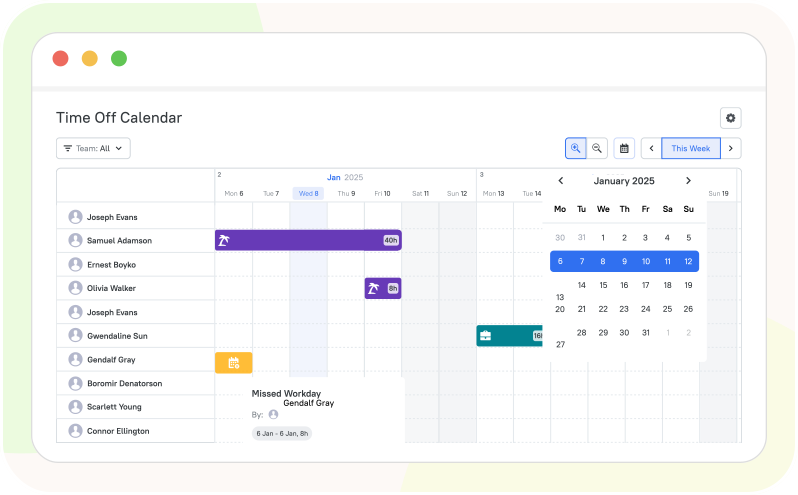
Time off management

Set up policies for vacation, sick leave, or any custom leave type, and let the system automatically track balances.

  • Visual calendar shows who's at work or on leave
  • Submit and approve time-off requests in seconds
  • Set up custom policies (vacation, sick leave, etc.)
  • Automatic PTO balance tracking
Time off management

How TMetric Attendance Tracking Tool Works

  • Step 1

    Create a workspace

    Sign up for a TMetric account and create a workspace for your team.

  • Step 2

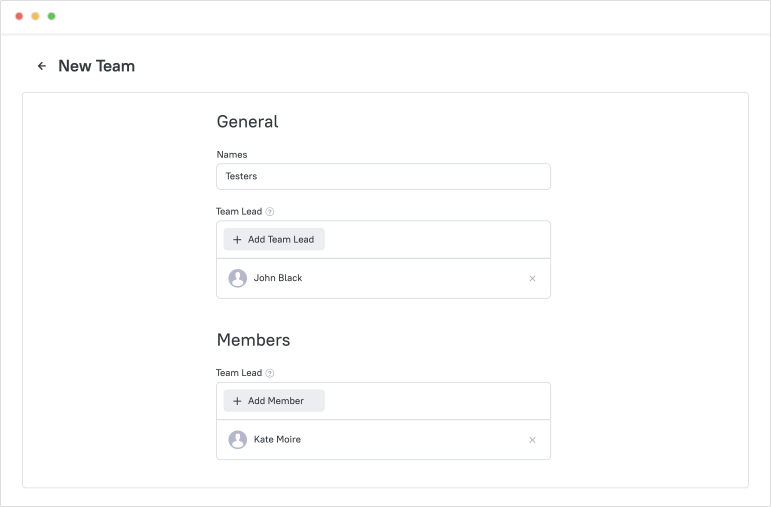
    Invite employees and set roles

    Create a team in your TMetric workspace and invite team members by email to assign them to the team. Grant different roles to control what each member can view and do within the workspace.

    Invite employees and set roles

  • Step 3

    Employees clock in on desktop or mobile

    Install the TMetric Desktop app for office employees and ask remote employees to use the mobile app, showing everyone how to track their time.

  • Step 4

    Managers monitor live attendance in the dashboard

    Get a complete view of your team’s activity, including tasks, time spent, and current work status using the Team Dashboard.

    Managers monitor live attendance in the dashboard

  • Step 5

    Apply schedules and time off context

    Configure a work schedule, adjust the workday length, and select holidays and additional workdays for your team.

    Apply schedules and time off context

  • Step 6

    Generate payroll-ready summaries and export

    View, generate and export timesheets and reports for accurate payroll and billing.

Seamless Integrations
for a Unified Workflow

Time is captured directly from where your team works - no switching tabs, no manual entry.

See all integrations

Frequently Asked Questions

How quickly can we roll out TMetric to a team and start tracking attendance?

Add employees to your TMetric workspace, install the desktop client for office workers and the mobile app for remote work, and teach them to track time with the Start/Stop timer.

How does TMetric reduce time disputes and incorrect attendance records?

TMetric attendance tracking software reduces time disputes and incorrect attendance records by automatically tracking work hours, capturing clock-in and clock-out times, and storing all entries securely. With real-time reporting and timesheets, you get clear data for payroll and attendance, ensuring accuracy and transparency across your team.

Can managers review and approve attendance and time off before payroll is processed?

TMetric attendance tracking tool allows you to easily monitor your employees’ work using both the Team View and Team Dashboard. When work time is properly tracked, you can verify compliance using timesheets that also display employees’ time off, as well as reports such as the Team Summary report.

How does TMetric support remote teams across different time zones?

Outsourcing companies can monitor remote teams’ work regardless of time zone differences. Team members track their hours locally, while managers view standardized timesheets, real-time dashboards, and reports that clearly show when and how long work was done.

Can we set attendance expectations like working hours and flexible schedules for different roles?

Yes, with the TMetric app for attendance tracking, you can set attendance rules such as working hours and flexible schedules for different roles or teams. You can define expected work hours, track attendance against those schedules, and allow flexibility for remote or role-based work arrangements.

What reports can we export for payroll and how do exports work with our payroll process?

TMetric attendance time tracking software offers exportable reports that make payroll processing simple and accurate. You can export timesheets and reports (such as the Team Summary) showing total hours worked, overtime, and time off. Reports can be downloaded in formats like CSV or PDF, making them easy to import into most payroll systems.

How does TMetric protect attendance data and control who can access reports?

In TMetric employee attendance tracking software, attendance data is protected through roles and permissions, so only admins and managers can view team-wide reports while employees see their own data.

Gain control over attendance with TMetric

Manage work hours, time off, and timesheets for easy payroll

Start free trial
Gain control over attendance with TMetric