





Employee monitoring that shows real productivity, not just hours

Best Employee Monitoring Software

TMetric is time monitoring software designed to keep team productivity and performance at a high level. Track your employees’ working hours, keep attendance under control, provide accurate payroll and allocate workloads effectively.

Fully functional 14-day trial | No credit card needed

Trusted by over 10 000 companies worldwide

  • Endygo
  • ITsyndicate
  • Pulso
  • 050media
  • JOT Digital
  • Freshlab
  • Mvad
  • Swaven

Why Monitoring Employees Is a Challenge

Manual Billing

  • I don’t know how productive my team really is.
  • Employees waste hours on unproductive apps.
  • I struggle to calculate payroll accurately.
  • Remote work makes accountability harder.

TMetric Billing

  • I see productivity metrics in real time.
  • I get clear reports on app & website usage.
  • Payroll is based on real tracked hours.
  • Screenshots and activity logs give transparency.

Turn Team Visibility Into Profitable Decisions

Stop guessing about productivity. See exactly how your team spends their time, so you can optimize workload and grow your business with confidence.

30% better resource allocation and project planning accuracy
73% of managers report improved team accountability

TMetric Key Features for Employee Monitoring

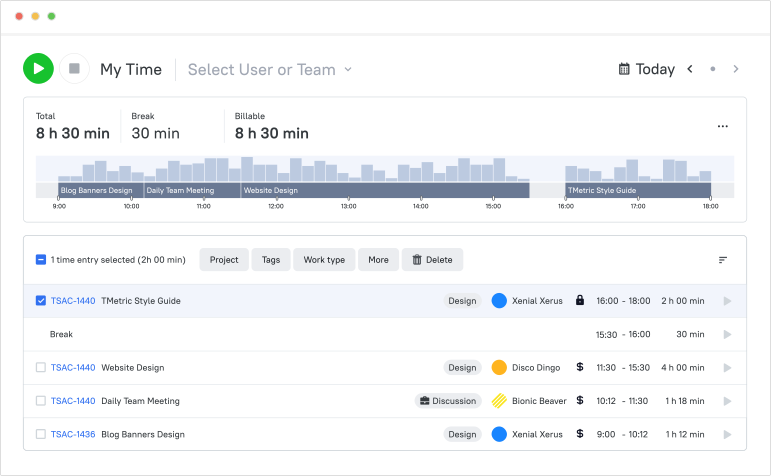
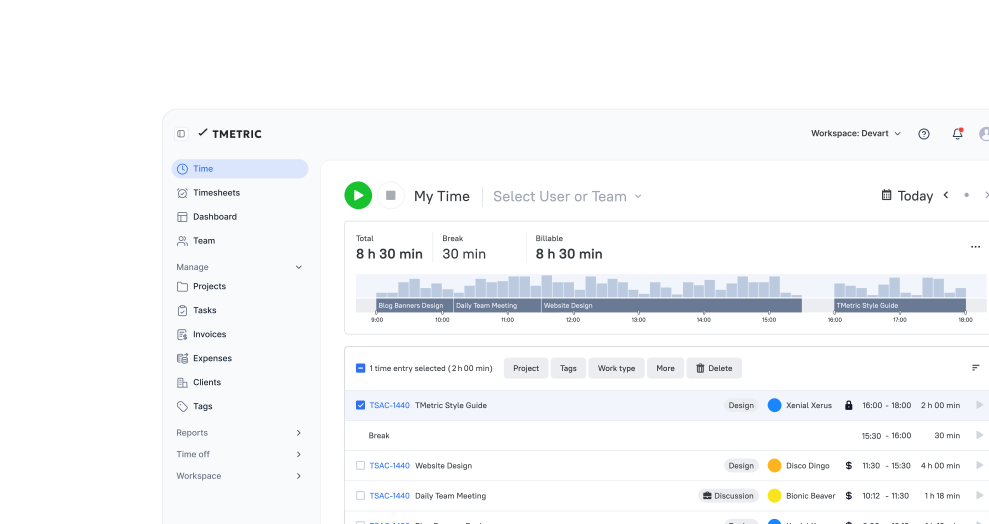
Time & attendance tracking

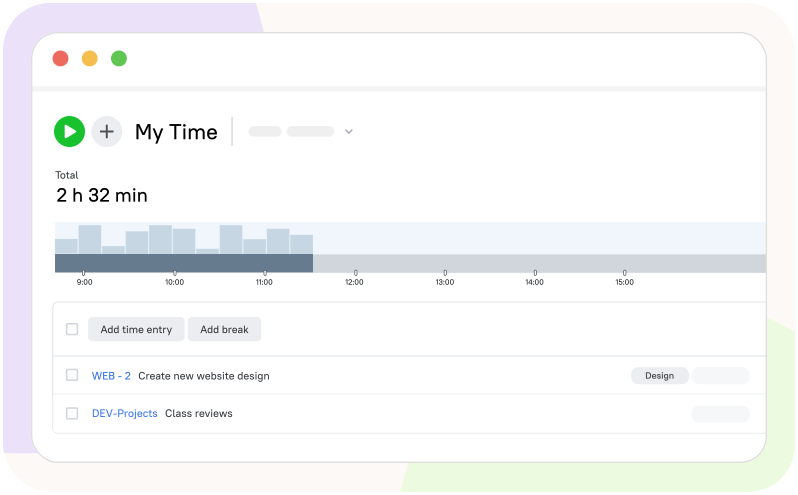
TMetric tracks employees’ work hours automatically. Perfect for on-site, hybrid, and remote teams that need audit-ready records.

  • Track start/end of shifts, breaks, and overtime
  • Get accurate timesheets with no manual input
  • Review individual and team work logs
Time & attendance tracking

Screenshot capture

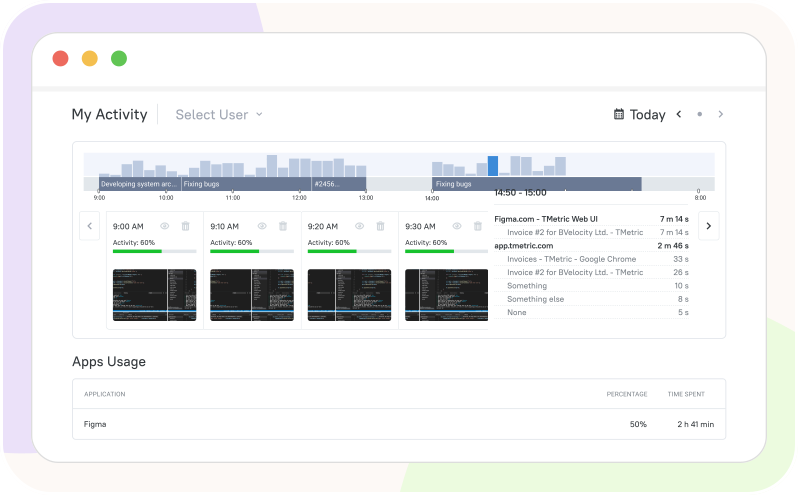
See real snapshots of employee work to ensure focus. Each image is time-stamped and task-linked, with masking/blur and no-track lists to protect sensitive data.

  • Set screenshot frequency per project or team
  • Ensure compliance and productivity
  • Provide proof of work to clients
Screenshot capture

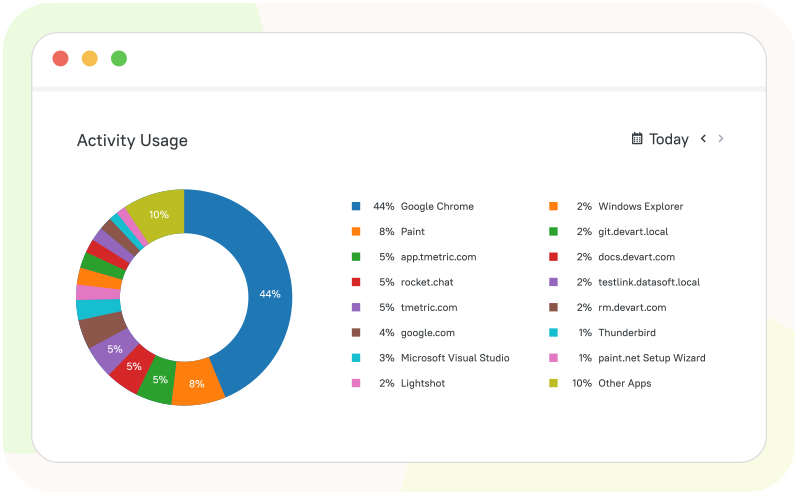
App & website usage monitoring

Know where your team spends their time. Reports separate productive tools from distractions without extra manual tagging.

  • Track which websites and apps employees use
  • Identify distractions and unproductive patterns
  • Optimize workflows based on usage data
App & website usage monitoring

Productivity insights & activity levels

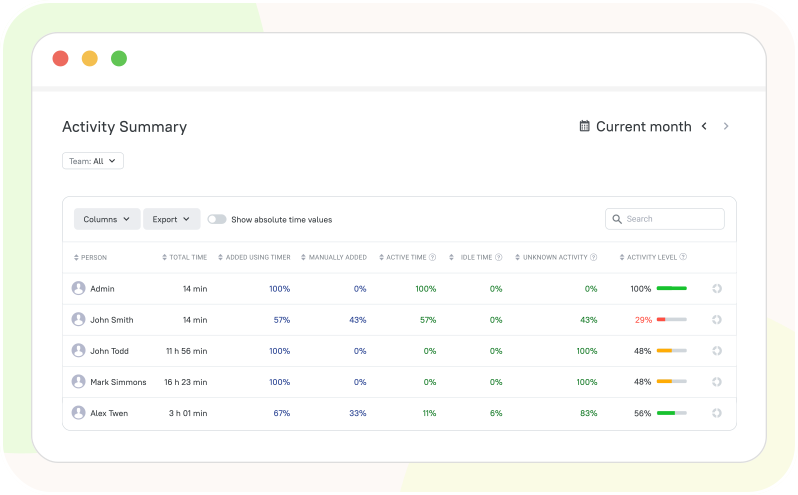
Stay updated on how engaged your employees are. Spot dips early and coach before deadlines slip.

  • View activity levels in %
  • Detect idle time and unproductive hours
  • Compare productivity trends across teams
Productivity insights & activity levels

Payroll & billing automation

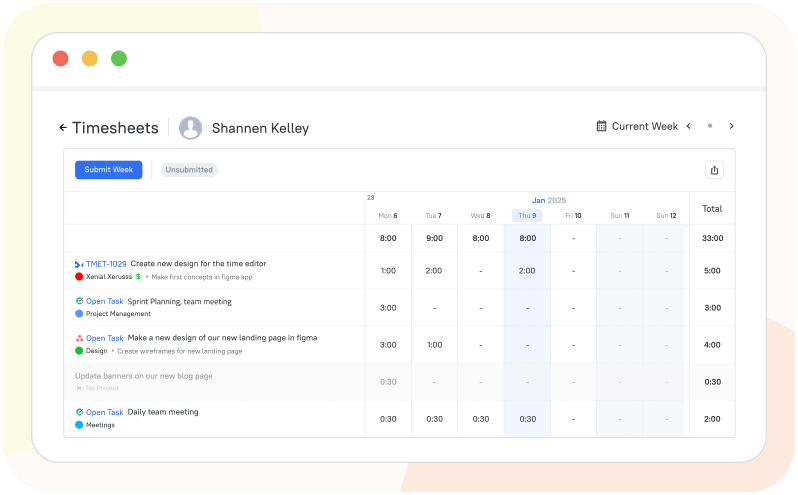
Never underpay or overpay employees again. Rates, overtime rules, and approvals are built in for error-free payouts.

  • Convert tracked hours into payroll automatically
  • Link activity to billable hours
  • Export accurate invoices for clients
Payroll & billing automation

Monitor Work,
Not People

Automatic time & app usage from your workflow with privacy controls built in.

See all integrations

See TMetric in Action

TMetric makes employee time tracking effortless, from real-time tracking and activity insights to accurate payroll and transparent hours reporting.

Frequently Asked Questions

What is employee time tracking, and how does it work?

Employee time tracking is the process of recording how much time employees spend on tasks, projects, or clients. With TMetric, employees track time using a timer or manual entries, and all data is automatically organized into timesheets and reports for managers.

Does TMetric work for remote and hybrid teams?

Absolutely. TMetric is a cross-platform solution available via web, desktop (Windows, macOS, Linux), and mobile (iOS, Android). It syncs data in real-time across all devices, making it perfect for monitoring productivity and attendance regardless of where your team is located.

How does TMetric help track employee work hours accurately?

TMetric provides real-time timers, manual time entries, and activity tracking options that reduce errors and time loss. This ensures accurate records of working hours for payroll, productivity analysis, and project planning.

Can employees track time automatically or manually?

Yes, TMetric supports both automatic timers and manual time entry. Employees can choose the method that fits their workflow, whether they prefer tracking time in real time or logging hours after completing tasks.

How does TMetric handle offline time or forgotten timers?

We’ve got you covered. If an employee forgets to start the timer, they can add time entries manually. Additionally, our desktop app features "Idle Detection" to alert users when they’ve been away from their desks and "Offline Mode" to record time even without an internet connection.

What reports can managers get from employee time tracking data?

Managers can access detailed reports on worked hours, productivity, project progress, team performance, and usage of apps and websites. These insights help optimize workloads, improve efficiency, and make informed business decisions.

Can we integrate TMetric with our existing project management tools?

Yes. TMetric integrates with over 50 popular services, including Jira, Asana, Trello, Monday, and Notion. You can track time directly from within these apps using our browser extension, ensuring a seamless workflow without switching tabs.

How does TMetric simplify payroll and invoicing?

TMetric automates the transition from "hours worked" to "payment." You can set billable rates for employees, track overtime in timesheets, and generate professional invoices or profitability reports in a few clicks. It also integrates with accounting software like QuickBooks.

Can we track vacations and sick leave within the app?

Sure. TMetric includes a built-in Time Off module. Employees can request leave (vacation, sick days, etc.) directly in the app, and managers can approve them. These hours are then automatically reflected in timesheets for accurate attendance tracking.

Is there a limit to how many employees I can track?

TMetric is built to scale. We offer a Free plan for teams of up to 2 people, and our Professional, Business, and Enterprise plans support unlimited users. You can easily add or remove seats as your team grows.

Monitor teams without micromanaging

Boost productivity with insights that help your service teams work better, not harder.

Start free trial
Monitor teams without micromanaging