7 Best Time Tracking Apps for Android and iPhone
You can feel productive all day and still have nothing to show for it. Mobile time tracking apps close that gap. This guide breaks down seven of the best options for Android and iPhone. Track work, manage projects, and bill accurately, wherever you are.

By Dereck Mushingairi | April 14, 2026
7 Best Time Tracking Apps for Android and iPhone
After a long workday, it's easy to feel busy yet wonder where the time actually went. Mobile time tracking solves that problem. By logging work in real time, it helps eliminate common productivity issues such as wasted time, messy billing, inefficient workflows, burnout, and project scope creep.
To help you regain control of your schedule, here are 7 of the best mobile time tracking apps, each offering powerful features to track work, manage projects, and make better use of your time on the go.
Compare:
Mobile time tracking apps comparison table
To make it easier to evaluate the options, the table below compares the key aspects of each mobile time tracking app. It highlights their best use cases, supported platforms, availability of free plans, reporting capabilities, and starting prices. Use this quick overview to identify which solution best fits your workflow before exploring the tools in more detail.
| App | Best for | Platforms | Free plan | Timesheets & reporting | Starting price |
| TMetric | Teams & freelancers needing billing + tracking | Android, iOS, Web, Desktop | Yes (up to 2 users) | Advanced (timesheets, billing, reports) | $7/user/month |
| Toggl Track | Simple time tracking for individuals | Android, iOS, Web, Desktop | Yes (up to 5 users) | Basic–Advanced (reports, insights) | $9/user/month |
| Harvest | Teams focused on invoicing and budgeting | Android, iOS, Web, Desktop | Yes (single user) | Strong (invoicing, expenses, reports) | $9/seat/month |
| Clockify | Free time tracking for teams | Android, iOS, Web, Desktop | Yes (unlimited users) | Good (timesheets, dashboards, reports) | $5.49/seat/month |
| Hours | Personal time tracking (iOS users) | iOS, Web | Limited free version | Basic (simple reports) | $11.27/user/month |
| Hubstaff | Remote teams with activity tracking | Android, iOS, Web, Desktop | Limited single-user plan | Advanced (monitoring, payroll reports) | $4.99/seat/month |
| TimeCamp | Automatic tracking + productivity insights | Android, iOS, Web, Desktop | Yes | Advanced (timesheets, analytics) | $3.99/user/month |
Now let's look at these tools in more detail.
7 Best mobile time tracking apps in 2026
Here are seven of the best mobile time tracking apps in 2026, each offering a different mix of features for tracking work on the go. Some focus on simple timers for freelancers, while others provide advanced capabilities like automated tracking, invoicing, team monitoring, and detailed productivity reports.
1. TMetric
⭐ 4.6/5 (G2)
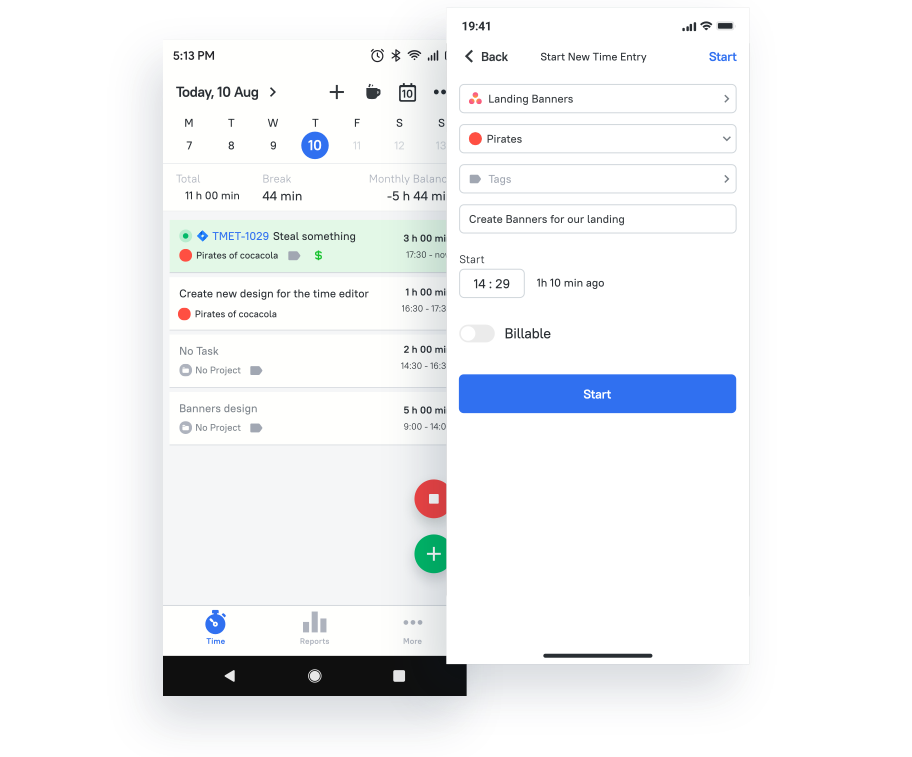
Best for: Teams, agencies, consultants, and freelancers who need mobile time tracking with billing and project visibility.
Price: Free for up to 2 users; paid plans start at $5.83/user/month with annual billing.
Available on: Web, Windows, macOS, Linux, iOS, Android.
TMetric is a cross-platform time tracking and productivity solution built for teams and individuals who need more than just a timer. Whether you are a freelancer juggling multiple clients or a business managing a growing team, TMetric combines time tracking, project management, billing, and team monitoring into one streamlined platform, all accessible from its iOS and Android apps.
TMetric Key Features
- Accurate time tracking with a visual task timeline.
- Offline tracking with automatic sync when reconnected.
- Project tracking with budgets and progress monitoring.
- Alerts and reminders to start or stop timers.
- Team management with workload and performance tracking.
- Productivity analytics and detailed reports.
- Billable and non-billable tracking with invoicing support.
- Screenshot and activity monitoring (desktop).
- PTO and time-off calendar management.
- Browser extensions for Chrome, Firefox, and Edge.
Pros
- Free plan includes unlimited projects and clients.
- Strong value across paid tiers.
- Clean interface for organizing projects and tasks.
- 50+ integrations including Jira, Asana, GitHub, and Slack.
- Exportable reports for client billing.
Cons
- The mobile app lacks some desktop features.
- Interface can feel dense for new users.
- Support responses may be slow.
Integrations
TMetric integrates with 50+ tools, including Jira, Asana, Trello, GitHub, Slack, Google Calendar, Outlook, QuickBooks, and more.
2. Toggl Track
⭐ 4.6/5 (G2)
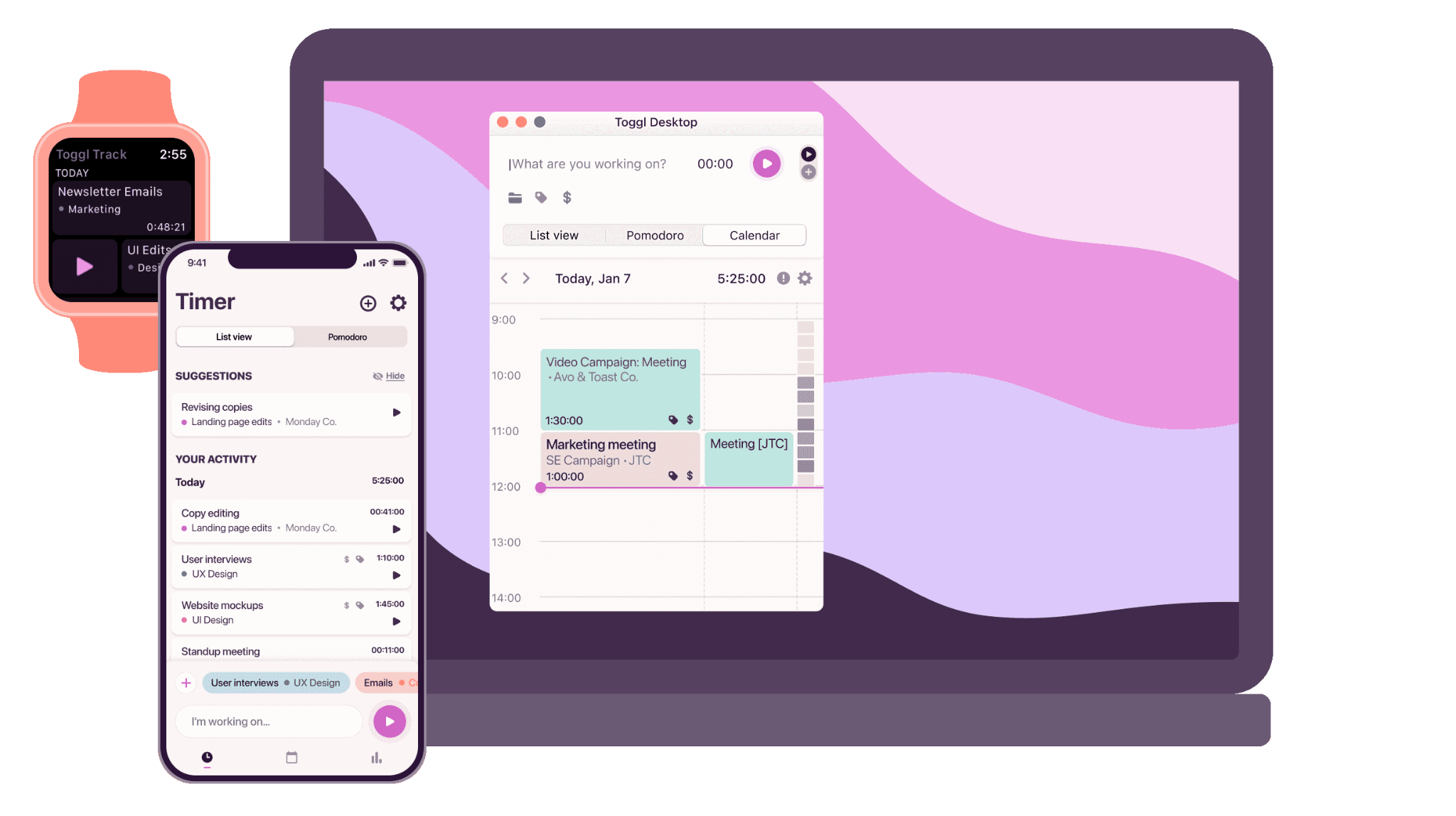
Best for: Individuals and small teams that want simple, fast mobile time tracking with solid reporting.
Price: Free for up to 5 users; paid plans start at $9/user/month with annual billing.
Available on: Web, Windows, macOS, Linux, iOS, Android.
Toggl Track is one of the most popular time tracking apps on the market, built around the principle that tracking time should take almost no effort. With a clean, minimal interface and a one-click timer, it is an ideal choice for freelancers, consultants, and small teams who want reliable work timer apps without the complexity of a full workforce management platform.
Toggl Track Key Features
- One-click timer for computers, phones, and the web.
- Pomodoro timer with breaks that can be changed.
- Tracking that works offline and syncs automatically.
- Reports that are very detailed for each project, client, user, and tag.
- Tracking billable hours with project or client rate settings.
- View of the timeline to look at patterns in productivity.
- Workflow for approving timesheets (Premium+).
Pros
- Very easy to use, teams onboard in minutes.
- Reliable offline tracking across devices.
- Free plan supports unlimited tracking for up to 5 users.
- Clean, modern interface.
- Strong reporting with profitability insights on paid plans.
Cons
- The web version has more features than the mobile app.
- No invoicing built in.
- There is no GPS tracking, shift scheduling, or built-in payroll integrations.
- The features that come with paid plans can make them seem expensive.
- Sometimes there are problems with mobile sync.
- Paid plans are needed for advanced team features like approvals and reminders.
Integrations
It boasts a vast integration ecosystem, including tools like Google Calendar, Asana, and GitHub, facilitating a smooth integration into daily tasks and project management.
Try Toggl for Mobile Time Tracking
3. Harvest
⭐ 4.3/5 (G2)
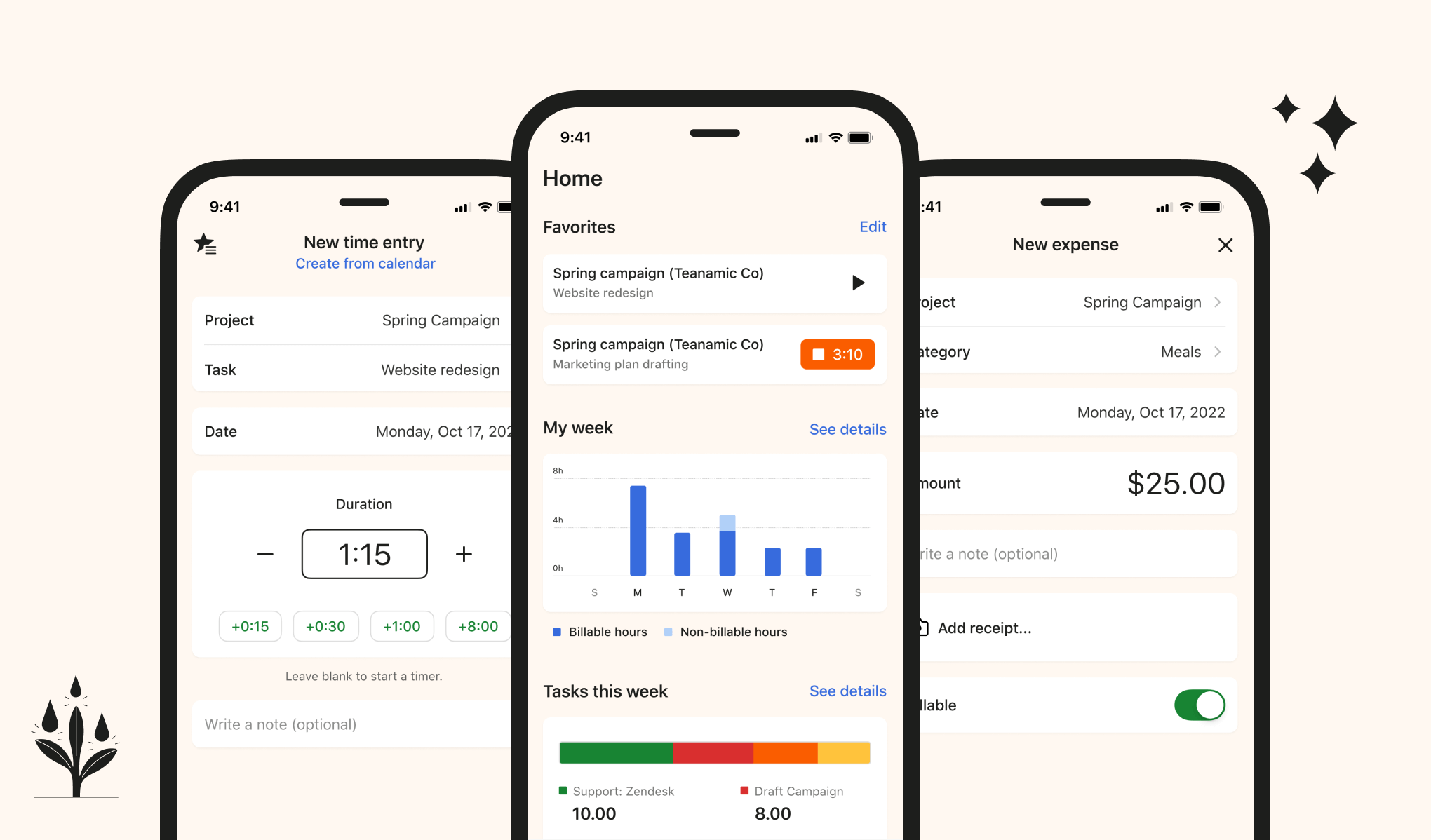
Best for: Teams that need mobile time tracking tied closely to invoicing, expenses, and project budgets.
Price: Free trial available; paid plans start at $9/seat/month with annual billing.
Available on: Web, macOS, iOS, Android.
Harvest is a time tracking and invoicing platform designed for teams that need clear visibility into project budgets and client billing. It combines time tracking, expense management, invoicing, and online payments in one platform, making it a strong choice for agencies, consultancies, and project-based businesses.
Harvest Key Features
- Timer and manual time tracking on web, mobile, and desktop apps.
- Browser extensions for Chrome, Firefox, and Safari.
- Expense tracking with mobile receipt capture.
- Invoicing based on tracked time and expenses.
- Online payment collection via PayPal and Stripe.
- Project budget monitoring and cost tracking.
- Reports on team hours, expenses, and project profitability.
- Calendar integrations with Google Calendar and Outlook.
- Timesheet submission and approval workflows.
Pros
- Clean interface with minimal learning curve.
- Strong connection between time tracking, invoicing, and payments.
- Solid reporting for profitability and activity tracking.
- Widely used by agencies and professional services teams.
Cons
- The mobile app has fewer features than the web platform.
- No GPS tracking or automatic activity capture.
- Limited project management capabilities.
- No Linux desktop app.
- Pricing can be high for very small teams.
Integrations
It integrates with numerous platforms, including PayPal, Trello, and Slack, enhancing its utility for professionals and teams.
Try Harvest for Mobile Time Tracking
4. Clockify
⭐ 4.5/5 (G2)
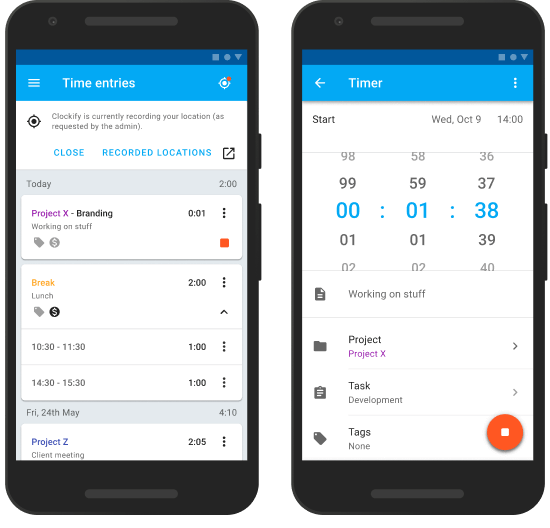
Best for: Teams and freelancers that want generous free mobile time tracking with reporting and timesheets.
Price: Free plan available for unlimited users; paid plans start at $5.49/user/month with annual billing.
Available on: Web, Windows, macOS, Linux, iOS, Android.
Clockify stands out in the crowded field of mobile time tracking apps by offering its core feature set completely free, with no user limit. That makes it an especially attractive choice for growing teams, startups, and freelancers who need solid tracking, reporting, and project management capabilities without a monthly bill.
Clockify Key Features
- Unlimited time tracking for unlimited users and projects (free plan).
- One-click timer with manual time entry.
- Dashboards showing time by project, client, and user.
- Customizable reports for billing and productivity analysis.
- Team scheduling with a drag-and-drop shift calendar.
- Kiosk mode for shared-device clock-in/out via PIN.
- Pomodoro timer for focused work sessions.
- GPS tracking (Pro tier and above).
- Billable and non-billable tracking with invoicing support.
Pros
- Free plan supports unlimited users, rare among time trackers.
- Feature-rich across tiers at a competitive price.
- 80+ integrations, including Asana, Trello, and Jira.
- Easy setup and quick onboarding.
- Good for freelancers and agencies tracking billable hours.
- Available on web, Windows, Mac, Linux, and mobile.
Cons
- Interface feels dated compared to newer tools.
- GPS tracking and advanced scheduling require paid plans.
- Expense tracking is limited on the lower tiers.
- A mobile app can be unstable for field teams.
- Limited task management and overtime tracking.
- Managers may face a learning curve with advanced features.
Integrations
Clockify integrates with 80+ apps, including Asana, Trello, Monday.com, Google Calendar, Outlook, Jira, GitHub, and many others.
Try Clockify for Mobile Time Tracking
5. Hours
⭐ (n/a)
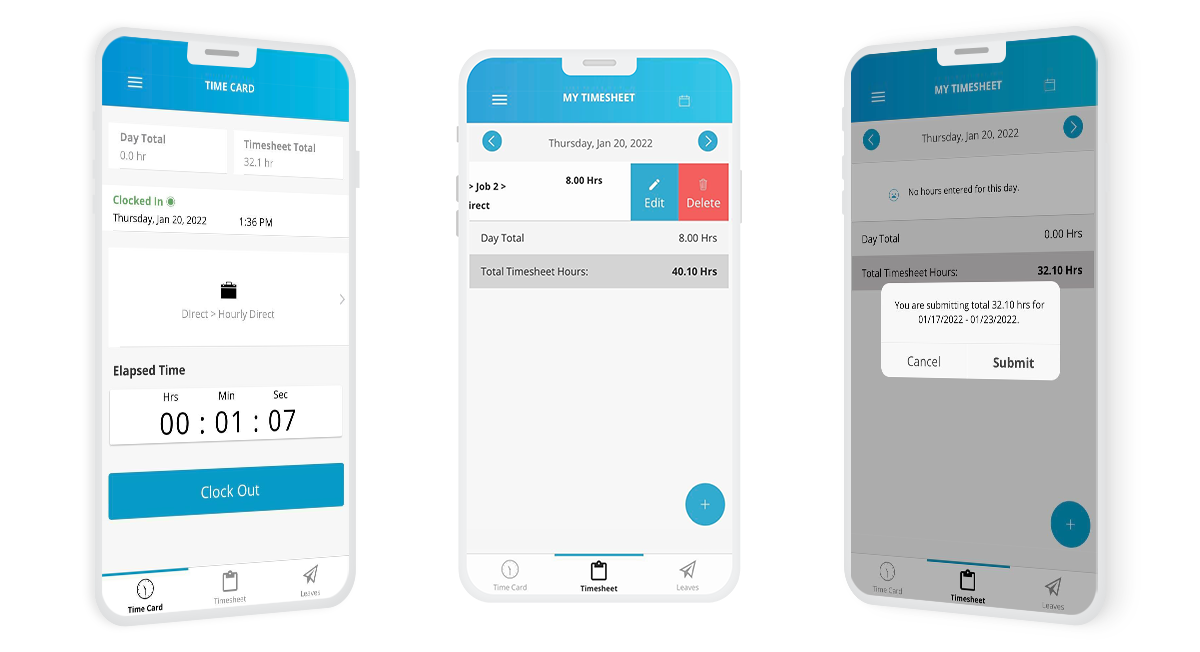
Best for: iPhone users, freelancers, and individuals who want a clean, visual mobile time tracker.
Price: Free plan available; paid plans start at $9.99/year for Personal, with Pro from $7.99/month.
Available on: iOS, Web, Apple Watch.
Hours is a time tracking app built specifically for Apple users. Developed by the team behind the Apple Design Award-winning Clear app, Hours focuses on delivering a simple and intuitive time tracking experience through its distinctive visual timeline. This design-first approach makes it especially appealing for freelancers and individuals who want an easy way to review and manage their work hours on iOS devices.
Hours Key Features
- Visual timeline to review and adjust tracked time.
- Start/stop timer with drag-and-drop time editing.
- Smart reminders to start or stop timers.
- Simple reports by project and task.
- Apple Watch support for hands-free tracking.
- Siri integration for voice-controlled timers.
Pros
- Clean, beautifully designed interface.
- Visual timeline simplifies reviewing and editing time entries.
- Apple Watch and Siri enable hands-free tracking.
- Solid reporting for freelancers and individuals.
- Free version with useful core features.
Cons
- iOS only — no Android support.
- Limited integrations compared to competitors.
- Basic collaboration features.
- No built-in invoicing.
- Not designed for large teams or complex workflows.
Integrations
Hours focuses on a lightweight set of integrations and is designed primarily for personal and freelance time tracking rather than large team workflows.
Try Hours for Mobile Time Tracking
6. Hubstaff
⭐ 4.4/5 (G2)
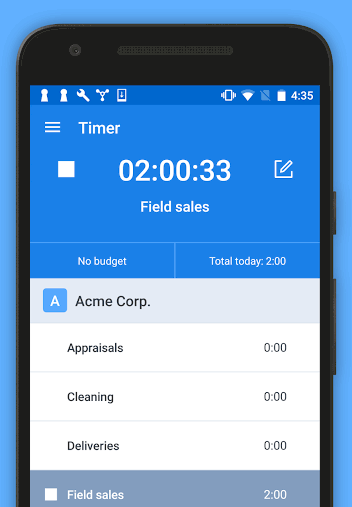
Best for: Remote and field teams that need mobile time tracking plus GPS, geofencing, and workforce monitoring.
Price: Paid plans start at $4.99/seat/month; free trial available.
Available on: Web, Windows, macOS, Linux, iOS, Android.
Hubstaff is a workforce management and time tracking platform designed for remote and field teams. In addition to standard time tracking, it includes activity monitoring, GPS tracking, screenshot capture, and detailed reporting. This makes it a strong choice for businesses that need visibility and accountability across distributed teams.
Hubstaff Key Features
- Time tracking with start/stop timers across desktop, web, and mobile apps.
- Activity monitoring based on keyboard and mouse usage.
- GPS and location tracking for field teams.
- Geofencing to trigger reminders or start timers at job sites.
- Screenshot capture with app and URL tracking.
- Billable and non-billable tracking with payment integrations.
- Reports for billing, payroll calculations, and productivity analysis.
- Project budgeting with real-time cost tracking.
- Offline tracking with automatic sync.
- Timesheets with approval workflows.
Pros
- Strong tool for remote and field workforce management.
- Reliable GPS tracking with geofencing support.
- Detailed reports linking time data to project performance.
- Payment integrations with PayPal, Wise, and QuickBooks.
- Interface remains intuitive despite its feature depth.
- Flexible billing options (monthly or annual).
Cons
- No free team plan (only a limited single-user free tier).
- Screenshot and activity monitoring may feel intrusive for some teams.
- Higher cost compared to simpler time tracking apps.
- Some users report occasional bugs after updates.
- Customer support is mainly available through email and chat.
Integrations
Hubstaff integrates with 30+ apps, including QuickBooks, Salesforce, Trello, Asana, Jira, Slack, and Zapier, which enables thousands of additional connections.
Try TMetric Try Hubstaff for Mobile Time Tracking
7. TimeCamp
⭐ (n/a)
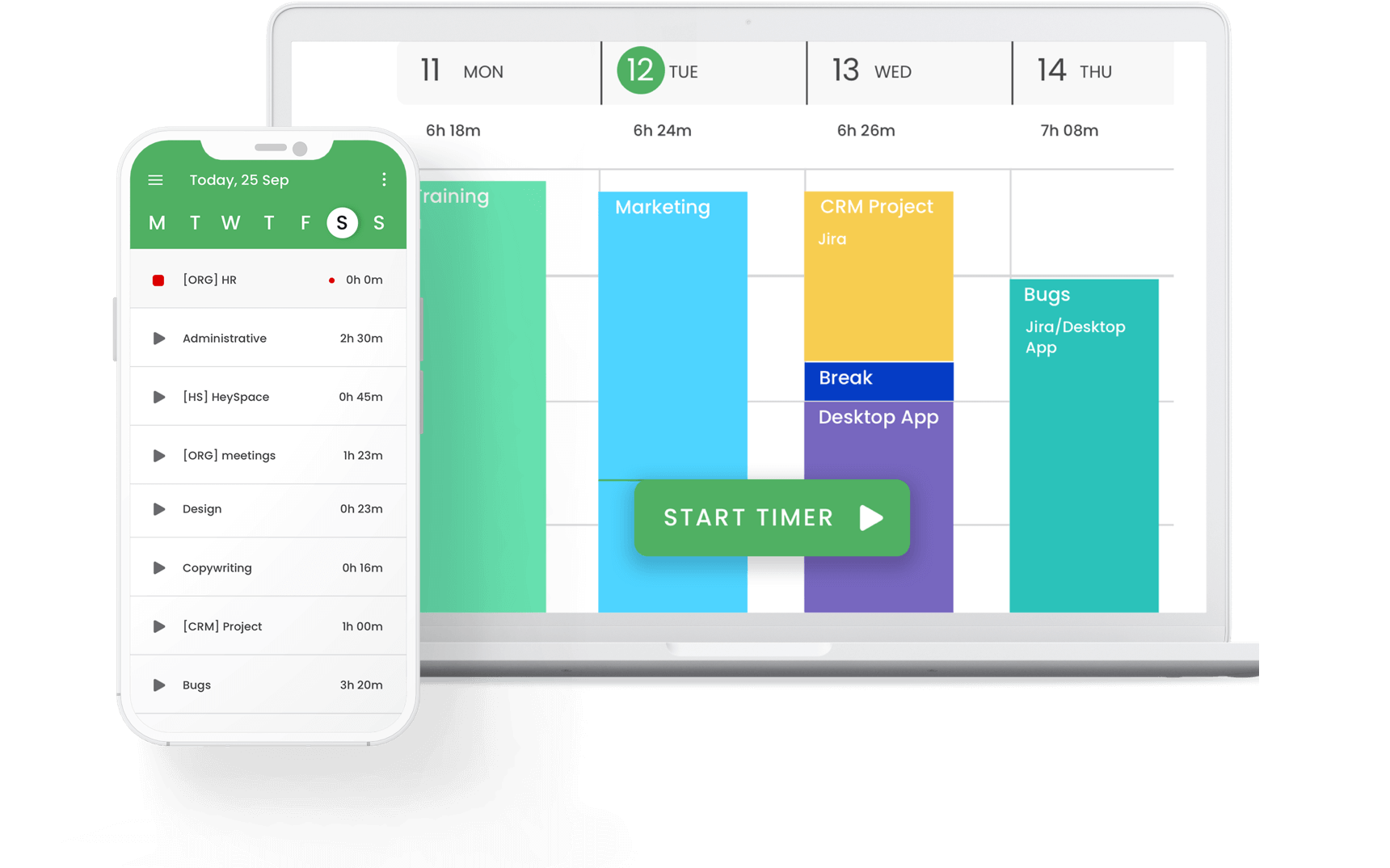
Best for: Freelancers and teams that want mobile time tracking with automatic tracking and productivity insights.
Price: Free plan available; paid plans start at $3.99/user/month with annual billing.
Available on: Web, Windows, macOS, Linux, iOS, Android.
TimeCamp is a time tracking platform that stands out with automatic activity tracking and keyword-based project assignment. Instead of relying entirely on manual timers, it records computer activity and helps categorize work automatically. This makes it a strong option for freelancers and small teams looking for a low-maintenance way to track productivity, manage billable hours, and generate detailed reports.
TimeCamp Key Features
- Automatic activity tracking alongside manual timers.
- Keyword-based automatic time assignment to projects.
- Attendance and absence management.
- Productivity monitoring with detailed time reports.
- Expense tracking via mobile apps (iOS and Android).
- Billable rate tracking and timesheet approvals (higher tiers).
- ISO 27001 certified and GDPR compliant.
- Two-factor authentication for enhanced account security.
- 100+ integrations with project management and accounting tools.
Pros
- Automatic tracking reduces reliance on manual timers.
- Keyword-based tracking simplifies project categorization.
- Competitive pricing with a solid free plan.
- Strong security standards.
- Clean interface, once familiar with the layout.
Cons
- Interface feels plain compared to newer tools.
- Billable tracking and approvals require higher-tier plans.
- Some mobile features remain incomplete.
- The free plan has limited advanced functionality.
- Mobile app stability can vary.
- Automatic tracking works best on desktop environments.
Integrations
TimeCamp integrates with 100+ tools, including Asana, Trello, Jira, Salesforce, QuickBooks, Xero, and Zapier.
Try TimeCamp for Mobile Time Tracking
Mobile time tracking apps: Features to consider for the best choice
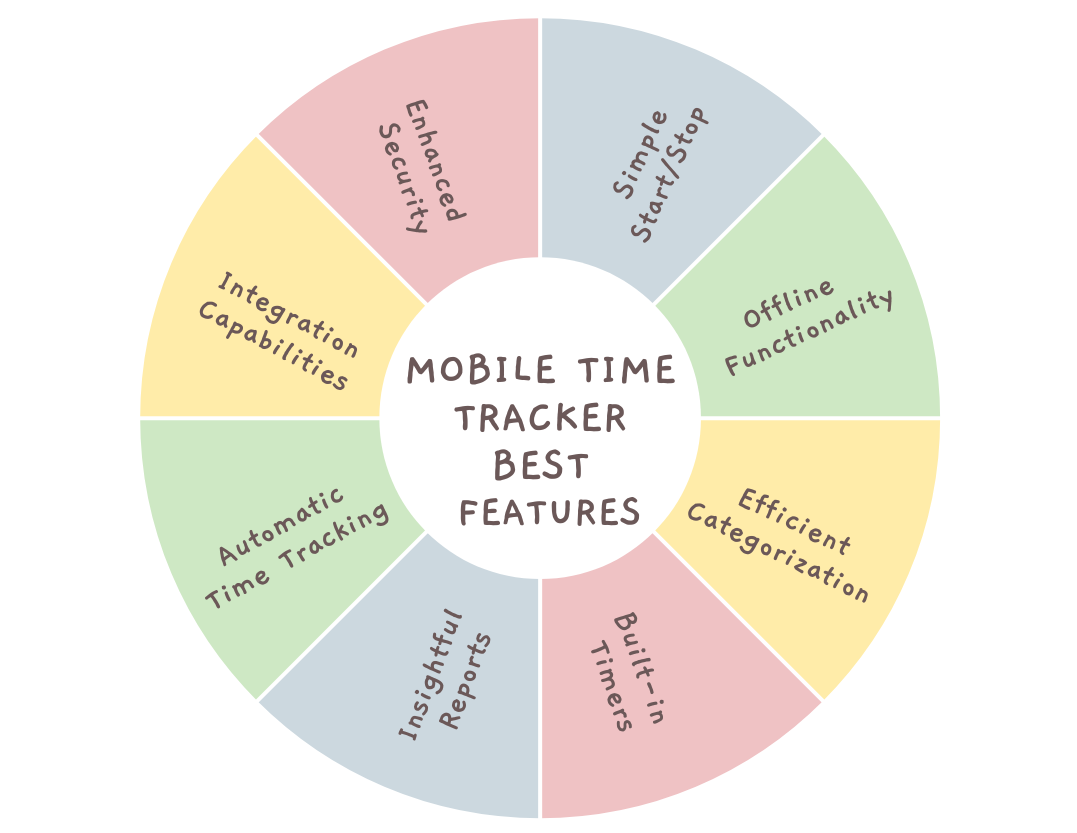
To choose the best mobile time tracking application to enhance productivity, consider the following essential features:
- Simple start/stop mechanism: The app should have an intuitive start/stop button for time tracking, allowing you to begin or halt task timing with a single tap without navigating through complex menus.
- Offline functionality: The app must function without an internet connection, ensuring your time is tracked accurately, even offline. The data should automatically sync once you're back online.
- Efficient organization: A key feature is the ability to categorize your activities by projects and tasks. This simplifies the organization of your time entries for later reference and reduces the overwhelm from cluttered to-do lists.
- Built-in timers: Forget about manually noting start times; the app should include a timer to record the duration of your tasks in real time, ideal for those tasks that pass unnoticed.
- Insightful reports: An effective time tracking app generates detailed reports illustrating how your time is allocated across various projects. These reports should offer filters by date, project, or task for targeted insights, helping you identify areas for efficiency improvement.
- Automatic time tracking: Some apps offer automatic time tracking based on your activities or location for added convenience, which is perfect for those who might forget to start a timer.
- Integration capabilities: The best time tracking apps smoothly integrate with existing project management and invoicing tools, streamlining your workflow and reducing the need to switch between applications.
- Enhanced security: To protect sensitive information, especially for tracking billable hours or confidential projects, look for security features such as PIN locks or fingerprint authentication to ensure data safety.
Takeaway
Time is our most valuable asset. With the help of mobile time tracking tools, whether you are looking for the best time tracking apps for general use, time tracking apps for Android, time tracking apps for iOS, or reliable work timer apps for billing, managing this limited resource effectively is no longer a luxury but a must for individuals seeking to maximize their daily output.
Incorporating mobile time tracking into one's routine can lead to more streamlined, rewarding work and life.
By utilizing these apps, people can optimize their productivity, prevent burnout, and create space for activities they enjoy.