Best Time Tracking Apps for Mac for Developers and Technical Teams
One moment you're in the code. The next, you're in a meeting. By end of day, the hours are gone and there's nothing to show for them. This guide breaks down the best time tracking apps for Mac, built for developers and technical teams.

By Dereck Mushingairi | April 14, 2026
Every developer knows how quickly the day can get busy. One moment you're working on code, and the next you have to deal with messages, tickets, or a string of meetings. Things move so quickly that by the end of the day, it's hard to remember where the time actually went.
This issue is exactly why the right time tracking software is needed. A time tracker app makes it easier to see how you are spending time without interrupting your flow. This guide looks at some of the best time tracking apps for Mac and how they can help teams stay organized.
Compare:
Why Mac users need the right time tracking app
The best time tracking app for Mac should match how developers actually work, not how old timesheets were designed. Mac users often switch between tools all day, and it's easy to lose track of time without something keeping a record.
A few things make time tracking especially useful for Mac users:
- Work happens across many apps – Developers move between IDEs, terminals, browsers, Git tools, Slack, and meetings. Without tracking, it's hard to see how the day is split across those tools.
- Tasks change quickly – A developer might jump from writing code to fixing a bug or reviewing a pull request. Time tracking helps keep a simple record of those shifts.
- Timers are easy to forget – During a busy day, it's common to forget to start or stop timers. A good Mac app makes tracking quick, so it doesn't interrupt work.
- Teams use different systems – Some people track time for billing, others for internal projects. The right tool helps keep everything in one place.
If you also track work on mobile, you can check our roundup of the best time tracking apps for iPhone and Android users.
Why trust our software reviews
Each tool in this guide was looked at based on how well it fits real developer workflows on macOS. Instead of just going by feature lists or marketing claims, the focus was on things that actually matter when using the tool day to day.
| Evaluation area | What we looked at |
| Mac Desktop Experience | Menu bar access, native macOS behavior, offline capability, notifications, and overall app responsiveness |
| Time Tracking Workflow | Timer controls, manual entry, task switching, and ease of editing timesheets |
| Reporting & Insights | Project breakdowns, billable hour summaries, workload visibility, and export options |
| Integrations | Compatibility with tools commonly used by developers and agencies, such as project management platforms, accounting software, and communication apps |
| Pricing Accuracy | All pricing and plan details were verified against official product pages at the time of publication |
The ranking is not based on marketing claims. TMetric appears first because it combines strong Mac support with the reporting depth and team features most relevant to technical teams.
Comparison table: Best time tracking apps for Mac
The following table provides a quick comparison of the five Mac time tracking apps reviewed in this guide.
| Tool | Best for | Mac app | Tracking type | Reporting | Free plan | Best fit |
| TMetric | Teams & developers | Yes | Manual + timer | Advanced team reporting | Yes (2 users) | Team tracking, projects, and billing |
| Timing | Automatic activity tracking | Yes (Mac-native) | Automatic | Detailed personal reports | Trial | Solo Mac users, passive tracking |
| Clockify | Free team tracking | Yes | Manual + timer | Moderate team reporting | Yes (unlimited users) | Budget teams, basic tracking |
| Toggl Track | Simple tracking | Yes | Manual + timer | Moderate reporting | Yes (up to 5 users) | Freelancers, small teams |
| Harvest | Billing workflows | Yes | Manual + timer | Moderate reporting | Yes (1 user) | Agencies, client work |
The 5 best time tracking apps for Mac in 2026
Here are the tools we selected based on how they work in real Mac workflows. Some focus on automatic tracking for solo users, while others are built more for teams that need project tracking, reports, or billing.
1. TMetric
⭐ 4.6/5 (G2)
Overview
| Category | Details |
| Vendor | TMetric |
| Compatibility | macOS, Windows, Linux, iOS, Android |
| Integrations | 50+ tools including Jira, Asana, Notion, GitLab, and GitHub |
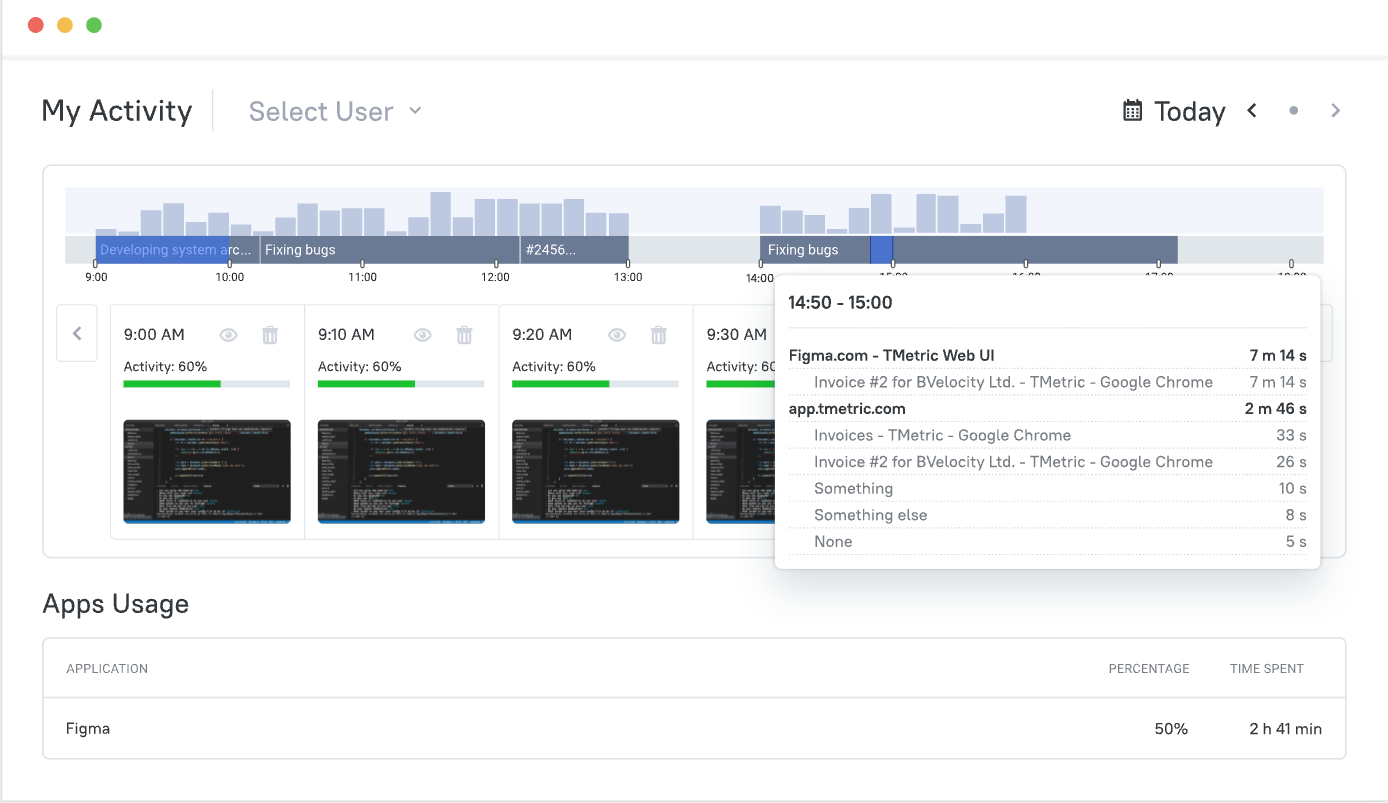
TMetric is more than just a timer; it can also track time by tasks, projects, or clients. Logging work as it happens makes it easier to see how much time was spent later. This structure makes it easier for teams to keep track of time for reports, planning work, or billing when they are working on client projects or more than one task at a time.
The tool is for software teams, agencies, and consultants who work on more than one project or client at a time and need clear records for billing, payroll, or internal reports.
Key Features
- Tracking at the task, project, and client level.
- Budgeting for a project by comparing planned and actual costs.
- Reports on billable hours and use.
- Workflows for reviewing and approving timesheets.
- Tracking paid time off and figuring out how much it costs.
- Managing the cost of employees.
- Native integration with QuickBooks Online.
Pros
- Clear project and task structure that fits development workflows.
- Real-time budget tracking helps prevent billing surprises.
- Timesheet approval workflows support payroll-ready records.
- Broad integration coverage with tools developers already use.
- Free plan available with no credit card required.
Cons
- Not designed to replace full payroll or accounting software.
- Automatic activity capture is limited compared to Mac-native tools like Timing.
Pricing
TMetric has a free plan for two people. Paid plans start at $7 per user per month and add features like project budgeting, advanced reporting, timesheet approvals, and team management.
Review
"It's easy to use and integrates smoothly into our daily routine. We especially appreciate how we can assign time to specific projects and clients — it's super helpful for reporting." — G2 Reviewer
2. Timing
⭐ 4.6/5 (G2)
Overview
| Category | Details |
| Vendor | Timing GmbH |
| Compatibility | macOS (Mac-only) |
| Integrations | Calendar apps, automation tools, and limited integrations through Timing Connect |
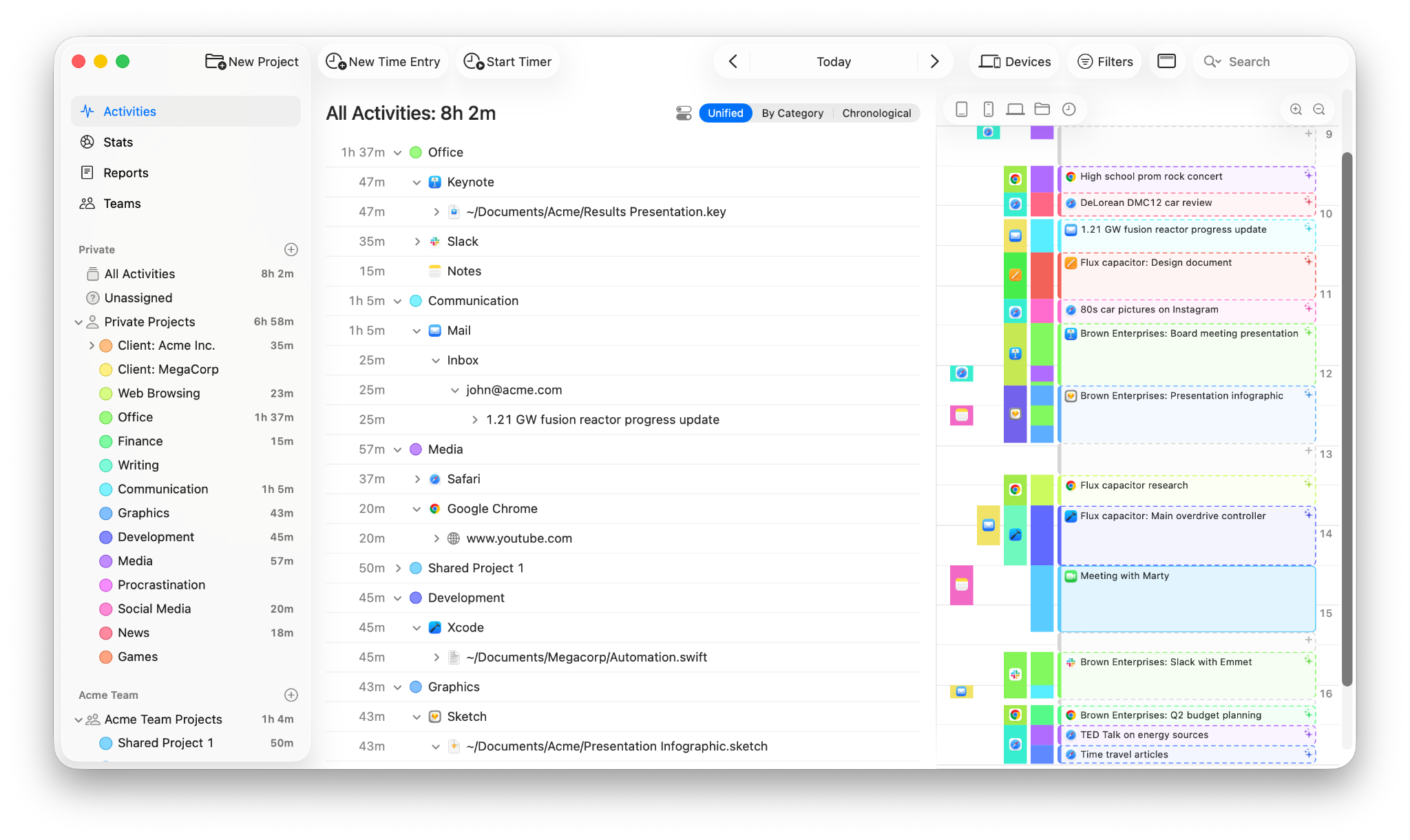
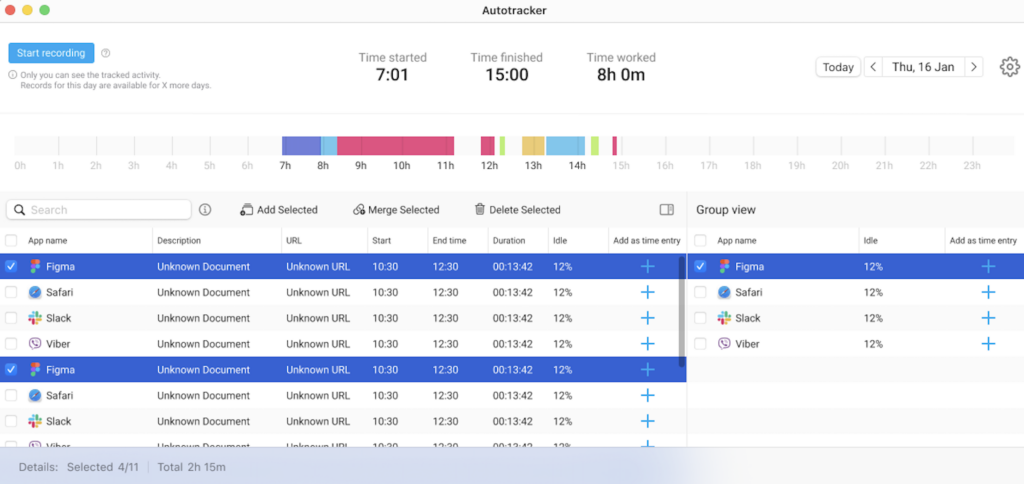
Timing works a bit differently from most time trackers. Instead of starting timers yourself, it runs in the background and records how you spend time across apps, websites, and documents on your Mac. Later, you can look at that activity and assign the time to projects or clients.
This app is for freelancers, developers, consultants, and other solo professionals who want to see where their time goes without constantly starting and stopping timers.
Key Features
- Automatic tracking of apps, websites, and documents.
- Background activity capture without manual timers.
- Rules for automatically assigning activity to projects.
- Time review interface for editing and organizing tracked work.
- Calendar integration for meetings and events.
- Reports showing time spent across apps and projects.
Pros
- Keeps track of time automatically, so you don't have to worry about timers.
- A strong Mac-native experience made just for macOS.
- Useful for looking over work later.
- An approach that focuses on privacy and stores data locally by default.
Cons
- Not as many features for teams as dedicated team tracking platforms.
- It can take a while to set up rules for how to group projects.
- There is no free plan; there is only a trial period.
Pricing
Timing offers a free trial. Paid plans start at about $9 per month when billed annually, with higher tiers adding more automation, longer activity history, and team features through Timing Connect.
Review
"Automatic window tracking combined with project tracking made this an invaluable tool in timesheet management for a very varied day." — G2 Reviewer
3. Clockify
⭐ 4.5/5 (G2)
Overview
| Category | Details |
| Vendor | CAKE.com |
| Compatibility | macOS, Windows, Linux, iOS, Android |
| Integrations | Jira, Asana, Trello, GitHub, GitLab, ClickUp, and many others |
Clockify is built to make time tracking easy for teams that don't want to spend money on software. Its free plan includes unlimited users, projects, and time tracking, so teams can start using it without worrying about seat limits. Team members can track time with timers or timesheets, group work by project or client, and later check the hours through simple reports.
It is a good fit for freelancers, startups, and growing teams that want a simple way to track time without paying for software right away.
Key Features
- Timer-based and manual time tracking.
- Unlimited users, projects, and clients on the free plan.
- Project and task categorization with client assignment.
- Timesheets with daily and weekly views.
- Reporting dashboard with export to PDF, CSV, and Excel.
- Integrations with popular project management tools.
- Paid features include project budgeting, invoicing, approvals, and GPS tracking.
Pros
- Free plan supports unlimited users and projects.
- Works across Mac, Windows, Linux, and mobile devices.
- Easy for teams to start using quickly.
- Integrates with many project management tools.
Cons
- Desktop apps feel more cross-platform than native.
- Advanced features like approvals and budgeting require paid plans.
Pricing
Clockify offers a free plan, with paid plans starting at CHF 5.49 per seat/month. This is followed by the Pro (CHF 7.99) and Enterprise (CHF 11.99) tiers, which include additional features.
Review
"I value its clarity and discipline. Clockify keeps time tracking straightforward, reliable, and impossible to fudge." — G2 Reviewer
4. Toggl Track
⭐ 4.6/5 (G2)
Overview
| Category | Details |
| Vendor | Toggl OÜ |
| Compatibility | macOS, Windows, iOS, Android |
| Integrations | Asana, Jira, Trello, Linear, GitHub, ClickUp, and many others |
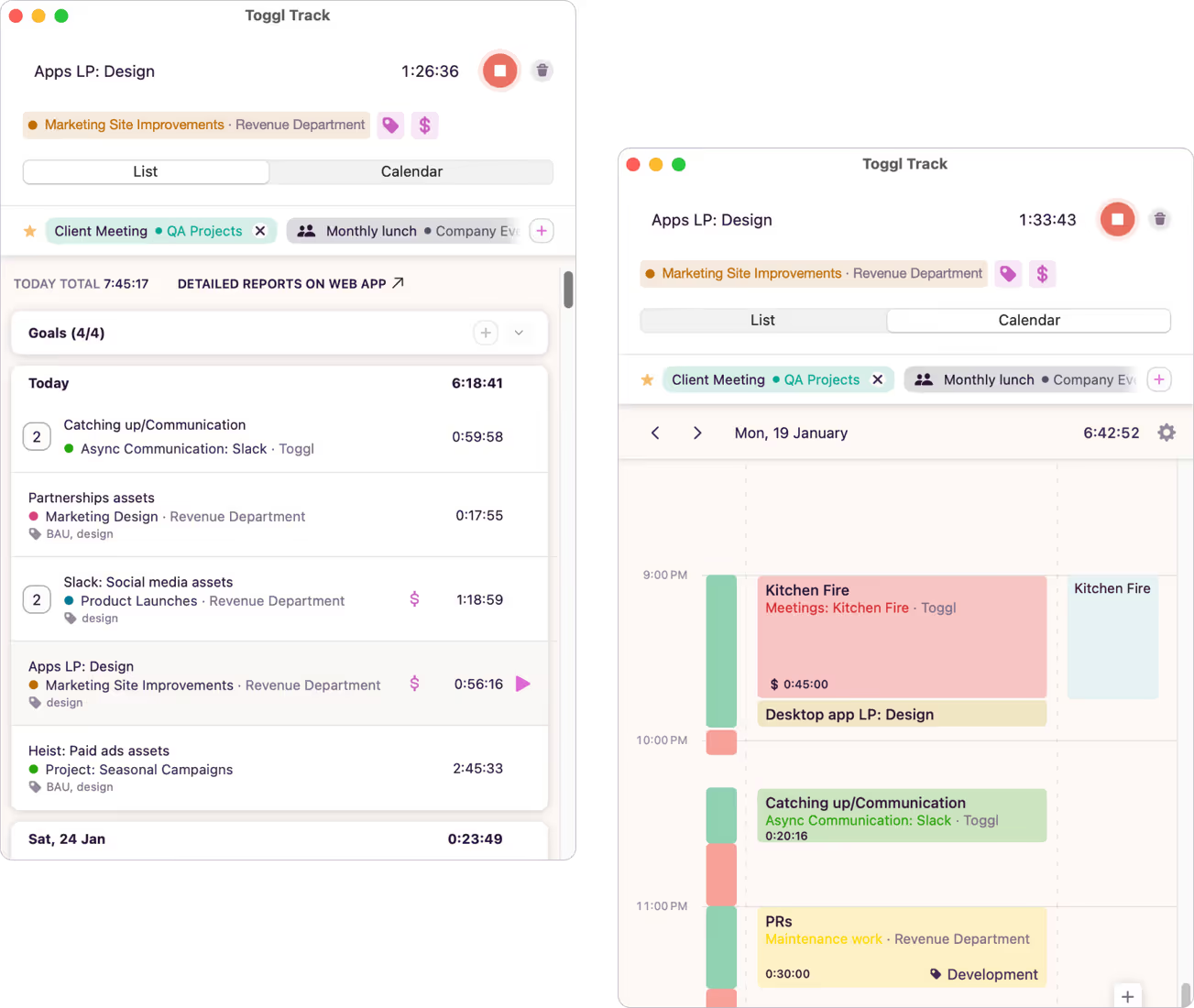
Toggl Track focuses on keeping time tracking simple. The main screen is just a timer where you add a short description and project, then start tracking. There isn't much setup, so most people can start using it right away. For freelancers and small teams, that simplicity makes it easy to build the habit of tracking time every day.
Freelancers, consultants, and small teams that want a simple way to track billable hours without setting up complicated workflows.
Key Features
- One-click timer with browser extension support.
- Project and client tagging with color coding.
- Idle detection and time suggestions.
- Calendar integration with Google Calendar and Outlook.
- Reports with export to CSV and PDF.
- Team dashboards with basic workload visibility.
- Integrations with project management and developer tools.
Pros
- It's very simple to begin using.
- A clean interface that makes it easy to keep track of time.
- The same experience on Mac, the web, and mobile apps.
- The free plan can be used by up to five people.
Cons
- Paid plans are needed for advanced team features.
- There is no built-in invoicing.
- Not much help with payroll or approval workflows.
- Reporting is simpler than some tools that are made for agencies.
Pricing
Toggl Track offers a Free plan for small teams, with paid plans starting at $9 per user/month (Starter) and $18 per user/month (Premium).
Review
"Toggl Track helped me get a clear picture of how my time is actually spent during the day. Instead of guessing, I can log small tasks and later check where my focus went, which makes daily work feel more planned and less scattered." — G2 Reviewer
5. Harvest
⭐ 4.3/5 (G2)
Overview
| Category | Details |
| Vendor | Harvest |
| Compatibility | macOS, iOS, Android, Web |
| Integrations | Includes QuickBooks, Xero, Asana, Jira, Slack, Zapier, and more |
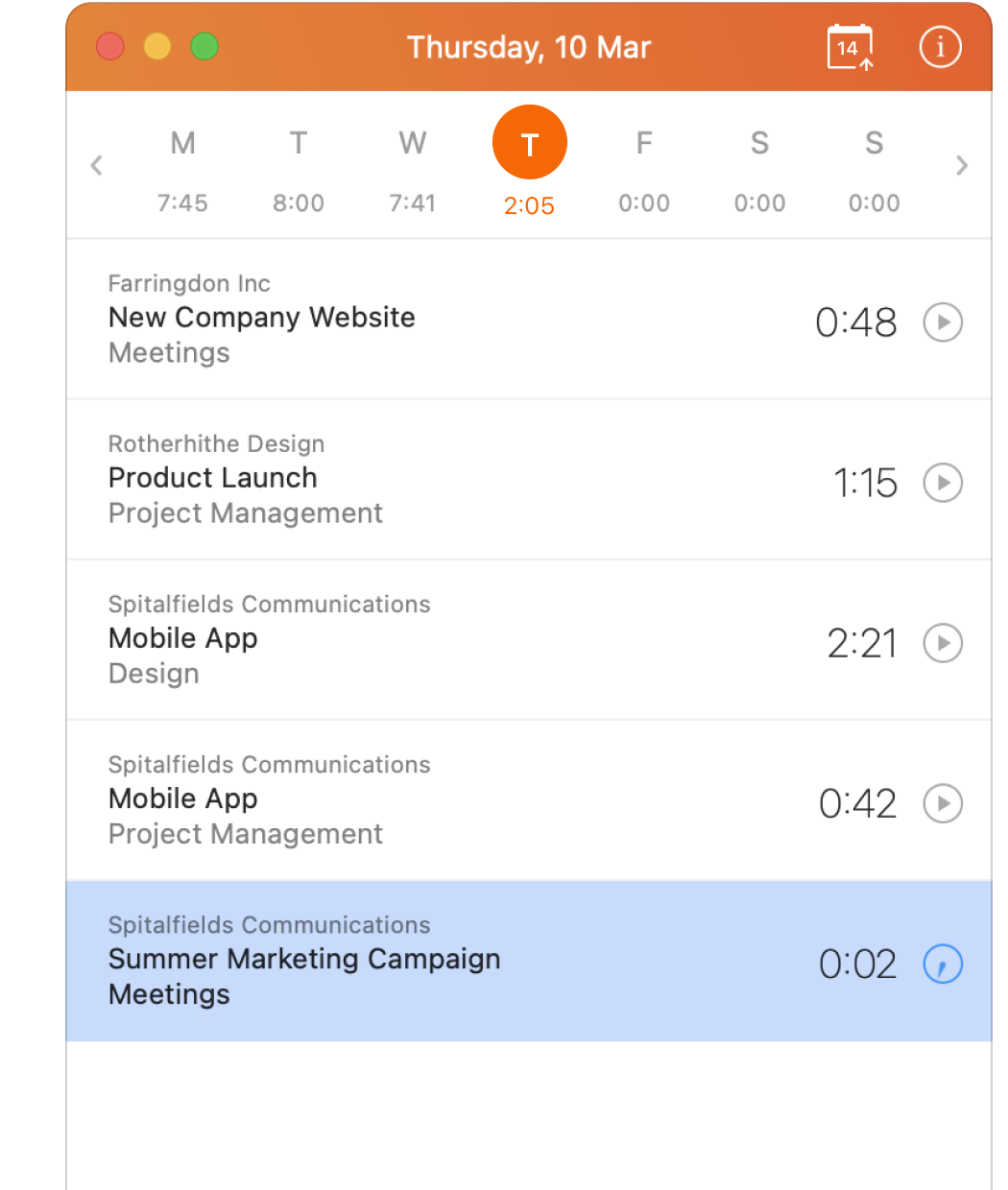
Harvest is built around the idea of turning tracked time into invoices. When hours are logged to a project, they can quickly be turned into a client invoice. This makes billing easier for agencies and consulting teams. It also includes project budgets, expense tracking, and reports, so teams can manage the whole process in one place.
Agencies, consulting firms, and other service teams that rely on billable hours and want a simple way to turn tracked time into invoices. The workflow is usually straightforward: track time > check the project budget > send the invoice.
Key Features
- Tracking time with a timer and by hand.
- Project budgets that send you alerts when hours or fees are due.
- Built-in billing and the ability to pay online.
- Tracking expenses that are related to projects.
- Reports for team and project profitability.
- Connections to tools for accounting and projects.
Pros
- Time tracking and invoicing work together smoothly.
- Budget alerts help teams avoid going over hours.
- Integrates with accounting tools like QuickBooks and Xero.
- Simple interface that most agency teams pick up quickly.
Cons
- Per-user pricing can get expensive for bigger teams.
- Fewer payroll-related features than some team tracking tools.
Pricing
Harvest offers a Free plan for individual freelancers, with paid plans starting at $9 per seat/month, and an Enterprise tier from $14 per seat/month for larger teams.
Review
"Our team uses Harvest to track the hours across different internal projects and client-related work. It allows us to visualize how we distribute the time between tasks such as planning and testing." — G2 Reviewer
How to choose the best time tracking software for Mac
Choosing a time tracking app is less about the longest feature list and more about how well the tool fits your workflow. Here are things to consider.
Choose a tracking style
Decide if you prefer manual or automatic tracking. Manual tools like TMetric, Clockify, Toggl Track, and Harvest use timers or timesheets you start yourself. Automatic time management apps for Mac, like Timing, run in the background and record activity across apps.
Check the Mac experience
Some apps are built mainly for macOS, while others are cross-platform. Simple things like menu bar timers, quick controls, and smooth background performance matter in daily use.
Look at reporting and team visibility
Good reports should show where time goes, by project, billable vs non-billable work, and team workload.
Compare pricing
Free plans often have limits on users, projects, or features. Make sure the tool still works as your team grows.
Benefits of time tracking for Mac-based development teams
Here are a few ways time tracking can help Mac-based development teams.
| Benefit | Why it matters |
| Better project estimates | Logged time shows how long tasks really take, which helps teams plan work more accurately next time. |
| Clear project visibility | Managers can see where hours go and notice scope creep earlier. |
| Accurate client billing | Tracked hours make it easier to turn work into invoices. |
| Profitability insights | When time is linked to labor cost, teams can see which projects bring real value. |
| Remote team transparency | Time tracking gives a clearer view of work across remote teams. |
| Capacity planning | Teams can spot people who are overloaded or projects that take too many hours. |
Takeaway
The best time tracking app for Mac mostly depends on how your team actually tracks work day to day. Timing is useful if you want activity captured automatically in the background. Clockify is often the first choice for teams that want a solid free plan. Toggl Track is popular because it's simple and quick to start using. Harvest tends to work best for service teams that need time tracking tied directly to invoicing.
For teams that need clearer reporting, project visibility, and reliable timesheets across several projects, TMetric is usually the more balanced option.
Try TMetric for more accurate time tracking and timesheets that are easier to use for payroll or reporting.