Best Time Tracking Apps for Windows
Your day probably isn’t one clean block of focused work. It’s tabs, meetings, deep work, interruptions, and context switching. That’s exactly why choosing the right Windows time tracker matters more than just having a timer.

By Dereck Mushingairi | April 14, 2026
Best Time Tracking Apps for Windows
When your work lives on a computer, constant multitasking is the norm. But in between shifting tasks, hours slip away untracked. If you're on Windows, you need a time tracking tool that captures every minute, so you can juggle tasks without losing billable time.
In this guide, we've selected the top time tracking software built for Windows. Whether you're freelancing or managing a team, these tools help you track accurately, generate reports, and bill smoothly, so you stay on top of your time.
Compare:
How we picked the best Windows time tracking apps
Finding the best time tracking apps for Windows takes more than testing a basic timer. The tools in this guide were evaluated using the criteria professionals actually rely on in daily work. These include:
- Windows desktop availability.
- Timer and manual time entry options.
- Reporting depth and data exports.
- Billing or payroll support.
- Integrations with project tools.
- Team and project management features.
These are the same factors productivity experts use when comparing time apps for Windows. In practice, users judge tools by how well they track time, generate reports, export data, and connect with the rest of their workflow.
The stakes are real. Studies show companies can lose 15–25% of billable hours when time tracking is inconsistent or poorly implemented. The best time tracking app Windows solutions solve this by linking time data with tasks, budgets, and projects.
The apps below are widely used by freelancers, agencies, and software teams that work primarily on Windows PCs.
Comparison table: Best time tracking apps for Windows
Here is a snapshot of how the main Windows time tracking apps compare. It shows what each tool is best for, how it tracks time, and whether billing is supported.
| Tool | Best for | Windows app | Tracking | Billing | Best fit |
| TMetric | Teams & billable work | Yes | Manual + offline | Yes | Best overall |
| Toggl Track | Free use | Yes | Manual + idle detection | Limited | Best free option |
| TrackingTime | Task planning | Yes | Manual + task-based | Basic | Workflow visibility |
| Harvest | Invoicing | Yes | Manual + timesheets | Strong | Client work |
| My Hours | Simplicity | Partial / web-first | Manual + timesheets | Yes | Clear reporting |
Now let's look closer at how each tool works in practice and where it fits best.
Best time tracking apps for Windows
Not every Windows time tracker works the same way. Some focus on simple timers, while others add reporting, billing, and team visibility. Here are the best time tracking software for Windows that consistently work well and cover different needs, in detail.
1. TMetric
⭐ 4.6/5 (G2)
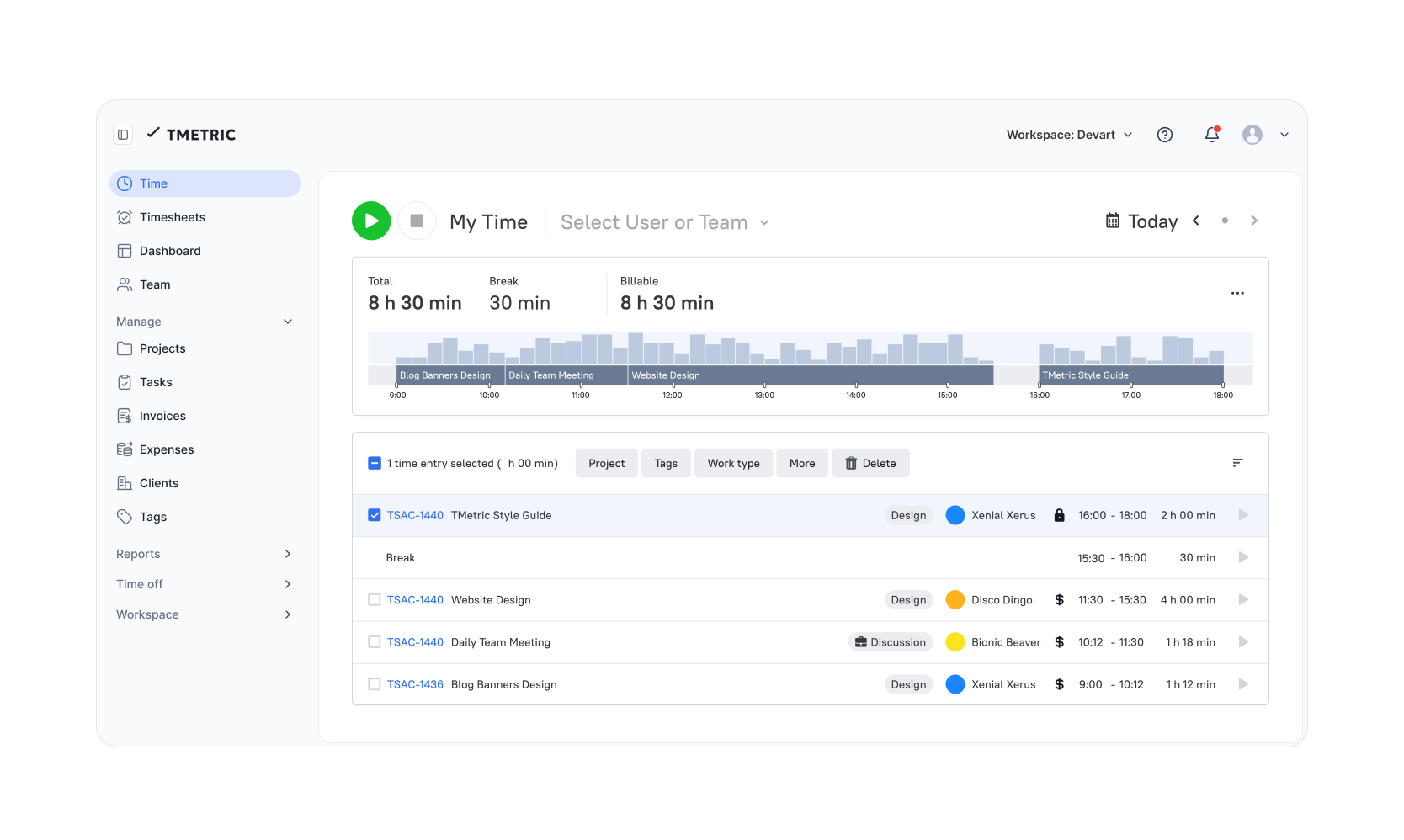
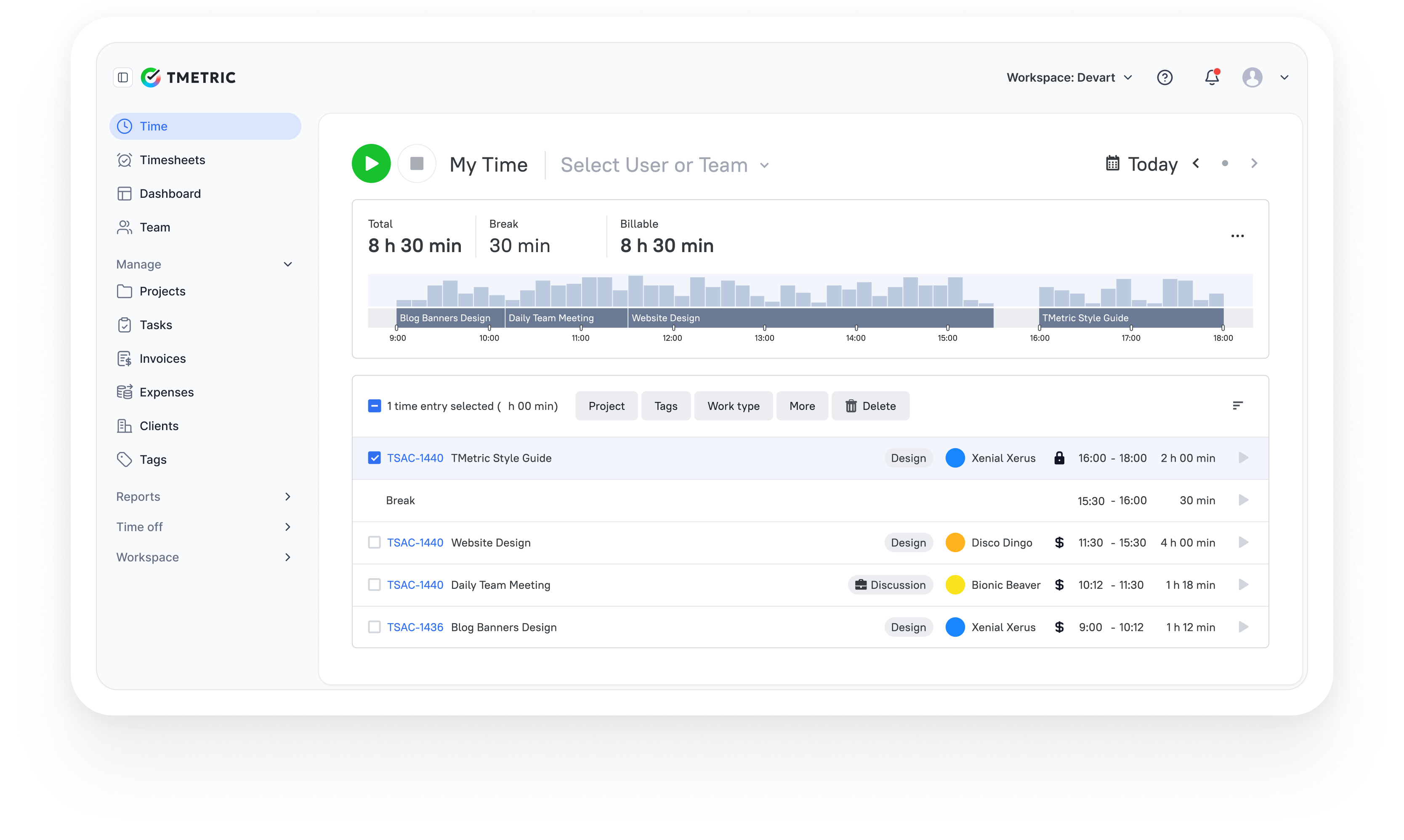
captures work hours as teams move between tasks, projects, and clients during the day. Time entries stay organized from the start, which makes reports, budgeting, and billing easier later. Managers get a clear view of where time goes, while developers and consultants can track work without breaking their flow.
Overview
| Category | Details |
| Vendor | TMetric |
| Best for | Teams managing billable projects and client work |
| Compatibility | Windows, macOS, Linux, iOS, Android |
| Integrations | 50+ tools including Jira, Asana, Notion, GitHub, GitLab, QuickBooks |
| Tracking methods | Manual timer, automated tracking, task-based tracking |
| Reporting & analytics | Project reports, productivity analysis, billable hours insights |
Key Features
- Track time by task, project, or client.
- Automated time tracking that runs in the background.
- Idle detection that pauses tracking during inactivity.
- Productivity analytics showing how time is spent.
- Project budgeting comparing planned vs. actual costs.
- Timesheet approval workflows for managers.
- Invoice generation from billable hours.
- Export reports and timesheets in PDF or CSV formats.
- Integration with QuickBooks and major project tools.
Pros
- A clear way to keep track of client work and projects.
- Keeping track of the budget helps teams stay on track with their projects.
- Idle detection makes tracked hours more accurate.
- Good reporting and insights into productivity.
- Wide support for integrating with development and project tools.
Cons
- Activity monitoring tools are still lighter than some monitoring platforms that are made just for that purpose.
- Financial tools are more about billing by the hour than full accounting processes.
Pricing
TMetric has a free plan for up to two people. Paid plans start at $7 per month per user and add features like budgeting, invoicing, advanced reporting, and team management.
Review
"Users consistently highlight TMetric's balance of simplicity and project visibility. Reviews often mention strong reporting and easy integration with project tools."
2. Toggl Track
⭐ 4.6/5 (G2)
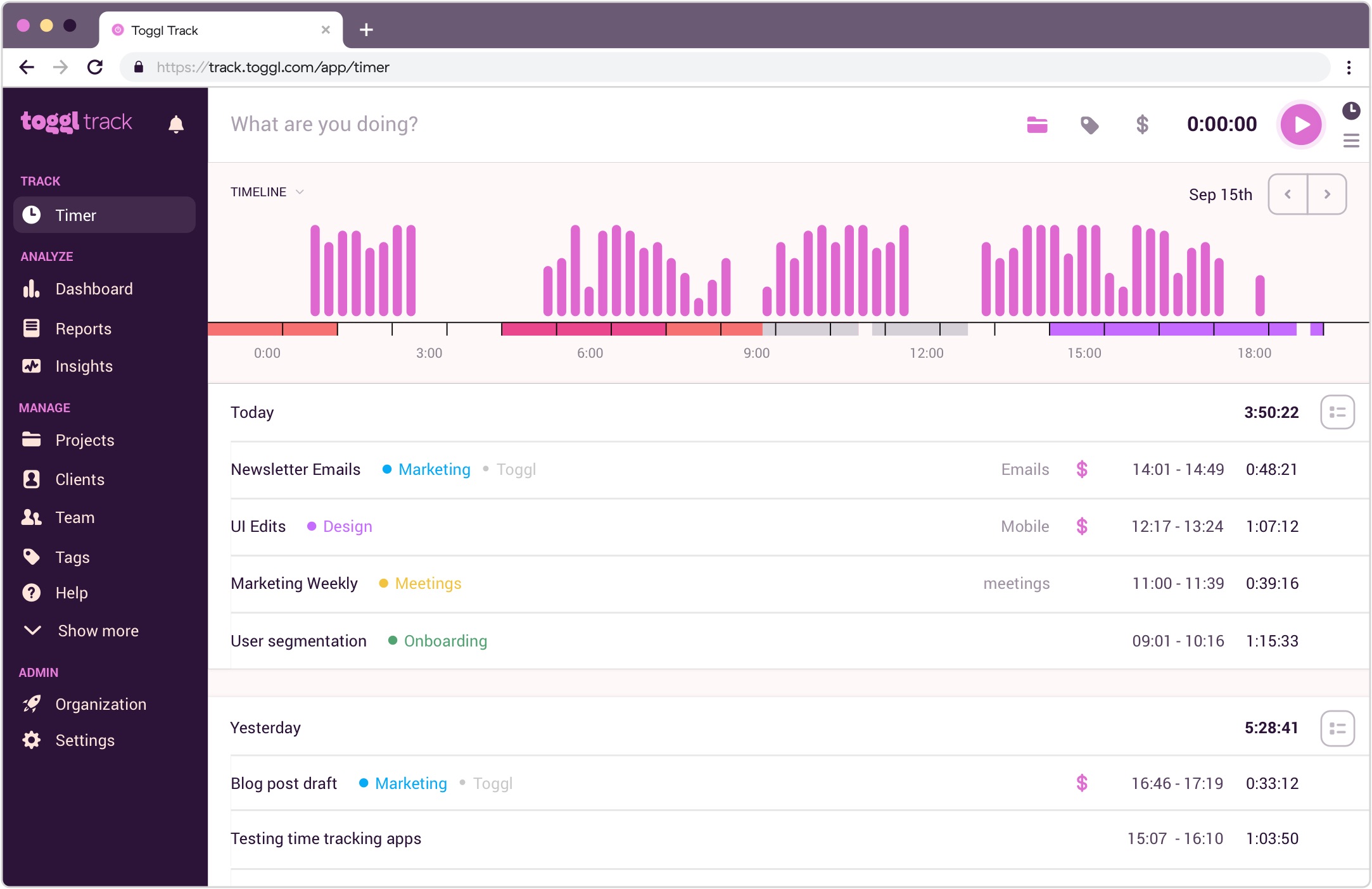
Toggl Track helps teams capture work hours with minimal friction. A one-click timer records time as work happens, while projects and tags keep entries organized. Managers get clear reports on workload, timelines, and productivity, while automation features reduce the effort needed to track time consistently across projects.
Overview
| Category | Details |
| Vendor | Toggl |
| Best for | Freelancers and teams that want simple time tracking |
| Compatibility | Windows, macOS, Linux, iOS, Android |
| Integrations | 100+ tools including project apps and calendar platforms |
| Tracking methods | One-click timer, automatic tracking, manual entries, idle detection |
| Reporting & analytics | Detailed reports, workload insights, project timeline analysis |
Key Features
- One-click timer for fast time tracking.
- Automatic time tracking with Autotracker suggestions.
- Idle detection that helps clean inaccurate entries.
- Calendar integrations that convert events into time entries.
- Detailed reports showing project timelines and team workload.
- Pomodoro timer for focused work sessions.
Pros
- Very simple to get started with.
- A clean interface that makes tracking easy.
- Good support across platforms.
- A wide range of integration options.
Cons
- There are still only a few billing and invoicing tools available.
- Higher plans include advanced reporting.
Pricing
Toggl Track has a free plan for small teams. Paid plans start at $9 per user per month (Starter) and $18 per user per month (Premium).
Review
"Toggl Track helped me get a clear picture of how my time is actually spent during the day. Instead of guessing, I can log small tasks and later check where my focus went, which makes daily work feel more planned and less scattered." — G2
3. TrackingTime
⭐ 4.4/5 (G2)
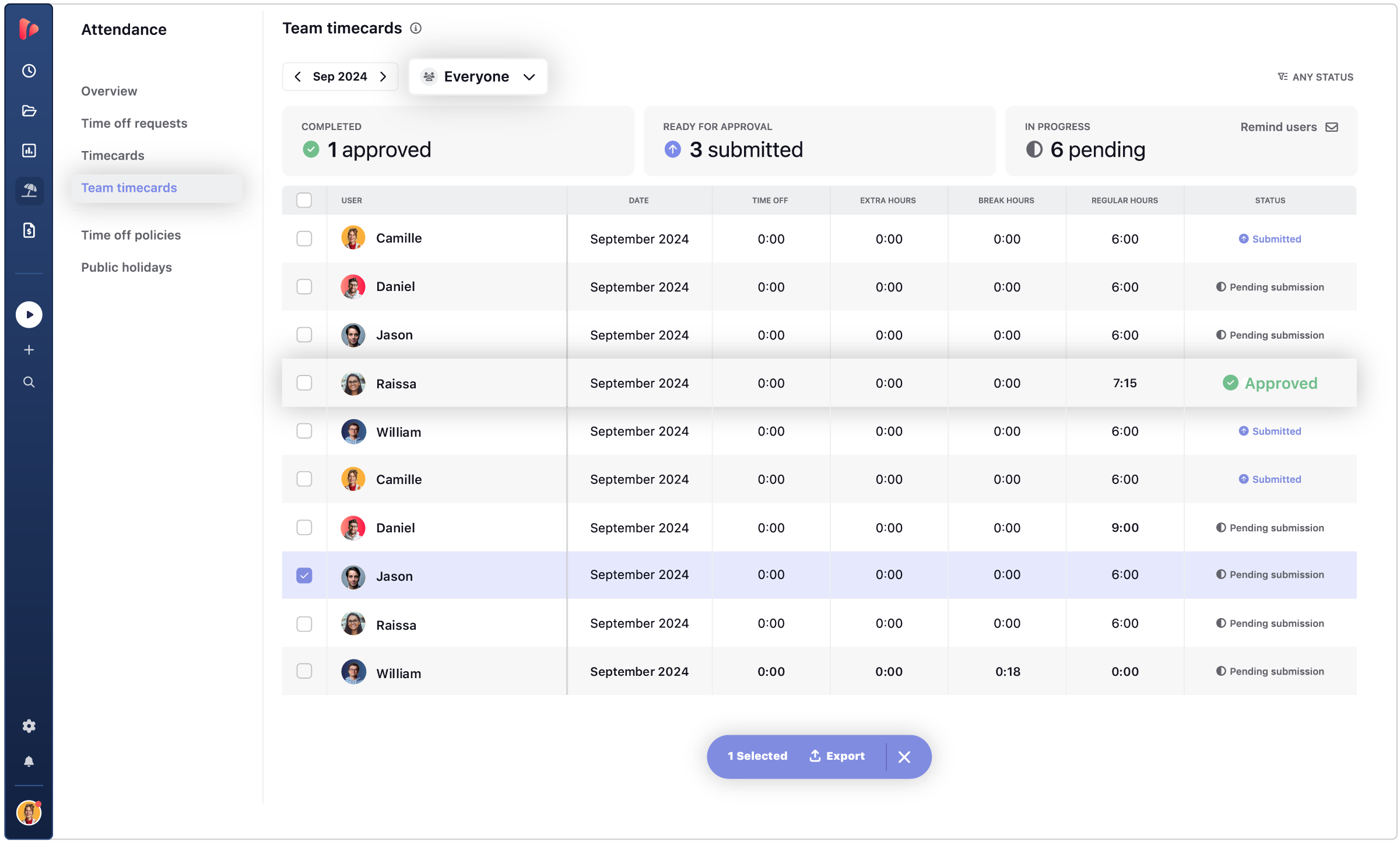
TrackingTime connects time tracking with project work. Teams log hours while organizing tasks, timelines, and schedules in the same workspace. Automatic tracking records activity in the background, while managers review project progress and reports from a single dashboard. This setup helps agencies and distributed teams understand both how time is spent and how work moves across projects.
Overview
| Category | Details |
| Vendor | TrackingTime |
| Best for | Teams that want time tracking desktop apps combined with task and project management |
| Compatibility | Windows desktop app, macOS, web interface, browser extensions |
| Integrations | 60+ tools including Asana, Slack, Microsoft Teams, Notion, Trello, and Google Workspace |
| Tracking methods | Start/stop timer, manual logging, AutoTrack automatic activity tracking |
| Reporting & analytics | Project reports, workload insights, productivity tracking |
Key Features
- Project timelines showing task progress across projects.
- Task scheduling to plan and organize daily work.
- AutoTrack automatic tracking that records activity while you work.
- Time tracking reports for projects, teams, and productivity.
- Visual workload views to monitor assignments and progress.
Pros
- Combines keeping track of time with managing tasks.
- Timelines for projects that are easy to see.
- Reports that help teams get more done.
- Teams can get a free plan.
Cons
- Not as many integrations as bigger platforms have.
- Not as widely used as some of its competitors.
Pricing
TrackingTime has a free plan that lets an unlimited number of people use it. Paid plans start at about $3.75 per user per month. Higher tiers add billing, profitability analysis, and more advanced security features.
Review
"Easy to sort and manage different clients and efforts which helps when sorting and creating reports." — G2
4. Harvest
⭐ 4.3/5 (G2)
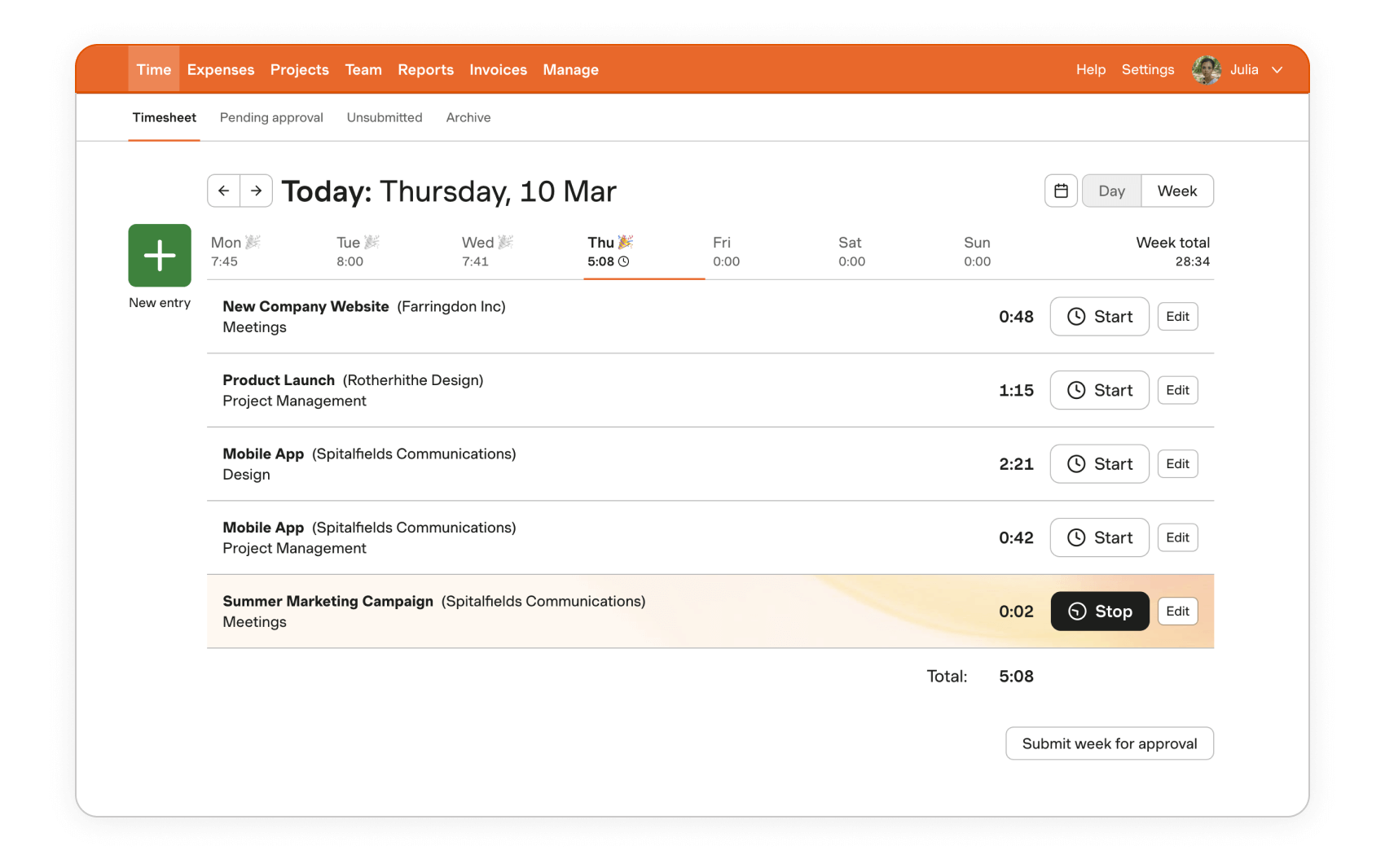
Harvest connects time tracking with billing and project budgets. Teams record hours, attach them to projects, and convert that data into invoices without leaving the platform. Managers track project costs, expenses, and profitability from the same dashboard. This workflow works well for agencies and consulting teams that rely on accurate billable hours.
Overview
| Category | Details |
| Vendor | Harvest |
| Best for | Agencies and consultants that track billable client work |
| Compatibility | Windows desktop app, macOS, iOS, Android, web interface, browser extensions |
| Integrations | 50+ tools including Asana, Trello, Slack, QuickBooks, and Stripe |
| Tracking methods | Start/stop timers, manual timesheets, idle-time detection |
| Reporting & analytics | Project budgets, expense tracking, profitability reports |
Key Features
- Time tracking and timesheets linked to projects and clients.
- Invoice generation based on billable hours.
- Expense tracking for project-related costs.
- Project budgets with real-time spending visibility.
- Idle-time detection to keep timesheets accurate.
- Favorites and keyboard shortcuts for faster timer control.
Pros
- Built-in billing and invoicing process.
- Good visibility of the project budget.
- Helpful reports on how much money client work makes.
- Easy-to-use interface for daily tracking.
Cons
- The free plan only lets one person use it.
- Not as good for teams that need advanced project management.
Pricing
Harvest offers a Free plan for individual freelancers, with paid plans starting at $9 per seat/month, and an Enterprise tier from $14 per seat/month for larger teams.
Review
"Our team uses Harvest to track the hours across different internal projects and client-related work. It allows us to visualize how we distribute the time between tasks such as planning and testing." — G2
5. My Hours
⭐ 4.6/5 (review platforms)

My Hours focuses on straightforward time tracking with clear reports. Teams log hours using a timer or weekly timesheets and immediately see how time connects to project budgets and costs. Managers review dashboards that show billable hours, project progress, and team workload. The simple interface makes it easy for teams moving away from spreadsheets.
Overview
| Category | Details |
| Vendor | My Hours |
| Best for | Teams that want simple timesheets and reporting without complex tools |
| Compatibility | Windows desktop tracker, web app, mobile apps |
| Integrations | Zapier integrations and API access for connecting other tools |
| Tracking methods | Timer tracking and weekly timesheets |
| Reporting & analytics | Custom dashboard reports, project reports, PDF/XLS exports |
Key Features
- Timer and weekly timesheets for tracking hours in real time or after work.
- Project budgets and billable rates with automatic cost calculations.
- Custom reports and exports for dashboards, detailed reports, and timesheets.
- Team workload tracking across projects and tasks.
- Invoice-ready reports generated from tracked hours.
Pros
- Very easy interface to learn.
- Clear reporting dashboards.
- Useful project budget tracking.
- Free plan for small teams.
Cons
- Smaller integration ecosystem.
- Limited automation features.
Pricing
My Hours offers a free plan for up to five users. Paid plans start at about $4 per user per month, with the Pro plan at about $8 per user per month adding budgeting, approvals, and advanced reporting.
Review
"I use My Hours for keeping track of my hours worked at the construction company I work for, and it also helps me keep track of the hours worked by staff on the site I manage." — G2
How to choose the best time tracking app for Windows
The best computer time trackers for you depend on how you work. Some people only need a basic timer. Some people need reports, project budgets, or tools for billing. If you use Windows, it's helpful to think about how easy it is to use on the desktop, how it tracks things, how it reports, and whether it works with the apps you already have.
Pick based on how you work with Windows
If you do most of your work in Windows desktop apps, a desktop tracker is usually easier to use. You can quickly start timers, keep track of time even if your connection drops, and keep the tracker in the taskbar.
Freelancers can use browser tools without any problems. But a lot of teams like desktop apps better because they are more stable for tracking every day.
Choose between manual, automatic, or hybrid tracking
Different groups keep track of time in different ways. Some common choices are:
- Manual timers — start and stop keeping track of tasks.
- Automatic tracking means that software keeps track of what you're doing while you work.
- Hybrid tracking combines timers with automatic tracking.
Freelancers often use manual timers because they are easy to use. Hybrid tracking is often preferred by teams that work on more than one project.
Check whether billing, payroll, or approvals are required
If tracked hours affect billing or payroll, the tool needs a few basic capabilities:
- Billable rates.
- Invoices or billing exports.
- Timesheet approvals.
- Payroll-ready reports.
Tools like Harvest and TMetric are often used for this type of workflow.
Review reporting and export depth before choosing
Reporting is where time tracking tools become useful. Good reports help you see where time goes and how projects perform. Look for tools that provide:
- Project reports.
- Team productivity insights.
- Budget tracking.
- Exports for accounting or payroll.
Without decent reporting, time tracking ends up being little more than a timer.
The Verdict: Which Windows time tracking App should you choose?
How you work will determine which time management apps for Windows are the best. TMetric has the best setup for many teams that use PCs. It has all the features needed for tracking time, reporting, project budgets, and billing in one place. This makes it a good choice for agencies, development teams, and remote organizations that are working on more than one project at a time.
Other tools might work better for other needs. Toggl Track is good for basic tracking and has a great free plan. Harvest is a good fit for teams that bill clients and keep track of billable work. If you want to see tasks and progress along with tracked time, TrackingTime is helpful. My Hours is the best choice for easy timesheets and clear reports.
All of these tools work well on Windows and are good for keeping track of time for freelancers, teams, and work for clients.
3,000+ companies, teams, and individuals worldwide use TMetric to track time, manage work, and bill with confidence.