10 Best Time Tracking Software for Accountants (2026)
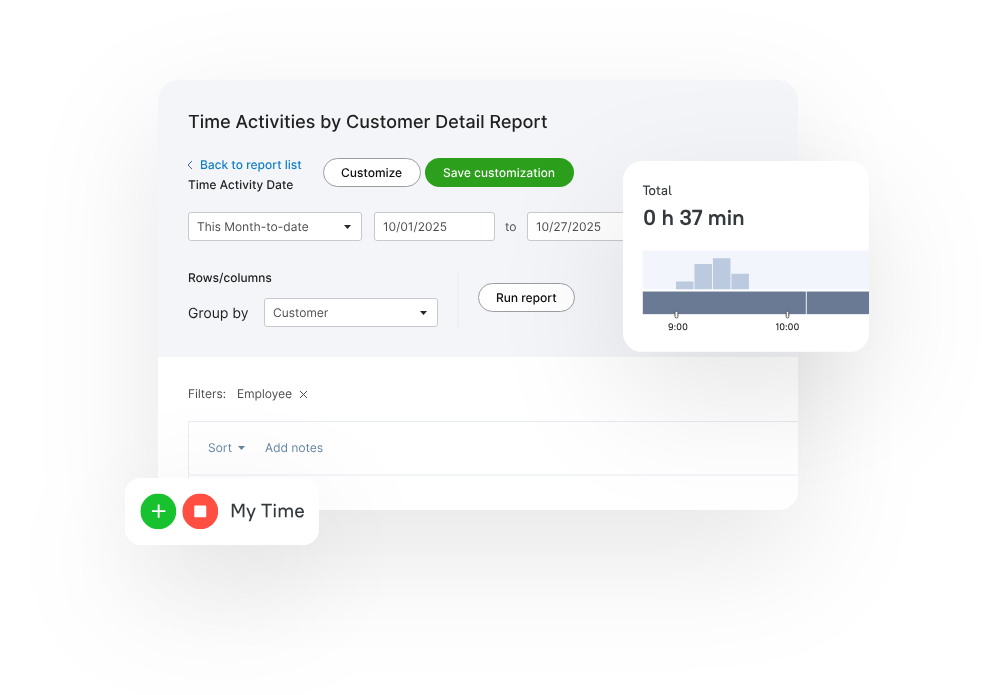
Time tracking software for accountants is essential because it supports profitable engagements, audit-ready timesheets, and transparent client billing. Below are ten solutions designed for accountants, with key details to help you choose the right tool for your practice.

By Dereck Mushingairi | February 21, 2026
Why trust this list
The tools in this list are widely used by accounting professionals and evaluated based on the features that matter most to firms, such as accurate time tracking, billable-hour management, reporting, invoicing, integrations with accounting software, and user feedback. Each solution was chosen for its ability to help accountants track work efficiently, manage client projects, and improve billing accuracy.
Best Time Tracking Software for Accountants
| Tool | Best For | Special Strengths |
|---|---|---|
| TMetric | All-in-one billing + productivity | 50+ integrations, branded invoices, expense tracking, budget alerts |
| QuickBooks Time | QuickBooks-dependent firms | Seamless Intuit ecosystem, GPS tracking, DCAA compliance |
| Clockify | Growing practices with seasonal staff | Unlimited free users, kiosk mode, timesheet locking |
| TimeCamp | Forgetful timekeepers | Automatic keyword tracking, hands-free capture |
| TaxDome | Tax & accounting firms needing all-in-one | Practice management suite, client portal, e-signatures |
| Jetpack Workflow | Deadline-driven accounting jobs | Built by accountants, job-level tracking, recurring templates |
| Timeneye | Microsoft 365-centric firms | Outlook/Teams integration, lightweight, EU servers |
| Time Doctor | Remote team monitoring | Screenshot verification, productivity tracking, proof-of-work |
| Clientary | Boutique advisory firms | Proposals + time + invoicing, retainer management |
| BrightManager | UK accounting practices | Making Tax Digital ready, WIP valuation, UK compliance |
Choose the tool that best fits your firm's needs to simplify time tracking for accountants and improve overall efficiency.
1. TMetric: Best for Small to Mid-Sized Accounting Teams
🌟 4.6/5
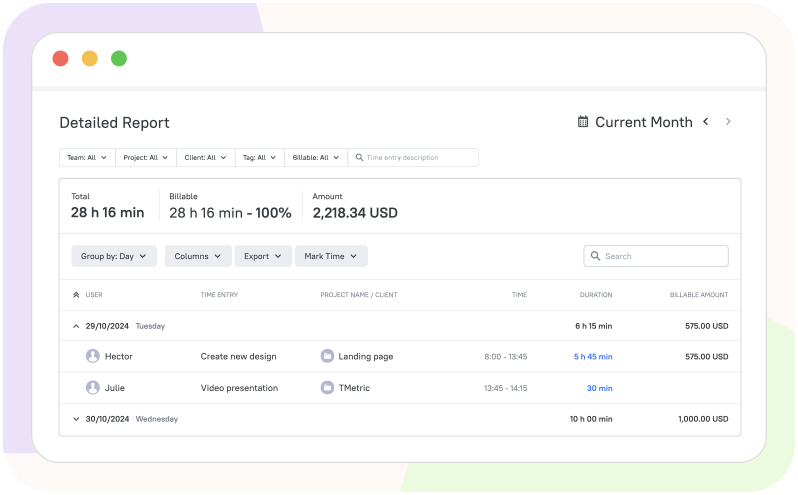
TMetric as one of the best tools for invocing for SMB accounting teams easily turns every minute into found revenue, giving accountants a calm, confident view of billable work.
Its quiet automation eliminates missed hours and messy invoices, replacing stress with spot-on billing.
Lightweight yet unshakably reliable, it keeps client files—and your reputation—shiningly positive.
Key Features
- Built-in time tracker + seamless 50+ integrations (QuickBooks, Xero, Asana)
- Custom reporting and tags by client or task
- Reports and analytics for workload, billability, and project budgeting
- Billable rates, cost budgets, and real-time project profitability
- PTO policies, accruals, and leave-request workflow
Pros
- Native QuickBooks integration keeps the chart of accounts and classes in sync
- Budget alerts warn when a client's job is close to overrunning
- Manager approval workflows keep timesheets audit-ready
- Role-based permissions (partner/manager/staff) control who sees rates & costs
- Multi-person project tracking with real-time utilization reports
- Scales from 2-user free tier to 100+ without complexity increase
Cons
- Advanced WIP reports require Business tier ($7.50/user)
- No built-in client portal
Pricing
Free-for-life
Available
Premium plans
Start at $7 per seat/month
User Review
It’s easy to use and integrates smoothly into our daily routine. We especially appreciate how we can assign time to specific projects and clients, it's super helpful for reporting. - G2 Reviews
👉 Try TMetric for Accounting Firms and CPA

2. QuickBooks Time: For QuickBooks-Dependent Firms
🌟 4.7/5
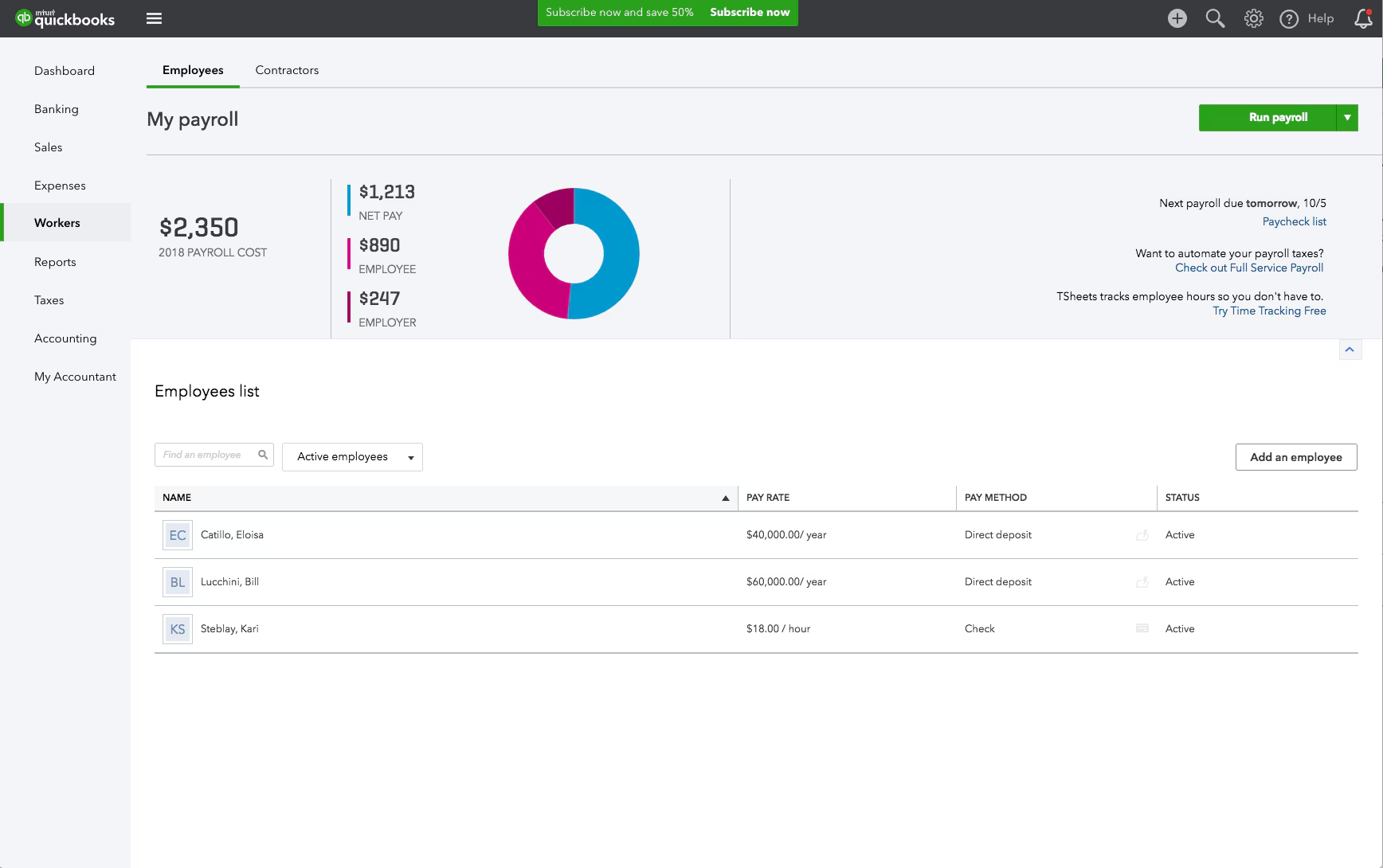
QuickBooks Time is the only tracker owned by Intuit, meaning your timesheets flow straight into QuickBooks Payroll, Projects, and invoicing with zero mapping.
GPS and geofencing keep remote audits honest, while overtime alerts help firms stay within contracted hours.
Key Features
- Same-day sync with QuickBooks Online & Desktop
- Mobile timer with GPS & geofenced clock-in/out
- Mileage tracking that posts to the client's job cost
- PTO request & accrual engine
- Real-time “Who’s Working” dashboard for capacity planning
Pros
- No double-entry; time, classes, service items push automatically
- DCAA-compliant timesheet approval chain
- Shift and job costing reports are ready for client billing
- Multi-factor authentication meets SOC 2 requirements
Cons
- Requires QuickBooks ecosystem; weak outside it
- Advanced features carry a steep learning curve for admins
Pricing
Free-for-life
Unavailable
Premium plans
Start at $115 per user/month
User Review
QuickBooks time helps in getting the detailed report, it makes the scheduling an easy task and also provides the feature of real time tracking. – G2 Reviews
3. Clockify: For Simple Time Tracking
🌟 4.8/5
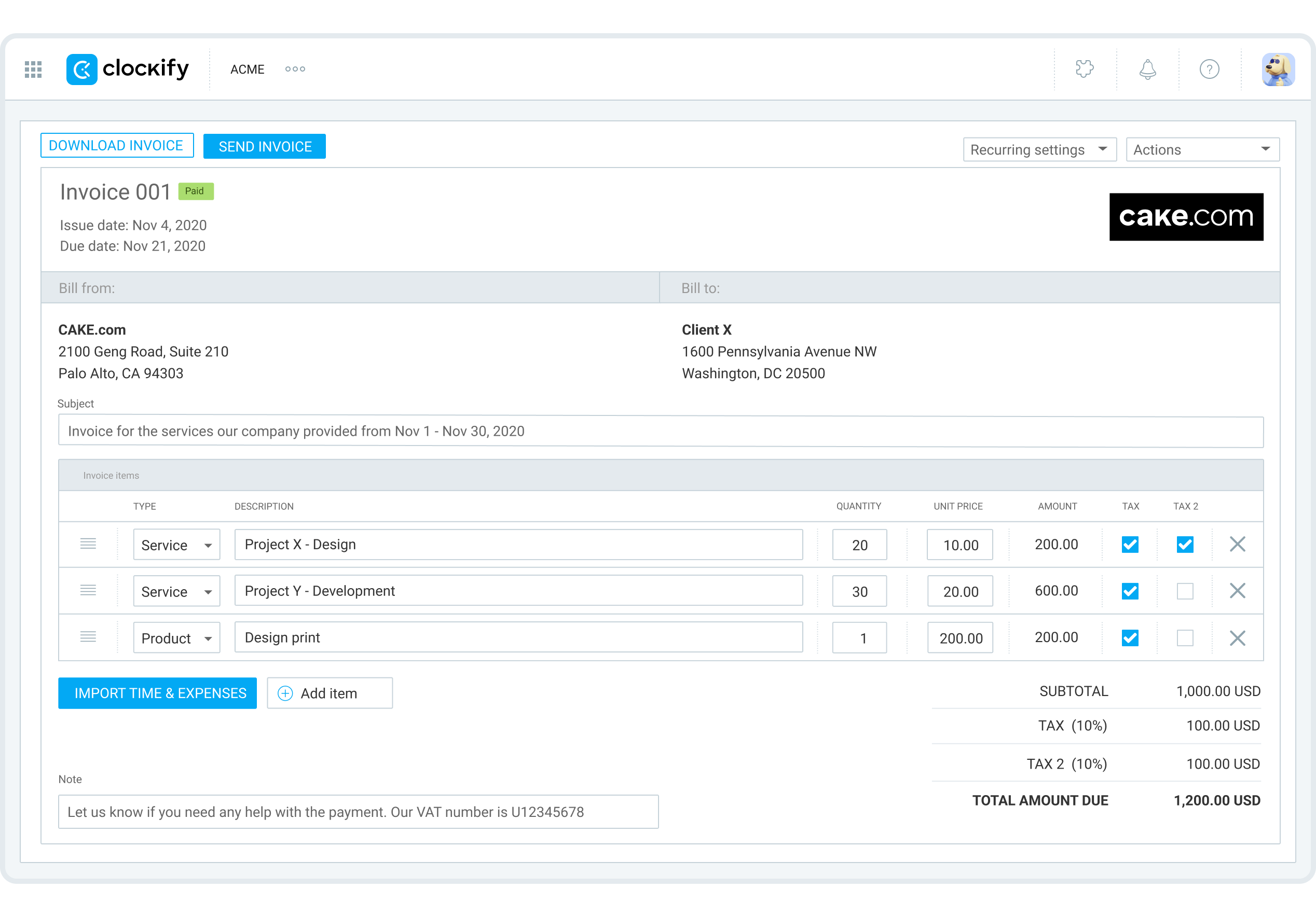
Clockify is the most generous freemium tracker—unlimited users, projects, and time entries—making it popular with growing accounting practices.
Its kiosk mode lets an entire audit team clock in from one tablet, while granular billable rates handle multiple client contracts.
Key Features
- Unlimited time tracking on the free tier
- Billable rates by user, project, or task
- Timesheet approval workflow & locking periods
- Idle detection & optional screenshots
- 80+ integrations, including QuickBooks, Xero, Jira
Pros
-
Free for unlimited users—great for seasonal interns
- Lock timesheets after approval to prevent back-dating
- Export by client, service item, or class into QuickBooks
- Built-in PTO and holiday calendar
Cons
- No native payment processing
- Lacks audit-trail certification (HIPAA, DCAA)
Pricing
Free-for-life
Available
Premium plans
Start at $9.99 per seat/month
User Review
I have been using Clokify paid version since 2year and application is very easy to use. I haven't found any major bug excluding couple of UI issues. – G2 Reviews
4. TimeCamp: For Forgetful Timekeepers
🌟 4.7/5
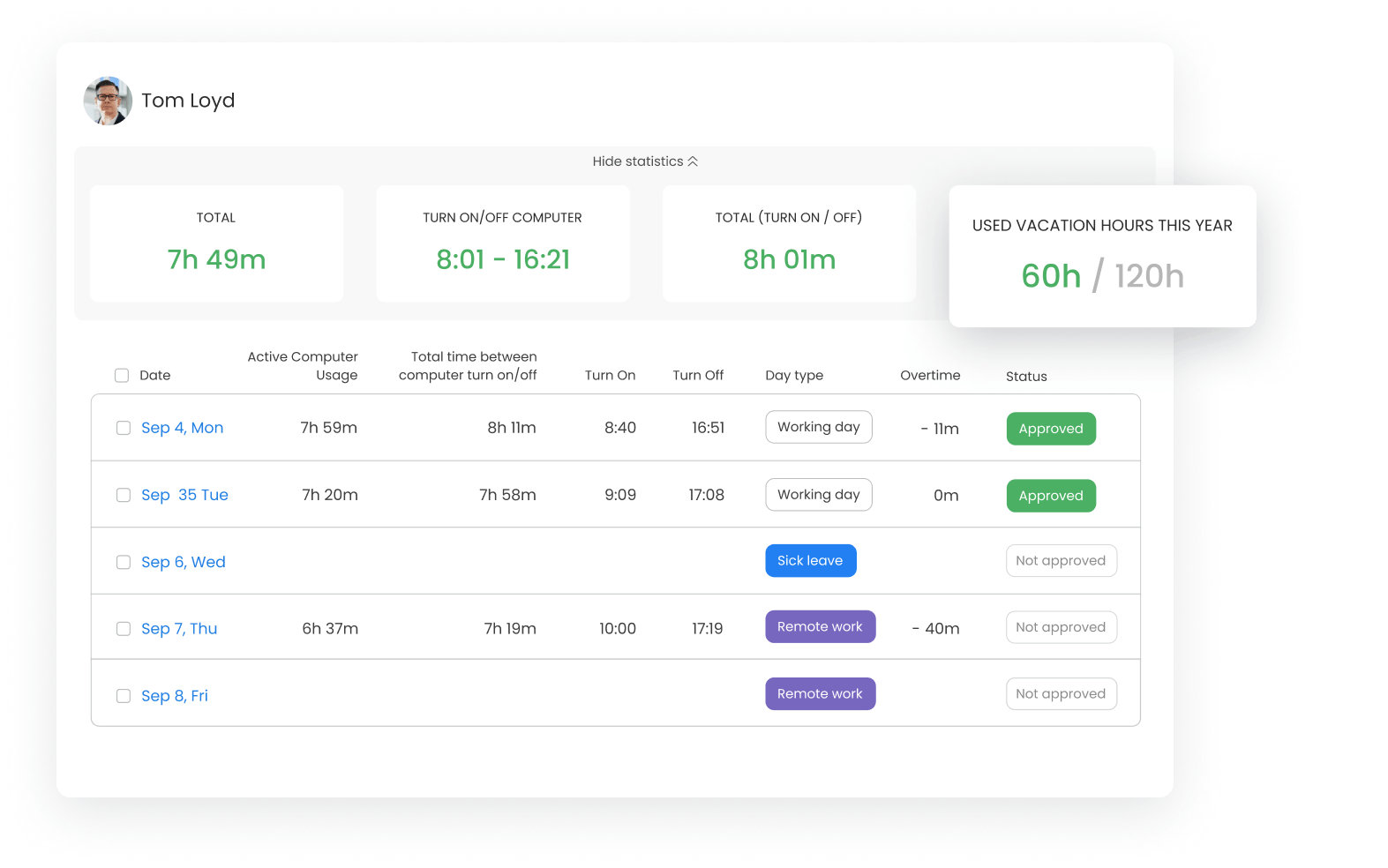
TimeCamp uses keyword-based automatic tracking to assign desktop activity to client codes, eliminating the “I forgot to start the timer” problem common in accounting.
It then turns billable hours into branded PDF invoices or pushes them to Xero and QuickBooks.
Key Features
- Automatic keyword-driven time assignment
- Billable/non-billable switch with hourly cost budgets
- Productivity reports & attendance tracking
- Built-in invoicing with online payment links
- 30+ integrations, including Jira, ClickUp, Slack
Pros
- Hands-free capture of audit workpapers and tax prep
- Budget warnings are emailed when jobs near the limit
- Profitability dashboard by client and service line
- GDPR & SOC 2 Type II certified data centers
Cons
- Integrations with accounting packages are one-way only
- The interface can feel cluttered on first use
Pricing
Free-for-life
Available
Premium plans
Start at $9.99 per user/month
User Review
Good basic, editable, reasonably priced time tracker program for somewhat disorganized individuals with a few clients. Not over-automated, leaves me in control of the program and its results. Seems to be kind of new, but recent improvements have been good. Improving rather than bloating. – G2 Reviews
5. TaxDome: For Tax & Accounting All-in-One
🌟 4.7/5
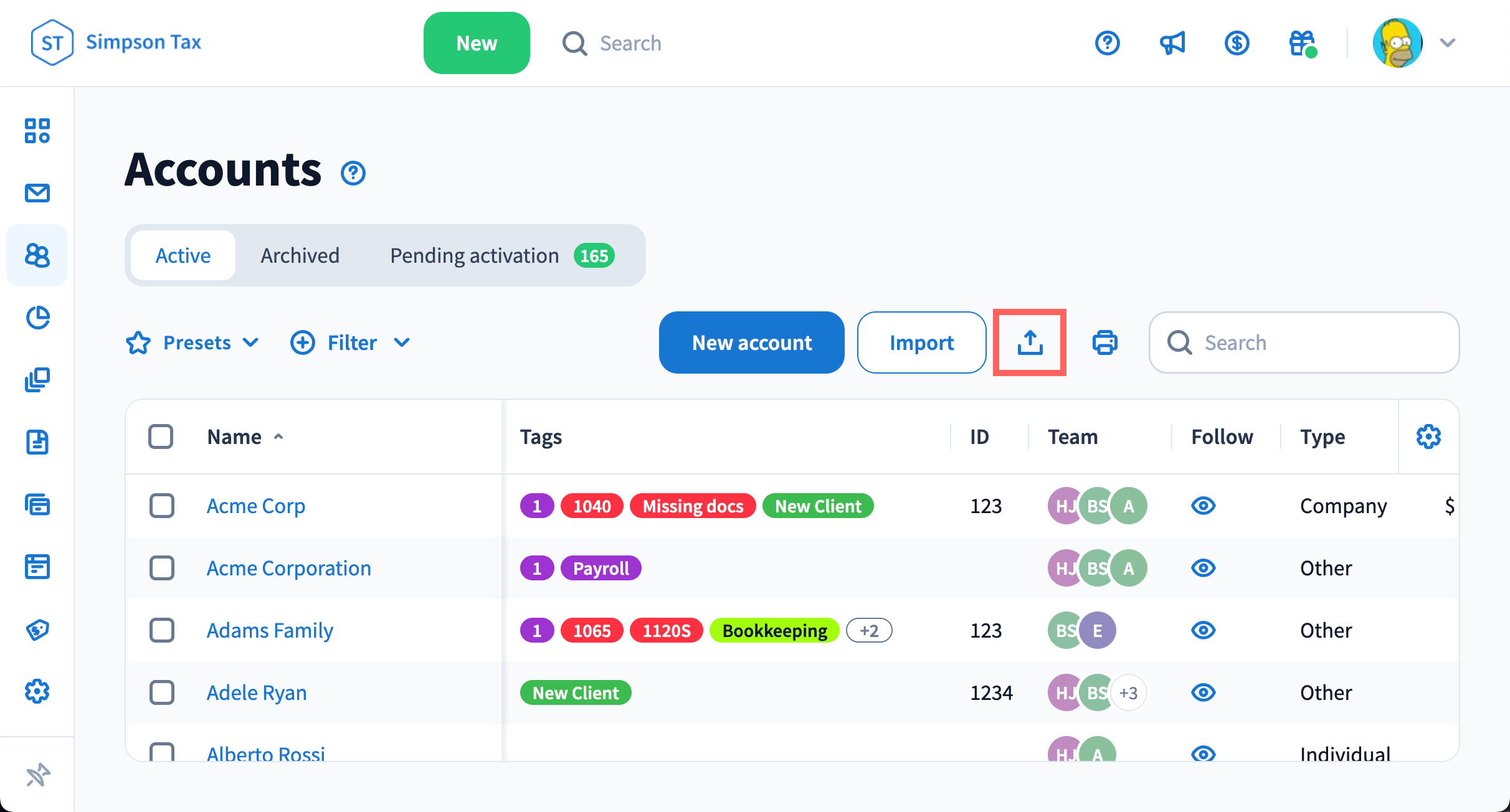
TaxDome is a practice-management suite with deep time and billing workflows designed exclusively for tax and accounting firms.
Timers can be started from within client tasks, emails, or e-signatures, ensuring every minute of compliance work is captured.
Key Features
- Manual & automatic timers linked to client jobs
- Time budgets vs. actuals by engagement letter
- Lock documents until the invoice is paid
- Multi-currency branded invoices with ACH, SEPA, CC
- Built-in CRM, portal, e-sign, and file storage
Pros
- All-in-one: no need for separate invoicing or file apps
- Recurring billing for monthly CAS clients
- Pipeline view shows WIP value in real time
- Secure client portal meets IRS data standards
Cons
-
Steep learning curve because of feature breadth
- Annual seat pricing is high for smaller firms
Pricing
Free-for-life
Unavailable
Premium plans
Start at $83 per user/month
User Review
Overall, I love TaxDome. It has improved my client communication, enabled me to collect a deposit when an Engagement Letter is signed, and I know what is going on with the return. I am a solo practitioner, and TaxDome saves me hours each week, and it lets me see at a glance whether I am waiting for my client or my client is waiting for me. – Software Advice Reviews
6. Jetpack Workflow: For Deadline-Driven Accounting Jobs
🌟 4.8/5
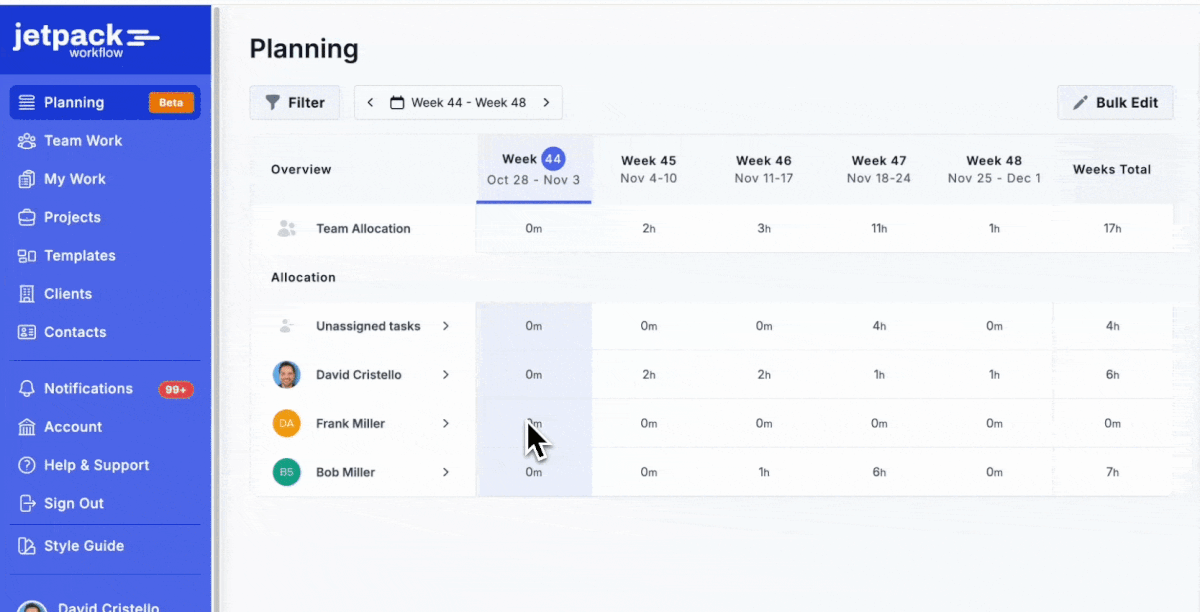
Jetpack Workflow centres on deadline-driven accounting jobs, letting staff start/stop timers inside each tax return or bookkeeping task.Budget vs. actual reports highlight write-up work before it erodes margin.
Key Features
- Job-level timers with budgeted hours
- Recurring job templates for monthly write-up
- Done-report tracks on-time delivery KPIs
- Client & service line profitability dashboard
- QuickBooks Online integration for client list sync
Pros
- No feature bloat
- Drag-and-drop job board prevents missed deadlines
- Notes attach review points to time entries for clean workpapers
- Unlimited clients on every plan
Cons
- No native invoicing or payment collection
- Cannot set different billable rates per staff grade
Pricing
Free-for-life
Unavailable
Premium plans
Start at $49 per user/month
Ratings
- Software Advice 4.8/5
- G2 4.7/5
User Review
Jetpack allows us to get our time and billable hours invoices properly set up and organized so we can save money and time, while improving customer interactions. - Software Advice Reviews
7. Timeneye: Best for Microsoft 365-centric Firms
🌟 4.5/5
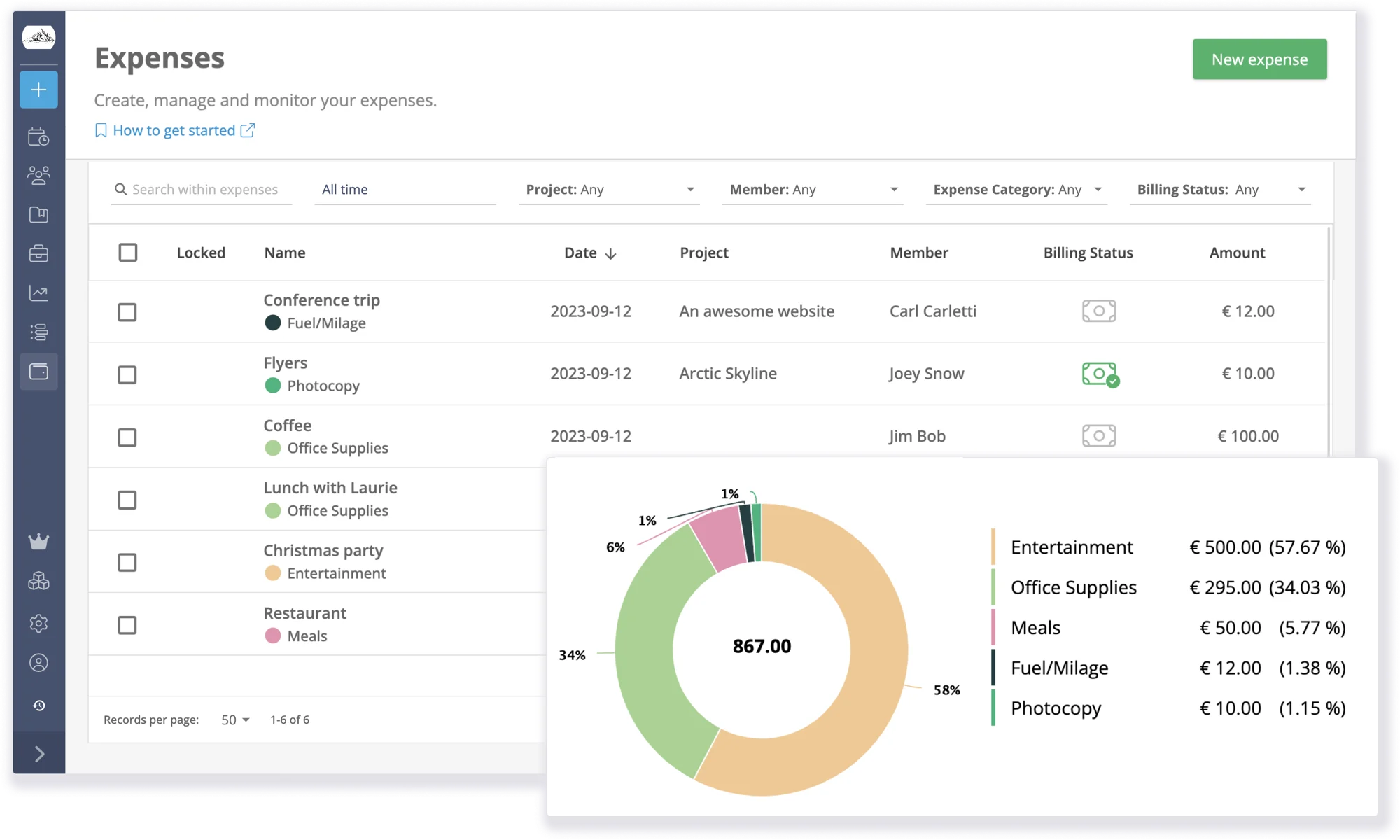
Timeneye marries Microsoft 365 calendars and Teams calls to time entries, ideal for accountants living in Outlook and Excel.
Weekly email recaps give partners a snapshot of billable utilization without logging into another app.
Key Features
- One-click import of Outlook meetings as time
- Automatic Teams call logging
- Billable vs. non-billable ratio dashboard
- Time budgets with overrun alerts
- Shareable client reports in PDF
Pros
- Works inside Microsoft 365—no extra desktop app
- GDPR-compliant EU servers
- Color-coded project view shows WIP status
- Lightweight learning curve for staff
Cons
- No built-in invoicing or payments
- Limited integrations outside the Microsoft ecosystem
Pricing
Free-for-life
Available
Premium plans
Start at $16 per seat/month
User Review
The reports from Timeneye are incredibly helpful, and I adore the platform's aesthetic. I can easily create projects and keep track of my time. My timekeeping tasks are greatly simplified by the app's seamless integration with other project management tools like Asana and Trello. – G2 Reviews
8. Time Doctor: For Remote Monitoring
🌟 4.5/5
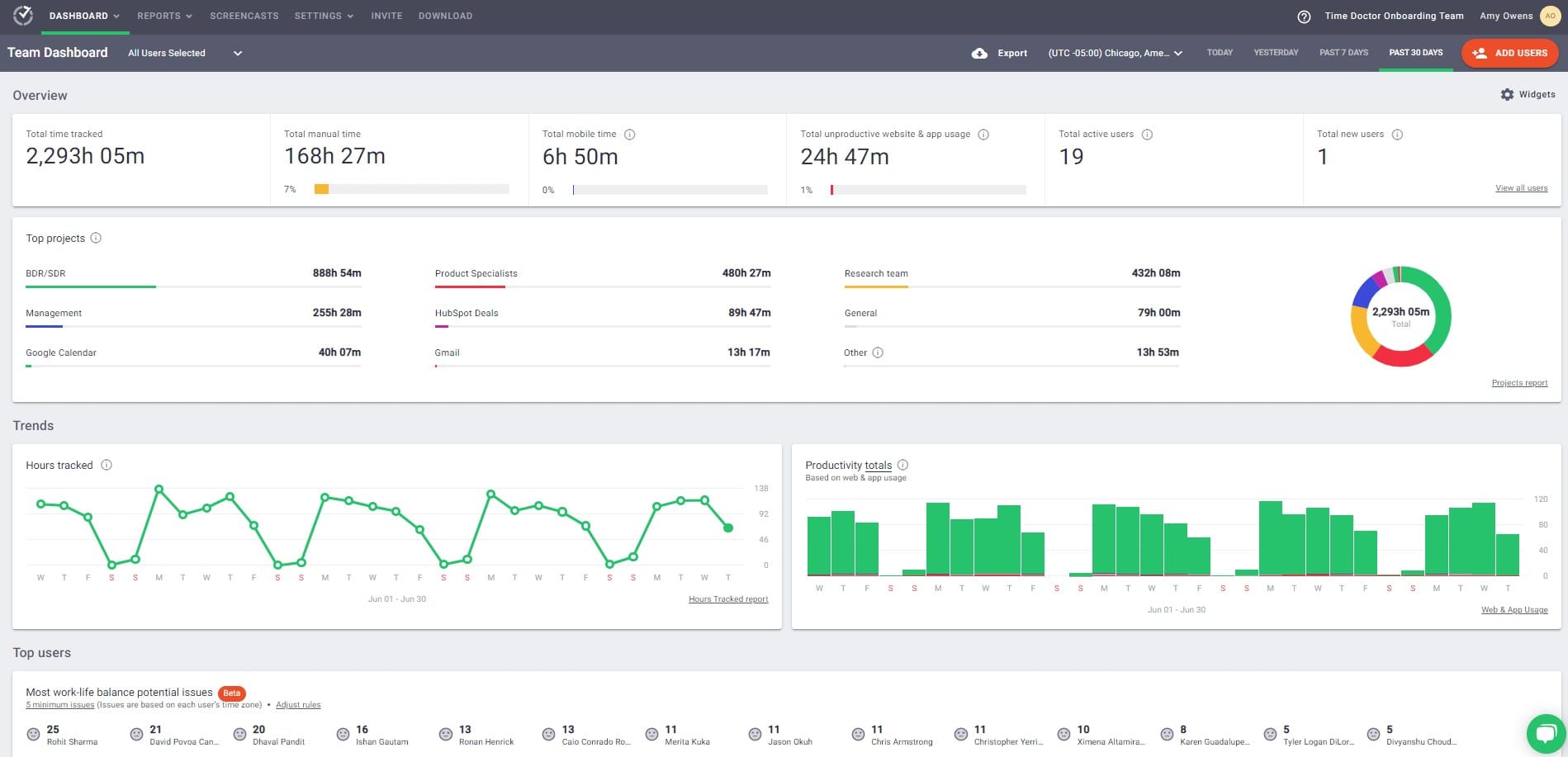
Time Doctor is a monitoring-centric tracker that captures screenshots, keystroke levels, and website use to verify remote audit teams.
Daily email summaries flag unproductive behavior before timesheets are submitted.
Key Features
- Real-time screenshot & activity level tracking
- Attendance and late-start alerts
- Client logs in to view contractor screenshots
- Payroll hours export to Wise, Gusto, and ADP
- 60+ integrations, including QuickBooks, Jira, Slack
Pros
-
Proof-of-work screenshots satisfy peer-review documentation
- Payroll-ready hours reduce re-keying into paycheck software
- Distraction alerts keep staff focused during busy season
- White-label portal for client transparency
Cons
- No native invoicing module
- Pop-up alerts can feel intrusive to professional staff
Pricing
Free-for-life
Unavailable
Premium plans
Start at $20 per user/month
User Review
The core features for time tracking are solid and reliable. It does a good job of tracking user activity and providing insights into how time is spent. The productivity rating list, in concept, is very useful because it lets you classify websites as productive or unproductive, which can help with better team oversight. – G2 Reviews
9. Clientary: For Boutique Advisory Firms
🌟 4.7/5
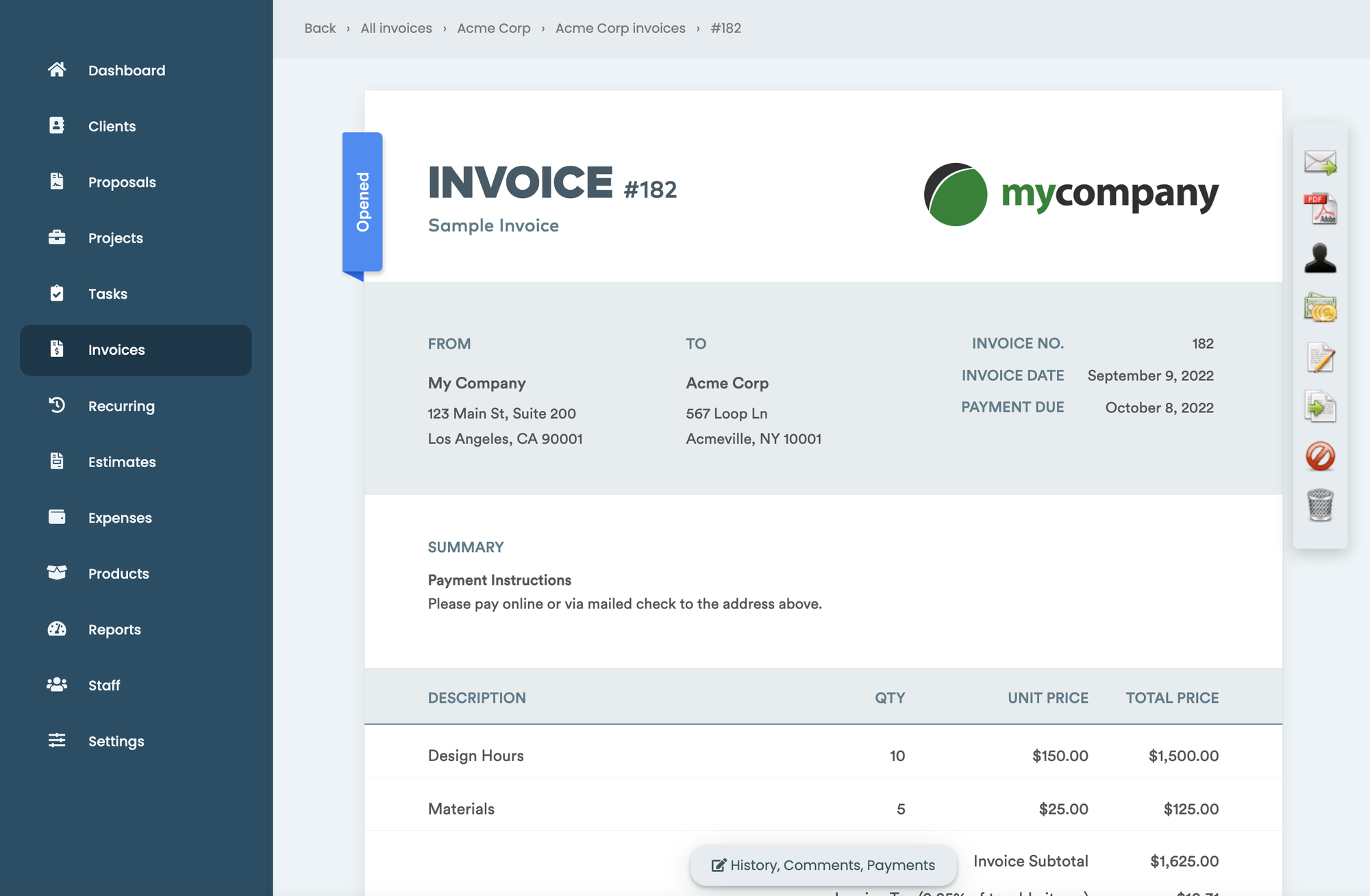
Clientary unifies proposals, time tracking, invoicing and client portals for boutique accounting and advisory firms.
A live timer inside proposals converts approved engagements into billable hours automatically.
Key Features
-
Retainer and recurring invoice automation
- Multi-currency billing with Stripe, ACH, PayPal
- Staff utilization and realization reports
- Client portal with document approval
- iOS & Android mobile timers
Pros
- Multi-currency is perfect for cross-border clients
- Retainer management shows unbilled WIP vs. retainer balance
- Proposal-to-invoice workflow reduces admin
- Role-based permissions for seniors and juniors
Cons
- Not tailored to tax-specific workflows
- Limited access controls in lower tiers
Pricing
Free-for-life
Available
Premium plans
Start at $59 per user/month
We have been looking for a client management portal for a long time now. We found this app in Appsumo, unfortunately the lifetime offer had passed, but the value this app creates for us, has made this a no brainer for use in our operational management. From Invoices to Embedded Forms, this is power packed application ready to integrate! We love itt!! – G2 Reviews
10. BrightManager: For UK Accounting Practices
🌟 4.9/5
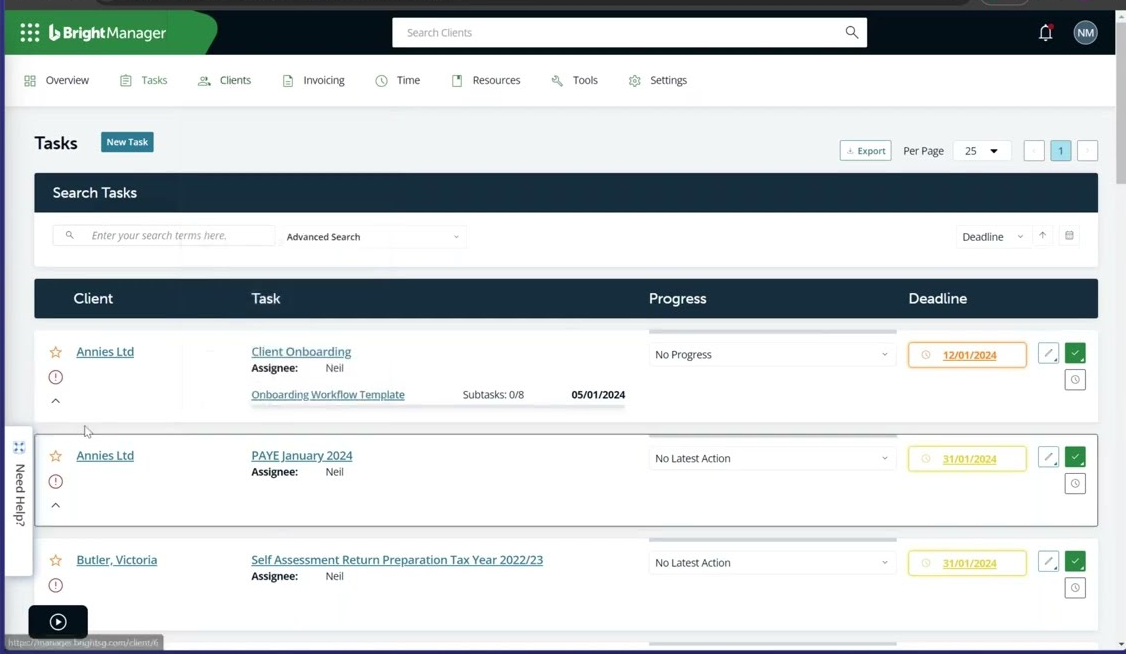
BrightManager is a UK-centric practice suite that logs time against self-assessment, VAT, and audit jobs, then pushes the data to IRIS, Xero and FreeAgent.
Its WIP ledger shows unbilled time value in real time, preventing revenue leakage.
Key Features
- Start/stop timers inside tax return workflows
- WIP valuation and lock-up days dashboard
- Prefilled timesheets based on job templates
- Integrated invoicing with HMRC-compatible VAT
- Profitability portal by partner, manager and client
Pros
- Built for UK compliance (Making Tax Digital ready)
- Recurring job templates cut weekly admin time
- One click posting to Xero and FreeAgent
- Real-time lock-up metrics improve cash flow
Cons
- No timesheet approval workflow yet
- GBP pricing and UK terminology can alienate US firms
Pricing
Free-for-life
Unavailable
Premium plans
Start at £42 + VAT per user/month
It is convenient for automating the workflow, centralizing all the accounts, and providing convenient access. – G2 Reviews
Selection Criteria
Filters we used to surface these 10 time-tracking tools for accountants
- Plugs straight into QuickBooks, Xero, Sage, etc.
- Has a “billable / non-billable” switch and job budgets.
- Locks or approves timesheets so records are audit-proof.
- Built for accounting work (tax, audit, and monthly books).
- Shows unbilled time and profit per client in one click.
- Rated 4.2+ stars and offers a free trial or free plan.
We only kept products that accountants can roll out to an entire client base without extra re-training or re-keying.
Sum Up
Quick Selection Guide
- Need the most affordable option? → TMetic
- Need unlimited free users? → Clockify
- Deep QuickBooks integration required? → TMetric or QuickBooks Time
- All-in-one practice management? → TaxDome
- Remote team monitoring? → Time Doctor
- Microsoft 365 users? → Timeneye
- Automatic time capture? → TimeCamp or TaxDome
- UK compliance? → BrightManager
Whether you need a lightweight timer that slips inside QuickBooks or an all-in-one practice platform that locks documents until invoices are paid, TMetric can be an all-in-one solution to fit your firm’s size, compliance demands, and budget.
Start with a free trial, import one real client job, and let the software prove its ROI before the next billing cycle.