12 Best Task Management Software for Agencies
There are many task management tools on the market. This guide compares top tools that help streamline workflows, improve team collaboration, and keep projects on track - so agencies can deliver work faster, stay organized, and scale more efficiently.

By Dereck Mushingairi | February 22, 2026
For most agency teams, the workday starts the same way: a browser full of tabs, each representing a different piece of a project that should feel connected—but never quite does.
Tasks live in one tool, updates surface in another, feedback gets buried in chat threads, and the real project status exists mostly as an educated guess. Work moves forward, but clarity lags behind.
This is exactly where modern task management software makes a difference. In this guide, we review the best task management tools for agencies, focusing on teams working across Asana, Notion, Jira, Google Workspace, Slack, and ClickUp.
Read on to see which platforms actually give teams the unified task visibility today’s agency workflows require.
How we selected these tools
Our selection process was practical and hands-on. We started by reviewing real feedback from agency teams on G2, Capterra, and industry forums to understand where each tool excels—and where it falls short.
Next, we tested each platform directly. We created sample projects, assigned tasks and dependencies, and ran full workflows to evaluate usability, visibility, and day-to-day efficiency.
We also compared pricing, scalability, automation depth, and workload visibility to see how well each tool supports growing teams. Finally, we evaluated integrations with tools agencies rely on daily, including Slack, Google Workspace, Notion, Jira, GitHub, and others.
The result is a list of tools that support agency work not just in theory, but in real operational use.
TL;DR
| Tool | Lowest paid plan (per user/month) | Free plan | Best for | Standout strengths | Availability |
|---|---|---|---|---|---|
| TMetric | $7–$9 | Yes (up to 2 users) | Agencies needing tasks with accurate time tracking | Built-in timers, budgets, invoicing, clear task visibility | Web, iOS, Android, macOS, Windows, Linux |
| ClickUp | ~$7 | Limited | All-in-one task and project management | Tasks, docs, dashboards, automations | Web, desktop, mobile |
| Asana | ~$10.99 | Yes (limited) | Structured cross-team workflows | Timelines, dependencies, workload views | Web, iOS, Android, desktop |
| Trello | ~$5 | Yes | Simple visual task organization | Kanban boards and Power-Ups | Web, iOS, Android |
| Notion | ~$8 | Yes (limits apply) | Tasks combined with documentation | Databases, wikis, connected workflows | Web, desktop, mobile |
| Monday.com | ~$9 | Limited | Multi-department coordination | Dashboards, automations, workload charts | Web, desktop, mobile |
| Jira | ~$8.15 | Yes (small teams) | Engineering-heavy agencies | Sprints, issue tracking, DevOps integrations | Web, desktop, mobile |
| Basecamp | $15/user or $299 flat | No | Simple workflows and communication | To-dos, message boards, schedules | Web, desktop, mobile |
| Todoist | ~$4 | Yes | Personal productivity inside teams | Filters, labels, recurring tasks | Web, desktop, mobile |
| ProofHub | $45/month flat | No (14-day trial) | Structured task management for agencies and growing teams | Tasks, proofing, approvals, time-tracking, flat pricing | Web, iOS, Android, desktop |
| Wrike | ~$9.80 | Yes (basic) | Mid-size to enterprise agencies | Custom workflows, dashboards, proofing | Web, desktop, mobile |
| Smartsheet | ~$7 | No | Spreadsheet-style task workflows | Grids, Gantt charts, automation | Web, desktop, mobile |
With the high-level comparison covered, let’s look more closely at how each platform performs in real agency workflows.
1. TMetric
Rating: 4.6/5
Best for: Agencies and remote teams
Price: Free for up to 2 users; paid plans from $7–$9 per user/month
Available on: Web, iOS, Android, macOS, Windows, Linux, browser extensions
Why agencies choose TMetric
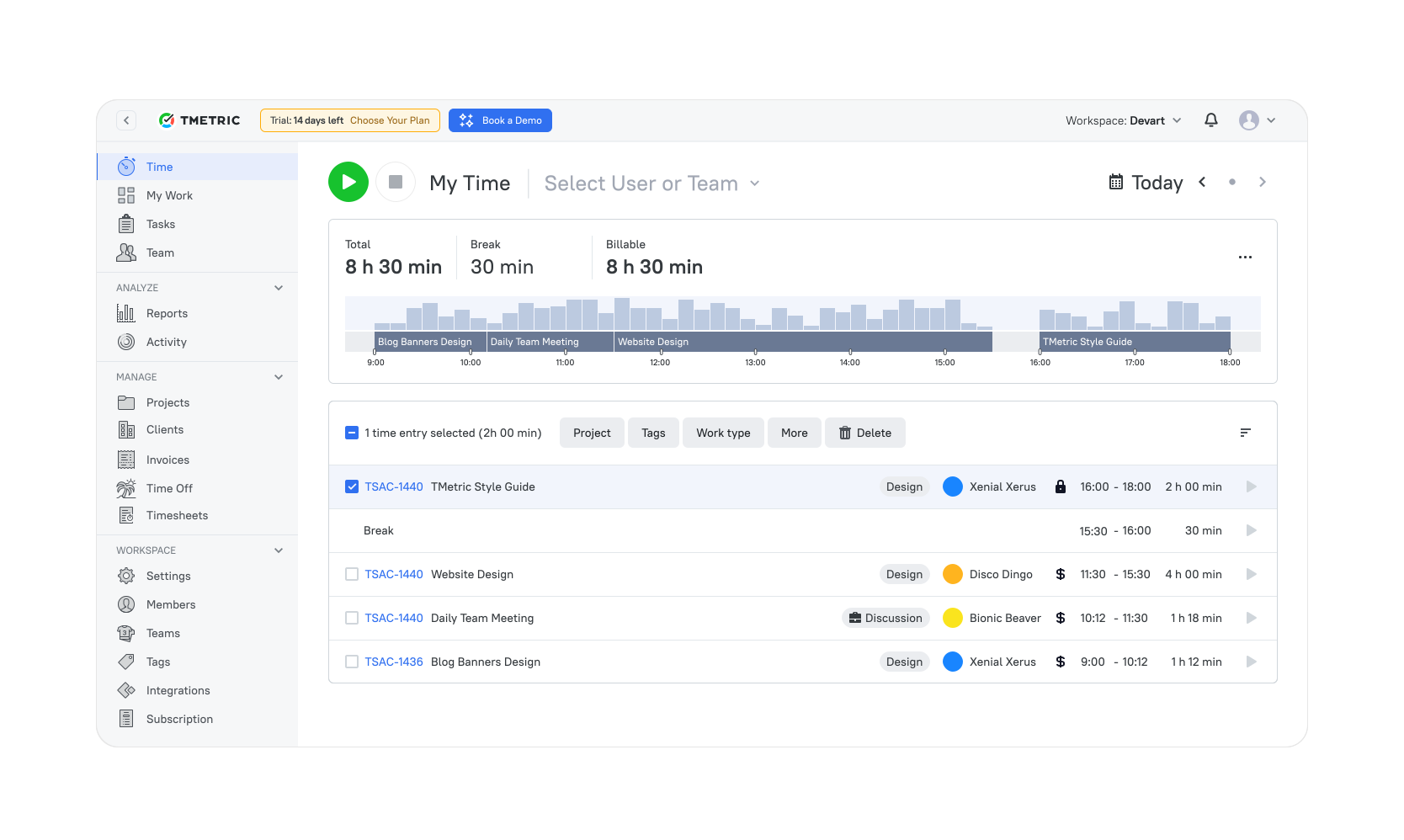
TMetric combines task visibility with accurate time tracking, budgets, and reporting in one place. Tasks, priorities, and deadlines sit alongside timers and financial data, giving teams a clear view of both workload and effort.
It’s simple enough for small agencies to adopt quickly, yet structured enough to support larger distributed teams working across Jira, Trello, Notion, or ClickUp.
Key TMetric features
One-click task timers
Start and stop timers directly on tasks across web, desktop, mobile, or browser extensions. Every entry is tied to the correct client, project, and task.
Idle detection
Automatically flags inactivity so time logs stay accurate and billable work remains clean.
Cross-tool tracking
Track time directly from tools like Jira, Notion, GitHub, Trello, and ClickUp without switching tabs.
Budgets and workload visibility
- Set time- or cost-based budgets
- Apply different billing models per client
- Monitor usage in real time
- Spot workload issues early
Role-based rates and reporting
Apply different rates by role or project and separate billable from non-billable work for accurate reporting.
Task-linked invoicing
- Create invoices directly from approved time entries
- Export data for accounting or client review
- Reduce manual reconciliation errors
What users say
“TMetric gives us a clear view of where time actually goes. Tasks, tracking, and reporting finally live in one place.” — G2 reviewer
Why it’s #1
- Built for real agency workflows: Task-level tracking, clear ownership, and structured views make ongoing client work easier to manage.
- Clarity from task to invoice: Budgets, rates, time entries, and invoices connect smoothly, so you can see what’s profitable without manual checks.
- Trusted and battle-tested: Teams worldwide use TMetric to coordinate remote work, control budgets, and keep execution transparent without adding complexity.

2. ClickUp
🌟 4.7/5
Best for: Agencies that want planning, collaboration, and execution in one system
Price: Paid plans from around $7–$10 per user/month
Available on: Web, desktop apps, mobile apps, browser extension
Why ClickUp
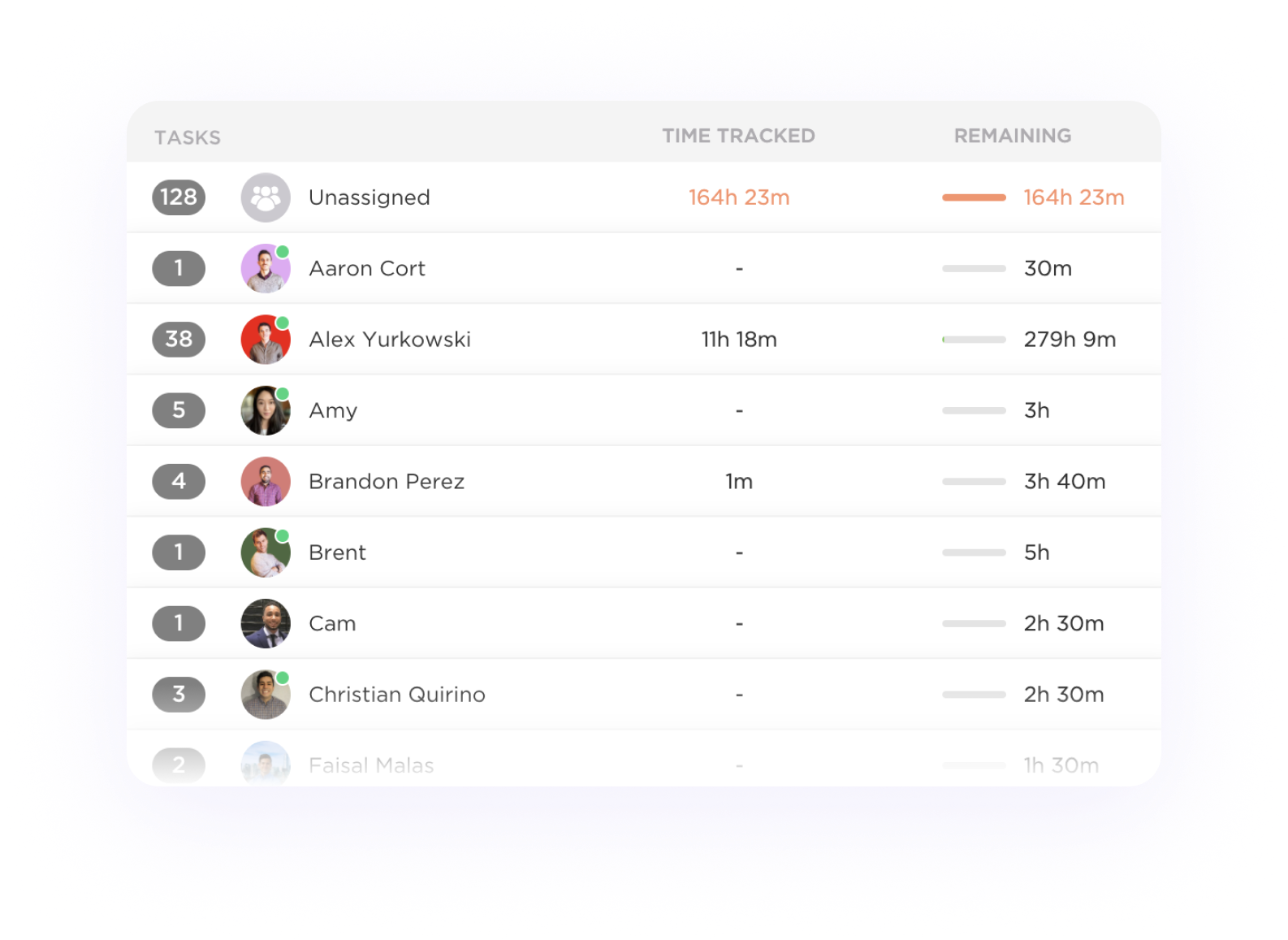
ClickUp gives teams a centralized workspace where tasks, docs, timelines, and dashboards live together. Instead of juggling multiple tools, planning and delivery stay in one environment. With customizable views and built-in time tracking, teams can compare estimates with actual hours and spot bottlenecks before they slow down projects.
Key features
- Multiple task views, including List, Board, Timeline, and Calendar
- Estimates vs. actuals to track project accuracy
- Workload and capacity views to see team availability
- Custom fields for budgets, priorities, and client-specific details
- Dashboards to monitor performance, utilization, and milestones
Reviews
“I love that everything we need to stay organised and on track is in one place. No more switching between Google Drive, emails, WhatsApps, a "to-do list", and a bunch of other annoying apps that don't work together properly - literally everything can happen in this one space.” — G2
3. Asana
🌟 4.4/5
Best for: Structured cross-team collaboration
Price: Paid plans from about $10–$12 per user/month
Available on: Web, iOS, Android, desktop apps
Why Asana
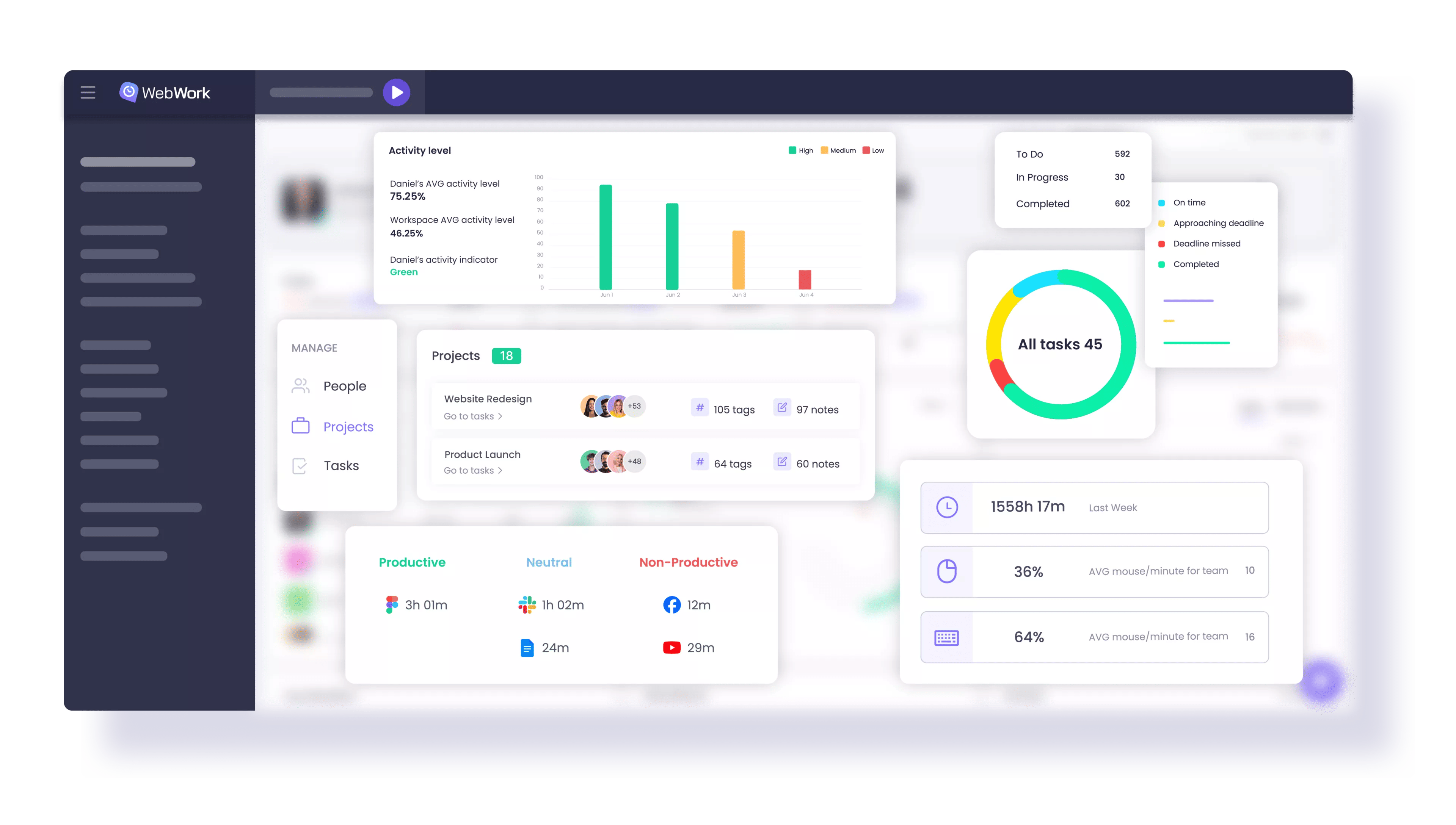
Asana shines when teams need clarity on who’s doing what, by when, and how work connects. Tasks, subtasks, timelines, and dependencies help teams map project flows visually, while automation reduces repetitive updates. Agencies with multiple service lines benefit from Asana’s ability to keep everyone aligned without flooding people with unnecessary detail.
Key features
- Timeline view for long-running or multi-team projects
- Task dependencies to prevent blockers
- Automation rules for routine updates and handoffs
- Workload view to balance assignments across teams
- Templates for onboarding, campaigns, and repeatable processes
Reviews
“I like how effortlessly I can manage my tasks with the help of Asana. I usually work on collaborations with brands as a content creator, and it does have deadlines, so I can easily create my to-do list based on particular dates, and complete my work easily before the deadline.” — G2 reviewer
4. Trello
🌟 4.4/5
Best for: Simple, visual task organization
Price: Paid plans from about $5 per user/month
Available on: Web, iOS, Android, browser extension
Why Trello
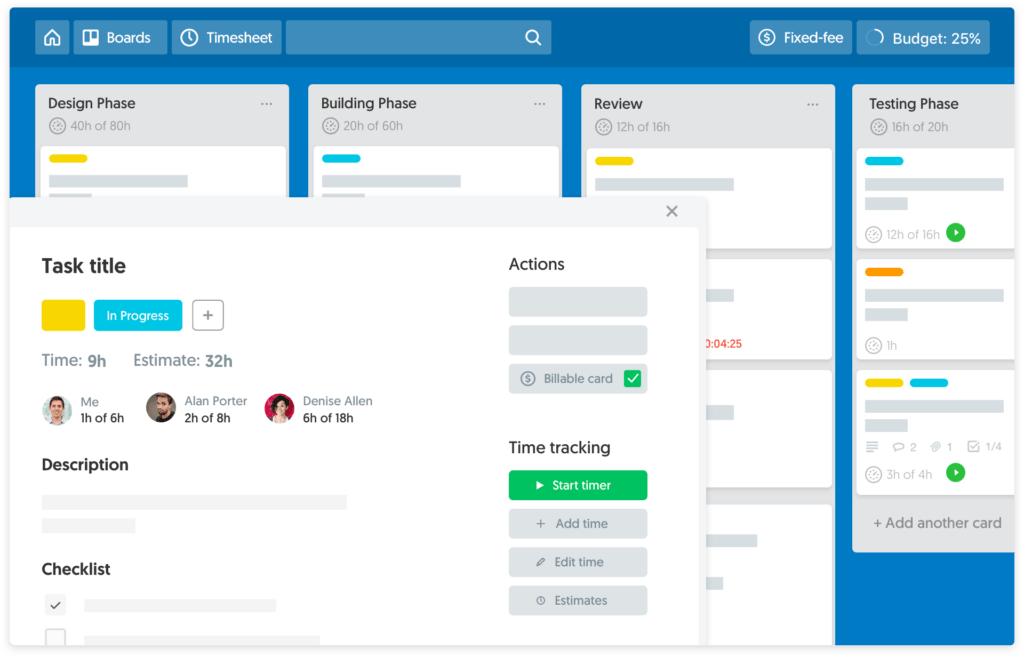
Trello offers one of the cleanest, most intuitive kanban systems available. Boards, lists, and cards make it effortless to visualize work, reprioritize, and stay organized. Butler automation handles repetitive actions, while Power-Ups let teams extend Trello without losing its simplicity.
Key features
- Kanban boards that are easy to adopt
- Checklists, attachments, due dates, and labels
- Butler automation to reduce manual admin
- Power-Ups for calendars, dashboards, time tracking, and more
- Card aging to highlight stalled work
Reviews
“What I appreciate most about Trello is its user-friendly interface, which makes it easy to keep track of our tasks. This helps ensure that we stay on top of pending or backlog items and don't fall behind.” — G2 reviewer
5. Notion
🌟 4.6/5
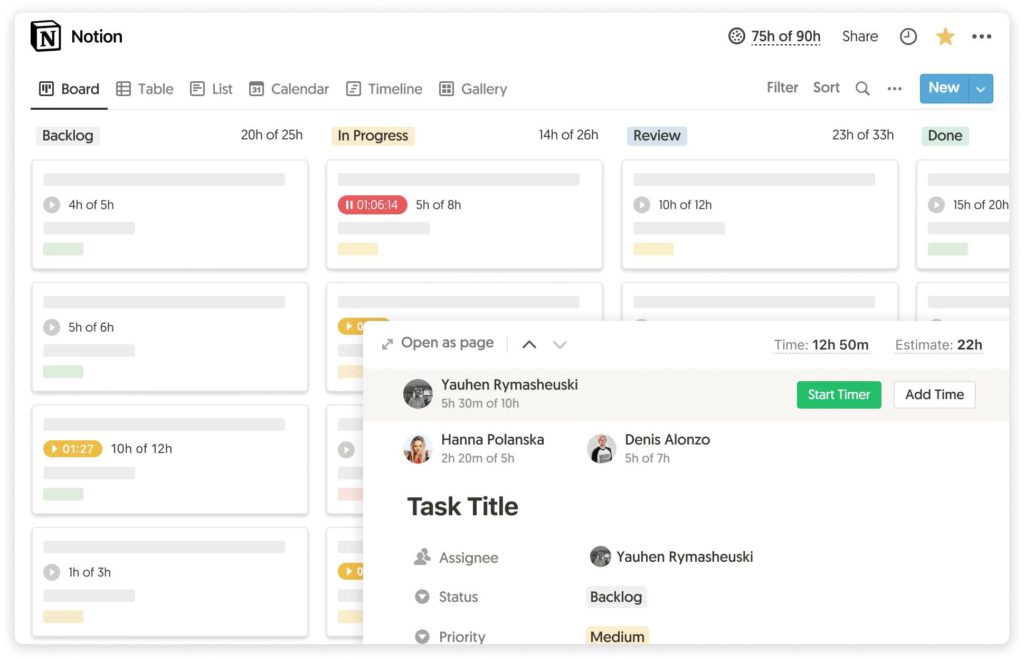
Best for: Teams that combine tasks and knowledge in one place
Price: Paid plans from around $8 per user/month
Available on: Web, desktop apps, mobile apps
Why Notion
Notion blends task management with documentation, wikis, and databases, creating a single hub where context and execution live side by side. Agencies that rely on briefs, SOPs, and research benefit from Notion’s flexibility, while its AI tools help teams summarize content and streamline planning.
Key features
- Customizable task boards and database views
- Wikis and documentation in the same workspace
- AI tools for writing, summarizing, and planning
- Relations and rollups for connected datasets
- Templates for client work, onboarding, and knowledge bases
Reviews
“Notion is everything. It’s data, it’s documents, it’s images, it’s writing. It’s flexible enough to be the central source of truth for my business, and my personal projects.” — G2 reviewer
6. Monday.com
🌟 4.7/5
Best for: Multi-department workflow coordination
Price: Paid plans from about $9 per user/month
Available on: Web, desktop, mobile
Why Monday.com
Monday.com helps teams visualize workloads, deadlines, and handoffs across service lines. Its flexible boards and automation rules make it easy to track progress at a glance. Agencies use it to coordinate designers, developers, and client service teams without adding unnecessary complexity.
Key features
- Custom boards built around your workflow
- Dashboards to track progress and blockers
- Automations for updates, assignments, and approvals
- Workload charts to understand capacity
- Forms for client intake and brief submissions
Reviews
“It is very easy to use and helps keep everything organized. I enjoy using it throughout my workday.” — G2 reviewer
7. Jira
🌟 4.3/5
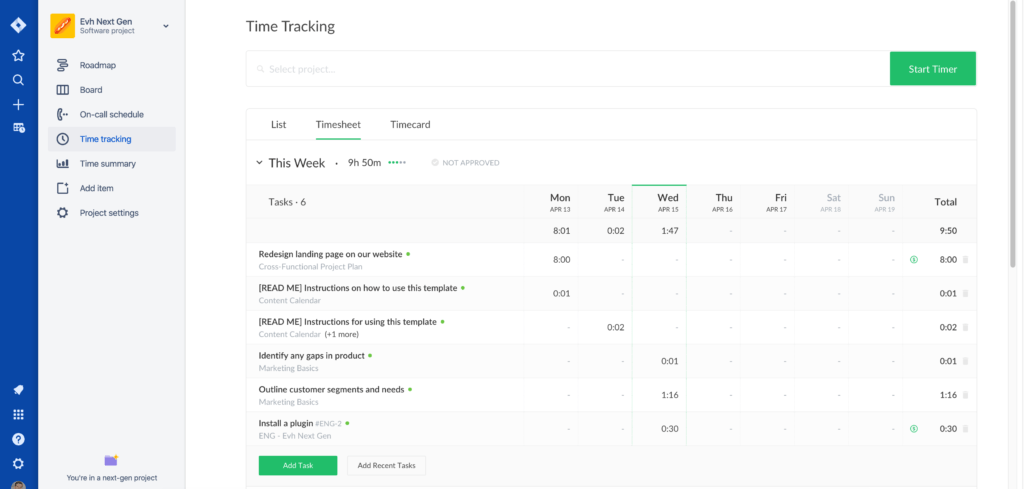
Best for: Engineering-heavy agencies
Price: Plans from around $8–$9 per user/month
Available on: Web, desktop, mobile
Why Jira
Jira is built for teams running sprints, managing backlogs, and tracking delivery work in detail. It integrates deeply with tools like GitHub and Bitbucket and keeps technical work traceable. Agencies blending creative and development work often use Jira to maintain engineering clarity while still supporting broader project visibility.
Key features
- Backlogs and sprints for agile planning
- Issue tracking with full history and context
- Roadmaps for long-term planning
- Custom workflows for different project types
- DevOps integrations for seamless code collaboration
Reviews
“This tool has been extremely helpful for managing tasks within our team and for setting up automated workflows and reminders. We rely on it to keep track of many recurring tasks, which helps us make sure everything gets completed on time each month.” — G2 reviewer
8. Basecamp
🌟 4.1/5

Best for: Teams that want simple task management with communication
Price: Plus from $15/user; Pro Unlimited $299 flat
Available on: Web, desktop, mobile
Why Basecamp
Basecamp combines messages, tasks, schedules, and shared files into one straightforward workspace. It’s built for teams that want fewer moving parts and less noise. Everything lives in a single project hub, making it easier for both internal teams and clients to stay aligned.
Key features
- To-dos grouped by project
- Message boards for organized updates
- Schedules for milestones and timelines
- Docs and files stored per project
- Group chat for quick discussions
Reviews
“I love how everything—tasks, files, messages, and schedules—is in one place. No more digging through emails or 5 different apps just to find something.” — G2 reviewer
9. Todoist
🌟 4.5/5
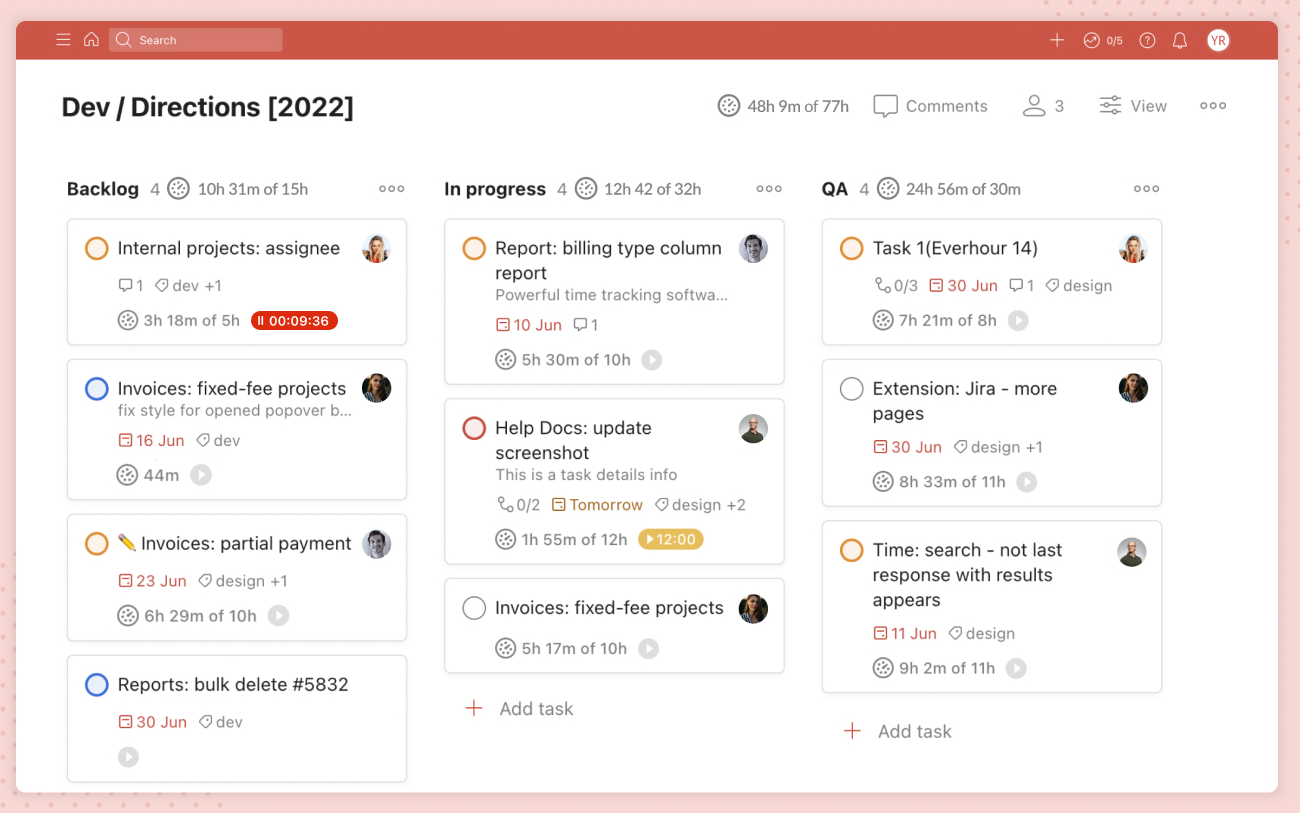
Best for: Personal productivity inside team workflows
Price: Plans from about $4 per user/month
Available on: Web, desktop apps, mobile apps, browser extensions
Why Todoist
Todoist is built for individuals who want a fast, reliable way to plan their workday. While it supports lightweight collaboration, its strength is prioritization and focus. Many agency teams use Todoist for personal execution while keeping broader project workflows in other tools.
Key features
- Natural language task creation
- Priority levels and labels
- Filters for custom task views
- Recurring tasks for routine responsibilities
- Shared projects for small team collaboration
Reviews
“It helps keep everything organised well, and its strongest feature is the natural language. How you can type, and it completely understands what you want.” — G2 reviewer
10. ProofHub
🌟 4.6/5
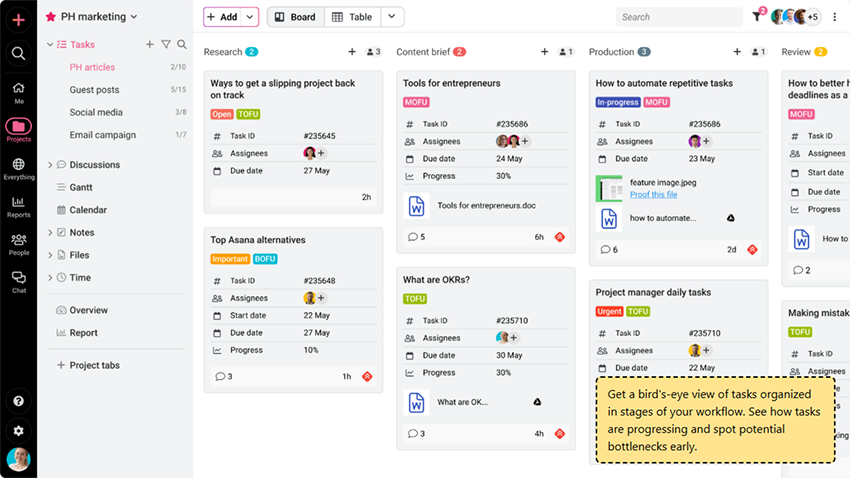
Best for: Structured task management system for team collaboration
Price: Flat-rate plans from $45/month for unlimited users
Available on: Web, iOS, Android
Why ProofHub
ProofHub gives teams a centralized platform to plan, assign, track, and deliver work across multiple projects. Its range of built-in collaboration and reporting features allows teams to stay ahead of deadlines. Agencies and growing teams use ProofHub to manage tasks, approvals, and client collaboration under one flat rate.
Key features
- Multiple views, including Table, Gantt, Kanban, and Calendar for task management
- Built-in chat for quick team conversations
- Dedicated discussions for every project
- Announcements to keep the whole team updated
- Forms that convert client requests into trackable tasks
Reviews
“The Most Intuitive, Easy-to-use PM Software with Great Task Management Capabilities.” — G2 reviewer
11. Wrike
🌟 4.2/5
Best for: Mid-size to enterprise agencies
Price: Plans from around $9–$10 per user/month
Available on: Web, desktop, mobile
Why Wrike
Wrike provides enterprise-grade structure with strong dashboards and customizable workflows. It’s a good fit for agencies that need detailed visibility across teams and clients, plus tools for approvals and review cycles. Its proofing features also help creative teams move faster through feedback.
Key features
- Custom workflows per department
- Resource and workload management
- Proofing and approval tools
- Dashboards for real-time visibility
- Gantt charts for complex timelines
Reviews
“Wrike centralizes client work, approvals, and task ownership so our 5-person team isn’t chasing threads across email and chat. Dashboards and workload views give me a real-time picture of project health, and automations remove repetitive follow-ups so we move faster without growing headcount.” — G2 reviewer
12. Smartsheet
🌟 4.4/5

Best for: Spreadsheet-driven teams
Price: Plans from about $7 per user/month
Available on: Web, desktop, mobile
Why Smartsheet
Smartsheet combines spreadsheet familiarity with collaboration, automation, and project tracking. Agencies that already run operations in sheets often find it easy to adopt, while gaining dashboards, dependencies, and Gantt views. It’s especially strong for operations teams and PMOs.
Key features
- Grid, card, Gantt, and calendar views
- Automation rules for reminders and updates
- Dashboards for executive reporting
- Intake forms for requests and briefs
- Dependencies to map project flow
Reviews
“Smartsheet has been very useful for organizing my tasks, especially with the intake form, which makes the process much smoother. The steps it provides are genuinely helpful for tracking the progress and current stage of my team's tickets.” — G2 reviewer
How much does task management software cost?
Task management tools typically fall into predictable pricing tiers:
- Entry-level plans: $5–$7 per user/month
- Free plans: Available, but often limited in automations, reporting, or advanced views
- Mid-tier plans: $9–$12 per user/month for workload views, dependencies, and stronger integrations
- Advanced plans: $15–$30 per user/month for automation depth, admin controls, and enterprise security
- For 20–30 person agencies: Monthly spend usually lands in the low hundreds, with a strong operational ROI
The Takeaway
Each platform in this list supports a different agency style. ClickUp and Notion provide flexible all-in-one workspaces. Asana delivers structured operational clarity. Trello keeps task tracking simple. Jira supports engineering-heavy delivery. Wrike and Smartsheet offer more control for complex operations.
But for agencies that want an intuitive system that keeps tasks, time, and project visibility aligned without extra complexity, TMetric often delivers the most practical balance.
In the end, the best tool is the one your team uses consistently. When the system feels natural, visibility improves, collaboration smooths out, and projects stay on track.