6 Best Employee Attendance Tracking Software: 2026 Expert Comparison
Employee attendance software in 2026 is designed to make workforce management faster, smarter, and more efficient. From automated timesheets to real-time attendance monitoring, these tools help businesses improve accountability while reducing manual HR tasks.

By Dereck Mushingairi | April 21, 2026
In 2026, workforce attendance management is mission-critical: more than half of service companies bill clients by the hour, and 52% of knowledge workers in the US are partly remote.
Here's the problem most time and attendance systems miss: professional services firms don't just need to know who showed up—you need to know what they worked on, for which client, and whether the project is still profitable. Attendance tracking and project time tracking are the same job, but most tools force you to maintain two separate systems.
This guide evaluates the 6 best attendance-tracking solutions for service businesses with employees in the US, Canada, the UK, and Europe. We focus specifically on tools that handle the unique complexity of billable work: multi-client projects, real-time profitability visibility, and compliance-ready audit trails.
What Makes a Good Attendance Tracker?
A truly effective attendance tracker is less a digital roll-call and more an early-warning radar:
- One timer captures both billable client work and HR attendance — eliminates double-entry and Friday reconciliation between separate systems
- Live dashboards showing cost-to-deliver vs. client revenue so you spot profit erosion before it's permanent, not at month-end
- Every minute categorized accurately (client work, internal, PTO) so invoices match reality and you don't lose revenue to rounding errors
- Immutable time logs with edit history and SOC-2/GDPR compliance so you can prove deliverables during client audits without risk
- Direct connections to QuickBooks, Xero, ADP, Jira so approved hours flow automatically — no manual exports or broken middleware
- Apps that work without internet and sync later so traveling consultants never lose billable time between client sites
- Vacation and sick leave sync with attendance automatically so project capacity forecasts adjust without manual spreadsheet updates
-
Handles 50-200 employees across multiple offices and dozens of client projects without forcing you into "contact sales" territory
The Bottom Line: The best attendance management software 2026 must deliver real-time visibility, payroll-grade accuracy, and employee self-service—without killing productivity.
Our Top Picks
- TMetric – Best overall for dev teams and remote service teams needing attendance + project profitability
- Jibble – Ideal for teams looking for time tracking with facial recognition attendance and real-time monitoring
- Clockify – Good option for startups tracking basic attendance
- Hubstaff – Perfect for field service teams needing GPS-based attendance
- Deputy – Suitable solution for shift-based service businesses with scheduling needs
- Replicon – Great choice for enterprises needing compliance-heavy attendance tracking
| # | Tool | Best-fit profile | Free tier? | Starter price | Core attendance extras | Stand-out strength | Biggest gap | Agency score | Dev-team score | $-value score |
|---|---|---|---|---|---|---|---|---|---|---|
| 1 | TMetric | Dev & remote agencies | ✅ | $7–9 | Billable/non-bill split, project profit KPI, 50+ dev-tool plugs | Profit analytics + auto idle trim | No face-recognition kiosk | 9.5 | 9.5 | 10 |
| 2 | Jibble | Distributed & multi-location teams | ✅ | $4.49 | Facial recognition, GPS, geofencing, PTO sync, audit trail | Free unlimited users + strong verification controls | No advanced scheduling | 8.8 | 8.5 | 10 |
| 3 | Clockify | Cash-strapped startups | ✅ | $5.49 | Kiosk PIN, basic PTO | Truly free unlimited users | Zero cost-rate or profit data | 8.5 | 8.0 | 9 |
| 4 | Hubstaff | Field / mobile crews | ✅ | $4.99 | GPS breadcrumbs, geofence, mileage | Iron-clad location audit trail | Price jumps for GPS, privacy issues | 8.0 | 7.5 | 7 |
| 5 | Deputy | Shift-based retail / hospitality | ❌ | $5 | AI scheduler, labor-law alerts, shift-swap market | Schedule + attendance fused | No free tier, heavier learning curve | 8.8 | 7.0 | 8 |
| 6 | Replicon | Global enterprise | ❌ | $6 | 200+ jurisdiction rule-set, digital signatures, SOX/DCAA audit pack | Compliance-heavy immutable logs | Overkill <50 staff, need consultant | 7.5 | 7.2 | 6.5 |
Data snapshot: Average price of attendance tracking software for remote teams is $6.20/user/month—agency-grade tools with project profitability skew 18 % higher.
1. TMetric – Best Attendance Tracking for Dev & Remote Teams

Price: Free, then $7–9/user per month
Available on: Web, iOS, Android, macOS, Windows, Linux
Why we picked TMetric
TMetric is the only attendance management software that marries developer-grade time tracking with project-level profit analytics.
For agencies shipping code, knowing “who worked how long on which Jira issue” is mandatory. TMetric’s real-time dashboard gives PMs instant employee attendance tracking without micromanaging.
Key Features
- Hybrid Tracking provides fully automatic timers plus manual clock-in/out for maximum flexibility — TMetric recognizes tasks you work on and auto-fills them faster than any competitor, so you never lose a billable second.
- Live Dashboard displays who’s on, off, or on break across all time zones—updates refresh every 5 seconds, beating the 30-60 second norm of other tools and letting managers act on staffing gaps instantly.
- Exportable Reports split every hour into billable and non-billable time—TMetric proprietary split algorithm is accurate to the minute, while rivals round to the nearest 5-15 and quietly cost you revenue.
- One-Click Sync with QuickBooks and Xero to push approved hours straight to payroll — TMetric maps pay rates, overtime rules, and helps add tax codes, eliminating extra time other trackers still require.
- Assign Attendance to individual projects to see exactly how time and staff are allocated — drag-and-drop reassignment recalculates budgets in real time, something TMetric does without a page reload.
- Native Mobile App caches data offline and syncs the moment a connection returns—our delta-sync sends only the changed seconds, finishing sync up to 10× faster than competitors who re-upload the entire timesheet.
- Build Any Shift Pattern, overtime rule, or regional labor policy setup; the system includes a reliable overtime tracker that watches weekly hour totals and flashes an on-screen alert the moment an employee is about to cross the OT threshold.
- PTO, Vacation, Sick Leave, and other absences feed directly into the attendance ledger—no double entry—TMetric auto-adjusts remaining balances and project capacity forecasts, sparing managers the spreadsheet gymnastics rival tools demand.
- Built-In Idle-Time Monitor pauses the timer when activity stops, guaranteeing logs reflect only actual work hours—our monitor detects micro-breaks, twice as sensitive as the industry standard, so every logged minute is a paid minute.
⛓️💥 50+ pre-built integrations, including Jira, Asana, Trello, Notion, GitHub, GitLab, ClickUp, Monday, QuickBooks, Xero, Zapier, and make—covering every major attendance software for service business stack.
Pros
✅ Sub-10-second clock-in/out; no learning curve for developers
✅ Profitability KPIs per project—rare in pure-play time and attendance system tools
✅ GDPR & SOC-2 compliant hosting in EU & US
✅ Open REST API & CSV export—no vendor lock-in
✅ Paid-time-off, sick-leave to make vacation tracking easy
✅ Overtime tracker to ensure local labor-law compliance.
Cons
❌ No facial-recognition kiosk for physical offices
❌ Advanced shift scheduling is still maturing
Scores
Agency Fit Score: 9.5/10 | SoftDev Fit Score: 9.5/10 | Price-to-Value: 10/10
User Reviews
G2: 4.6/5 | Capterra: 4.7/5
"Offers several features designed to help individuals and teams improve their productivity and manage their time more effectively. The features and benefits of TMetric can vary based on the specific subscription plan or edition you choose. It's always a good idea to review the latest information on TMetric's website or consult their support team to get the most accurate and up-to-date details." — Verified G2 Review
“It looks into your activities on a 10 minute basis with specific windows and tabs and etc opened and used. The user interface is quite simple. You have the web version and the app version which work well even if you open both at the same time”. – Verified G2 Review
"I often split my time across multiple projects and tasks. TMetric helps me keep everything organized so I can be sure I'm submitting my time to the right clients. It also helps me make sure I'm keeping my hours in the range of 40/wk, and not going notably over or under." - Verified Capterra Review
2. Jibble – Verified Attendance for Distributed Teams
Why we picked Jibble
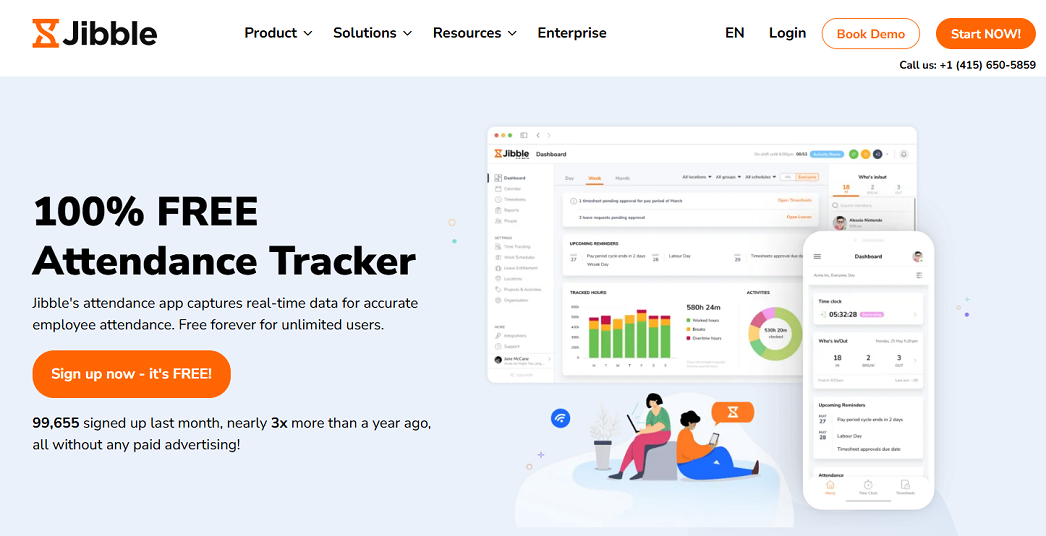
Jibble is one of the few attendance platforms offering unlimited users on its free plan while still delivering enterprise-grade features. With built-in verification tools like facial recognition, GPS tracking, and geofencing to help prevent buddy punching and time theft, it’s a strong fit for distributed, multi-location, and compliance-focused teams.
Key Features
- Facial recognition with spoofing prevention
- GPS tracking with live location and geofencing
- Kiosk mode with biometric, PIN, NFC and RFID clock-ins
- Project and client tagging for billable vs. non-billable hour tracking
- Built-in PTO and leave management
Integrations
Slack, Microsoft Teams, QuickBooks, Xero, Deel and more + open API
Pros
✅ Free for unlimited users
✅ Strong anti-fraud features
✅ Easy-to-use with intuitive mobile apps
Cons
❌ Scheduling features lighter than shift-specialist tools
❌ No native payroll processing
Scores
Agency Fit Score: 8.8/10 | SoftDev Fit Score: 8.5/10 | Price-to-Value: 10/10
User Reviews
G2: 4.8/5 | Capterra: 4.8/5
"I liked how easy it is to track work hours in real time. The interface is simple, intuitive, and
accessible from both desktop and mobile. It makes payroll tracking and attendance
monitoring more organized and transparent. The reporting features are helpful for
management and compliance purposes." - Capterra
3. Clockify – Attendance Control for Startups
Price: Free, then $5.49/user per month
Available on: Web, iOS, Android, macOS, Windows, Linux
Why we picked Clockify
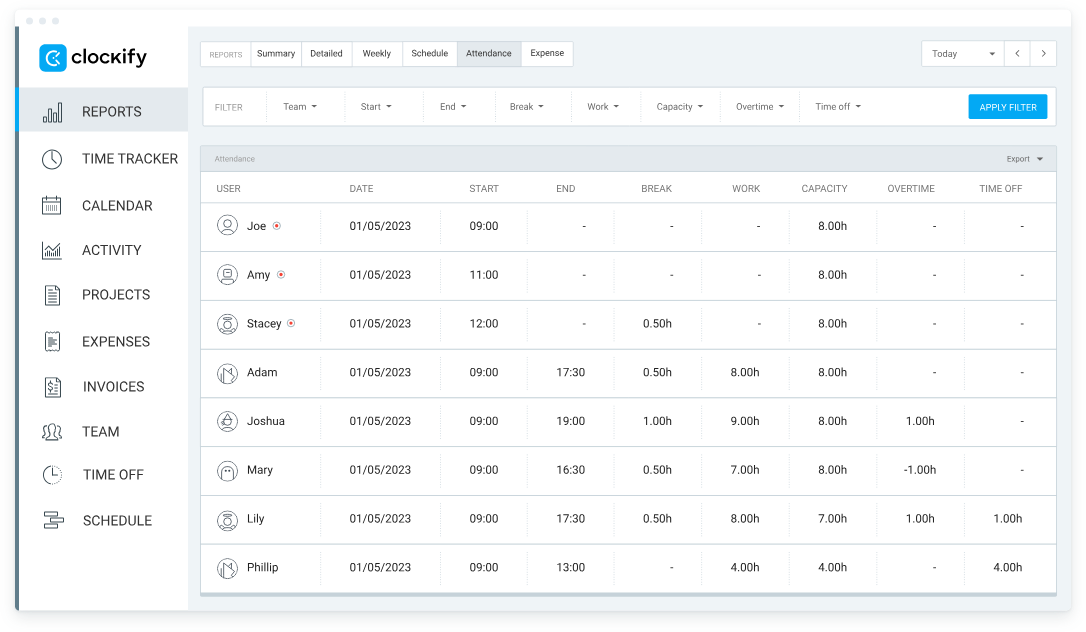
Clockify gives early-stage teams unlimited users and projects on the free tier—something no other attendance tracking software for remote teams offers. If you simply need to know “who showed up today,” without billing complexity, Clockify is the fastest way to graduate from Google Sheets.
Key Features
- One-click timer or manual timesheet entry
- Weekly attendance calendar view
- Basic PTO & holiday tracking (paid plans)
- Kiosk mode with PIN punch-in
- API & web-hooks for DIY integrations
Integrations
Native links to Trello, Asana, Jira, Monday, QuickBooks; 40+ more via Zapier. Lacks native cost-rate analytics compared with TMetric.
Pros
✅ Truly free for unlimited users
✅ Zero-training UI
✅ Decent mobile apps with kiosk mode
Cons
❌ No project profitability or cost rates on free plan
❌ Advanced reporting pay-walled
❌ No offline desktop timer
Scores
Agency Fit Score: 8.5/10 | SoftDev Fit Score: 8.0/10 | Price-to-Value: 9/10
User Reviews
G2: 4.5/5 | Capterra: 4.8/5
"I have been using Clokify paid version since 2year and application is very easy to use. I haven't found any major bug excluding couple of UI issues." – G2 Reviews
4. Hubstaff – GPS-Based Attendance for Field Teams
Price: Free 1 user, then $4.99/user per month
Available on: Web, iOS, Android, macOS, Windows, Chromebook
Why we picked Hubstaff
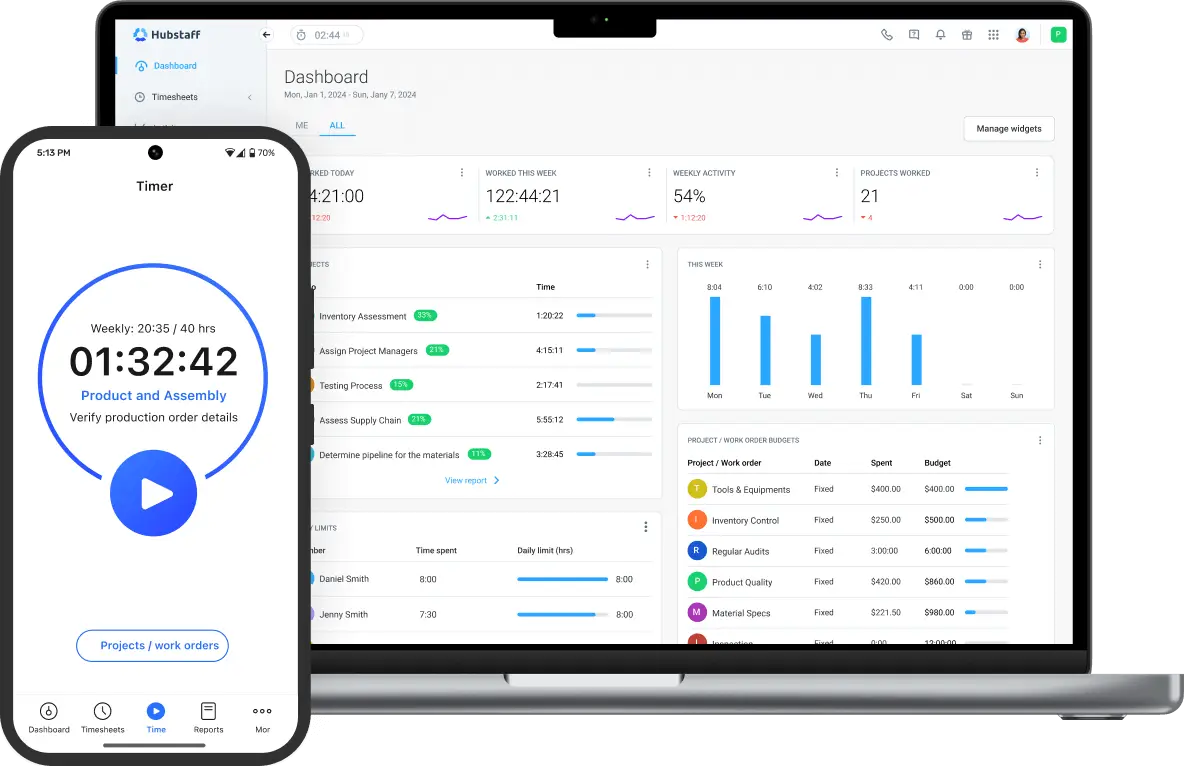
For landscaping, HVAC, or healthcare visits, workforce attendance management must prove where employees clocked in. Hubstaff’s GPS geofencing auto-starts the timer when staff enter job sites—no forgetful manual punch.
Key Features
- GPS breadcrumbs every 5-10 min while on the clock
- Geofenced job sites with auto clock-in/out
- Route planning & mileage tracker
- Productivity screenshots (optional)
- One-click payroll from hours worked
Integrations
QuickBooks, Gusto, FreshBooks, Salesforce, Zoho, and 30+ payroll or CRM platforms.
Pros
✅ Best-in-class GPS audit trail
✅ Automated payroll based on hours
✅ Works offline; syncs later
Cons
❌ Steep price jump for GPS features
❌ Privacy concerns for desk workers
Scores
Agency Fit Score: 8.0/10 | SoftDev Fit Score: 7.5/10 | Price-to-Value: 7/10
User Reviews
G2: 4.5/5 | Capterra: 4.6/5
"Hubstaff makes it really easy to track time across projects and teams, especially for remote roles. The automatic screenshots and activity levels help provide visibility, and the integrations with tools like Asana and Trello are very useful. I also appreciate how simple it is to generate timesheets and reports for payroll." – G2 Reviews
5. Deputy – Shift Scheduling + Attendance
Price: $5/user per month (no free plan)
Available on: Web, iOS, Android, Windows, Kiosk
Why we picked Deputy
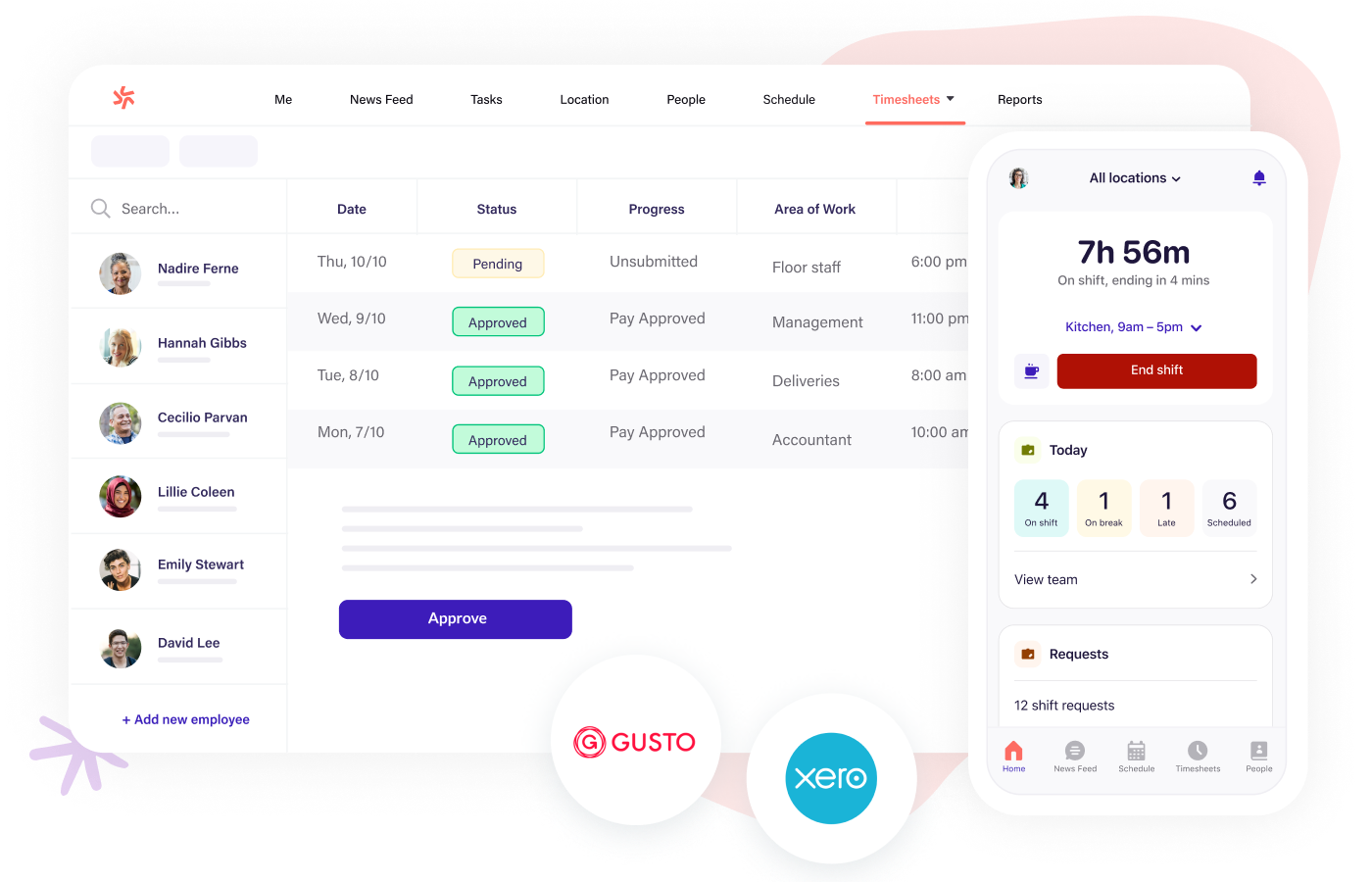
Retail stores, restaurants, and call centers need attendance software for service business that ties schedule compliance to payroll. Deputy flags late clock-ins against the roster in real time and suggests replacement staff instantly.
Key Features
- AI auto-scheduler based on sales forecasts
- Biometric & facial-recognition kiosk app
- Break & meal compliance alerts (US & AU labour law)
- Shift-swap marketplace with manager approval
Integrations
Square, Lightspeed, Shopify, ADP, Gusto, Xero, and 60+ POS or payroll systems.
Pros
✅ Drag-drop schedule + attendance in one view
✅ Labor law templates for 12 countries
✅ Instant shift-cover notifications
Cons
❌ No free tier; minimum 5 users
❌ Learning curve for smaller teams
❌ Mobile app can lag on older Android devices
Scores
Agency Fit Score: 8.8/10 | SoftDev Fit Score: 7.0/10 | Price-to-Value: 8/10
User Reviews
G2: 4.6/5 | Capterra: 4.6/5
Overall, my experience with Deputy has been positive. It's user friendly, keeps track of important scheduling information, and makes managing shifts a lot easier compared to older systems. While there are occasional technical glitches, the benefits outweigh the drawbacks, and it's definitely a helpful tool for employees and managers alike. – Capterra User Reviews
6. Replicon – Enterprise Compliance Attendance
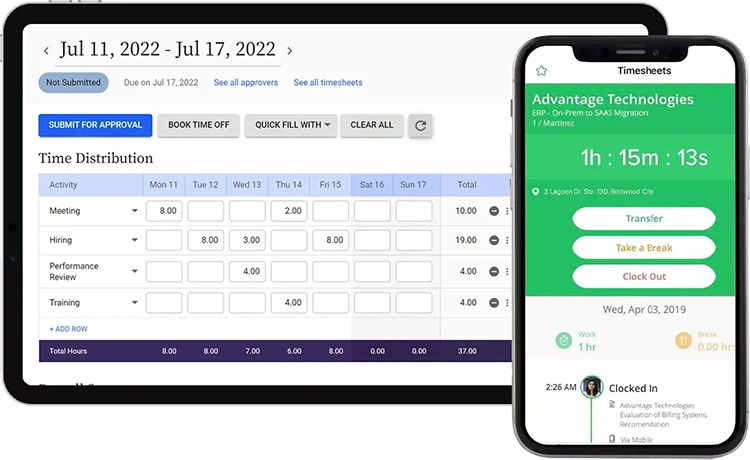
Price: $6/user per month (attendance add-on)
Available on: Web, iOS, Android, Kiosk
Why we picked Replicon
Global enterprises need employee attendance tracking that satisfies SOX, DCAA, and EU Working Time Directive audits. Replicon’s “Unified Time” datastore keeps every punch digitally signed and immutable.
Key Features
- Policy library for 200+ labor jurisdictions
- Digital signatures & audit trail per punch
- Contingent-worker attendance portals
- Real-time labor law dashboard for HR
Integrations
SAP, Workday, Oracle HCM, ADP, Ceridian, and custom SFTP exports for the largest ERP stacks.
Pros
✅ Granular compliance rules out of the box
✅ Multi-country payroll ready
✅ AI anomaly alerts for time theft
Cons
❌ Overkill for under 50 employees
❌ Setup requires a Replicon consultant
❌ Higher TCO once modules are added
Scores
Agency Fit Score: 7.5/10 | SoftDev Fit Score: 7.2/10 | Price-to-Value: 6.5/10
User Reviews
G2: 4.3/5 | Capterra: 4.5/5
Replicon is very best to record daily time basis working, which help me to get full information about the time spend on the client tasks. Also best for the time off and apply leave easily and also track the leave balances. – G2 User Reviews
Integration Ecosystems at a Glance
| Software | Major Integrations |
|---|---|
| TMetric | Jira, Asana, Trello, Notion, GitHub, GitLab, ClickUp, Monday, QuickBooks, Xero, Zapier |
| Jibble | Asana, ClickUp, Slack, QuickBooks Online, Microsoft Teams |
| Clockify | Trello, Asana, Jira, Monday, QuickBooks |
| Hubstaff | QuickBooks, Gusto, FreshBooks, Salesforce, Zoho |
| Deputy | Square, Lightspeed, Shopify, ADP, Gusto, Xero |
| Replicon | SAP, Workday, Oracle HCM, ADP, Ceridian |
Other Attendance Options Worth Exploring
- Connecteam – Ideal for mobile-first, deskless service teams that require GPS-enabled attendance tracking combined with employee-engagement tools.
- Homebase – Tailored to hourly service operations that want scheduling, time-clock, and team-messaging functions in one platform.
- When I Work – Built for shift-based service companies that let employees self-schedule while still capturing attendance data.
- QuickBooks Time – The native attendance add-on for small businesses already running QuickBooks accounting.
- BambooHR – Attendance embedded inside a full-suite HRIS for companies that manage the entire employee lifecycle.
- Calamari – GDPR-compliant attendance and leave management designed for European service employers.
- TimeCamp – Background, automatic attendance tracking for agencies that prefer computer-activity monitoring over manual timers.
- ClickTime – Attendance data linked to resource planning and project budgeting for professional-services firms.
- Harvest – Native attendance tracking that sits inside Asana, Trello for small billing-focused agencies.
Summary
The best attendance management software 2026 is the one that turns punches into profit.
For distributed software and service teams, TMetric delivers real-time visibility, project-level margins, and payroll integrations in one lightweight tool—making it our #1 choice for agencies that bill by the hour.
Selection Criteria
We evaluated 27 tools across such data points as pricing transparency, free-plan limits, G2 & Capterra scores, payroll integrations, offline mobile capability, compliance certifications, and agency-specific profit analytics.
Tools had to show over 4 out of 5 ratings to qualify for the final list.
We selected the best attendance management software 2026 options based on a comprehensive, five-point evaluation model tailored for the modern service business:
- Attendance & Time-Off Features – 40 %
Measures advanced functionality beyond simple clock-in/out: GPS tracking for field staff, idle-time detection for remote teams, live team dashboards, and built-in PTO/leave management. - Project Profitability & Billing – 30 %
We assess how easily hours can be assigned to clients/projects/tasks. There must be clarity of billable vs. non-billable reports. We pay attention to seamless sync with invoicing or accounting packages because they are critical for agencies and software shops. - Usability & Adoption – 15 %
It is important that the software has intuitive desktop and mobile interfaces, high speed of initial setup, and it requires next to zero effort for an employee to log time. - Integration & Ecosystem – 10 %
Rewards platforms offering native, maintenance-free connections to payroll (e.g., QuickBooks, Xero) and project-management tools (e.g., Jira, Asana). - Price & Value – 5 %
We compare the cost per value of the feature set and focus on the usefulness of entry-level paid tiers as well as the practicality of any free plan.