Best Project Time Tracking Software: 5 Solutions Compared
Tracking project hours, managing workloads, and improving productivity is easier with the right software. In this article, we compare the 5 best project time tracking tools to help you choose the right solution for your team and workflow.

By Dereck Mushingairi | February 7, 2026
Most time trackers are just glorified stopwatches. They log hours but say nothing about the work behind them. No budgets, no tasks, no clients, and no way to see whether a project is actually profitable.
So project managers end up buried in spreadsheets trying to answer one basic question:
“Are we making money on this project or not?”
With remote and hybrid work now baked into how teams operate, that visibility gap is causing professional services firms to lose 15-25% of billable hours. Modern project time-tracking has to do more than just collect timestamps. It needs to connect time to tasks, budgets, scopes, expenses, and client billing so teams see real-time project health, not just a list of completed hours.
This guide reviews the top project time tracker options, with a focus on agencies and software teams working in Jira, Asana, Notion, or ClickUp: teams that need robust, reliable project-based time tracking running quietly in the background.
What is project time tracking software
Think of project time tracking software as the scoreboard for your workday. It shows who spent time on what, keeps tabs on billable hours, and connects that effort back to projects, budgets, and clients. Instead of guessing where hours went or piecing it together from spreadsheets, the system gives a clear, real-time picture of how work is unfolding, and whether a project is staying healthy or drifting off course.
Key questions before choosing a project time tracker
Before you fall in love with any feature list, ask yourself these questions:
- Will my team actually use it?
Logging time should be effortless. No long training sessions, no confusion. You need quick, clean entries across every project type you run.
- Does it fit the way we work?
Every team has its own mix of workflows, tools, rates, and reporting needs. The tracker should plug into that reality smoothly, integrate with your core platforms, and support the way work actually moves through the team.
- Will the numbers hold up when finance, leadership, and clients start asking questions?
Reports must be consistent, trustworthy, and scalable as the team grows. No surprises, no spreadsheet archaeology, no “let me check and get back to you.”
The right tracker lets you answer “Are we still on track?” instantly, without digging, guessing, or bracing for bad news at the end of the month.
How we selected these 5 top project time tracking tools
Here’s the criteria we used to narrow the crowded time-tracking market down to the five tools that actually work for project-based teams.
| Step | What we did |
| 1. Industry + user feedback analysis | Analyzed reviews from agencies and software teams across G2, Capterra, and TrustRadius to understand real strengths and gaps. |
| 2. Project workflow testing | Tested budgets, billable rates, cost tracking, approvals, and reports to see how each tool performs in real project scenarios. |
| 3. Pricing, scaling & margin impact | Compared pricing across team sizes and evaluated how each tool handles growth without adding admin overhead. |
| 4. Integration depth & ecosystem fit | Checked how well each platform connects with Jira, Asana, Notion, ClickUp, GitHub, QuickBooks, and other core tools. |
5 Best project time tracking software for agencies & software teams
Here’s a quick look at the tools that consistently perform well for project-based work, each solving the time tracking challenge in a different way:
1. TMetric
🌟 4.6/5
Best for: Agencies & remote teams
Price: Free; paid plans from about $7-$9 per user/month.
Available on: Web, iOS, Android, macOS, Windows, Linux, browser extensions.
What makes TMetric stand out
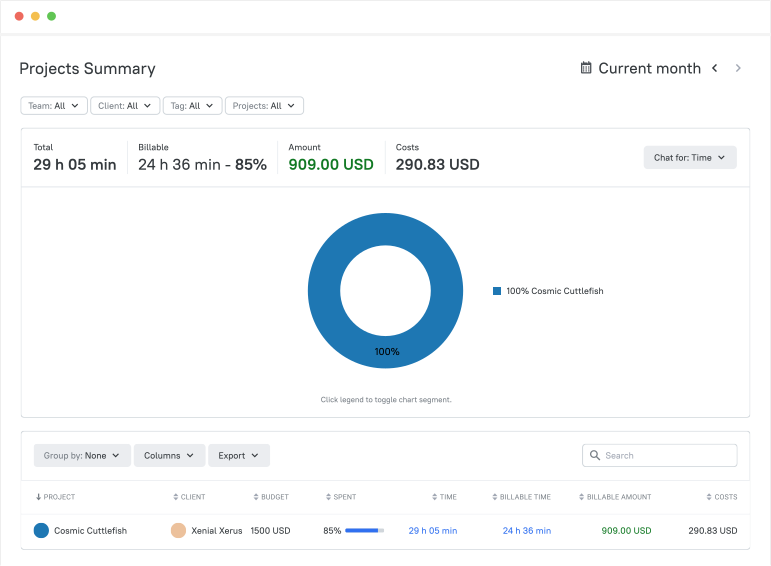
TMetric earns its place among the top project time tracking tools by keeping things simple and genuinely helpful. More than 3,000 companies rely on it because it makes tracking billable hours, staying on top of project efficiency, and sending accurate invoices feel effortless. It’s easy for any team size to pick up, integrates smoothly with everyday tools, and has the industry recognition from GoodFirms, Crozdesk, and SelectHub to back it up. For teams that want clarity without complexity, TMetric becomes a system that quietly keeps everything running the way it should.
Key TMetric Features
- Task-Level Time Tracking for Better Project Management
TMetric makes it easy to track time on every task using the web, desktop, mobile apps, or browser extensions. Its work breakdown structure helps you organize project work, control how tasks are completed, and keep a clear view of everything in progress. - Project Budgets in Money or Time
Set budgets for each project in total hours or total cost, choose the billing type, and monitor usage as work unfolds.
- Set money- or time-based budgets
- Pick the billing type that fits each project
- Track budget consumption in real time
- Keep profitability visible with clear indicators
- Project-Specific Hourly Rates for Transparent Earnings
Assign hourly rates to each project or work type to see exactly how much revenue the project earns based on tracked time. You can also mark work types as non-billable so clients are charged only for what matters. - Expense Tracking for Complete Financial Visibility
Record expenses inside each project and compare them against your budget using TMetric’s reports. This helps you see how both time and costs influence overall project performance. - Fast and Accurate Invoicing for Client Billing
Create detailed invoices for any period using real project data, then export them to Excel for quick sending.
- Generate invoices in a few clicks
- Export to Excel for easy sharing
- Review billable time via reports
- Avoid manual calculations and inconsistencies
TMetric Pricing Overview (Monthly vs. Annual)
| Plan | Monthly cost (billed monthly) | Monthly cost (billed annually) | Key features included |
|---|---|---|---|
| Free | $0 | $0 | Basic time tracking, unlimited projects & clients, reports, web/mobile/desktop apps, browser extensions |
| Professional | $7 per user/month | $5.83 per user/month | Billable rates, project budgets & alerts, expenses, invoicing, task management, calendar sync, My Timesheets, client/project/team import |
| Business | $9 per user/month | $7.50 per user/month | All Professional features plus Time Off, Team Timesheets, app & site monitoring, screenshots, activity tracking, real-time notifications, QuickBooks sync, advanced integrations (Jira, Redmine, ClickUp) |
| Enterprise | Custom pricing | Custom pricing | All Business features plus custom integrations, priority support, secure deployment, and volume discounts for large teams |
What TMetric Users are saying
“TMetric helps us to track and manage our work time on different projects. Its reporting features provide valuable insights into our work patterns, resulting in increased efficiency and productivity.” — Linda Förster, Project Manager at Medudy
Why it’s #1
- Built for smart project execution: Work breakdown, task-level tracking, and team visibility make managing projects simple.
- Full financial clarity: Budgets, expenses, billable rates, and invoicing all connect smoothly for real project profitability insight.
- Multi-award-winning: TMetric is used by 3,000+ businesses worldwide, including Endygo, ITsyndicate, Pulso, and Freshlab. It has also earned multiple industry awards, receiving recognition from GoodFirms, the Merit Awards, Crozdesk, SelectHub, and SoftwareSuggest for its strong performance and user experience.
2. ClickUp
🌟 4.7/5
Best for: Teams that need planning and time tracking in one system
Price: Paid plans from around $7-$10 per user/month.
Available on: Web, desktop apps, mobile apps, browser extension.
What makes ClickUp stand out
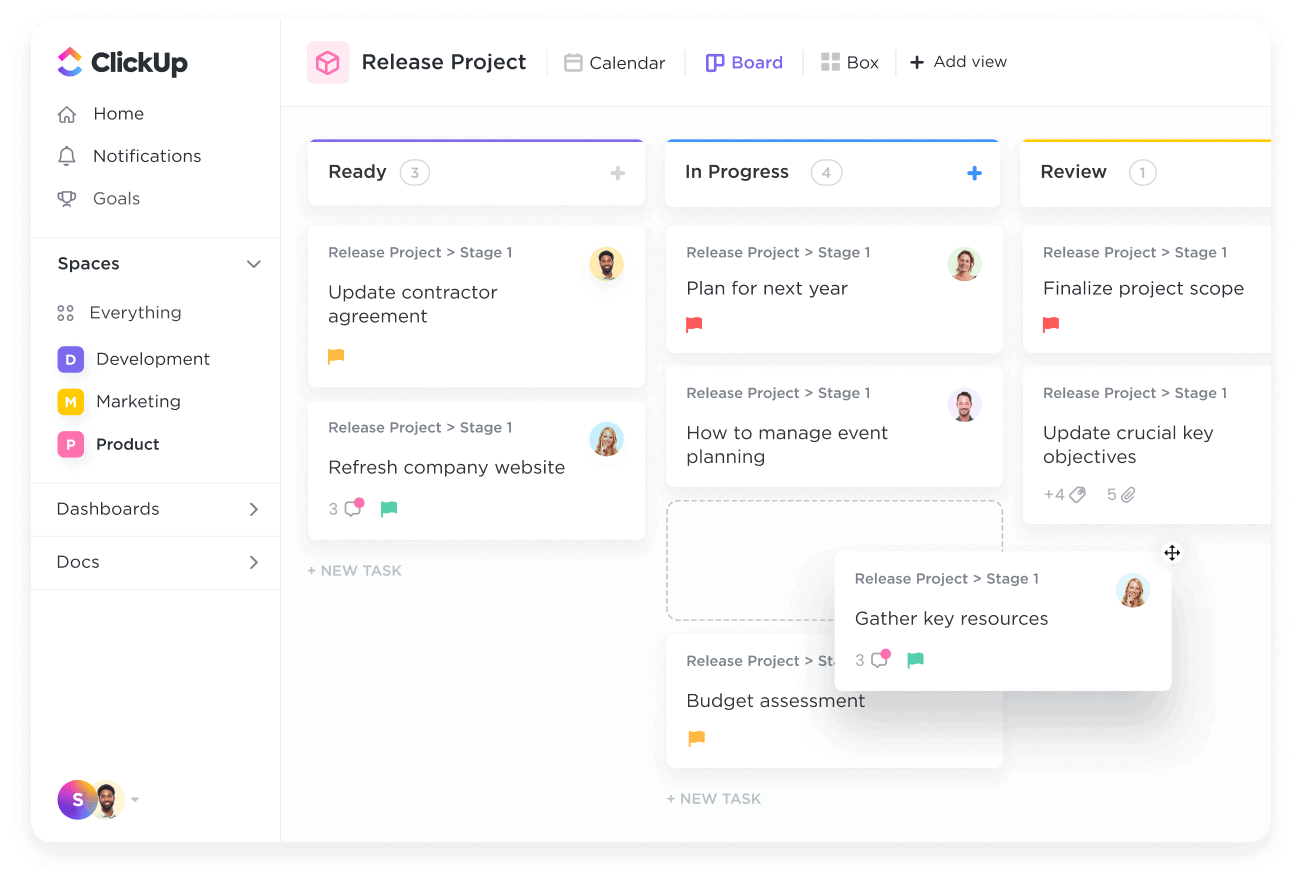
ClickUp brings planning, collaboration, and time tracking together in a single workspace, reducing the need for multiple tools. Tasks, timelines, docs, and dashboards all sit in one environment, and time tracking is built directly into every task. This makes it easy to compare estimates with actual hours, understand workload, and keep projects moving without switching apps.
Key Features
- Native timers and manual time entry on tasks and subtasks.
- Estimates vs. actuals to compare planned effort with real time spent.
- Workload and capacity views on higher-tier plans to show who has bandwidth.
- Custom fields for budgets, expenses, status, or other project details.
- Dashboards that visualize progress, utilization, and performance in real time.
Reviews
“ClickUp gets better every day, and I LOVE IT… It blends project management with onboarding and document management to avoid switching between apps.” — Capterra
3. Harvest
🌟 4.3/5
Best for: Project time tracking with built-in invoicing
Price: Pro from about $11 per user/month; free plan for 1 user and 2 projects.
Available on: Web, iOS, Android, browser extensions.
What makes Harvest stand out
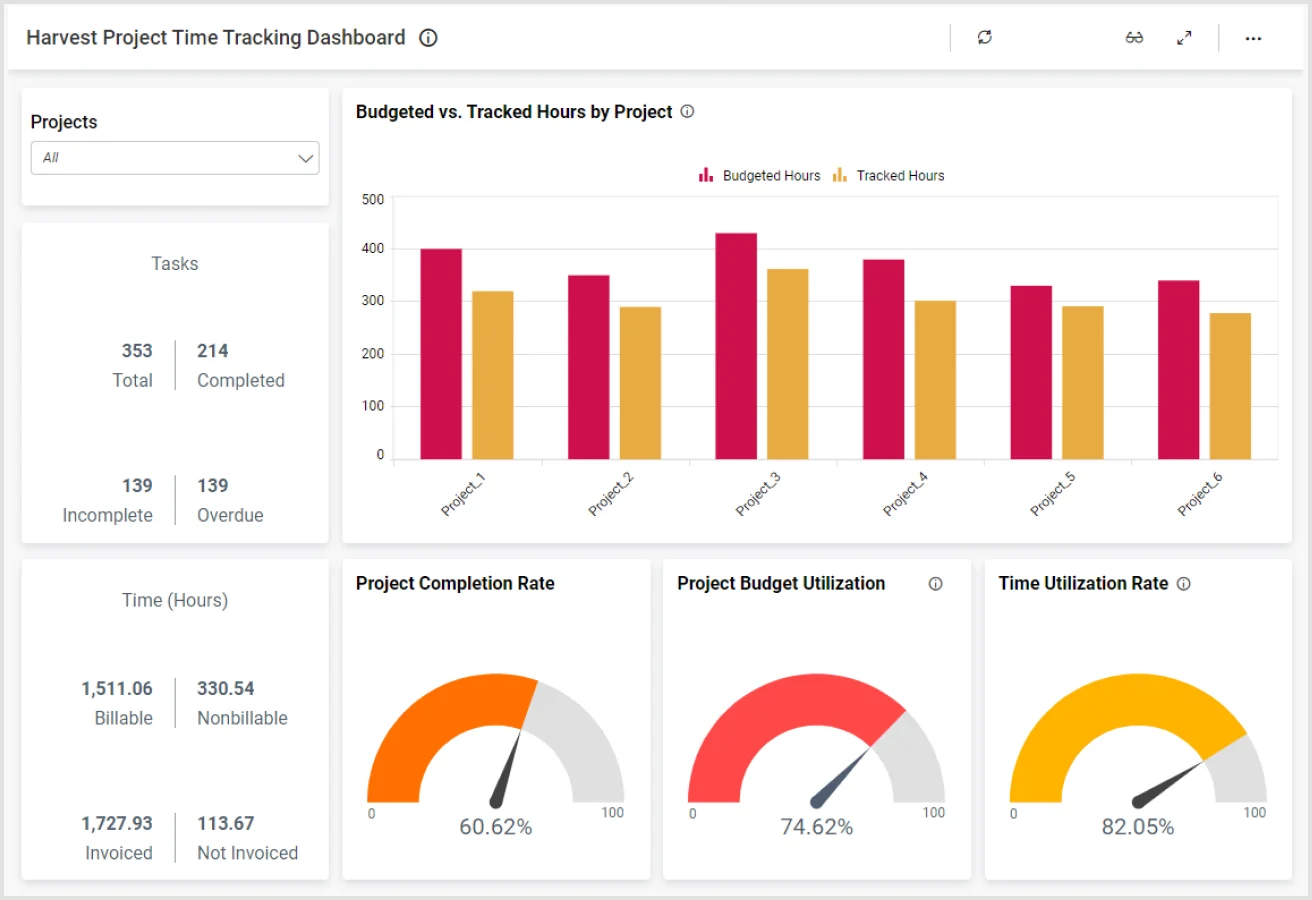
Harvest focuses on the essentials service businesses care about most: billable hours, budgets, expenses, and fast client billing. Instead of adding heavy productivity analytics, it keeps the workflow simple—track time against projects and tasks, set budgets, record expenses, and turn everything into an invoice with minimal admin. It answers “How much time did we spend?” and “What do we need to bill?” in one clean system.
Key Features
- Time tracking by project, task, and person using web, mobile apps, and simple timers.
- Project budgets set in hours or money, with alerts as you approach limits.
- Expense tracking with receipt uploads at the project level.
- Built-in invoicing that pulls directly from hours and expenses, plus payment integrations.
Reviews
“Harvest is excellent for managing my time tracking across multiple clients, and multiple projects for each of those clients.” - Capterra
4. Toggl Track
🌟 4.6/5
Best for: Simple project tracking for small teams
Price: Free for up to 5 users; Starter from $9 per user/month.
Available on: Web, desktop apps, mobile apps, browser extensions.
What makes Toggl Track stand out
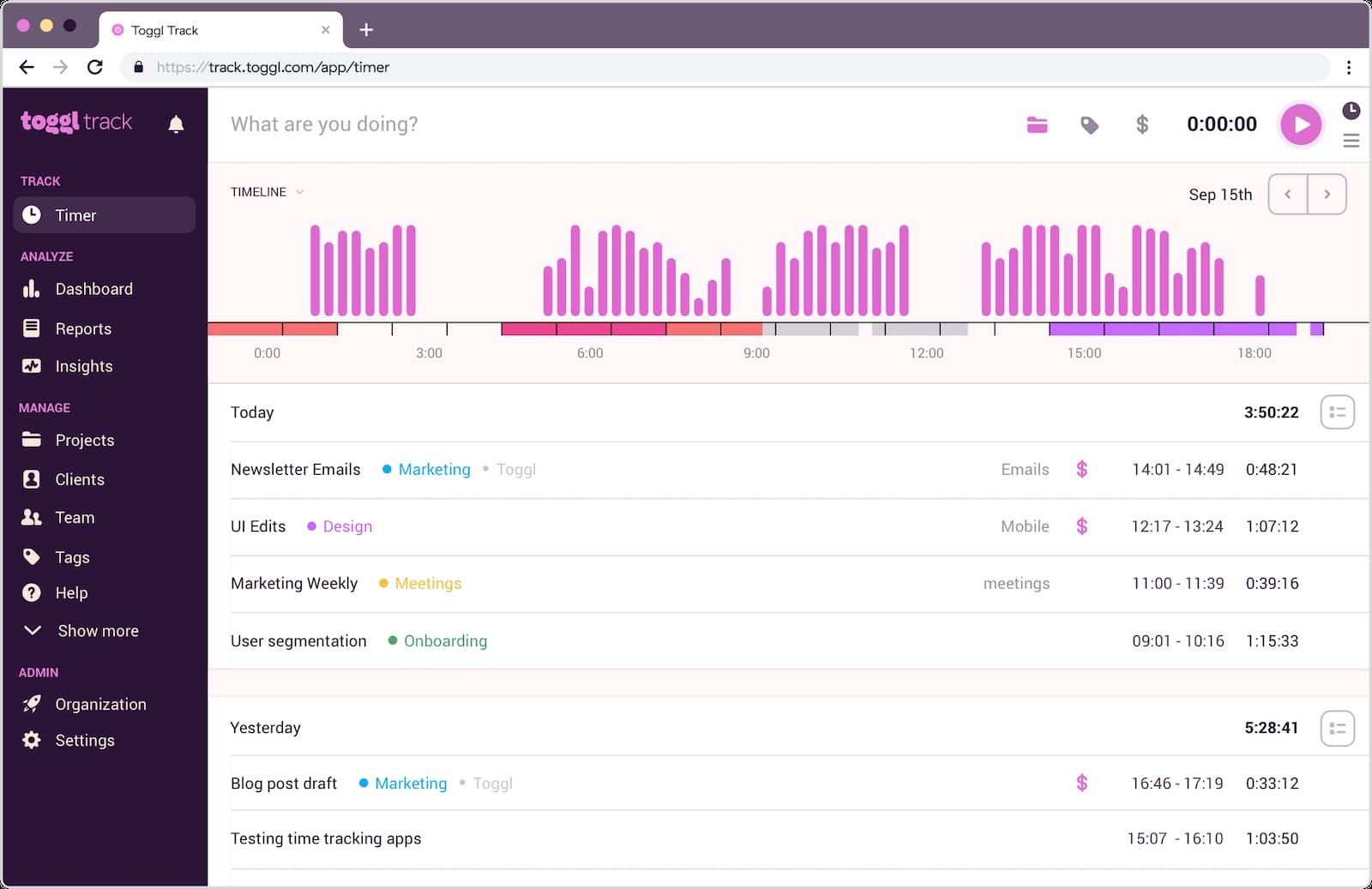
Toggl Track gives small teams structured project tracking without the complexity of heavier tools. It’s fast, intuitive, and built to keep friction low—users select a project, hit start, and get on with their work. Reports provide a clear breakdown of time by project, client, and tag, making it an easy upgrade from spreadsheet-based timesheets.
Key Features
- Simple start/stop timers with projects, clients, and tags.
- Billable vs. non-billable flags for cleaner project-based tracking.
- Project dashboards comparing tracked time against estimates.
- Reporting by project, client, team member, and tag.
Reviews
“Best time tracker ever… It’s super easy to use… The reports are amazing, with detailed information grouped by projects.” - Capterra
5. Timely
🌟 4.8/5
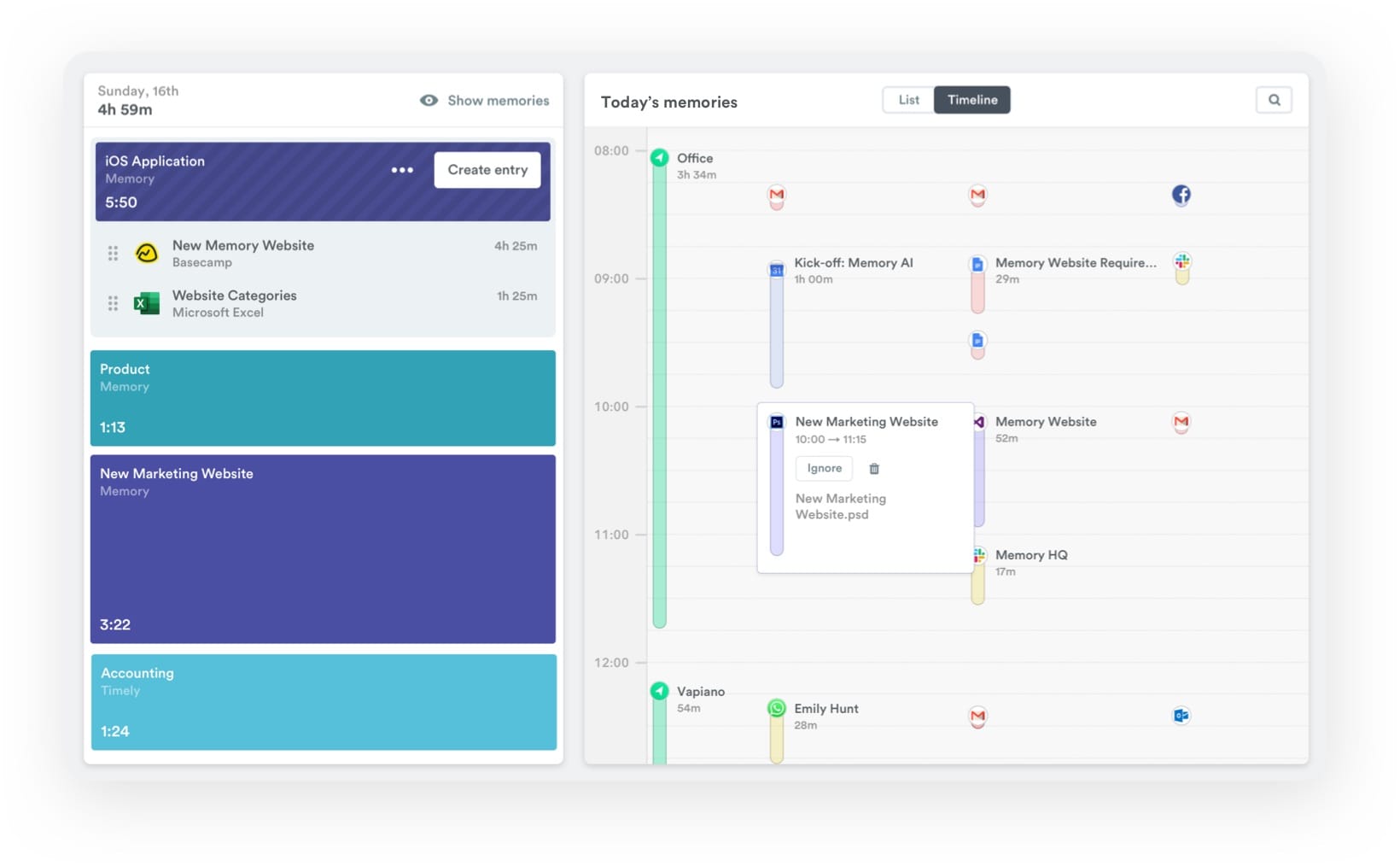
Best for: Automatic, AI-driven time tracking
Price: Starter from $9, Premium $16, Unlimited $22 per user/month (annual billing)
Available on: Web, desktop, mobile
What makes Timely stand out
Timely is built for teams that lose billable hours due to inconsistent manual logging. It automatically records app, document, and website activity across devices, then lets users confirm and assign that time to projects and tasks. This creates accurate timesheets with far less effort. For agencies and consultancies where people switch between clients constantly, Timely helps recover forgotten hours and improve project profitability without relying on perfect habits.
Key Features
- Automatic capture of work activity, grouped into clear timelines.
- AI-assisted suggestions for mapping time to the right projects and tasks.
- Project dashboards with budgets, capacity, and utilisation metrics.
- A strong privacy-first approach compared to surveillance-heavy tools.
Reviews
“Timely is one of the best software for automated time tracking, which enhances productivity.” — Capterra
TL;DR
| Tool | Lowest paid plan (per user/month) | Free plan limitations | Ratings (G2 / Capterra) | Agency fit score | SoftDev fit score |
| TMetric | ~$7–$9 | Free for up to 2 users with core features | ~4.6 / 4.5 | 4.8 / 5 | 4.7 / 5 |
| ClickUp | ~$7–$10 | Free Forever; limited advanced time features | 4.7 / 4.6 | 4.4 / 5 | 4.8 / 5 |
| Harvest | ~$11 | 1 user, 2 projects | ~4.3 / 4.6 | 4.5 / 5 | 3.5 / 5 |
| Toggl Track | $9 | Free for up to 5 users | ~4.5 / 4.6 | 4.5 / 5 | 3.5 / 5 |
| Timely | $9–$22 | No forever-free plan; 14-day trial | ~4.8 / 4.7 | 4.6 / 5 | 4.2 / 5 |
Other project time tracking options
If none of the main five tools is an exact fit, these platforms are also credible options, each with a clear use case:
- Clockify: Budget-friendly project time tracker with projects, tags, and straightforward reporting. Its generous free plan makes it a low-risk entry point for teams moving off spreadsheets.
- TimeCamp: Combines project time tracking with basic attendance and productivity features — useful if you want one system covering both project work and presence.
- Everhour: Offers deep integrations with tools like Asana and ClickUp, and is particularly strong on client billing workflows.
- Hubstaff: Adds GPS and activity data on top of project time logs, suiting distributed or field-based teams that need location-aware tracking.
- Time Doctor: Focuses on time and productivity analytics for project work, often used by BPOs and outsourced teams that need detailed insight into how time is spent.
Which project time tracker should you pick?
For teams that want an effortless, seamless way to capture billable hours, stay on top of project efficiency, and send accurate invoices without adding extra admin, TMetric is the standout choice. It’s simple enough for any team size to adopt quickly, yet strong enough to keep complex client work on track.
- Need an all-in-one project hub with tasks and docs? → ClickUp
- Prefer a tool built around invoicing and expenses? → Harvest
- Looking for something lightweight for smaller teams? → Toggl Track
- Want automated time capture to recover forgotten hours? → Timely
How much do project time trackers cost?
Most project time-tracking tools fall into a clear, predictable pricing band. Based on current published pricing across leading platforms:
- Core plans typically range from $7 to $12 per user/month. This aligns with tools like Clockify, TMetric, Toggl Track, and similar project-focused trackers.
- Free plans exist, but with limits. Many platforms offer free tiers for small teams (e.g., 1-5 users) or restrict features like budgeting, advanced reporting, or invoicing.
- Higher-tier or AI-assisted plans cost more. Tools with automated time capture, deeper analytics, or integrated billing (such as Timely or advanced Harvest plans) may price higher depending on usage and features.
- For a 20-30-person team, expect monthly spend in the low hundreds. Even at $7-$10 per user, the total monthly cost remains modest compared to the value gained from accurate billable hours and clear project profitability.
In practice, the right plan usually pays for itself quickly. Capturing missed billable time, preventing budget overruns, and giving finance and delivery teams a shared view of actual project performance often saves far more than the cost of the tool.
The Takeaway
From TMetric’s effortless, seamless approach to tracking billable hours and evaluating project efficiency to the more narrowly focused strengths of ClickUp, Harvest, Toggl Track, and Timely, each tool has its place. But teams that want a straightforward system that works out of the box—accurate hours, clean invoicing, real-time visibility, and zero friction—often find TMetric sets the standard. Its simplicity and reliability make it easy for any team size to stay organized and capture every hour with confidence.
In the end, the right time tracker is the one your team actually uses consistently. Choosing a tool that feels intuitive from day one goes a long way toward keeping projects on track and billing accurate. TMetric delivers that experience better than most. With the right system behind you, clarity becomes effortless and every project runs smoother.