5 Best Time Management Apps for Remote Teams
Remote work didn’t break time management. It exposed how fragile it already was. When teams aren’t in the same room, you can’t rely on assumptions, you need visibility. This guide breaks down five tools that give you that visibility without turning time tracking into a burden.

By Dereck Mushingairi | March 26, 2026
Time is the ultimate remote team currency, but most teams are spending it blindfolded. Work gets buried in chat threads and spread over endless calendars. When everything is spread out this way, leaders cannot clearly see where effort is going, which makes planning much harder.
What remote teams require are time management tools that bring tasks and time logs into one clear picture. This guide reviews the best time management systems for remote teams.
Compare:
Why trust our software reviews
Choosing between dozens of time management tracking tools can quickly become overwhelming. To make this guide practical, we reviewed a wide range of apps for time management used by distributed teams and focused on the tools that consistently perform well in real remote work environments.
Each platform was evaluated across several practical criteria:
- Daily usability for remote teams.
- Accuracy of time tracking and reporting.
- Integrations with collaboration and project tools.
- Pricing transparency and scalability.
- The ability to reduce administrative overhead.
Special attention was given to time management systems that support asynchronous work, since remote teams often operate across multiple time zones. Tools that simplify coordination, automate tracking, and provide clear visibility into project time were prioritized in this review.
With that context in mind, the next step is understanding how to evaluate these tools for your own team.
How to choose the best time management tool
The best tools for time management are not always the ones with the longest feature list. The right choice depends on how your team actually works day to day. Before adopting new time management applications, it helps to evaluate a few practical factors.
Start with your remote workflow
Some teams need structured billable time tracking, while others only want visibility into productivity patterns. Understanding whether your team works primarily with projects, tickets, or client work will narrow down the most relevant time management tracking tools.
Simple vs powerful (adoption risk)
Highly advanced platforms can provide deep analytics, but they sometimes introduce complexity that slows adoption. For many remote teams, the best time management software is the one employees consistently use without friction.
Team vs individual needs
Freelancers often prefer lightweight free time management apps, while organizations usually require more structured systems that support project budgets, team dashboards, and workload visibility.
Essential integrations
Remote work rarely happens in a single tool. Look for tools for time management that integrate with systems like Jira, Slack, Notion, GitHub, or Asana so teams can track time directly within their existing workflows.
Cross-device and offline access
Distributed teams work from many environments. Reliable time management systems should support multiple devices and continue tracking work even when internet access is unstable.
These considerations help narrow the field. Once you have a clearer idea of your needs, the next step is identifying the core capabilities that strong time management tools usually share.
What to look for in a time management tool
When you start to look at the tools that are available, you can see that they are not all made the same way. Some trackers keep track of hours well but don't give you any real information. Some show trends in productivity but don't have good integrations or ways for teams to work together.
However, the best tools tend to have a few things in common that make them really useful for teams that work from home. Some of these are:
- Accurate time capture, whether you use manual timers or automated tracking.
- Useful information about how people focus, switch contexts, and how productivity changes over time.
- Integrations with tools like Jira, Slack, Asana, Notion, and GitHub work well.
- Strong async support for scheduling, availability, and working together across time zones.
- Budget and cost visibility for projects that are both internal and client-facing.
- Reports that show trends instead of just a list of hours.
When these pieces fit together, teams stop making guesses. They can see what they need to do to keep their focus, balance their workloads, and move projects forward with confidence.
The table below shows how the best time management systems compare in terms of key features, which makes it easier to compare them.
Feature comparison table
| Feature/capability | TMetric | Toggl Track | Clockify | RescueTime | Timely |
|---|---|---|---|---|---|
| Rating | 4.6/5 | 4.6/5 | 4.5/5 | 4.4/5 | 4.7/5 |
| Best for | Remote teams needing accurate logs, productivity dashboards & billing | Simple, distraction-free time tracking | Free time tracking for unlimited users | Automatic productivity insights | AI-powered automatic tracking |
| Starting price | $7/user/mo | ~$9/user/mo | $5.49/user/mo | ~$7/mo | $9/user/mo |
| Free plan | Yes (2 users) | Yes (limited) | Yes (unlimited users) | No | Trial only |
| Time tracking method | Manual + task-based | Manual + one-click timers | Manual timers + timesheets | Automatic background tracking | Fully automatic AI tracking |
| Billable hours & invoicing | Full billing + invoicing | Basic billable tracking | Basic billable tracking | Not supported | Strong billing accuracy |
| Productivity insights | Activity levels & dashboards | Simple team insights | Activity monitoring | Deep productivity analytics | Visual productivity timelines |
| Integrations | 50+ tools (Jira, Asana, Trello, Notion, GitHub…) | Core PM integrations | PM + basic accounting integrations | Limited | PM + calendar + workflow tools |
| Budget tracking | Detailed budgets & profitability | Not included | Basic budgeting on paid plans | Not supported | Budget alerts & burn rate |
| Time Off / attendance | PTO & attendance built-in | No | On higher-tier plans | No | No |
| Permission controls | Advanced | Basic | Moderate | Minimal | Role-based |
| AI automation | None | None | None | Auto productivity capture | Full AI time mapping |
| Platforms | Web, iOS, Android, macOS, Windows, Linux, extensions | Web, desktop, mobile, extensions | Web, desktop, mobile, extensions | Web, desktop, mobile | Web, desktop, mobile |
This high-level overview helps narrow the options. Next, we’ll take a closer look at each of these time management applications and how they work in real remote team environments.
5 Best time management tools for remote teams
Here’s a closer look at the paid and free time management apps that consistently deliver clarity, structure, and measurable productivity improvements for distributed teams.
1. TMetric
🌟 4.6/5
Best for: Service teams, consultants, agencies, and freelancers billing by time or project.
Price: Free for up to 2 users; paid plans start at $7 per user/month.
Available on: Web, Windows, macOS, Linux, iOS, Android, browser extensions.
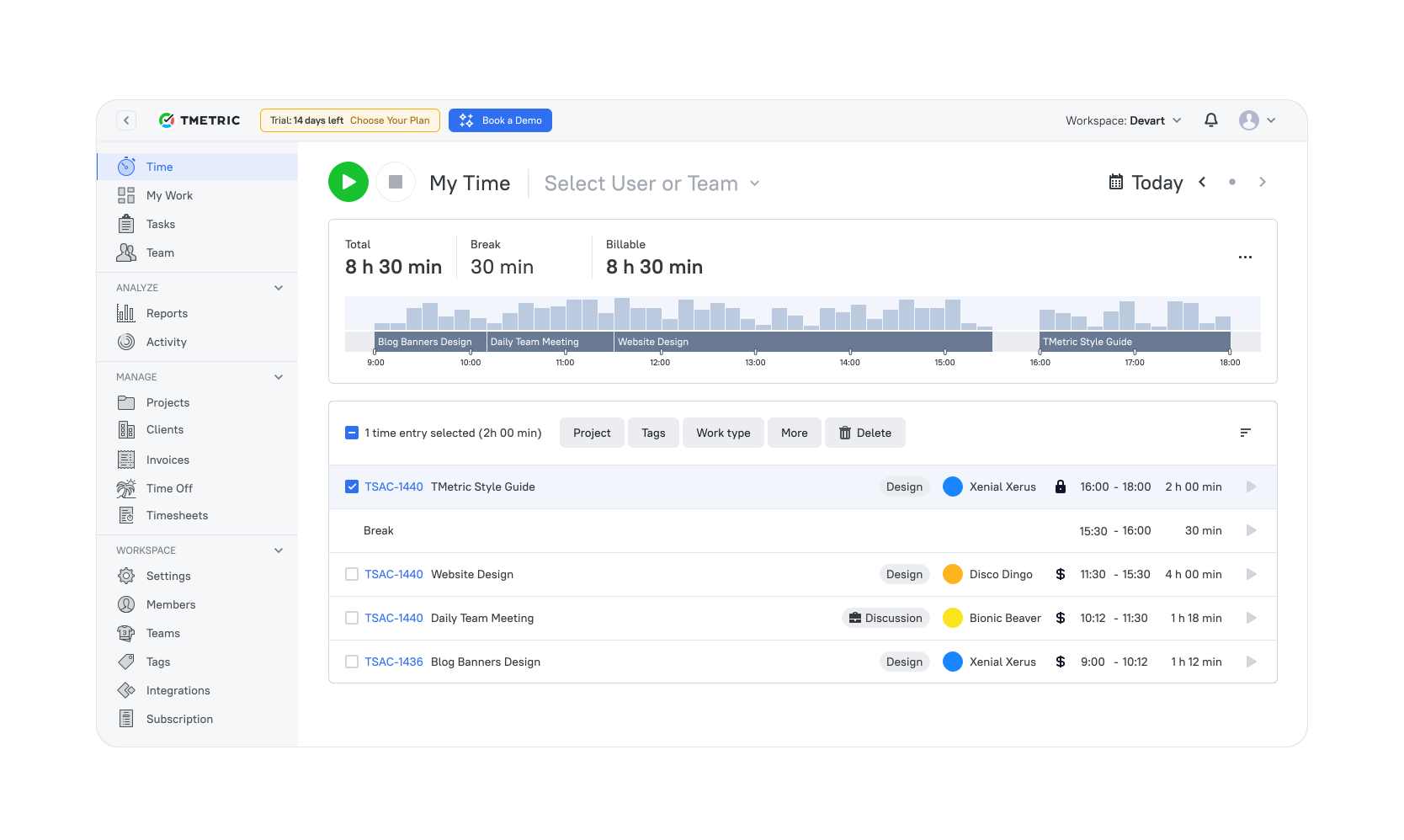
TMetric is a time tracking tool for teams that need to keep track of how many hours they spend on each project. It has timers, structured timesheets, reporting, and project budgets all in one place so that teams can keep an eye on work activity and keep track of time spent on tasks, clients, and projects.
Because it connects time logs with project data, it’s often used by agencies, consultancies, and remote teams that rely on accurate records to manage billable work and project performance.
Why teams choose TMetric
Many remote teams consider TMetric one of the best time management software because it ties together the operational side of time tracking (logs, budgets, invoicing, and team visibility) in one system. Managers can quickly see how effort is distributed across projects while teams keep their daily tracking simple.
It also integrates with a wide range of tools such as Jira, Asana, Trello, Slack, Notion, and GitHub, allowing time tracking to happen alongside the tools teams already use.
Key features
- Tracking of billable hours with integrated client invoicing.
- Team productivity dashboards with performance insights.
- Integrations with project management platforms.
- Time-off tracking and attendance management.
- Budget tracking with profitability reporting.
- Flexible permission settings for distributed teams.
Pros
- Accurate time tracking with actionable productivity insights.
- Built-in billing and invoicing capabilities.
- Strong integrations with project management tools.
- Effective budget tracking and profitability monitoring.
- Easy to adopt for remote and distributed teams.
Cons
- Limited AI-driven automation compared to newer platforms.
- Advanced analytics features may require higher-tier plans.
Pricing
Includes a free plan for up to two users. Paid plans typically start at $7 per user/month, with additional features such as project budgeting, dashboards, and advanced integrations available in higher tiers.
What TMetric users are saying
“TMetric gives our remote team clarity we didn’t have before — time logs, productivity insights, and budgets all in one place.” — G2 Reviewer
2. Toggl Track
🌟 4.6/5

Best for: Freelancers and remote teams looking for simple, distraction-free time tracking.
Price: Free plan available; paid plans start at around $9 per user/month.
Available on: Web, Windows, macOS, Linux, iOS, Android, browser extensions.
Toggl Track is a lightweight time tracking tool designed to help teams record work hours across projects and clients. It focuses on simple timers, manual time entries, and clear reporting so teams can see how time is allocated without managing complex workflows.
The platform is commonly used by freelancers, remote teams, agencies, and small businesses that want an easy way to track billable work and monitor project time.
Why teams choose Toggl Track
The appeal of Toggl Track is its simplicity. Teams can start tracking time immediately without configuring complex workflows or onboarding processes.
Because timers connect directly to projects and clients, it’s easy to understand how time is distributed across work. For many teams, that balance of speed, clarity, and low maintenance is exactly what they need.
Key features
- One-click timers and manual time entry across apps and browser extensions.
- Reporting by project and client for clearer time allocation insights.
- Billable hour tracking and cost calculations for client work.
- Idle detection to help prevent accidental overreporting.
- Simple dashboards highlighting time patterns and team activity.
Pros
- Very easy to get started with.
- Clean interface with minimal setup required.
- Dependable reporting for billable work.
- Available on desktop, mobile, and browser extensions.
Cons
- Limited native project budgeting capabilities.
- Offers fewer productivity insights than some competitors.
Pricing
Includes a free plan with basic time tracking functionality. Paid plans typically start at around $9 per user/month, adding advanced reporting, project insights, and team management features.
What users say
“I like that I can easily access it on the computer and/or my phone through the app. It is user-friendly. It also helps me stay on track, and I can run reports and categorize to see what I've been working on. I use it everyday.” — G2 reviewer
3. Clockify
🌟 4.5/5
Best for: Teams needing a free, scalable time tracking solution with unlimited users.
Price: Free plan with unlimited users; paid plans start at $5.49 per user/month.
Available on: Web, Windows, macOS, Linux, iOS, Android, browser extensions.
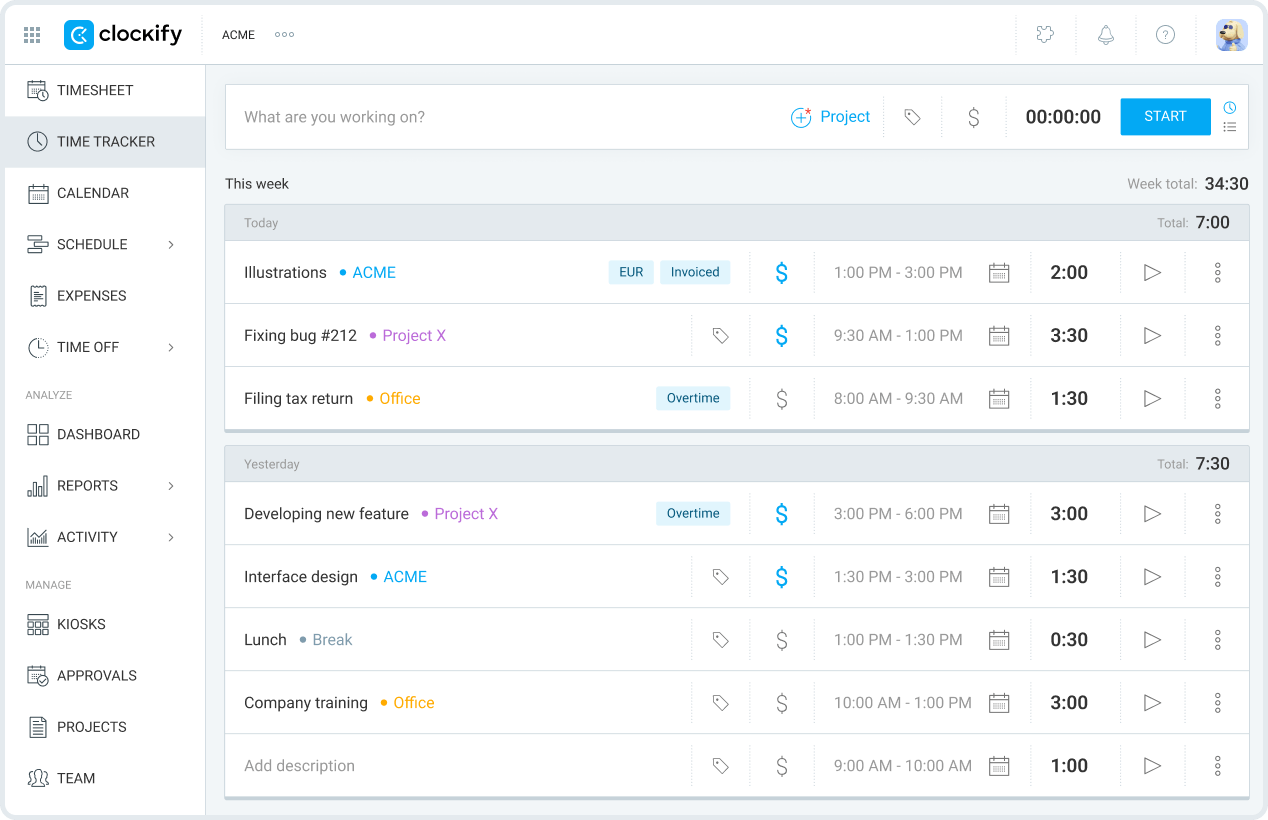
Clockify is a timesheet and time-tracking tool that lets teams log hours worked on different tasks and projects and make reports on how work time is spread out. It has timers, manual entries, and project tracking tools that can be used by both individuals and teams.
Because it has a free plan that lets an unlimited number of people use it, it's a popular choice for startups, remote teams, and businesses that want to start tracking time without having to pay for software right away.
Why teams choose Clockify
The free tier of Clockify is one of the best things about it. Teams can use it across the whole company without worrying about how many people can use it. When teams get bigger, they can add features like activity tracking, scheduling, and approvals to the same system.
Key features
- Free plan supporting unlimited users.
- Time tracking with timers, timesheets, and project tracking.
- Activity monitoring for basic productivity insights.
- Simple scheduling features available in higher-tier plans.
- Reporting tools showing time spent across tasks and clients.
Pros
- Free plan includes unlimited users.
- Easy to set up and scale for growing teams.
- Clear and useful reporting on project time allocation.
- Accessible via web, desktop, and mobile platforms.
Cons
- Advanced features require upgrading to paid plans.
- Productivity insights are less detailed compared to some competitors.
Pricing
Includes a free plan with unlimited users. Paid plans typically start at around $5.49 per user/month, adding features such as scheduling, approvals, and enhanced reporting.
What users say
“I value its clarity and discipline. Clockify keeps time tracking straightforward, reliable, and impossible to fudge. It forces accuracy, makes reporting painless, and gives you a clean view of where hours are actually going.” — G2 reviewer
4. RescueTime
🌟 4.4/5
Best for: Individuals and teams that want automatic tracking and deep productivity insights.
Price: Paid plans start at around $7 per month; no permanent free plan.
Available on: Web, Windows, macOS, Linux, iOS, Android.
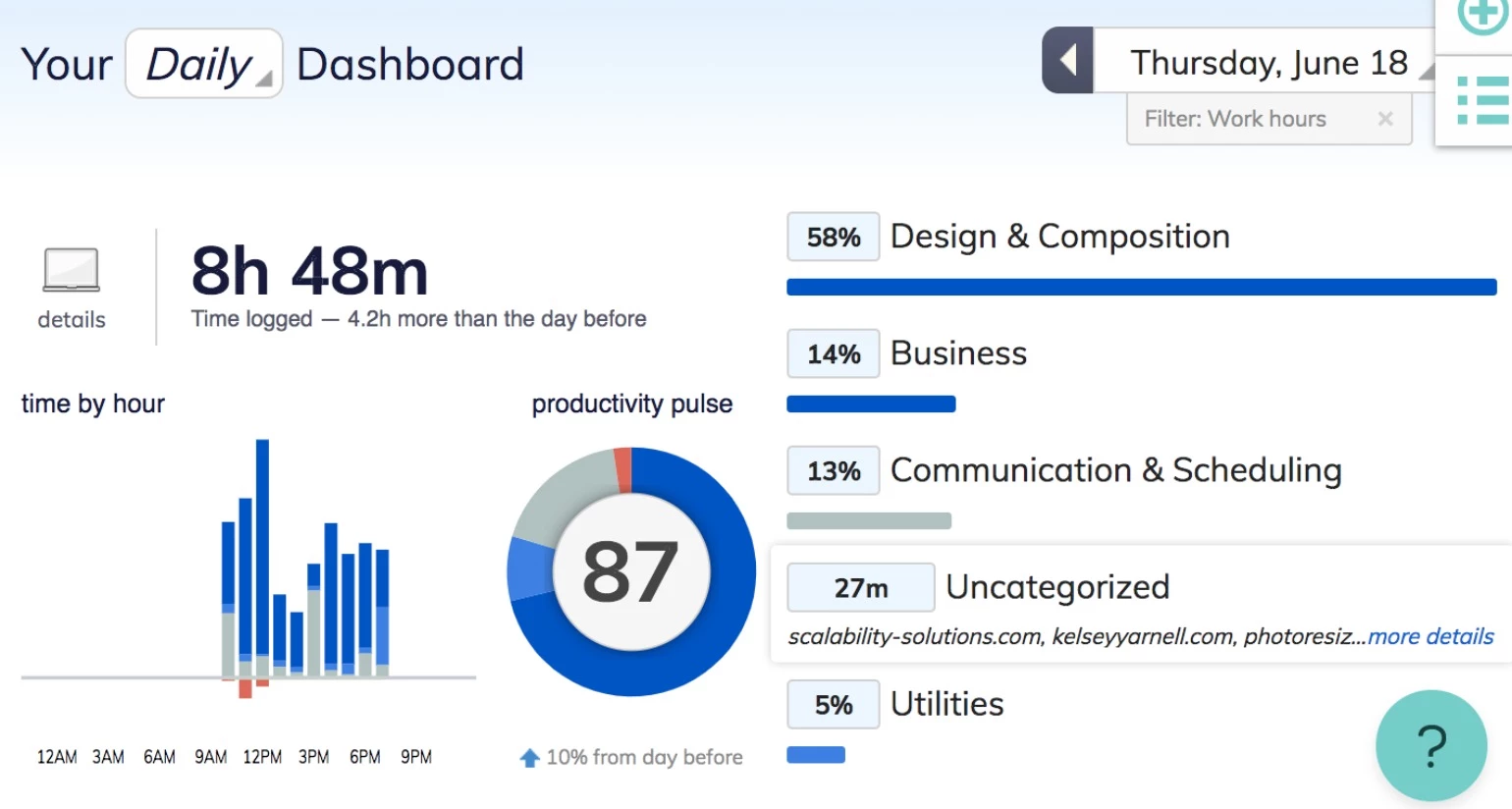
RescueTime is a productivity analytics and time monitoring tool that tracks activity across applications and websites automatically. Instead of relying on manual timers, it records how people spend time during the workday and provides reports on focus patterns and work habits.
The platform is often used by individuals and remote teams that want to understand how their time is actually spent and identify distractions that affect productivity.
Why teams choose RescueTime
Many teams use RescueTime because it reveals patterns that manual tracking often misses. By analyzing app usage, focus sessions, and interruptions, it helps users understand where attention goes during the day.
For remote workers dealing with frequent context switching, those insights can make it easier to adjust routines and improve focus.
Key features
- Automatic activity tracking across apps and websites.
- Focus session tools designed to minimize distractions.
- Alerts triggered when productivity drops or interruptions increase.
- Daily and weekly performance summaries.
- Insights into focus patterns and time usage habits.
Pros
- Fully automated time and activity tracking.
- Detailed insights into productivity and focus behaviors.
- Useful alerts and focus tools to reduce distractions.
- Requires minimal manual input.
Cons
- Not built for billable time tracking or invoicing workflows.
- Fewer integrations compared to some time tracking platforms.
Pricing
Paid plans typically start at around $7 per month, offering advanced productivity analytics, detailed reporting, and focus management tools.
What users say
“It's the best app that helps me to set goals and also in time tracking. It has the feature of automatic time tracking, which helps us to understand the hours we worked.” — G2 reviewer
5. Timely
🌟 4.7/5

Best for: Teams that prefer AI-powered automatic time tracking and accurate time mapping.
Price: Paid plans start at around $9 per user/month; trial available.
Available on: Web, Windows, macOS, iOS, Android.
Timely is an automatic time tracking platform that uses AI to record activity across apps and tasks. Instead of relying on manual timers, it builds a timeline of the workday based on the tools and projects people interact with. This approach allows teams to reconstruct how time was spent without actively tracking every task.
Why teams choose Timely
Teams are drawn to Timely because it removes much of the manual work associated with time tracking. Automatic capture reduces the risk of forgotten hours and provides a more complete record of project time. The visual timeline also makes it easy to review daily activity and assign work to the correct projects before generating reports.
Key features
- AI-powered automatic time tracking across apps and tasks.
- Smart suggestions for categorizing tracked activities.
- Visual timelines showing how time is spent throughout the day.
- Project budgeting tools with alerts for tracking spend against plans.
- Capacity planning features for managing distributed teams.
Pros
- Automatic tracking helps reduce missed or unlogged hours.
- AI-driven suggestions simplify time categorization.
- Clear and intuitive visual timelines of daily work activity.
- Includes budgeting and capacity planning capabilities.
Cons
- Higher pricing compared to some alternative time tracking tools.
- AI-based tracking may feel intrusive for certain teams.
Pricing
Paid plans typically start at around $9 per user/month, depending on automation level, reporting features, and team management functionality.
What users say
“Timely recovers hours we used to lose every week. Automatic tracking has been a game-changer for billing accuracy.” — G2
Other time management options
Beyond the main five, there are several other tools that deserve attention, each offering a unique angle that can be a better match depending on your team’s setup. These include:
- Connecteam: Great for teams with field or frontline staff who need GPS-based time tracking and simple scheduling.
- Deel: Helpful for global teams managing contractors across multiple countries, especially when compliance and time oversight matter.
- Hubstaff: Adds activity indicators and optional GPS on top of time tracking, which some distributed teams use for extra context around their workday.
- Paymo: Blends time tracking with lightweight task management, making it appealing if you want a single place to track both work and time.
- TimeCamp: Offers automatic time capture and basic attendance tools — a good “two-in-one” option for teams needing both.
- Everhour: Best suited for teams working primarily inside Asana or Trello, thanks to its clean in-app timers and simple reporting.
- Harvest: Reliable, straightforward time logging paired with strong invoicing for teams that bill clients regularly.
Which time management app should you consider?
When it comes to picking a time management app, the best choice depends on your team's needs. If you want accurate time logs paired with clear productivity insights and billable-hour workflows that just work, TMetric is the most well-rounded solution.
- Prefer something lightweight and minimal? → Toggl Track
- Need a strong free plan for a growing team? → Clockify
- Want deeper insight into focus and work habits? → RescueTime
- Prefer automatic time capture so nothing gets missed? → Timely
How much do time management tools cost?
Most time management platforms fall into a pretty predictable pricing range. Looking at today’s leading tools:
- Core paid plans usually sit between $5 and $12 per user/month. That’s the range for tools like TMetric, Toggl Track, Clockify, and others.
- Free plans exist — but expect some limits. You might get unlimited users but restricted reporting, limited integrations, or no budgeting features.
- Tools with automation or advanced analytics cost a bit more. AI-powered automatic tracking or deeper productivity insights (think Timely or RescueTime Premium) usually push pricing into a higher tier.
- For a 20–30 person team, monthly costs stay in the low hundreds. Even at $7–$10 per user, the return is strong, especially when accurate time logs and better planning prevent lost hours or budget surprises.
In most cases, a good time management tool pays for itself quickly by improving visibility and reducing the guesswork in distributed workflows.
The takeaway
From TMetric’s simple, reliable approach to tracking time and understanding productivity to the more specialized strengths of Toggl Track, Clockify, RescueTime, and Timely, each tool fills a different need. But if you want something your team can start using immediately (accurate logs, helpful insights, and minimal friction), TMetric tends to stand out.
At the end of the day, the best time management app is the one your team actually keeps using. When a tool feels intuitive and fits naturally into the workday, it becomes much easier to stay aligned, avoid overload, and keep projects moving. With the right system behind you, clarity comes naturally, and your team’s time works a whole lot harder for you.
Start tracking time with TMetric. Create your free account now.
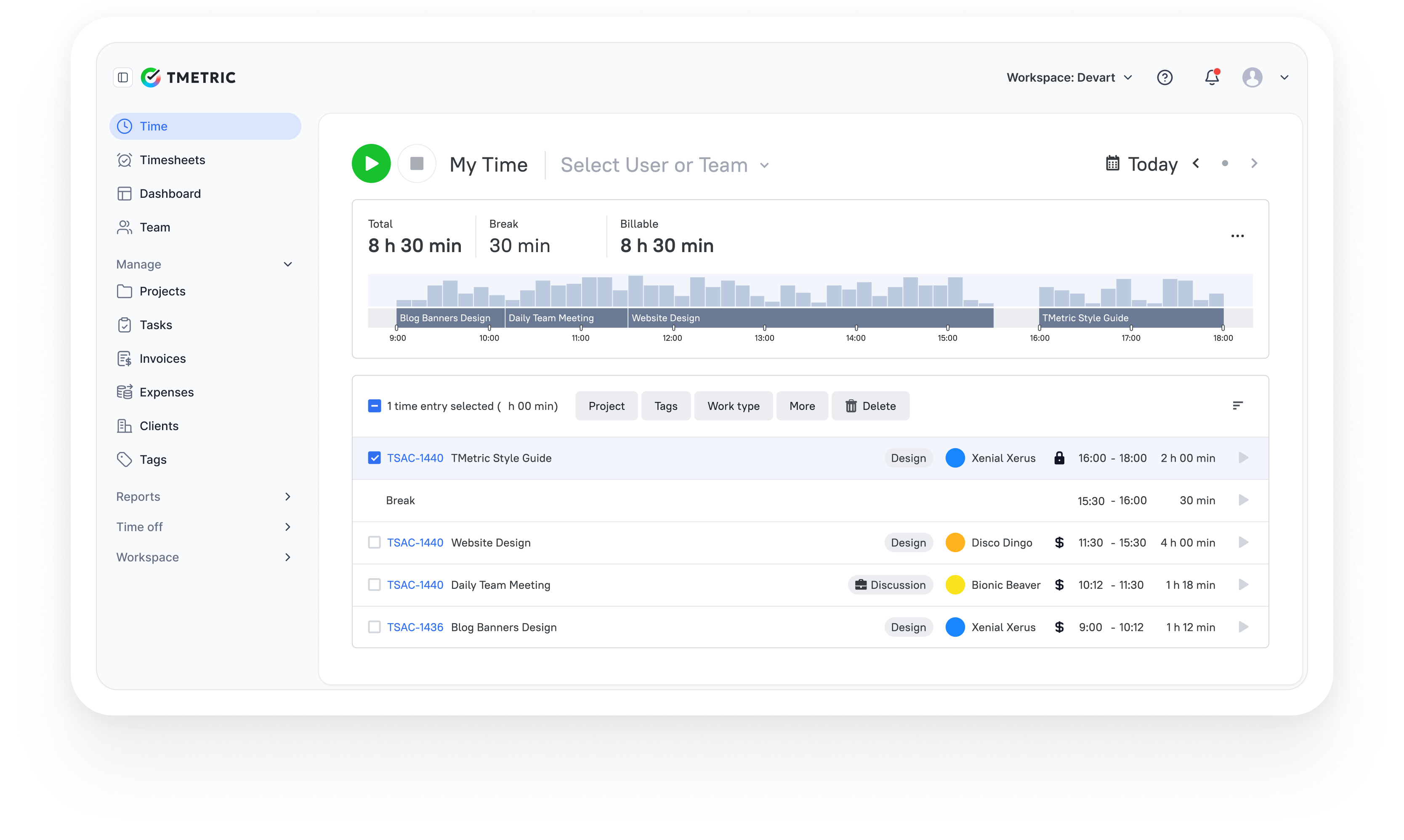
3,000+ companies, teams, and individuals worldwide use TMetric to track time, manage work, and bill with confidence.