Best Time Tracking Software for Consultants in 2026
Explore the best time tracking software for consultants in 2026. This guide compares top tools designed to capture billable hours accurately, simplify client invoicing, and deliver real-time insights into project profitability. With this software, consultants can stay efficient, improve accountability, and maximize revenue.

By Dereck Mushingairi | January 15, 2026
Everyone says “time is money,” but in consulting it’s more than that: it’s evidence. It justifies invoices, explains pricing, and shapes decisions around workload, scope, and profitability. That’s why every billable hour must be tracked accurately, priced correctly, and able to stand up when invoices land with clients.
However, in practice, that evidence is hard to manage. Consulting work is spread across multiple clients, projects, and rate structures, with time split between delivery, calls, revisions, and internal work. The risk of logging hours late or inconsistently is high, and the gaps usually surface when billing decisions are already being made.
That’s why proper time tracking is non-negotiable.
This guide breaks down the best time tracking software for consultants in 2026—tools built to capture billable work accurately and reduce invoicing friction. Let’s dive in!
What Consultants Need from Time Tracking Software
For consultants, a tool that works well typically:
- Captures time in context
Hours are logged against the right client, project, and type of work as you go, instead of being pieced together later from calendars or memory. - Handles pricing without extra effort
Different clients and engagement models mean different rates. The right tool applies those rates automatically, so billing doesn’t turn into a manual check. - Makes invoicing straightforward
Tracked time should flow directly into invoice-ready records, without spreadsheets or cleanup at the end of the month. - Shows profitability early
You can see which projects are running over budget or squeezing margins before invoices go out, not after.
Most time trackers do one or two of these well. The following tools were chosen because they cover most of them in a way that fits real consulting workflows.
How we selected these 5 top time tracking tools for consultants
|
Step |
What we did |
|
1. Industry + user feedback analysis |
Reviewed consultant-focused feedback on Capterra, G2, Reddit consulting groups, and freelancing communities. |
|
2. Workflow testing |
Tested client tracking, rate customization, timesheet workflows, approvals, invoicing, and profitability reports. |
|
3. Pricing & scalability |
Compared plan limits for clients, projects, invoices, and multi-consultant firms. |
|
4. Integration depth |
Evaluated connections with CRMs, project tools, accounting software, and email platforms. |
TL;DR
The following table compares the five leading tools across the features that matter most to consultants so you can quickly see which platform fits your way of working.
| Tool | Rate flexibility (client/project/role) | Invoicing polish | Calendar sync | Automatic time capture | Integrations (PM & accounting) | Profitability insights |
|---|---|---|---|---|---|---|
| TMetric | ✔️✔️✔️ Excellent — client, project & role rates | ✔️ Clean, customizable | ✔️ Google & Outlook | Manual + reminders | ✔️ Deep (Jira, Asana, Trello, QuickBooks, Notion…) | ✔️ Strong (budgets, margins, burn rate) |
| Harvest | ✔️ Good — client/project rates | ✔️ Polished, client-friendly | ✔️ Yes | Manual | ✔️ Strong (Asana, Trello, QuickBooks) | Moderate |
| Toggl Track | ✔️✔️ Great — client/project rates | Basic (via integrations) | ✔️ Yes | Very fast manual timers | ✔️ Strong PM tools, limited accounting | None |
| Clockify | Basic — mainly client/project | Basic | ✔️ Yes | Manual + idle detection | ✔️ Good PM, basic accounting | Limited |
| FreshBooks | ✔️ Good — client/project | ✔️ Best-in-class client-facing invoices | ✔️ Yes | Manual | ✔️ Strong accounting; lighter PM | ✔️ Solid profitability reporting |
5 Best time tracking software for consultants (2026)
Here are the tools that consistently help consultants capture time accurately, bill clients professionally, and understand profitability across engagements.
1. TMetric
🌟 4.6/5
Best for: Independent consultants & consulting firms
Price: Free; $7–$9/user/month
Available on: Web, iOS, Android, macOS, Windows, Linux
What makes TMetric stand out
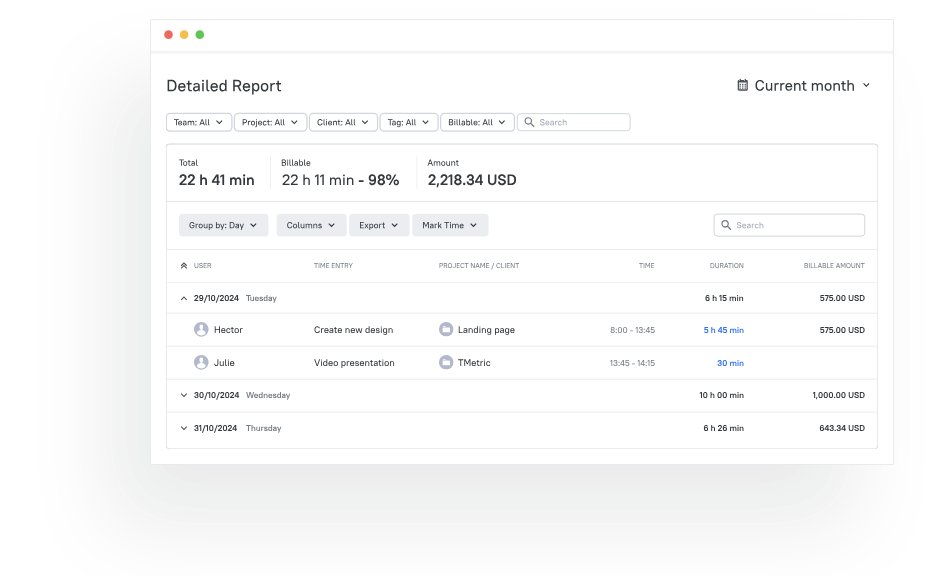
TMetric is built for consultants who bill by the hour, track multiple clients, and need professional, accurate invoices. It organizes time by client, project, and service type automatically, ensuring no billable work slips through. With customizable billing rates, branded invoice templates, expense tracking, and profitability reports, TMetric's consulting time tracking software makes it easy to manage client work and identify which engagements actually drive revenue.
Key TMetric features
Client-based time organization: TMetric structures time at the client and project level, keeping billable and non-billable work clearly separated across all engagements. Paid plans support unlimited clients, making it suitable for consultants managing multiple accounts simultaneously.
Custom billing rates: Different rates can be applied per client, project, or service type. This supports retainers, blended pricing, and fixed-scope work without manual adjustments or post-billing corrections.
Professional invoice generation: Time entries convert into branded, invoice-ready records with automated rate calculations. This ensures invoices remain accurate, consistent, and defensible when shared with clients.
Expense tracking with receipt capture: Reimbursable expenses can be logged alongside time entries and attached directly to invoices, maintaining a clean audit trail for every client cost.
Profitability reporting: TMetric provides visibility into which clients and projects generate strong returns and which ones erode margin, helping consultants act before revenue leakage compounds.
Budget alerts & client thresholds: Engagement budgets can be set in advance and monitored in real time, allowing consultants to identify overruns early rather than discovering them at month-end.
Time off & capacity tracking: Workload planning tools show consultant availability across clients and projects, supporting realistic scheduling and sustainable utilization.
Approval workflows: Time entries can be reviewed and approved before billing, adding control for consulting teams that require oversight without slowing delivery.
Calendar & offline tracking: Meetings sync automatically, and time can be tracked without an internet connection, ensuring work is captured regardless of location or connectivity.
Browser extension tracking: Time can be logged directly from email, CRM systems, project management tools, and other web-based applications, reducing missed entries during context switching.
Integrations: TMetric connects with 50+ tools, including Jira, Asana, Trello, Notion, Monday.com, HubSpot, Salesforce (via Zapier), QuickBooks, FreshBooks, GitHub, and more, making it easy to fit into existing consulting workflows.
TMetric pricing overview
|
Plan |
Monthly (billed monthly) |
Monthly (billed annually) |
Key features included |
|
Free |
$0 |
$0 |
Basic time tracking, unlimited clients & projects, reports, web/mobile/desktop apps, browser extensions |
|
Professional |
$7/user |
$5.83/user |
Billable rates, budgets & alerts, expenses, invoicing, calendar sync, client/project import |
|
Business |
$9/user |
$7.50/user |
Time off, team timesheets, activity tracking, screenshots, QuickBooks sync, advanced integrations |
|
Enterprise |
Custom |
Custom |
Custom integrations, priority support, secure deployment, volume discounts |
What TMetric users are saying
“It’s easy to use and integrates smoothly into our daily routine. We especially appreciate how we can assign time to specific projects and clients, it's super helpful for reporting.” — G2 reviewer
Why it’s #1
- Built for consulting workflows: Client-based tracking, flexible rates, and approval flows match how consultants actually work.
- Billing clarity without friction: Time, expenses, budgets, and invoices connect cleanly for accurate client billing.
- Strong visibility into profitability: Clear reporting shows which engagements are worth the time, and which are not.
2. Harvest
🌟 4.3/5
Best for: Consultants needing integrated invoicing
Price: ~$12/user/month
Available on: Web, iOS, Android
What makes Harvest stand out
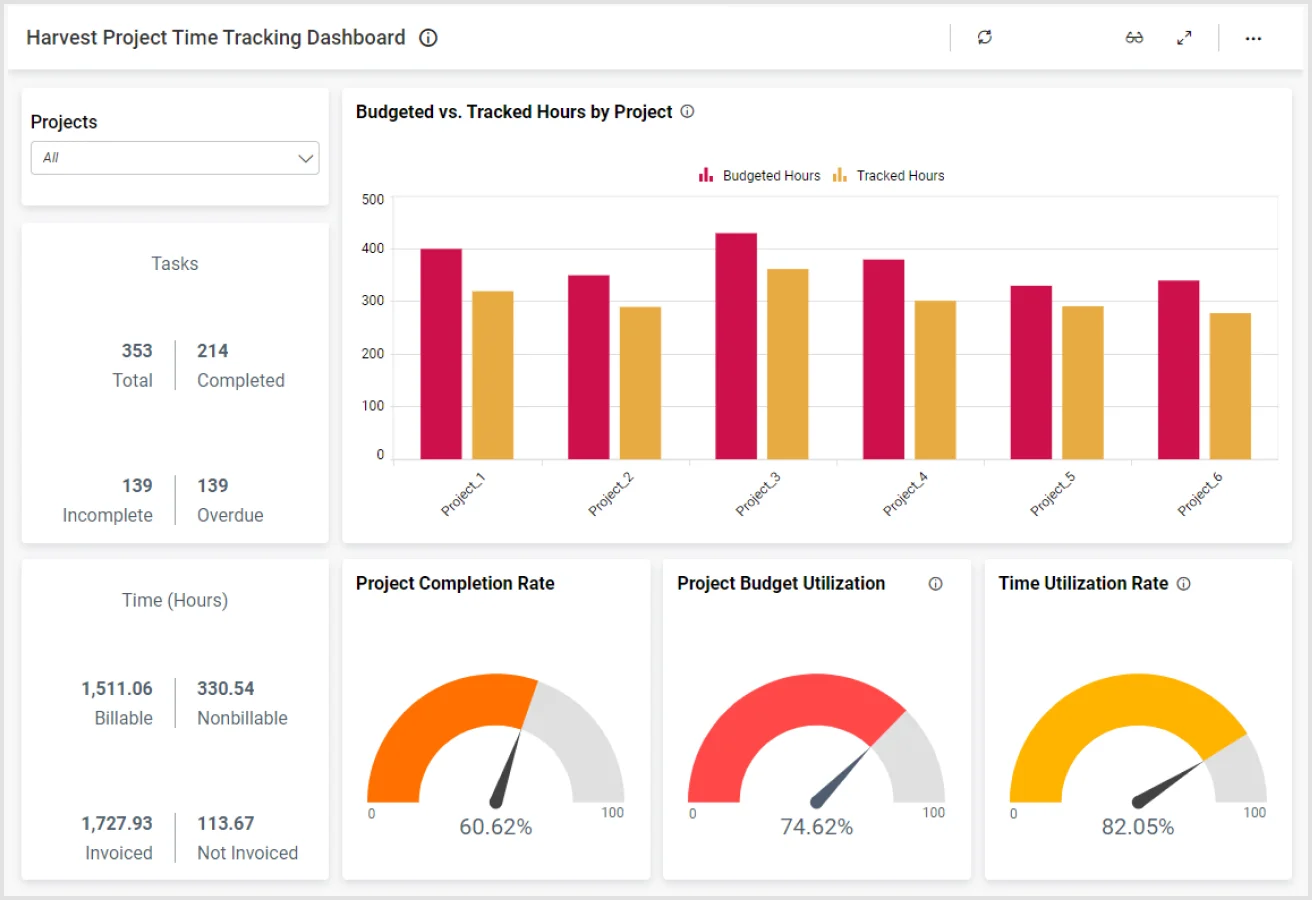
Harvest is a strong choice for consultants who want straightforward time tracking paired with reliable invoicing. It allows consultants to track hours across clients and projects, apply billing rates, and convert logged time into branded invoices quickly. Built-in expense tracking and payment integrations help small consulting firms streamline monthly billing without relying on complex accounting systems.
Key features
- Time tracking across multiple clients and projects.
- Branded invoices generated from tracked time.
- Expense capture tied directly to billing.
- Project budgets to monitor engagement limits.
- Payment integrations to simplify collections.
Reviews
“Harvest is an excellent work program that facilitates the management and visualization of all your projects and work processes, making it easier to organize and control each of your professional operations.” — G2 Reviewer
3. Toggl Track
🌟 4.6/5
Best for: Consultants who want minimal setup
Price: ~$9/user/month
Available on: Web, mobile, desktop
What makes Toggl Track stand out
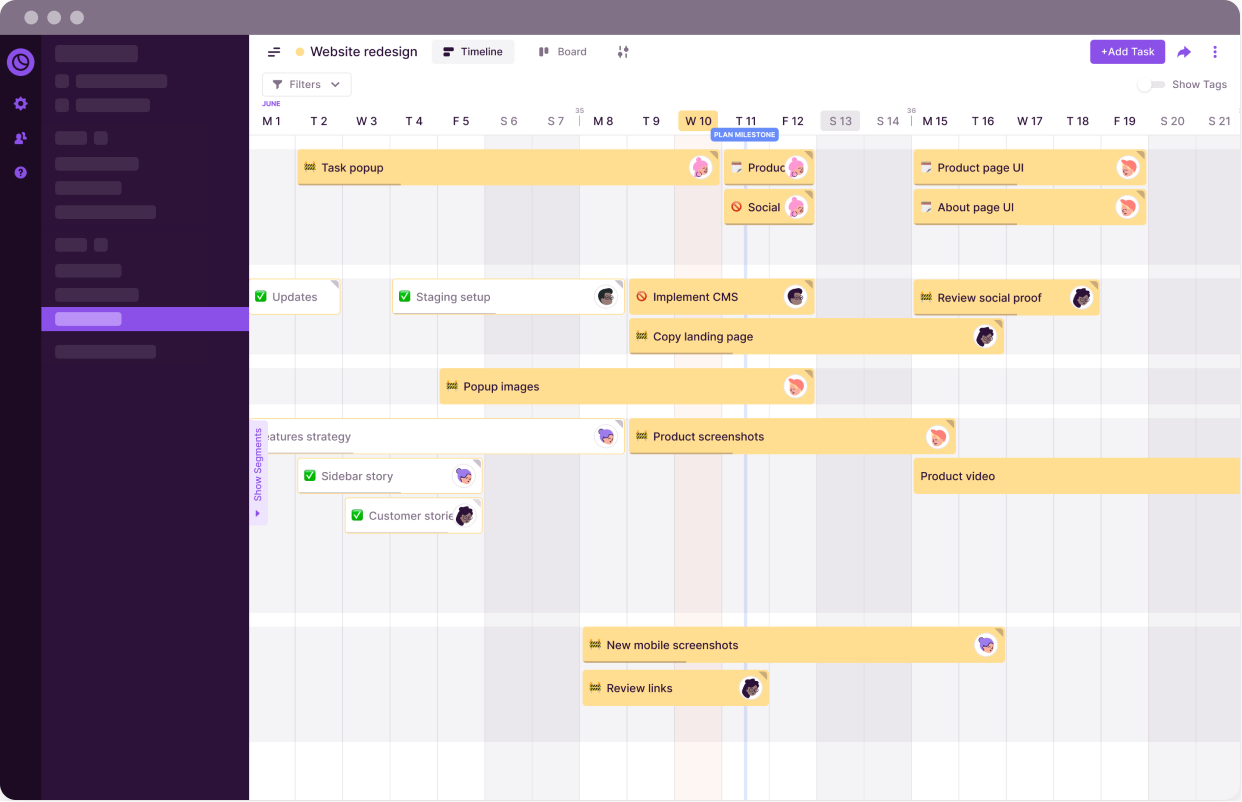
Toggl Track focuses on fast, frictionless time tracking with almost no setup required. One-click timers and automatic reminders help consultants avoid missed hours, while clear reports make it easy to share summaries with clients. While it lacks advanced billing features, it remains a dependable option for consultants who prioritize accurate hour capture over invoicing depth.
Key features
- One-click timers for fast time capture.
- Idle detection to prevent missed entries.
- Detailed reporting for client summaries.
- Project-based time breakdowns.
- Timesheets for structured review.
Reviews
“it's very simple and usefull and the section reporting is perfect to generate data to send to my clients” — G2 Reviewer
4. Clockify
🌟 4.5/5
Best for: Free consultant time tracking.
Price: Free plan for unlimited users; paid features optional.
Available on: Web, desktop, mobile.
What makes Clockify stand out
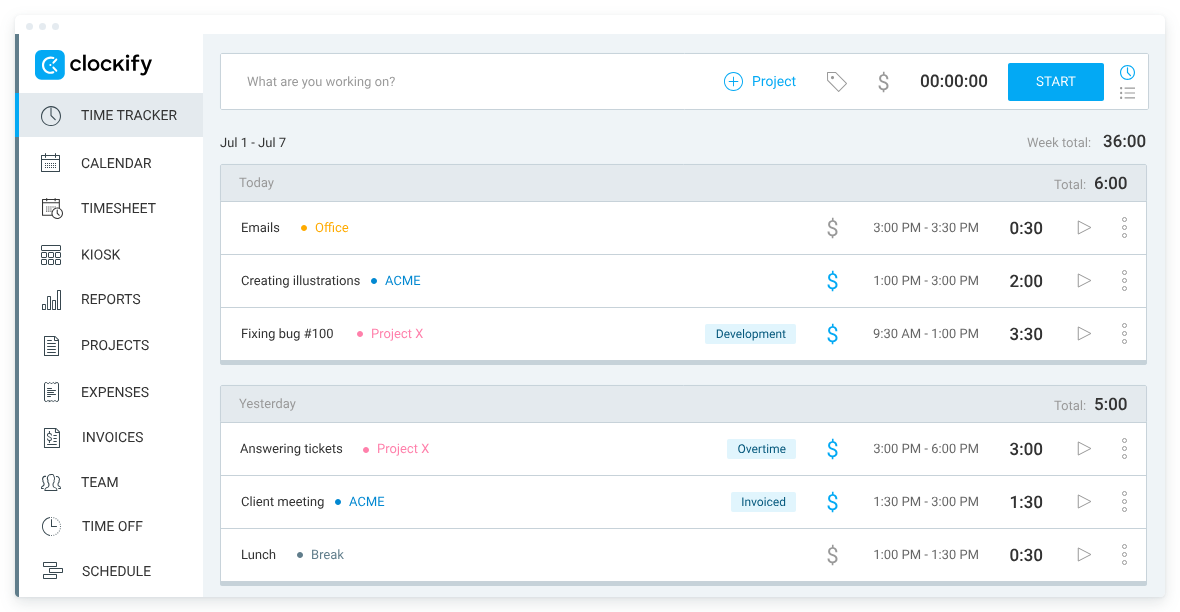
Clockify offers one of the most generous free plans available, making it especially appealing to new consultants. It includes time tracking, timesheets, and basic reporting with no user limits. Solo consultants and early-stage firms can organize hours without cost, while paid plans add invoicing, expense tracking, and advanced reporting as needs grow.
Key features
- Timesheets for structured time logging.
- Unlimited users on the free plan.
- Project-based billing rates.
- Basic invoicing capabilities.
- Expense tracking on paid plans.
Reviews
“I value its clarity and discipline. Clockify keeps time tracking straightforward, reliable, and impossible to fudge. It forces accuracy, makes reporting painless, and gives you a clean view of where hours are actually going. In short: it removes the guesswork and keeps teams honest.” — G2 reviewer
5. FreshBooks
🌟 4.5/5
Best for: Consultants needing accounting and time tracking in one system
Price: Starting at ~$7.50/month
Available on: Web, mobile
What makes FreshBooks stand out
FreshBooks combines time tracking, invoicing, and accounting into a single platform. Tracked time flows directly into invoice line items, and expenses sync automatically into project bills. It’s particularly useful for consultants who need accounting features such as recurring invoices, retainers, payment reminders, and financial reporting alongside day-to-day time capture.
Key features
- Built-in time tracking tied to billing
- Automated invoice generation
- Full accounting suite
- Expense management for projects
- Financial and project reporting
Reviews
“FreshBooks is extremely easy to use, even for someone without an accounting background. The interface is clean, intuitive, and saves me time when creating invoices, tracking expenses, or managing projects.” — G2 reviewer
Tool comparison overview
|
Tool |
Lowest paid plan |
Free plan |
G2 rating |
Capterra rating |
Best for |
|
TMetric |
$7–$9 / user |
Yes |
~4.6 |
~4.5 |
Consultants who need accurate billing and profitability insight |
|
Harvest |
~$12 / user |
Limited |
~4.3 |
~4.6 |
Consultants focused on simple invoicing |
|
Toggl Track |
~$9 / user |
Limited |
~4.6 |
~4.5 |
Fast, no-setup time tracking |
|
Clockify |
Free |
Unlimited users |
~4.5 |
~4.6 |
Free time tracking for solo consultants and small teams |
|
FreshBooks |
~$7.50 / month |
Limited |
~4.5 |
~4.5 |
Consultants who want time tracking plus accounting |
Other consultant time tracking options
While the tools above are the strongest all-around choices for consultants, the following platforms may fit more specific needs or existing workflows:
- Hubstaff: Best for teams that need time tracking combined with activity monitoring and productivity oversight.
- TimeCamp: Suited for consultants who want automatic time capture with minimal manual input.
- Paymo: A solid option for consultants who want task management, time tracking, and invoicing in a single tool.
- Everhour: Works well for consultants already managing work in Asana or Trello and want native time tracking inside those tools.
- Zoho Books: A good fit for consultants using the Zoho ecosystem who need accounting and time tracking bundled together.
- QuickBooks Time: Best for firms that rely heavily on QuickBooks and want tight integration between time tracking and accounting.
- Avaza: Designed with consulting and professional services in mind, combining time tracking, project management, and billing.
Which time tracking software should you pick?
If you want a tool built around real consulting workflows, TMetric is the strongest overall choice.
- Prefer straightforward invoicing? → Harvest
- Need fast, no-setup time tracking? → Toggl Track
- Want a free option? → Clockify
- Need accounting and time tracking together? → FreshBooks
Takeaway
Time tracking sits at the heart of how consulting work gets billed and measured. It affects whether hours are charged correctly, invoices go out on time, and profitability is actually visible instead of guessed at. When time data is incomplete or logged late, billing friction and revenue leakage tend to follow.
A solid time tracking tool helps capture work as it happens, apply the right rates, and turn hours into clean, invoice-ready records. For consultants who need flexible pricing, clear insight into what’s profitable, and professional invoicing in one place, TMetric remains the strongest choice in 2026.