Duplicating Projects
Here, you'll learn how to duplicate a project in TMetric, making it faster to create a new one.
With this option, you can save time by copying existing settings and quickly setting up projects without configuring everything from scratch.
To duplicate a project
1. Go to the Projects page.
2. Find the project you want to duplicate in the list and open its Edit Project page.
3. Click the Actions menu in the top right corner and select Duplicate Project from the drop-down list.
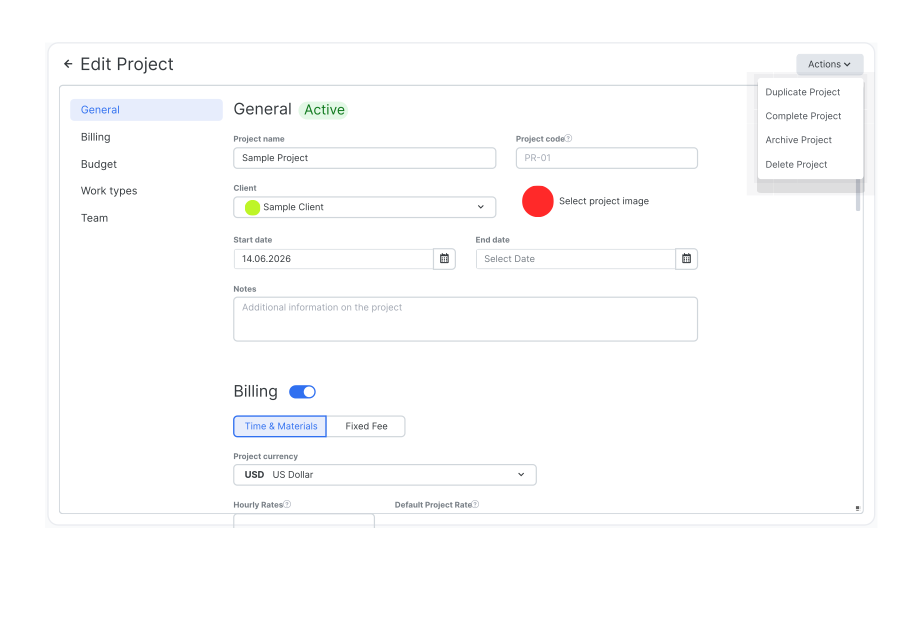
5. The duplicated project will appear on the Projects page.
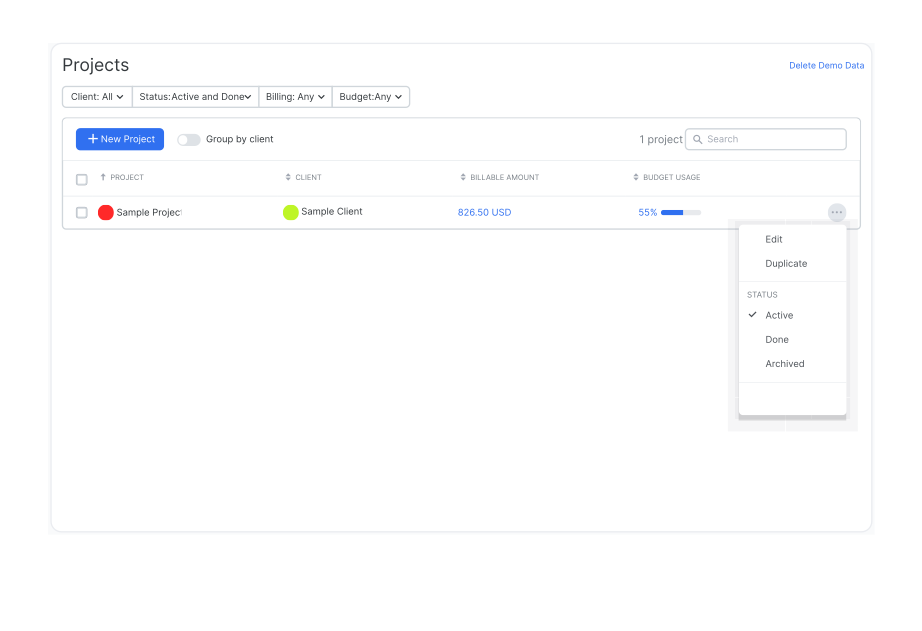
You can also duplicate a project directly from the Projects page by selecting Duplicate from the overflow menu next to the project name.
Didn’t find what you were looking for?
If you didn't find what you were looking for, you can make a support request or email us to [email protected]. We'll be glad to help you personally.