10 Best Time Trackers for Development Teams
Developers lose 15–20 hours a week to untracked work - costing up to $70K per year per person. Traditional trackers break focus and don’t fit developer workflows. Modern tools solve this by automatically capturing activity, syncing with Git, and generating accurate, client-ready reports. This guide compares 10 solutions tested for IDE integration, sync quality, and billing accuracy.

By Dereck Mushingairi | January 21, 2026
Best Time Trackers for Development Teams - Comparison
| Tool | Best For | Key Strength | Free Plan | Paid Plan | G2 Rating |
|---|---|---|---|---|---|
| TMetric | Seamless tracking & billing | Live tracking, unlimited projects/tasks on free plan | ✅ | $7/user/mo | 4.6/5 |
| Hubstaff | Productivity analysis | GPS tracking, automated payroll, remote team management | ❌ | $7/user/mo | 4.2/5 |
| Toggl Track | Coding time tracking | Simple interface, one-click tracking, visual reports | ✅ | $9/user/mo | 4.5/5 |
| TimeCamp | Project clarity | Automatic tracking, unlimited free users, keyword detection | ✅ | $3/user/mo | 4.7/5 |
| Timely | Workflow integration | AI-powered automatic tracking, eliminates manual entry | ❌ | $9/user/mo | 4.8/5 |
| Clockify | Better estimates | Unlimited users & projects, robust free plan | ✅ | $4.99/user/mo | 4.5/5 |
| RescueTime | Task control | Automatic tracking, productivity insights, distraction blocking | ✅ | $12/user/mo | 4.2/5 |
| Harvest | Invoice management | All-in-one time & expense tracking with invoicing | ✅ | $11/user/mo | 4.3/5 |
| Insightful | Sprint reviews | Automated activity monitoring, productivity classification | ❌ | $8/user/mo | 4.7/5 |
| My Hours | Developer accountability | Simple interface, flexible tracking, affordable | ✅ | $8/user/mo | 4.6/5 |
Quick Notes
- Most Affordable: TMetric, TimeCamp
- Best Free Plans: TMetric, Clockify
- Most Automated: Timely (AI-powered)
- Best for Remote Teams: TMetric and Hubstaff
- Best All-in-One: TMetric (time + billing + invoicing)
1. TMetric: Best For Seamless Time Tracking & Accurate Project Billing
TMetric is the unrivaled time-tracking engine ideally built for developers and up to 200-headcount software companies, auto-logging every IDE keystroke, Git commit, and task switch with 1-second precision to turn raw code time into bullet-proof billables and sprint metrics.
Key Features for Developers
- Time Tracking
Track time in real-time with one-click timers, or enter it manually at day's end—whatever keeps your team in flow. Either way, you get accurate logs tied to projects and tasks for clean client invoicing.
- Project and Task Management
Create projects with time and budget limits, assign tasks to developers, and get real-time alerts when estimates are at risk. See exactly where hours are going before deadlines slip or costs balloon.
- Developer Tool Integrations
Connects to GitHub, Jira, and Asana so time logs automatically include task context. No more asking developers "what did you work on?" - reports show tasks, commits, and tickets without manual updates.
- Cross-Platform Support
Your team works everywhere - desktop at the office, laptop at home, phone at the coffee shop. TMetric syncs across all devices in real-time, so you always see who's working on what, no matter where they are.
- Budgeting and Cost Tracking
Use the budgeting features to track projects and monitor their financial health by preventing project overruns and ensuring profitability. TMetric helps plan projects more effectively, allocate resources efficiently, and stay within budget constraints.
- Team Collaboration
Track time by team member and project to see workload distribution instantly. Who's at capacity? Who can take more? Export reports to show clients exactly where their budget went.
- REST API
Connect TMetric to your internal tools - ERP, CRM, custom billing systems, without paying for "enterprise" plans. Your developers can build integrations using TMetric's API.
- Send invoices in 10 seconds
Filter “last month, billable = true” → export PDF / CSV with your logo and payment QR.No Excel, no copy-paste, no rounding errors.
- Unlimited projects, even on the free plan
Organize work by client, project type, or team without hitting arbitrary limits. Create separate projects for active work, internal tasks, or long-term maintenance - no upgrade required as your workload grows.
- Time reports that refresh themselves
Save the filter as a bookmark: “last quarter, backend team, billable only”.Next month just change the date range — ready to bill.
Bottom line: TMetric doesn’t spy; it simply picks up what you’re already doing in IDE, Git and Jira. No sticky notes, no nightly “how long did that take?” guessing. Time is logged cleanly and reproducibly — tied to real code, fully automatic.
Pros
- Chrome/Edge add-on adds a "Start Timer" button directly inside GitHub/GitLab
- Offers detailed project time tracking for development teams
- Commit hash auto-tags the entry
- Time rolls up to the exact branch.
- Easy to use and intuitive interface
- Strong project and task organization features
- Integrates well with tools like Asana, JIRA, Teams, GCal, and Outlook
- Real-time insights on time management trends.
Cons
- The mobile version has limited options compared to the web and desktop
Pricing
- Available for free and $7 per user per month on the paid plan
Ratings
- G2: 4.6/5
- Software Advice: 4.5/5
User Comments
TMetric has helped me identify which tasks take a disproportionate amount of time. The reports help me better estimate the time necessary to accomplish future tasks, and have improved my overall efficiency. The interface with Asana and Outlook are great, and the support team is very responsive! - G2 Reviews
2. Hubstaff: For Productivity Analysis
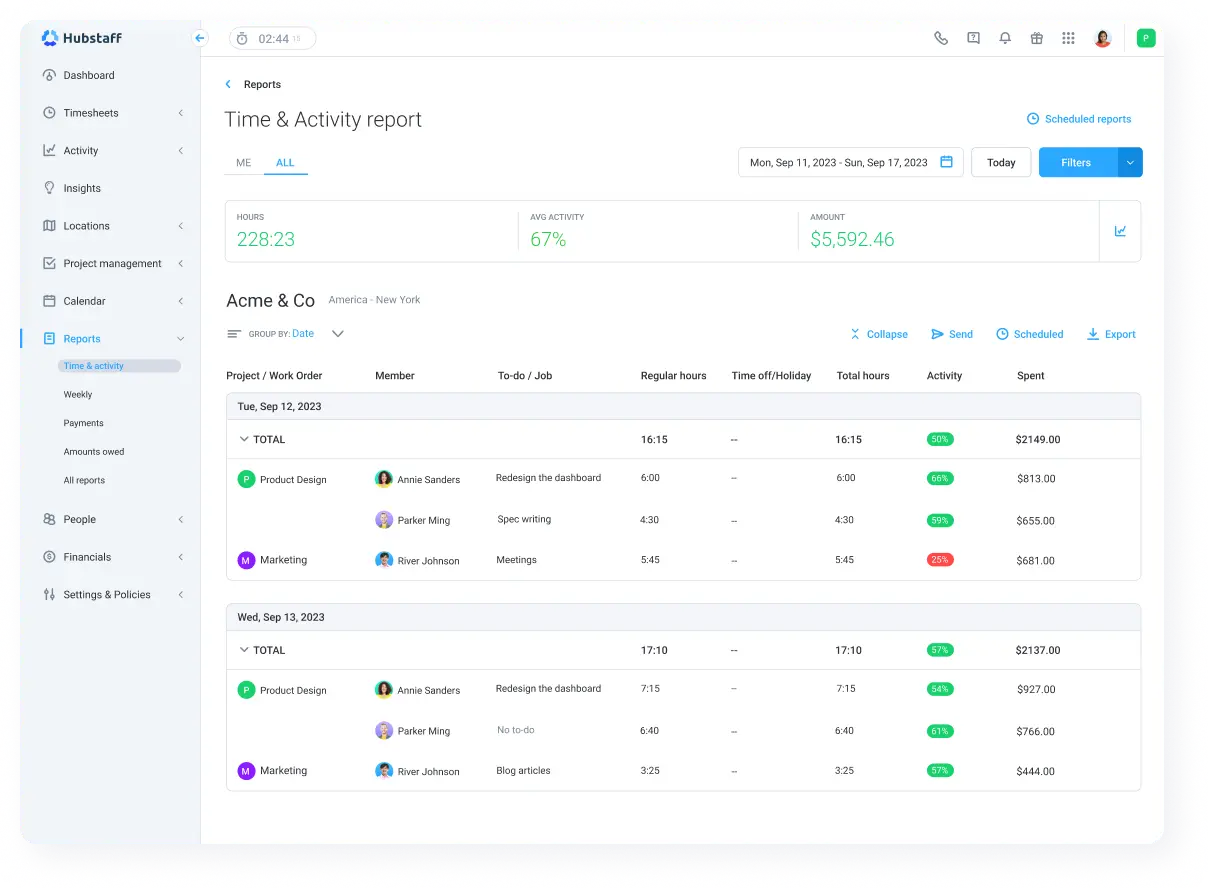
Hubstaff stands out among top rated time tracking apps for software engineers because it simplifies time tracking with features ideal for remote and field teams, providing GPS tracking and automated payroll.
Key Features
- GPS tracking and geofencing for location-based work.
- Screenshots and app/URL monitoring.
- Automated invoicing and payroll integration.
- Productivity analytics
- Detailed reports.
- PTO (paid time off) management.
Pros
- Detects when local build/test pipeline is running and pauses the “away” timer
- You can use it for remote team management
- Provides QuickBooks and Asana integrations
- Powerful productivity insights.
- Automated billing features.
Cons
- Monitoring can feel intrusive.
- Pricing tiers can be complex to navigate.
Pricing
- Starts at $7 per user per month
Ratings
- G2: 4.2/5
- Software Advice: 4.6/5
User Comments
I appreciate the feature of the silent app when it works, as it enhances convenience by eliminating the need to start and stop the timer constantly for tracking employee activity. – G2 Reviews
3. Toggl Track: For Simple Time Tracking
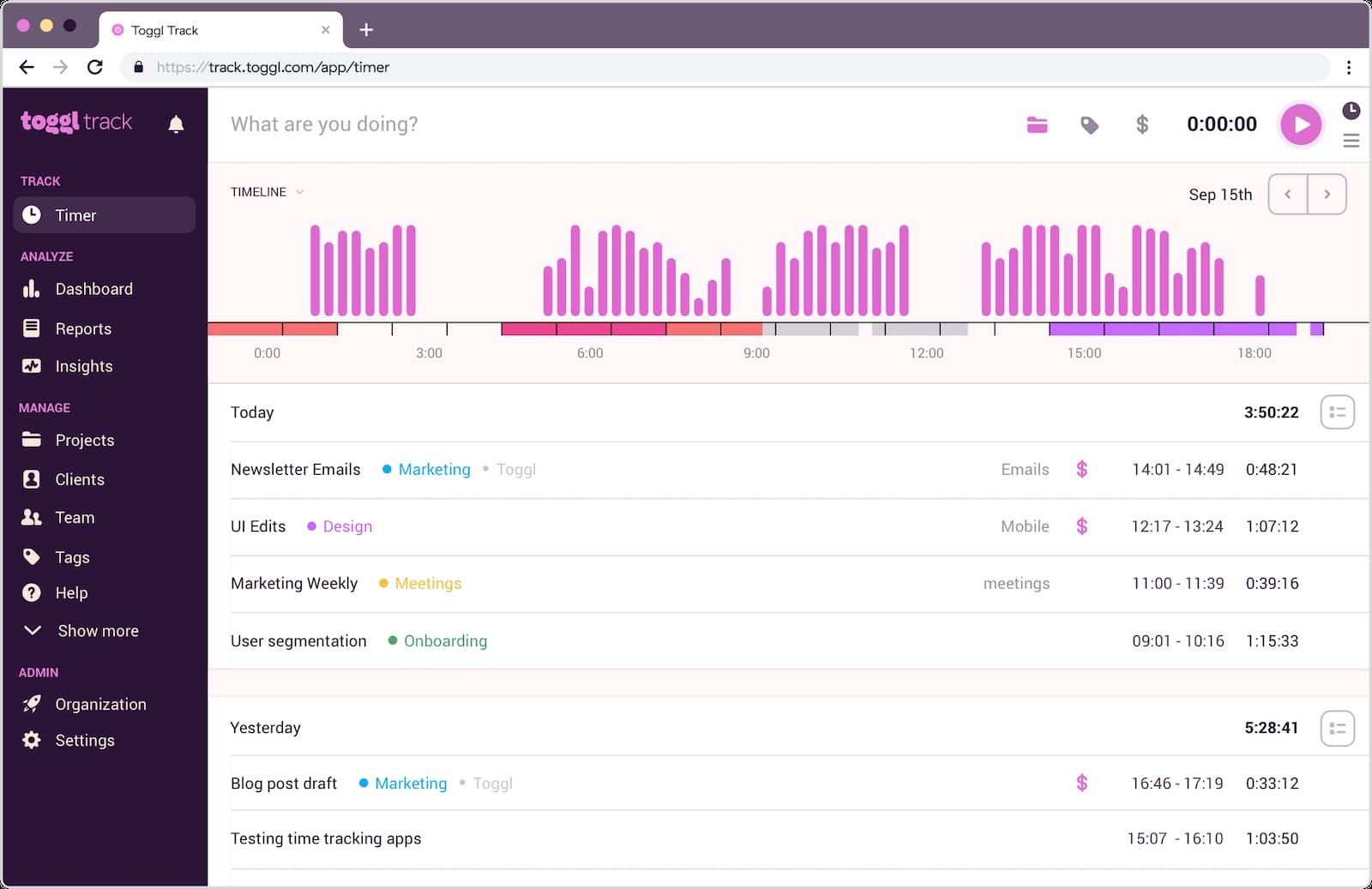
Toggl Track is one of the leaders in the time tracking tools market. It suits small teams needing simple visual reporting and manual time entry.
Key Features
- One-click time tracking.
- Detailed visual reports.
- Billing and invoicing support.
- Integrations with Trello, Asana.
- Browser extension.
Pros
- Intuitive interface
- No learning curve
- Flexible for various workflows.
- Non-intrusive reminders.
- Good free plan for small teams.
Cons
- Limited project management features.
- Some users experience time sync issues.
- Available for free and $9 per user per month on the paid plan
Ratings
- G2: 4.5/5
- Software Advice: 4.7/5
User Comments
I like that I can easily access it on the computer and/or my phone on the app. It is user-friendly. It also helps me stay on track and I can run reports and categorize to see what I've been working on. I use it everyday. – G2 Reviews4. TimeCamp: For Developer Project Clarity
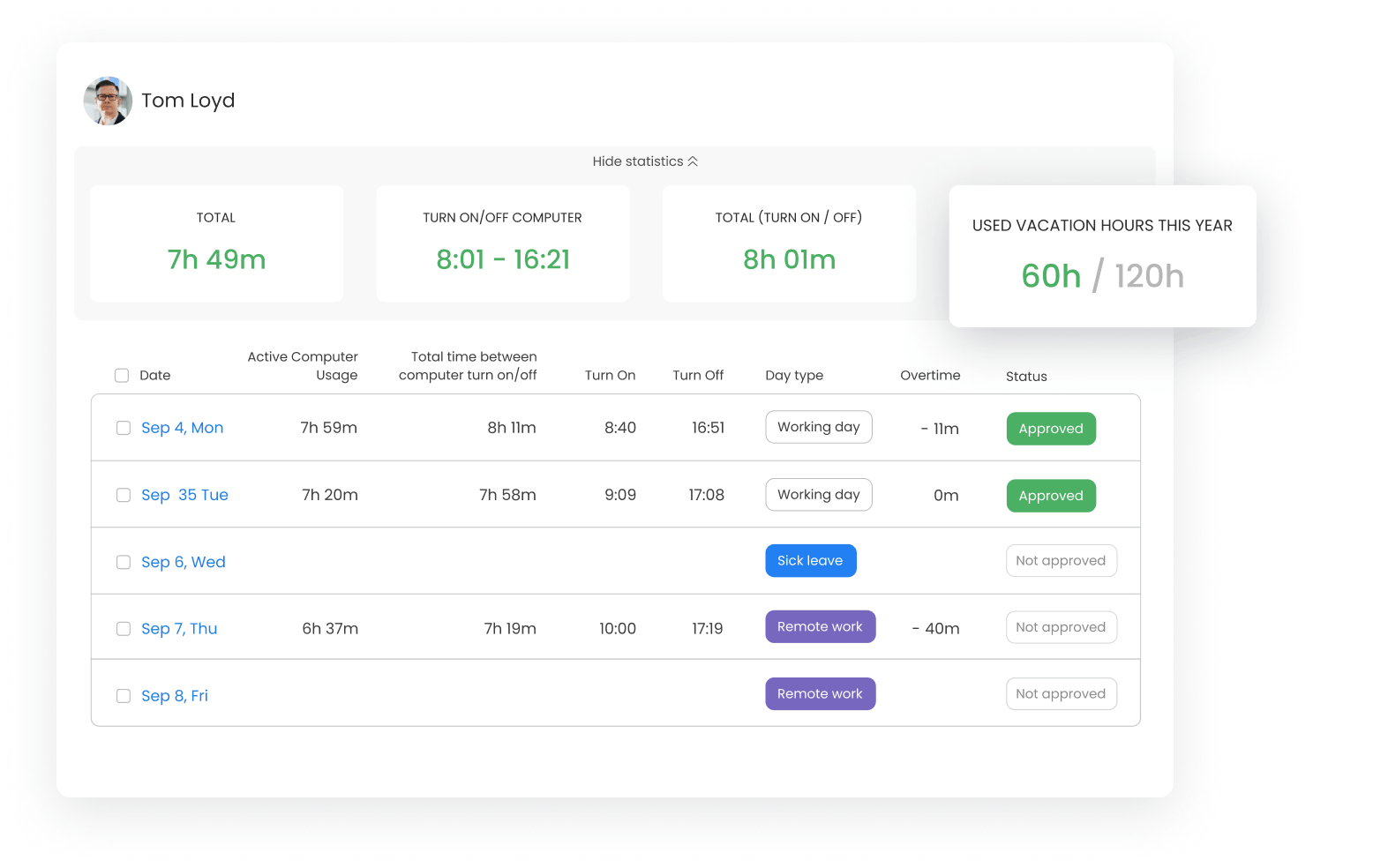
TimeCamp offers automatic time tracking ideal for agencies needing effortless billable hour monitoring.
Key Features
- Automatic app and website usage tracking.
- Visual timesheets.
- Project time budgeting.
- Keyword-based task detection.
- Integrations with Slack, QuickBooks.
Pros
- Free plan with unlimited users.
- Good automatic/manual tracking blend.
- Strong integrations.
- Time budgeting to prevent overruns.
Cons
- Advanced reports need paid plans.
- UI may feel cluttered for some.
- Available for free and $3 per user per month on the paid plan
Ratings
- G2: 4.7/5
- Software Advice: 4.7/5
User Comments
Even though I only had a freemium account, the customer service team really went out of their way to help me resolve an issue when I changed emails. Very polite, helpful and they solved the problem fast! – G2 Reviews
5. Timely: For Workflow Integration
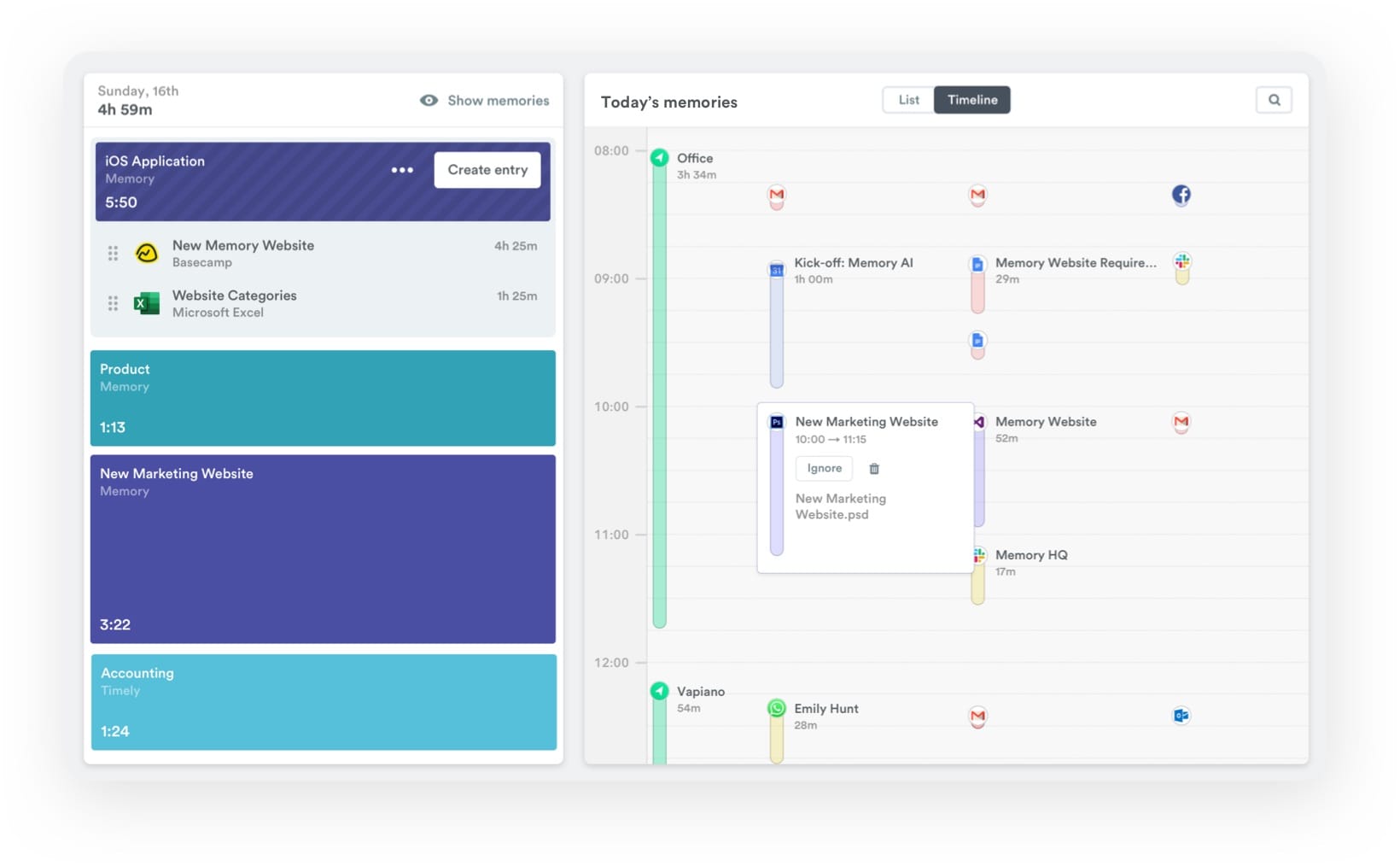
Timely uses AI to automate time tracking and project budget management. It eliminates manual entries.
Key Features
- AI-powered automatic tracking.
- Project and budget tracking.
- Team management features.
- Integrations with Zoom, Trello.
- Cross-platform compatibility.
Pros
- Fully automatic time tracking.
- Project insights
- Real time tracking
- Cross-platform support.
Cons
- No free plan available.
- Higher price compared to competitors.
Pricing
- Starts at $9 per user per month
Ratings
- G2: 4.8/5
- Software Advice: 4.7/5
User Comments
I really like that you can integrate your browser and other plugins to ensure it captures work completed across multiple browsers and tools. Being able to break down projects and time by users, with custom tags, and budget allocated by totals or hourly rates is a game changer. It makes evidencing time spent and overtime to clients easier. – G2 Reviews6. Clockify: For Better Estimates
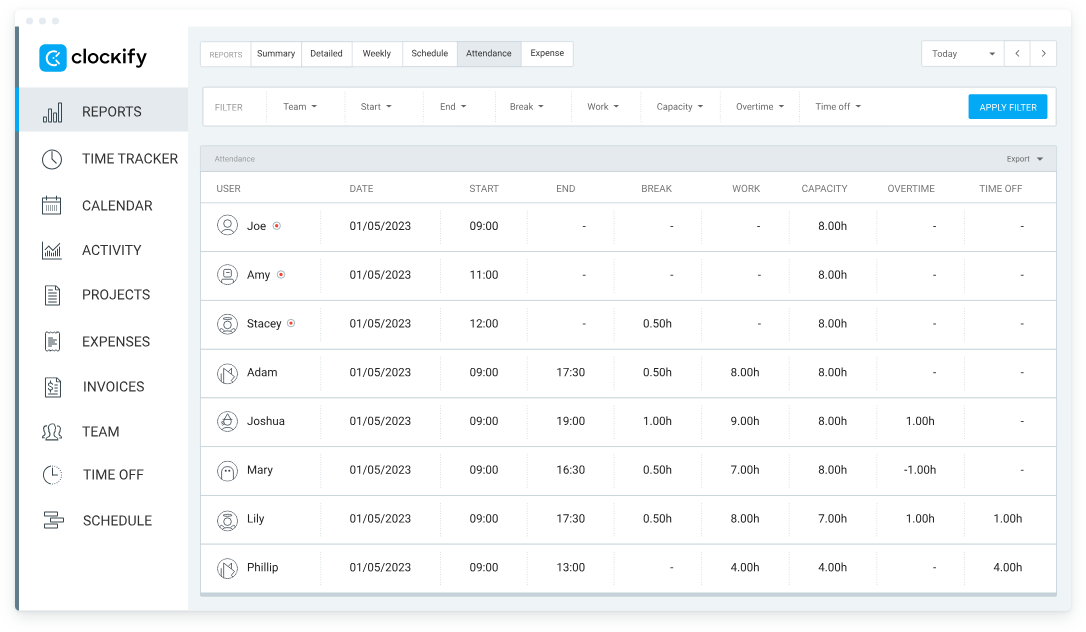
Clockify is known for offering free time tracking tool. It will suit developers that need to track billable hours.
Key Features
- Unlimited users and projects.
- Manual and automatic time tracking.
- Reports export and sharing.
- Integrations with Jira, Trello.
- Billable hours and budgeting.
Pros
- Robust free plan.
- Simple and effective interface.
- Team collaboration features.
- Versatile integrations.
Cons
- Some features are locked behind paid plans.
- Reporting UI is lacking in functionality
- Available for free and $4.99 per user per month on the paid plan
Ratings
- G2: 4.5/5
- Software Advice: 4.8/5
User Comments
I appreciate how easy it is to export reports and integrate them with my ERP system. The calendar integration has been a real time-saver for me. I was able to get started within minutes, and now I use Clockify nearly every day. – G2 Reviews
7. RescueTime: For Task Control
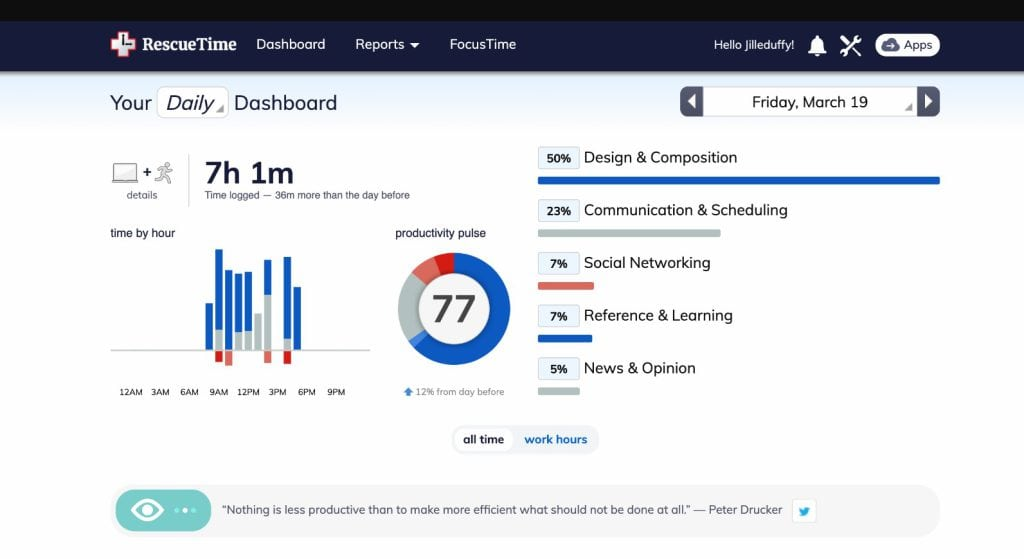
RescueTime focuses on productivity insights by automatically tracking computer usage and distractions.
Key Features
- Automatic activity tracking.
- Productivity and distraction reports.
- Goal setting and alerts.
- Website and app usage tracking.
- Offline time tracking.
Pros
- No manual tracking needed.
- Helpful productivity analytics.
- Supports focus and goal setting.
- Easy setup and use.
Cons
- Limited manual time editing.
- Privacy concerns for some users.
Pricing
- Available for free and $12 per user per month on the paid plan
Ratings
- G2: 4.2/5
- Software Advice: 4.6/5
User Comments
Rescue Time runs on background, where it automatically track time spent in a specific application or system. The tool has a blocking feature that eliminates distractions. We set goals with Rescue mTime, where we get alerts when we are almost achieving them. – G2 Reviews8. Harvest: For Invoice Management
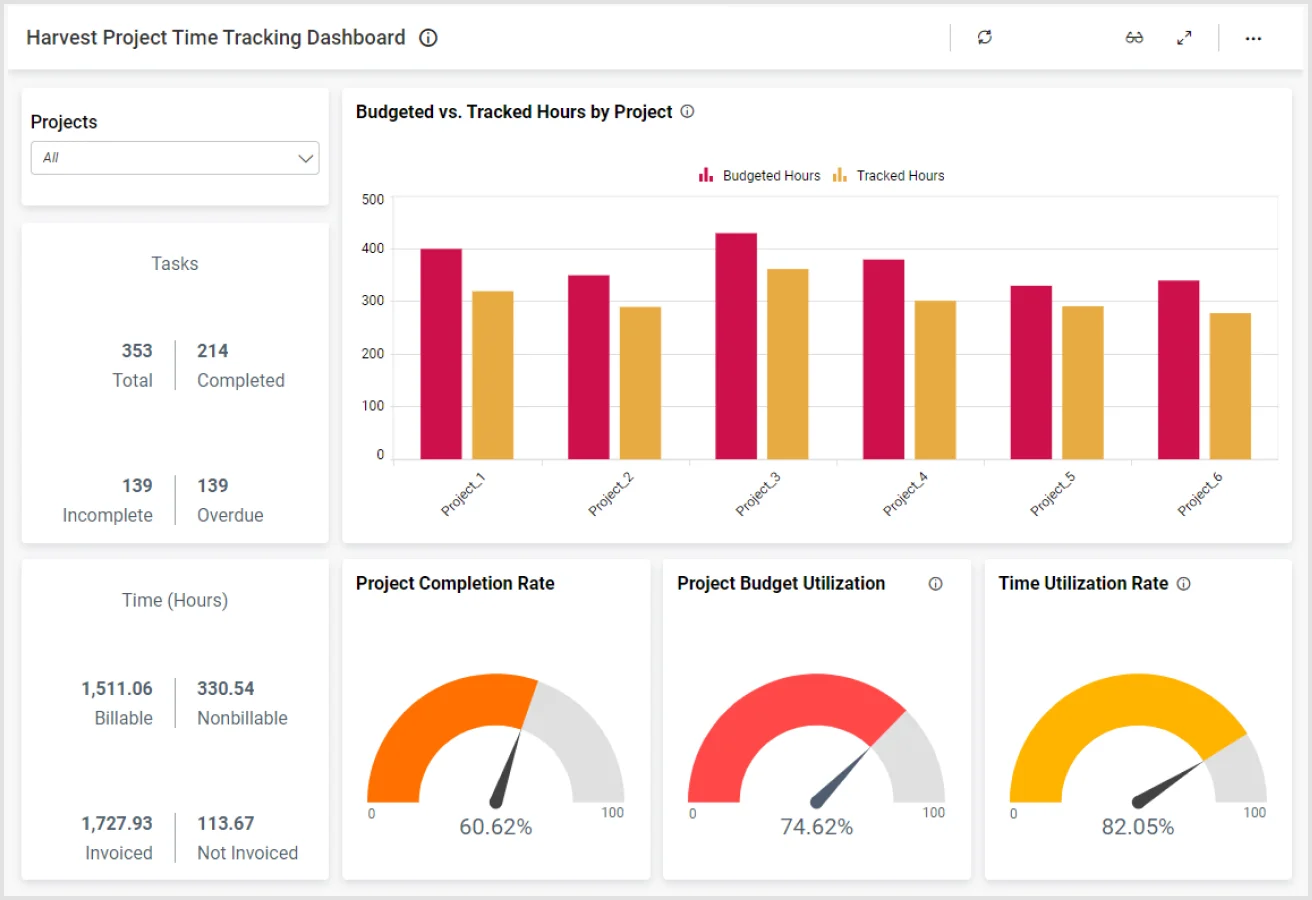
Harvest combines time tracking with invoice management. It will suit small dev teams.
Key Features
- Timer and manual time tracking.
- Expense tracking.
- Invoicing and payments.
- Project budget tracking.
- Integrations with Asana, QuickBooks.
Pros
- All-in-one time and expense tool
- Easy invoicing
- Detailed project reports
- Good integrations
Cons
- More expensive for larger teams
- Limited automation features
Pricing
- Available for free and for $11 per user per month on the paid plan
Ratings
- G2: 4.3/5
- Software Advice: 4.6/5
User Comments
Harvest saves our time, where employees can seamlessly log using their phones The tool integrates with other expense management services We seamlessly invoice our expenses and make a robust routine check We consistently breakdown our expenses using Harvest and all inefficiencies are recorded. – G2 Reviews9. Insightful: For Sprint Reviews
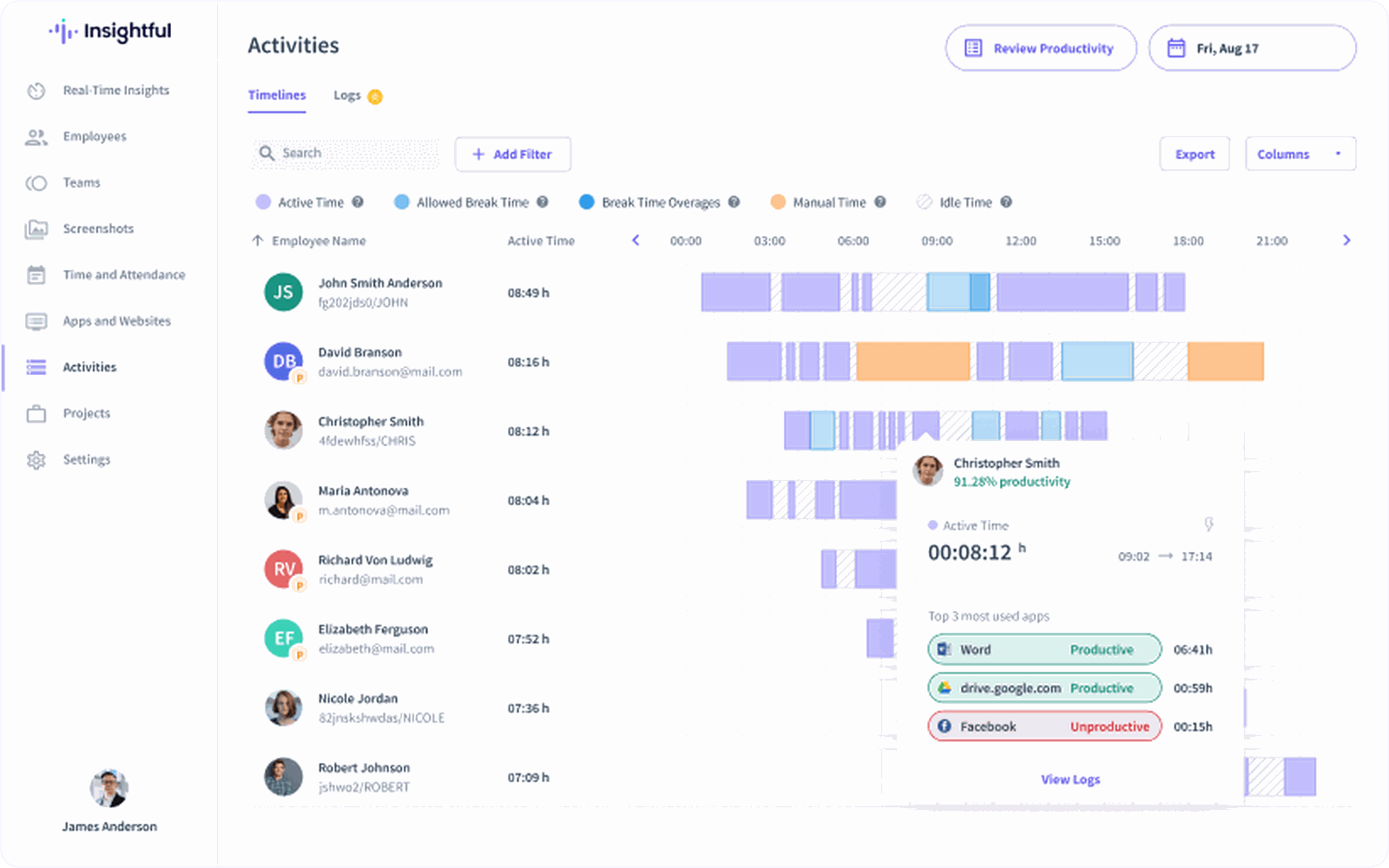
Insightful helps teams track productivity with automation of activity monitoring.
Key Features
- Automatic time tracking.
- App and website monitoring.
- Productivity classification.
- Detailed insights and reports.
- Integrations with multiple platforms.
Pros
- Automated tracking with productivity insights.
- Granular controls and reports.
- Helps optimize workflows.
- Scalable for teams.
Cons
- Can feel intrusive
- Pricing is on the higher side
Pricing
- Starts at $8 per user per month
Ratings
- G2: 4.7/5
- Software Advice: 4.7/5
User Comments
Insightful has made tracking employee productivity seamless and highly transparent for our remote team. The automatic time tracking and activity levels give us valuable data without micromanaging. I appreciate the clean dashboard, detailed reports, and the ability to distinguish between productive and idle time. It also helps us optimize workflows and detect process bottlenecks. The ease of setting up teams and permissions was a bonus, and their customer support is responsive and helpful. – G2 Reviews10. My Hours: For Developer Accountability
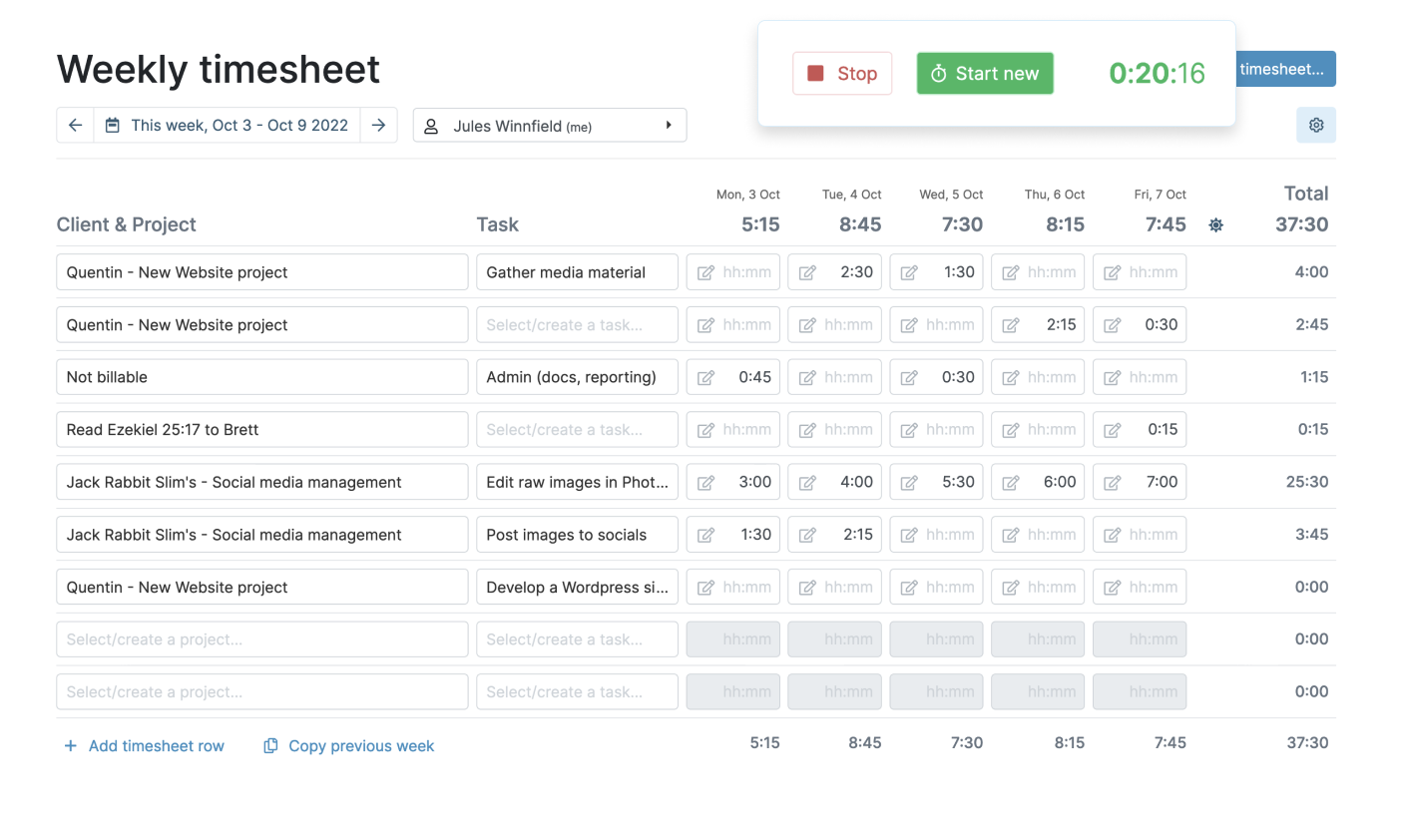
My Hours is a simple time tracking and project management tool for freelancers and development teams.
Key Features
- Manual and timer tracking.
- Project and task management.
- Reporting and export options.
- Budgeting and billing features.
- Team collaboration features.
Pros
- Clean and easy-to-use interface.
- Flexible tracking options.
- Good for freelancers.
- Affordable pricing.
Cons
- Lacks advanced automation.
- Limited integrations.
Pricing
- Available for free and $8 per user per month on the paid plan
Ratings
- G2: 4.6/5
- Software Advice: 4.8/5
User Comments
Very easy to use and navigate settings. Easy to set up and roll out for the team. Great support team whenever you have any issues that you need help with. Various features. – G2 ReviewsOur Criteria of Selection – Best Time-Tracker for Developers
- Zero-Friction UX
One-click timer, IDE plug-in, global hotkey—no context switching.
- Time-Tracking Features for Developers
We stress-tested every timer for reliability of time capture and against real repo histories and Jira backlogs to be sure the metrics it spits out match the work you actually shipped.
- Git-Level Granularity
Track time by project, task, and client automatically; auto-sync with Jira, GitHub, GitLab.
- Code-First Integrations
Works inside VS Code, JetBrains, Vim; CLI & API for custom scripts.
- Distraction Filter
Distinguish “active coding” from build, test, or Stack Overflow rabbit holes; discard idle or AFK time.
- Billable Truth
Export razor-sharp reports (JSON/CSV/PDF) that clients & finance will sign without edits.
- Privacy by Default
Local logs, opt-in screenshots, GDPR mode—no creepy surveillance.
- Price that Scales
Generous free tier for solo devs; transparent $5-10 scale-up when the team grows.
We ticked those seven boxes so that your tracker can ship more code, not more noise.
Sum Up
Pick the tracker that works invisibly in your team's tools, then watch your true coding hours—minus coffee breaks and doom-scrolling—surface in one clean dashboard.
Ship more, bill sharper, and never again let invisible time steal your weekend.
Add TMetric to your IDE in two clicks and turn every real keystroke into billable time—start your free trial today.