Top 10 Employee Time Tracking Software: Reviews & Comparison
Keeping an accurate pulse on every paid minute is no longer optional—remote, hybrid, and field teams all need transparent, effortless employee time tracking to stay productive, compliant, and profitable.
Below are the ten most recommended platforms so you can pick the perfect stopwatch for your workforce.
1.TMetric - Best for Agencies, Software & Remote Teams
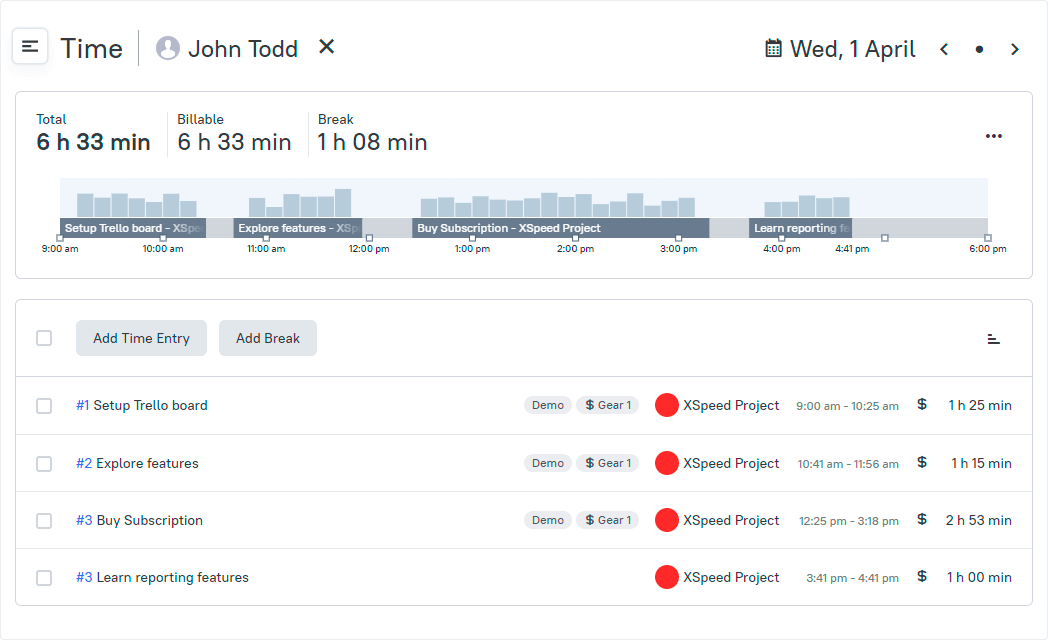
TMetric is the feather-weight yet iron-clad employee time tracker that lets globally scattered teams clock in with one tap and watch their hours auto-assemble into crystal-clear, client-ready timesheets.
Its sleek dashboard converts every second into polished, bill-ready reports the moment work stops—no plug-ins, no scripting, no post-production.
Employee Productivity Features
- One-click timer & idle detection
Employees start/stop work with a single click, and the timer auto-pauses when the keyboard and mouse go quiet. You see exact “active” minutes only, so you never pay for coffee breaks or forgotten timers.
- Screenshot capture (blur-ready)
The desktop app snaps screens at set intervals while the timer is running. You can blur sensitive data in one click, giving you visual proof of work without exposing client confidentiality.
- Real-time activity-level bar
A strip shows how intensely each worker is active in real time. Spot slumps instantly and intervene before one unproductive hour becomes a lost day.
- Attendance auto-clock-in/out
TMetric records the exact moment the first keystroke happens and the last one stops, turning that into a tamper-proof attendance log. No hardware terminals, no buddy-punching, no manual spreadsheets.
- Project budgeting & profitability charts
Live counters show hours used vs. budget in dollars or billable units. The instant a project drifts past 80 % burn, TMetric turns the bar red and pings the PM—weeks before overrun becomes over-pay.
- Built-in invoicing
Mark any time entry or expense as billable, apply your hourly rate, and generate a branded PDF invoice in three clicks. Because the data comes straight from the timer, every line item is court-room accurate.
- Team dashboard with "who’s on what"
One page lists every employee, the task they are doing right now, and how long they have been on it. You can re-allocate overloaded staff without leaving the dashboard or opening a single timesheet.
- 50+ turnkey integrations (Jira, Asana, GitHub, etc.)
The browser plug-in embeds a Start/Stop button inside the tools your developers already use, so time is logged where work actually happens. No CSV imports, no double entry, no context-switching loss.
- Payroll-grade timesheet export
One click exports approved hours to CSV, Excel or PDF pre-formatted for Gusto, QuickBooks, ADP and 30 other payroll engines. Overtime, PTO and cost rates are calculated automatically using your local labor rules.
- Custom PTO & leave calendar
Set accrual rules once and employees request vacation inside the same app they use to track time. TMetric subtracts approved hours from the bank and blocks the calendar, preventing accidental double-booking of scarce talent.
- Offline time continuation
If Wi-Fi drops, the desktop agent keeps recording activity and syncs the buffer the second the connection returns. Field crews in dead zones still get full, accurate logs without lifting a finger.
- Role-based permissions & audit trail
Decide who can view screenshots, edit time, export payroll or delete entries; every change is stamped with user ID and timestamp. Even admins can’t sneak in back-dated hours, giving you SOX-level audit confidence.
Advantages
✅ Forever-free plan for 2 users
✅ Extremely intuitive, almost zero learning curve
✅ Offline time tracking syncs later
✅ Flexible billable rates per project or member
Limitations
❌ Advanced PTO management only in paid tiers
Pricing
- Free 2-user plan
- Professional $7 user/mo
- Business $9 user/mo (billed annually)
Capterra Rating
- 4.5 / 5 (250+ verified reviews)
"Our main business problem is managing remote work. TMetric allows me to do that easily and transparently." – Capterra User Reviews
“It also makes billing my clients easy, as it syncs with QuickBooks Online.“ – Capterra User Reviews
"Overall, I've enjoyed using TMetric, it far outperforms any other system I've used in the past and I'll definitely be sticking with it for the long haul." – Capterra User Reviews
Why TMetric is #1: TMetric hits the sweet spot for startups that want reliable core tracking without bloated features. Upgrade only when you need deeper analytics or PTO workflows.
2. Paymo - For Solopreneurs
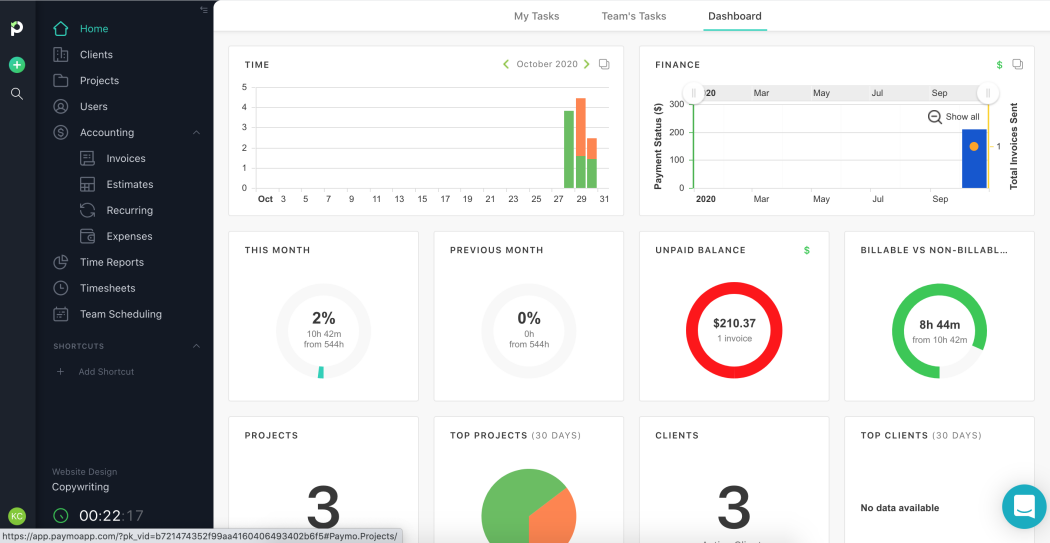
Paymo bundles employee time tracking with project management so small agencies can monitor hours, tasks, and invoices in one place.
Automatic desktop timers remove forgetfulness while keeping data private to the user.
Employee Productivity Features
- Active timers with Pomodoro mode
- Gantt & Kanban task boards
- Meta-timesheet with bulk approval
- File proofing & client portal
Advantages
✅ Time entries stay local until submitted—privacy-first
✅ Robust project budgeting alerts
✅ Native iOS / Android widgets
Limitations
❌ No manager timesheet approval on free plan
❌ Fewer third-party integrations than competitors
Pricing
- Free for basic tracking
- Starter $5.95 user/mo (after 3 months - $9.99)
- Small-Office $10.9 user/mo
Capterra Rating
- 4.7 / 5 (650+ verified reviews)
"Great for collaborating, I appreciate the time tracking and task management features." – Capterra User Reviews
3. WorkStatus - For Field Teams
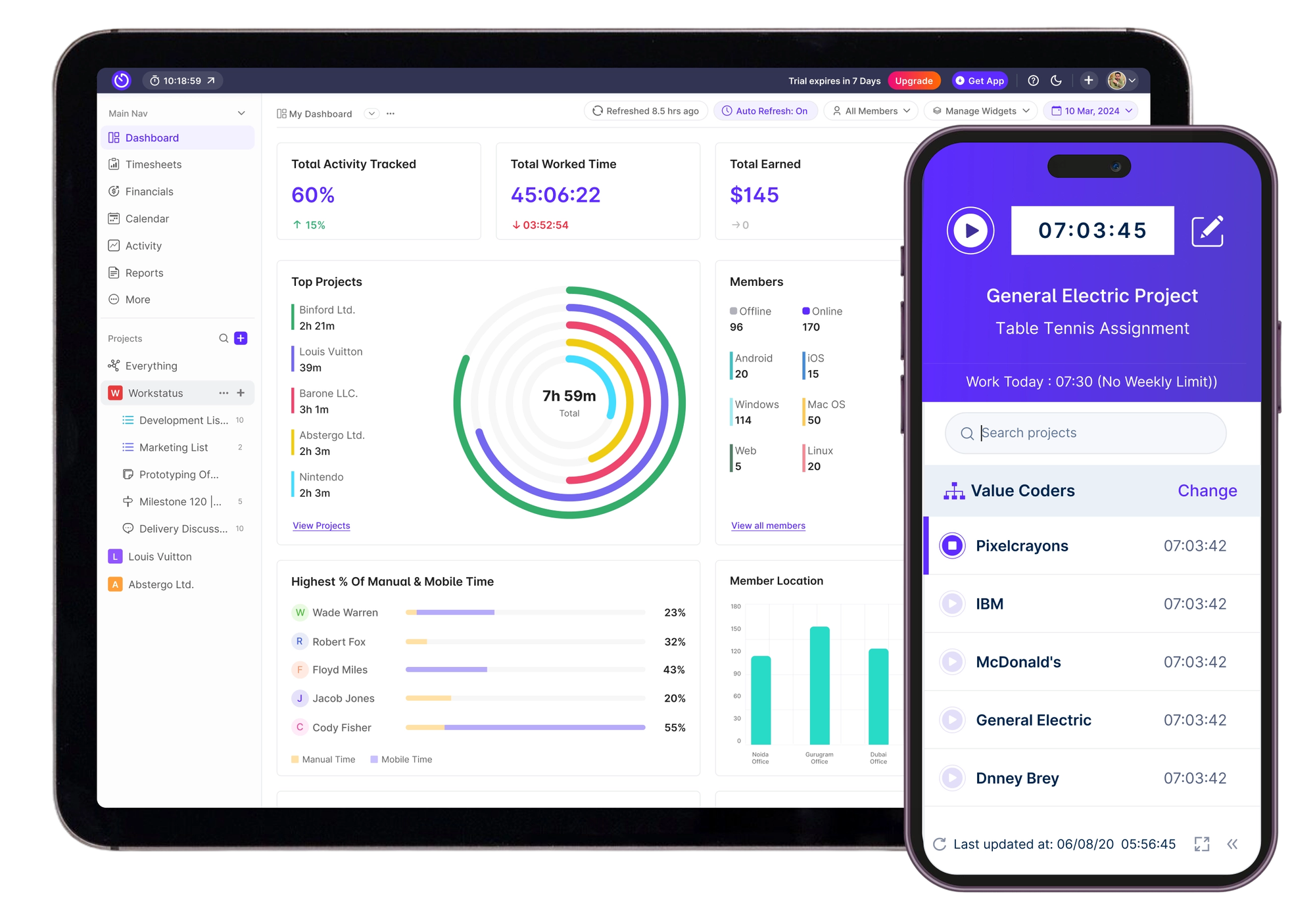
WorkStatus works for managers who want real-time visibility into remote and field staff through GPS, screenshots, and productivity scores. Employees get a hassle-free one-button clock-in that respects geofenced job sites.
Employee Productivity Features
- Live GPS & geofencing attendance
- Stealth screenshots, app/URL tracking
- AI idle detection & productivity dashboard
- Shift scheduling with overtime alerts
- Payroll-ready timesheet exports
Advantages
✅ Great for distributed or on-the-go workforces
✅ Centralized shift, task, and billing data
✅ SOC-2 & GDPR compliance certifications
✅ Mobile apps work offline and auto-sync
Limitations
❌ Continuous GPS can drain battery
❌ Screenshot monitoring may feel invasive
Pricing
- Standard $4 user/mo
- Enterprise on quote
G2 Rating
- 4.6/5 (10+ verified reviews)
"Work status is a great software for tracking employee efficiency and productivity. It has great features that could be great for every organization." – G2 User Reviews
4. Zoho People - For Client Services
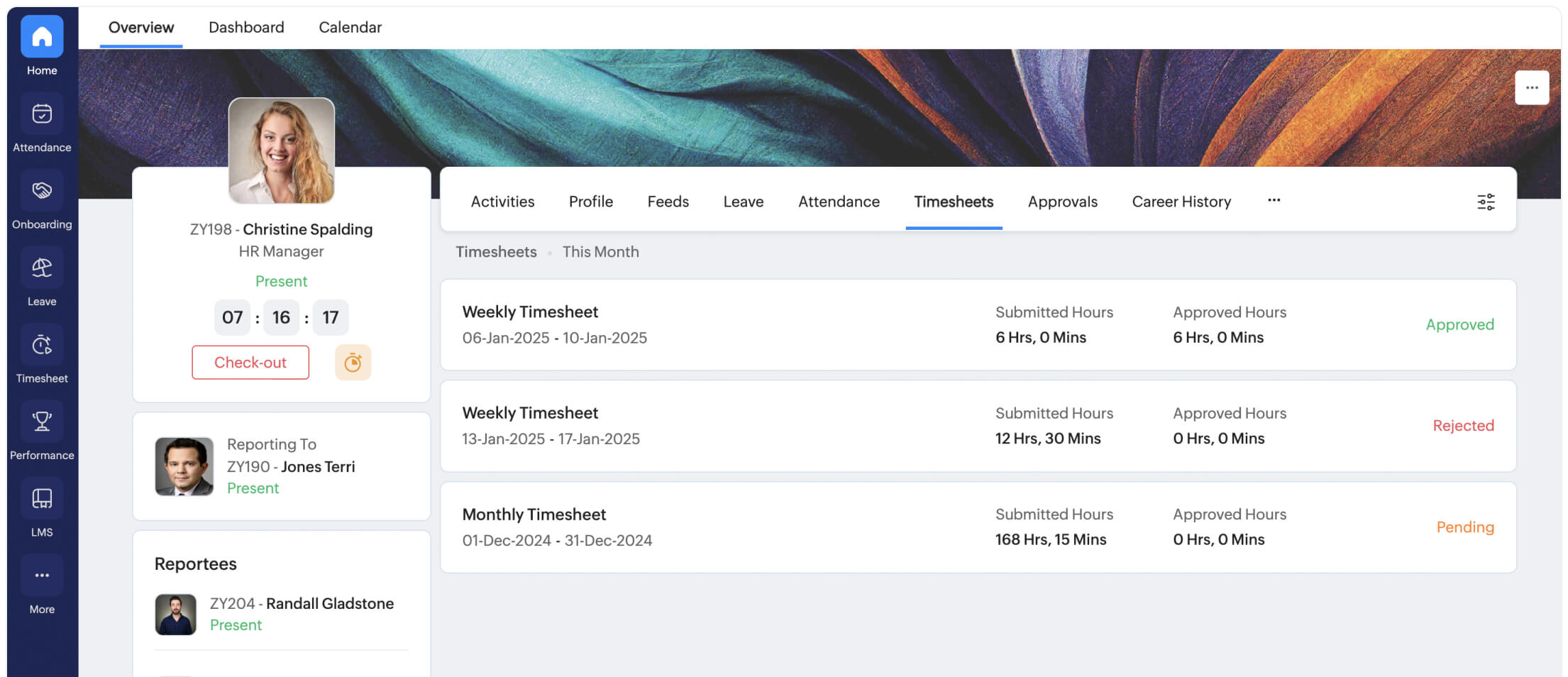
Zoho People wraps time tracking inside a broader HRIS, letting employees log hours against projects while HR simultaneously manages leave, performance, and OKRs. The result is a single employee record from hire to timesheet approval.
Employee Productivity Features
- Web timer, biometric & mobile check-in
- Configurable overtime & shift rules across time zones
- Leave & attendance are tightly linked to timesheets
- Employee self-service portal with QR kiosk mode
- HR reports, including cost-per-hour
Advantages
✅ Highly customizable forms & workflows
✅ Part of the wider Zoho ecosystem (Zoho Books, Projects, Expense)
✅ 30-day free trial
Limitations
❌ UI can feel crowded for teams wanting “just a timer”
❌ Advanced analytics require a separate Zoho Reports license
Pricing
- Free
- Essential HR starts at €1,25
- Professional - at €2
Capterra Rating
- 4.4 / 5 (250+ verified reviews)
"Automatically reduce HR workload and improve efficiency on employee scheduling." – Capterra User Reviews
5. FreshBooks - for Contractors
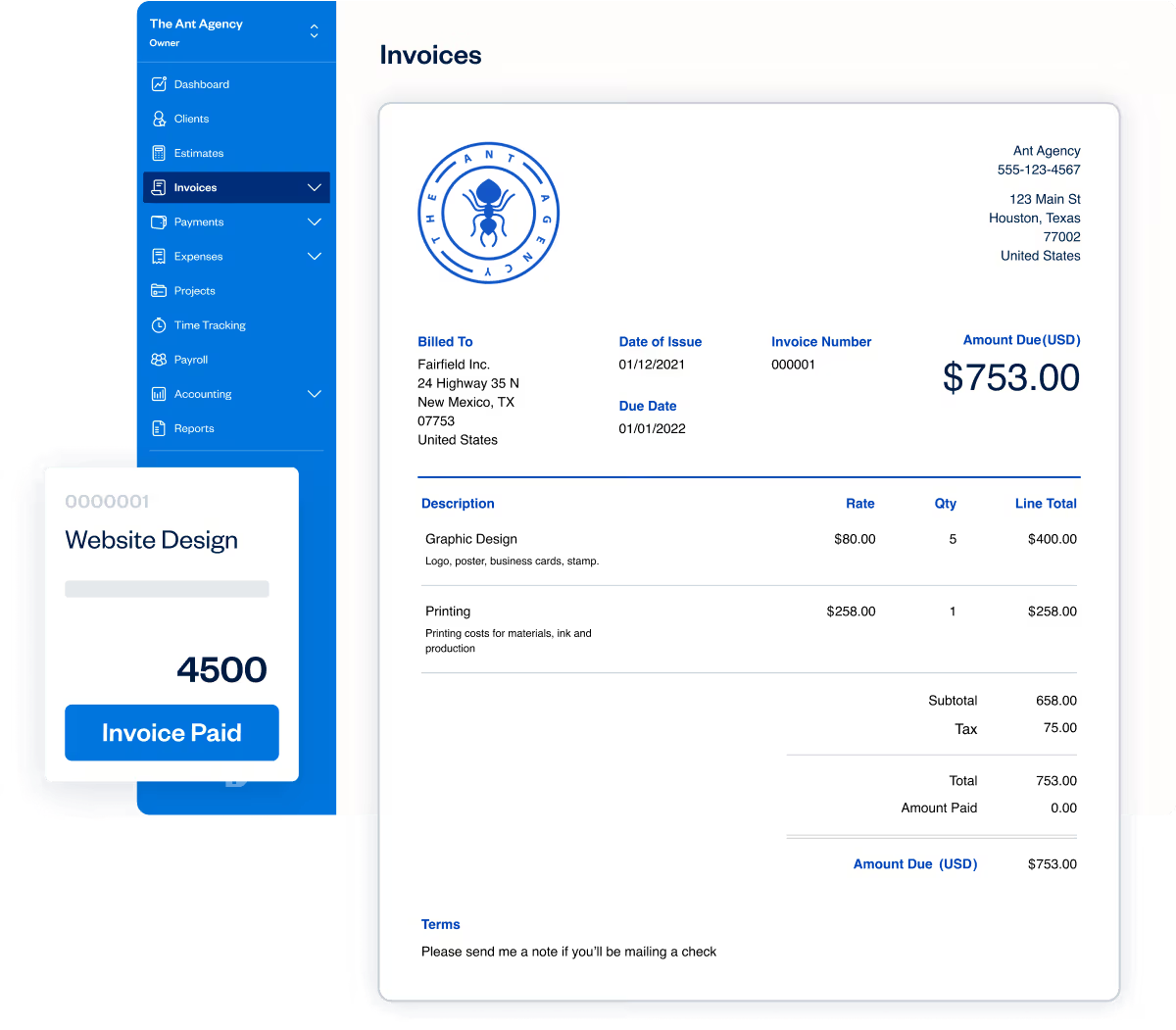
FreshBooks provides employee time clocks and onboarding geared to support-heavy businesses. It unifies service-level scheduling with HR records so agents can log hours and leaves without juggling apps.
Employee Productivity Features
- One-click start/stop timer with automatic idle detection on desktop and mobile
- Real-time team timesheet that rolls up individual timers into a manager heat-map
- Billable vs non-billable flag so you can separate R&D or admin from revenue work
- Chrome, Asana, Trello & Basecamp add-ons let staff track without leaving their task board
- Instant “Hours vs Budget” bar on every project warns you before scope creep hits margins.
Advantages
✅ Timer is included on every plan, even the entry Lite tier.
✅ Staff already understand start/stop buttons; onboarding takes minutes.
✅ Timers turn captured time into revenue is one click, so employees see the value of accurate logs.
✅ Mield staff can track without data; entries sync when back online
Limitations
❌ Manual discipline still required – forget to start/stop and data relies on memory
❌ No activity or app-level monitoring – you see how long someone was in “Design” but not what apps were used, so deeper productivity diagnostics need a third-party add-on
Pricing
- Lite Plan for $10.50 per user per month (5 billable clients)
- Plus Plan for $ 19 per user per month (50 billable clients)
Capterra Rating
- 4.5/ 5 (2000+ verified reviews)
"FreshBook has been a seamless tool. It helps us save on time as well as reduce errors as it has automated features that makes all billing process very smooth and efficient. This tool is a must have." – Capterra User Reviews
6. Deputy - For Retail
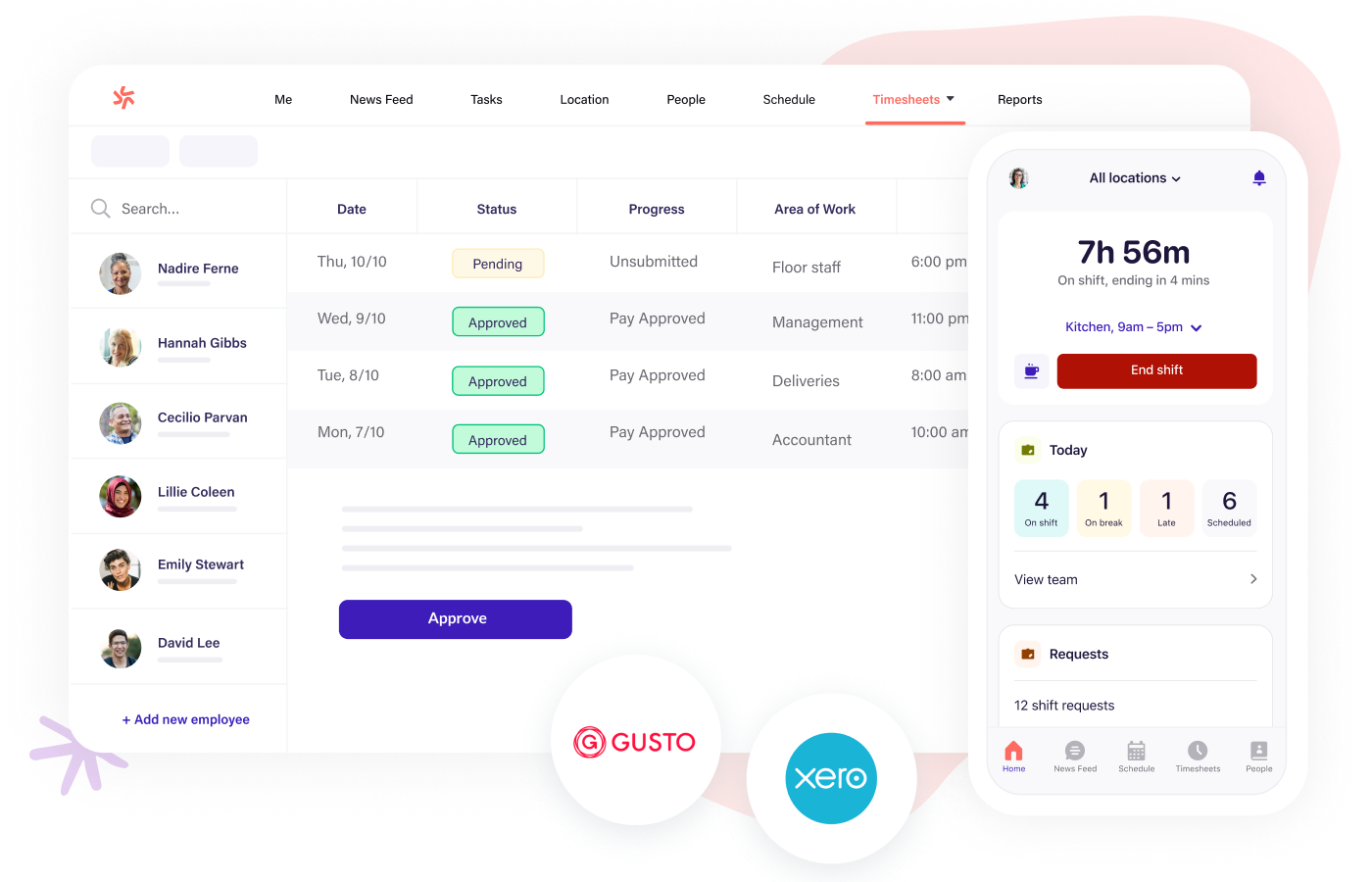
Deputy focuses on shift-based workplaces, pairing an AI-powered scheduler with an easy time clock that flags late-ins and missed breaks automatically. Managers finalize timesheets in minutes and push them to leading payroll apps.
Employee Productivity Features
- AI auto-scheduler based on demand forecasts
- Facial recognition & PIN clock-in kiosk
- Real-time wage cost vs sales dashboard
- Labor-law break & overtime compliance alerts
- 50+ payroll integrations (Gusto, ADP, QuickBooks)
Advantages
✅ Mobile apps for iOS & Android
✅ Geofencing stops early clock-ins
✅ Award interpretation for Australia, UK, US
✅ 31-day free trial + free plan for <10 users
Limitations
❌ Per-location pricing can rise quickly for multi-store chains
❌ Limited project-level task tracking
Pricing
- Lite $5 user/mo
- Core $6.50
Capterra Rating
- 4.6 / 5 (700+ verified reviews)
"Overall, my experience with Deputy has been positive. It's user friendly, keeps track of important scheduling information, and makes managing shifts a lot easier compared to older systems. While there are occasional technical glitches, the benefits outweigh the drawbacks, and it's definitely a helpful tool for employees and managers alike." – Capterra User Reviews
7. Homebase - For Shift-Based Industries
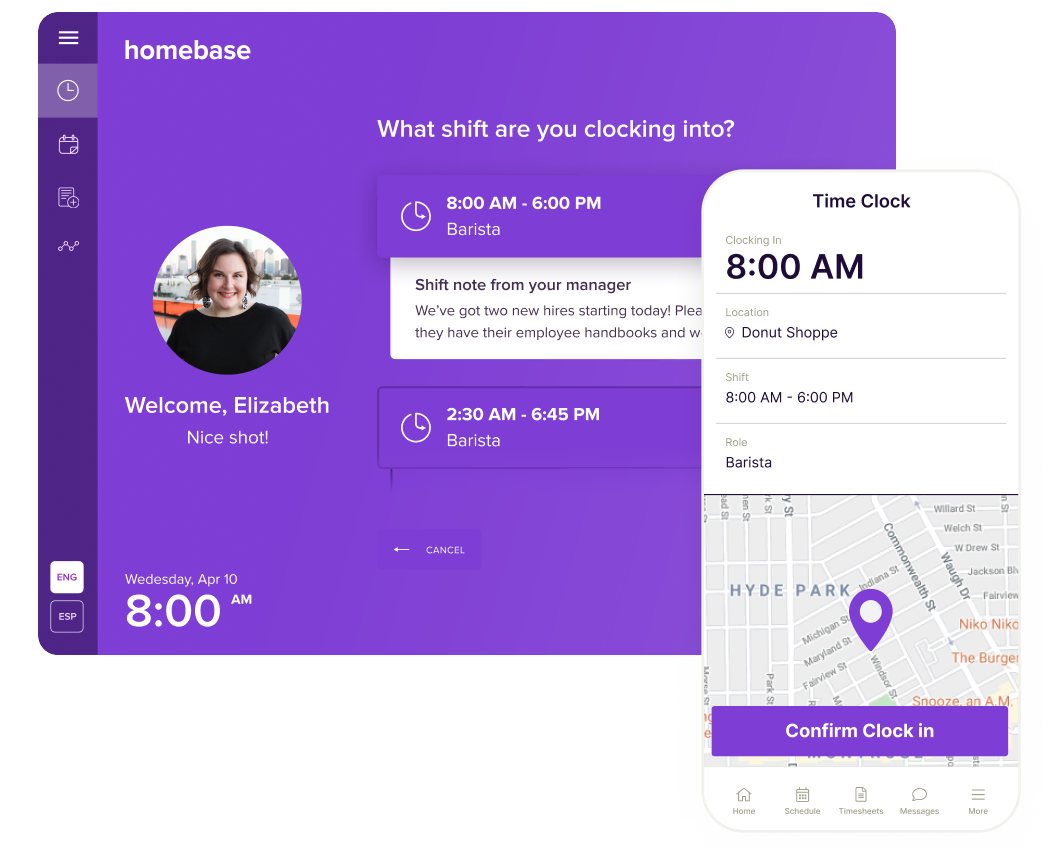
Homebase combines free employee scheduling, GPS time clock and team messaging in a single app beloved by restaurants and boutique retailers. Timesheets automatically account for tips, breaks and local labor laws.
Employee Productivity Features
- GPS time clock with tablet kiosk mode
- Auto-schedule builder using staff availability
- Labor cost forecasting vs budget
- Hiring & onboarding add-ons
- Cash-out same-day pay integration
Advantages
✅ Free plan for one location, unlimited employees
✅ Intuitive; staff onboard in minutes
✅ Built-in team chat & announcement feed
✅ Integrates Square, Toast, Shopify POS
Limitations
❌ Project-based billing not supported
❌ Advanced HR features behind paywall
Pricing
- Basic is free for up to 10 users
- Essentials $24/location/mo
Capterra Rating
- 4.6 / 5 (1,000+ verified reviews)
"I have been a homebase user for over 5 years and have recommended it to several other workplaces and employee managers. Tech support has always been great to work with and issues are handled in a timely manner. I love the ease of use and user friendly mobile application." – Capterra User Reviews
8. Jibble - For Mobile Teams

Jibble’s promise of free service and facial-recognition kiosk have made it popular with schools, construction sites and startups worldwide. It turns any phone or tablet into a tamper-proof punch clock in under five minutes.
Employee Productivity Features
- Face-ID & QR code clock-in/out
- Offline mode syncs when re-connected
- Daily & weekly timesheet e-mail summaries
- GPS, IP and Wi-Fi network restrictions
- Microsoft Teams & Slack bot commands
Advanatages
✅ Extensive audit log for labor inspections
✅ Multilingual mobile apps
✅ Open API for custom integrations
Limitations
❌ Advanced project costing only in paid “Dibbs” tier
❌ Support response can lag on free accounts
Pricing
- Free plan for basic tracking
- Premium for $3.49 per user/mo
- Ultimate from $6.99 per user/mo
Capterra Rating
- 4.9 / 5 (1000+ verified reviews)
"Jibble has an intuitive interface, making it simple to use the platform effectively." – Capterra User Reviews
9. ActivTrak - For Enterprises
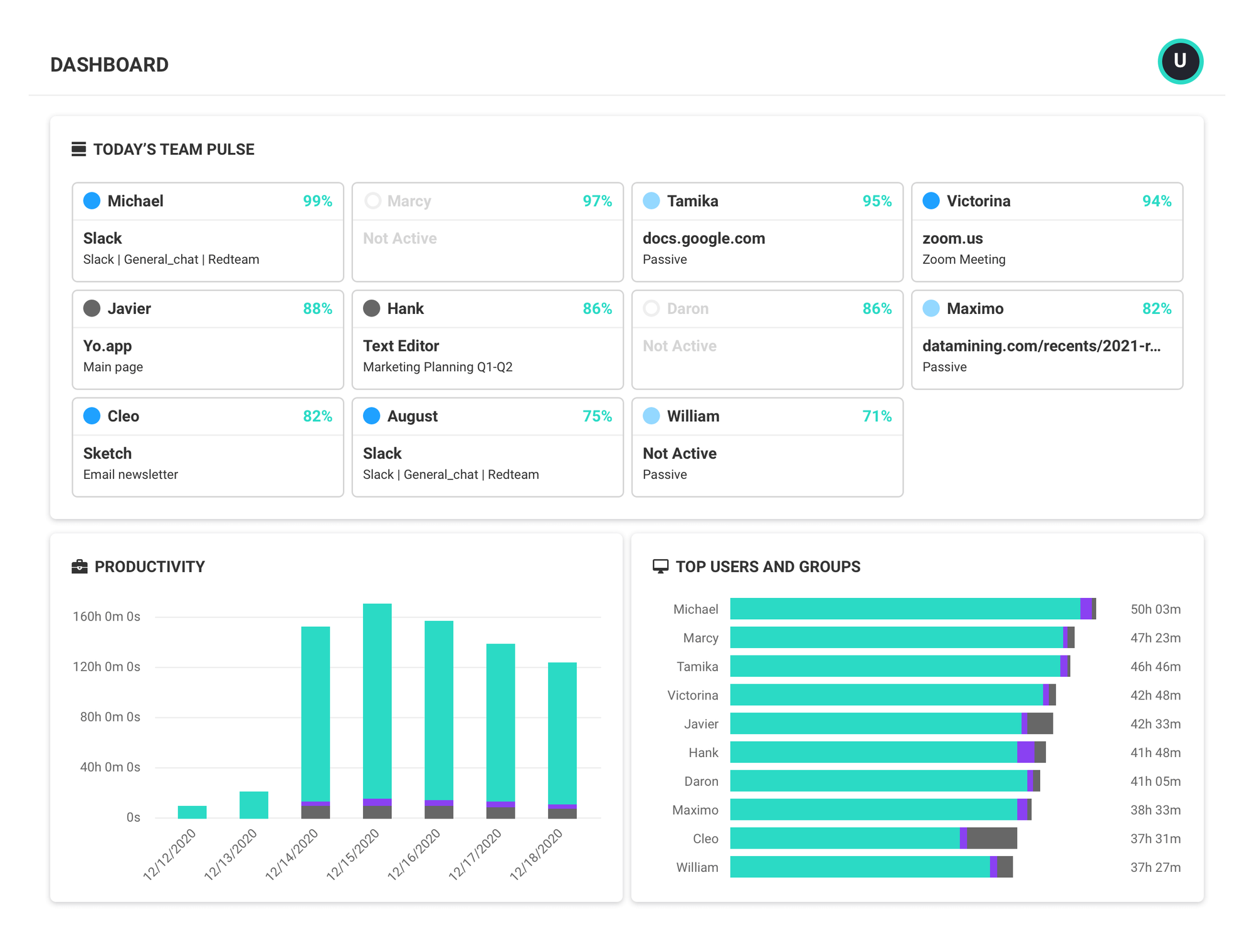
ActivTrak starts where pure time clocks stop, delivering workforce analytics that show which apps and websites actually consume productive hours. Managers gain insights while employees retain personal privacy via aggregated, non-surveillance views.
Employee Productivity Features
- Automatic time & activity capture
- Productivity labeling (focused, collaborative, passive)
- Team workload balance dashboard
- Alarms for excessive overtime or idle time
- Benchmarks vs industry peers
Advantages
✅ Quick cloud deployment—no hardware
✅ Privacy-safe aggregated dashboards
✅ 3-user / 3GB free tier for small teams
✅ Advanced SSO & GDPR compliance
Limitations
❌ Not a punch-clock; shift scheduling absent
❌ Can overwhelm users with data without clear actions
Pricing
- Free for up to 3 users
- Essentials Plan for $10 user/mo
Capterra Rating
- 4.6/ 5 (550+ reviews)
"ActivTrak makes it easy to see how our team is spending their time. It’s helpful for keeping track of productivity, especially since we manage a lot of moving parts, office rentals, conference room bookings, and customer support. The dashboard is clear, and the reports are useful for checking in without micromanaging." – Capterra User Reviews
10. Apploye - For Scaling Teams on a Budget
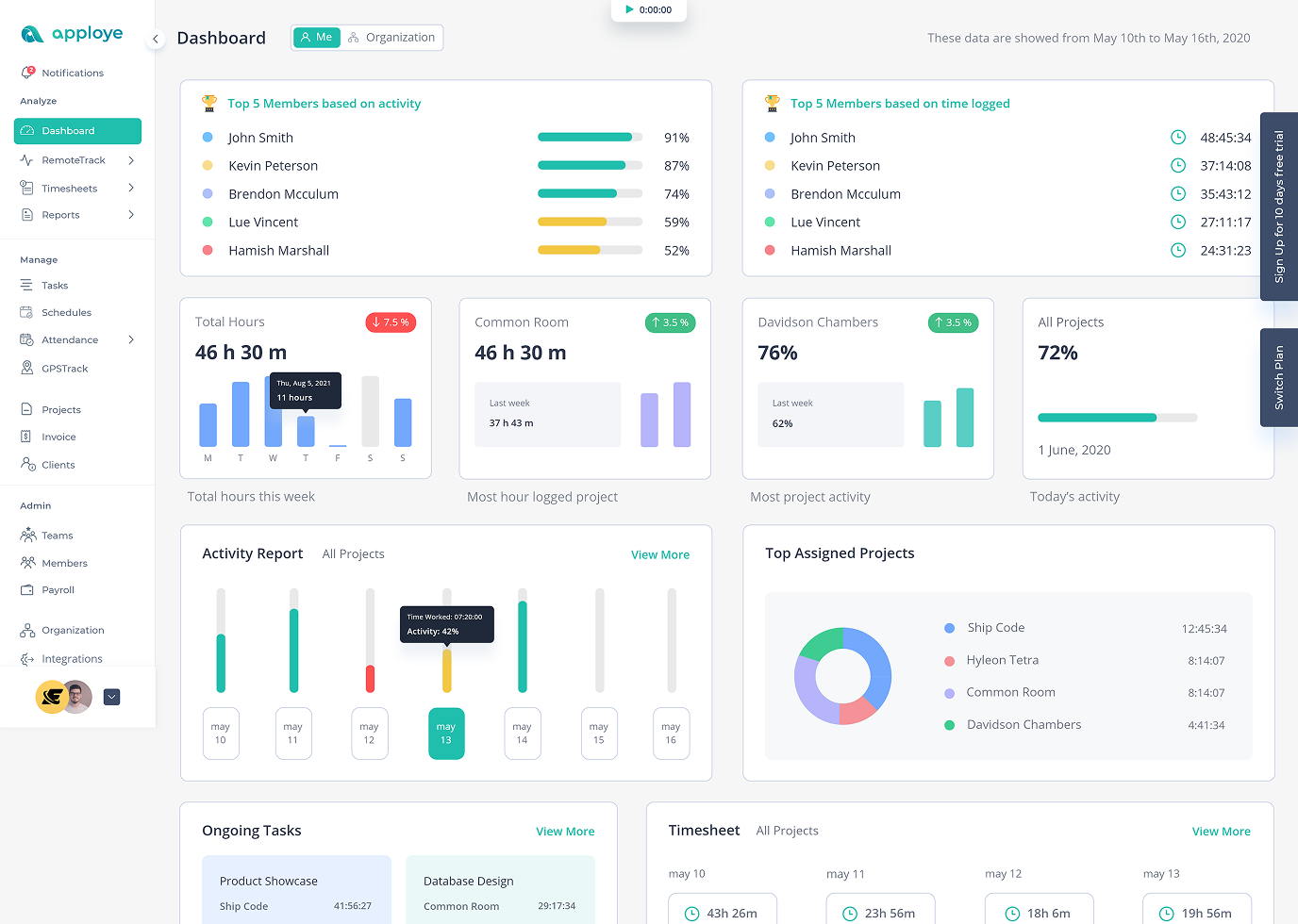
Apploye provides employee time tracking for remote/hybrid teams, BPOs and agencies, with automated timesheets, activity monitoring, screenshots, optional screen recording and stealth mode, plus built-in payroll calculation and invoicing. Apploye stands out as an affordable option if you compare with other competitors. This tool is a great fit for scaling teams with tight budgets.
Employee Productivity Features
- Time Tracking across web/desktop/mobile with project/task-based tracking for billable work.
- Automated Timesheets with timesheet approval for payroll-ready reporting.
- Activity Monitoring with productivity analytics plus apps & URL usage tracking for visibility.
- Screenshot monitoring (optional controls by plan) plus screen recording (video) for deeper verification when clients require evidence.
- Payroll calculation/reporting and client invoices from tracked hours, useful for agencies and BPO billing.
Advantages
✅ Free forever up to 10 users, ideal for growing teams testing time tracking + monitoring workflows.
✅ Paid plans start at $4.50/user/month, positioning Apploye as an affordable “all-in-one” option.
✅ Strong fit for remote/hybrid teams, BPOs, and marketing agencies that need timesheets + proof-of-work without enterprise pricing.
✅ Optional Stealth Mode add-on for teams that require hidden monitoring on company devices.
Limitations
❌ Stealth Mode is only a paid add-on ($2/user/month)
❌ Some integrations are still in development
Pricing
- Starter: Free forever (up to 10 users)
- Elite: From $4.50/user/month (plan shown on pricing page)
- Add-on: Stealth Mode $2/user/month
Capterra Rating
- 4.8 / 5 (based on 46 user reviews)
"Screenshots… and detailed timesheets give me full visibility." — Capterra reviewer
Employee Time Tracking Software [Compared]
| Tool | Free Tier | Starts at | Remote Timer | Proof-of-Work | Team Dashboard | Best For |
|---|---|---|---|---|---|---|
| TMetric | 2 users | $5.83 | ✓ 1-click | App usage, Screenshots | ✓ Live cost | Agencies, start-ups, small to medium-sized teams |
| Paymo | Unlim. | $5.9 (in 3 months - $9.99) | ✓ Pomodoro | — | ✓ Budget bar | Agency + PM in one |
| Workstatus | — | $4.99 | GPS punch | Screenshots | ✓ Productivity score | Field/geo proof |
| Zoho People | 5 users | €1,25 | Web + bio | — | ✓ HR + cost | HRIS + time together |
| FreshBooks | — | $11 | 1-click | — | ✓ vs budget | Invoicing first |
| Deputy | — | $5 | PIN/face | — | ✓ vs sales | Shift/retail |
| Homebase | 10 users | $24 | GPS | — | ✓ Labor % | Restaurant/store |
| Jibble | Unlim. | $3.49 | Face/QR | — | ✓ Audit log | Free attendance |
| ActivTrak | 3 | $10 | Auto capture | App/URL | ✓ Focus trends | Analytics deep-dive |
| Apploye | Yes, up to 10 users | $7 | Built-in timers | App usage, screenshots | ✓ Project progress | Remote & hybrid teams |
How we picked the best time-tracking apps for employee productivity
We scored 30 tools against a simple, five-point rubric
Ease of Adoption (25 %)
- Can a new user start/stop time in ≤ 2 clicks without training?
- Free plan or sub-$6 entry price to test risk-free?
Remote-Work Essentials (25 %)
- Idle detection + offline sync for spotty Wi-Fi.
- Billable vs non-billable toggle and project budget bar visible in real time.
Proof-of-Work Options (20 %)
- At least one optional layer (screenshot, app log, GPS, or URL track) for managers who need forensic detail.
- Employee-side privacy switch or aggregation so monitoring feels fair, not sneaky.
Manager Insights (15 %)
- Single dashboard that rolls individual timers into team productivity heat-maps or cost-vs-budget alerts.
- CSV/API export ready for payroll with no re-typing.
Scale & Integrations (15 %)
- Keeps price per seat flat until 20–50 users
- Native plug-ins for the tools you already use (Jira, Asana, Slack, QuickBooks, Gusto, etc.).
We ranked each tool 1–5 on every criterion, totaled the scores, and surfaced the top ten above—so you can simply pick the best for your business needs.
Conclusion
From employee productivity boosters like TMetric to forensic field monitors like Workstatus, the market offers an employee time-tracking solution for every work style and budget.
Evaluate your must-haves—project costing, GPS proof, HR integration, or simple attendance — then trial two or three contenders; your perfect clock is only a click away.