




Employee Monitoring Software

  • Visibility
  • Payroll readiness
  • Remote accountability
  • Workload optimization
  • Employee activity
  • Team performance
Fully functional 14-day trial | No credit card needed

Trusted by over 10 000 companies worldwide

  • Endygo
  • ITsyndicate
  • Pulso
  • 050media
  • JOT Digital
  • Freshlab
  • Mvad
  • Swaven

What Is Employee Monitoring Software?

Employee productivity monitoring software tracks work-related activities, like time on tasks, app usage, and activity levels, and organizes them into structured records.

This helps ensure accurate payroll, better management decisions, and reliable reporting.

Why Teams Need an Employee Monitoring System

Without TMetric

  • I don’t know how productive my team really is.
  • Employees waste hours on unproductive apps.
  • I struggle to calculate payroll accurately.
  • Remote work makes accountability harder.

With TMetric

  • I see productivity metrics in real time.
  • I get clear reports on app & website usage.
  • Payroll is based on real tracked hours.
  • Screenshots and activity logs give transparency.

TMetric Key Features for Employee Monitoring

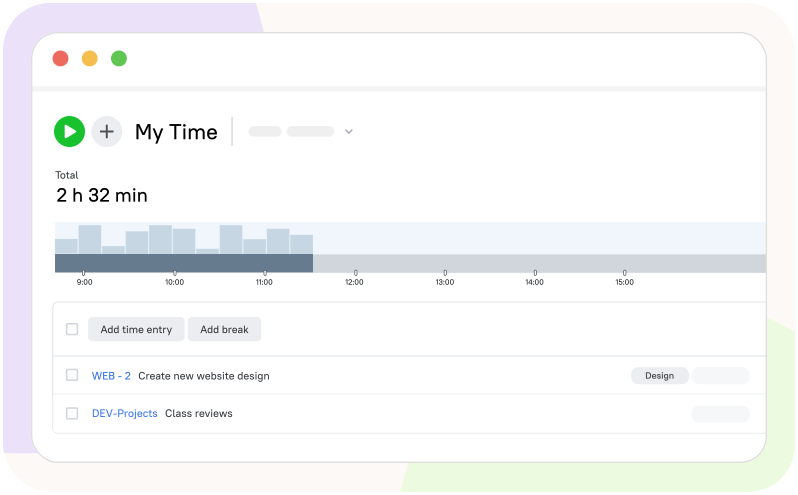
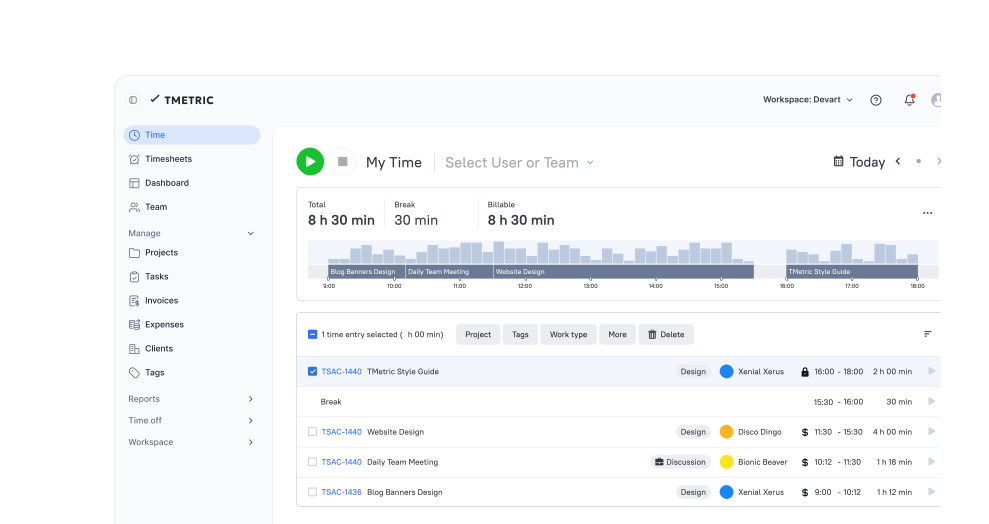
Time & attendance tracking

TMetric tracks employees’ work hours automatically. Perfect for on-site, hybrid, and remote teams that need audit-ready records.

  • Track start/end of shifts, breaks, and overtime
  • Get accurate timesheets with no manual input
  • Review individual and team work logs
Time & attendance tracking

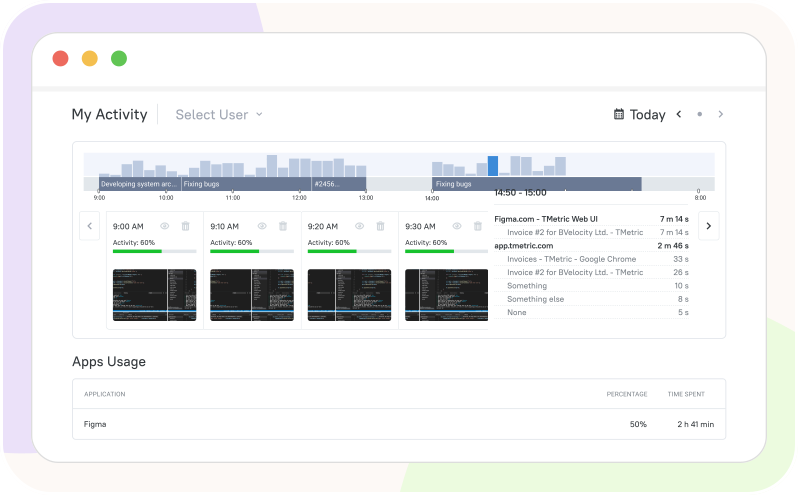
Screenshots capturing

See real snapshots of employee work to ensure focus. Each image is time-stamped and task-linked, with masking/blur and no-track lists to protect sensitive data.

  • Set screenshot frequency per project or team
  • Ensure compliance and productivity
  • Provide proof of work to clients
Screenshots capturing

App & website usage monitoring

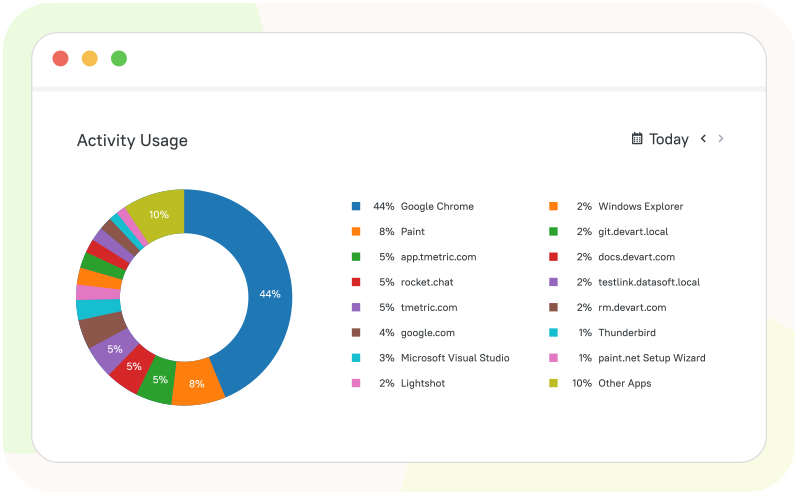
Know where your team spends their time. Reports separate productive tools from distractions without extra manual tagging.

  • Track which websites and apps employees use
  • Identify distractions and unproductive patterns
  • Optimize workflows based on usage data
App & website usage monitoring

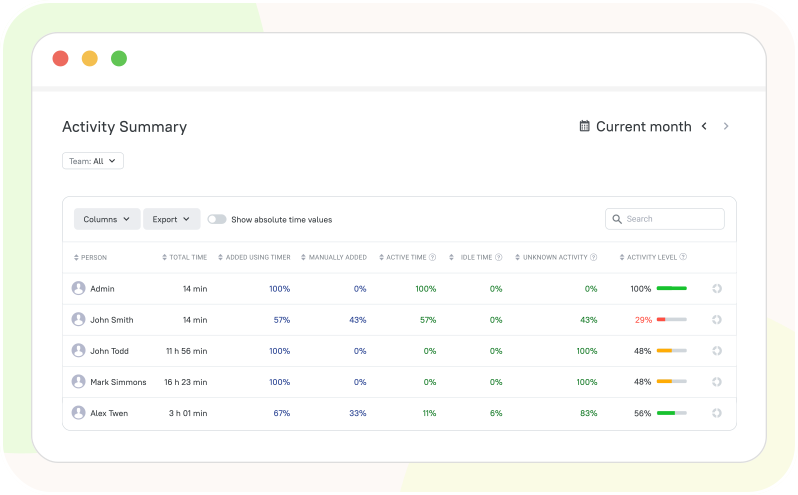
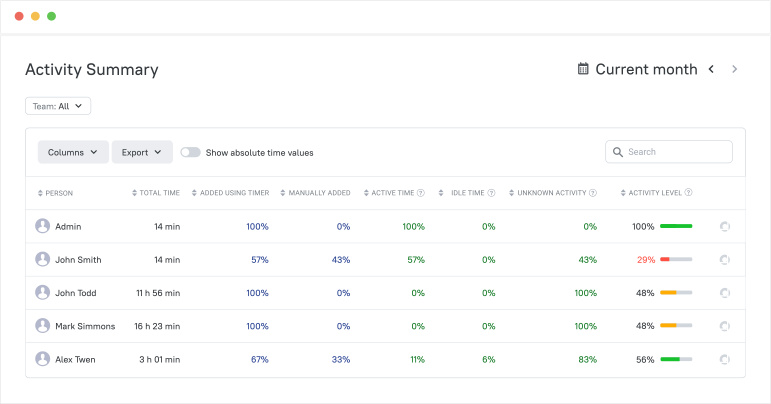
Productivity insights & activity levels

Stay updated on how engaged your employees are. Spot dips early and coach before deadlines slip.

  • View activity levels in %
  • Detect idle time and unproductive hours
  • Compare productivity trends across teams
Productivity insights & activity levels

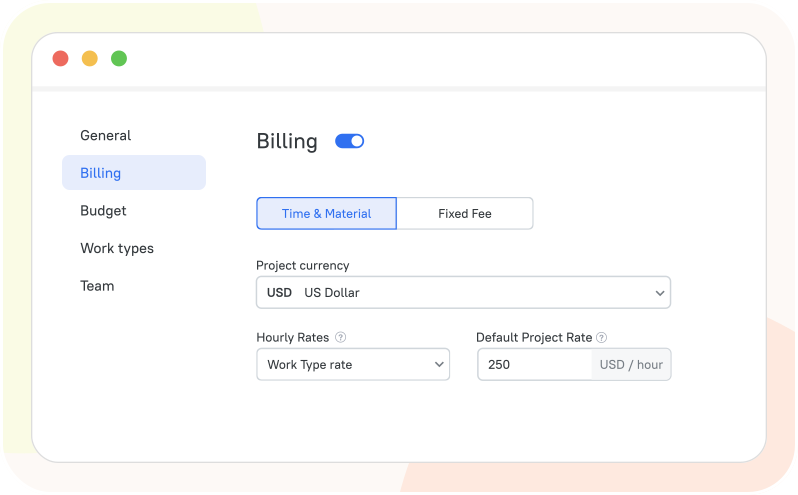
Payroll & billing automation

Never underpay or overpay employees again. Rates, overtime rules, and approvals are built in for error-free payouts.

  • Convert tracked hours into payroll automatically
  • Link activity to billable hours
  • Export accurate invoices for clients
Payroll & billing automation

How Employee Monitoring Works in TMetric

  • Step 1

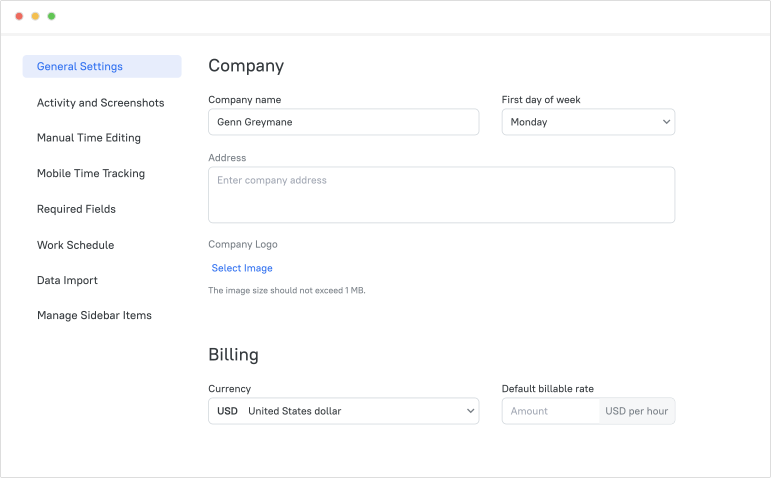
    Create a Workspace and Configure Basic Structure

    Set up your workspace, add projects and clients, and configure basic settings. This gives you a structured environment ready for team tracking.

    Create a Workspace and Configure Basic Structure

  • Step 2

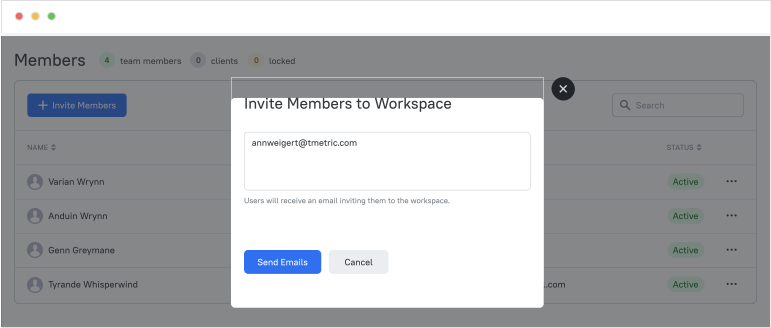
    Invite Employees and Assign Roles

    Add team members and assign roles and permissions. Employees can immediately access the workspace and start tracking their work time.

    Invite Employees and Assign Roles

  • Step 3

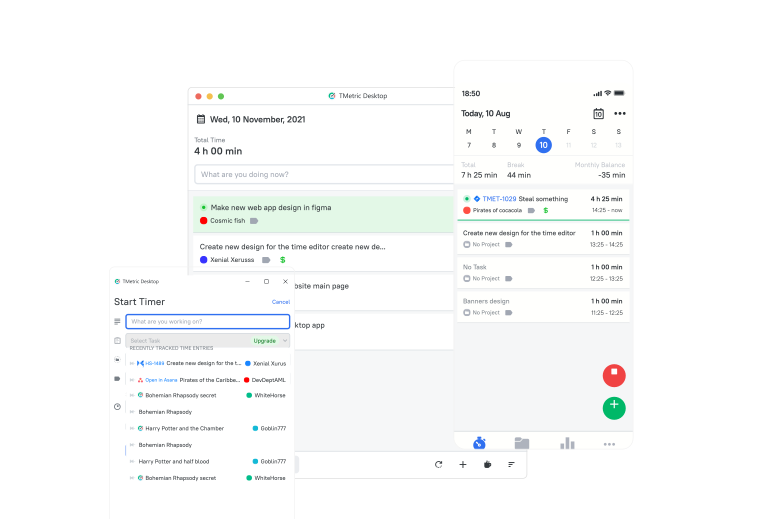
    Work Time and Activity Are Captured Automatically

    Employees track tasks using the desktop, web, or mobile apps. TMetric automatically records time, activity levels, and optional screenshots.

    Work Time and Activity Are Captured Automatically

  • Step 4

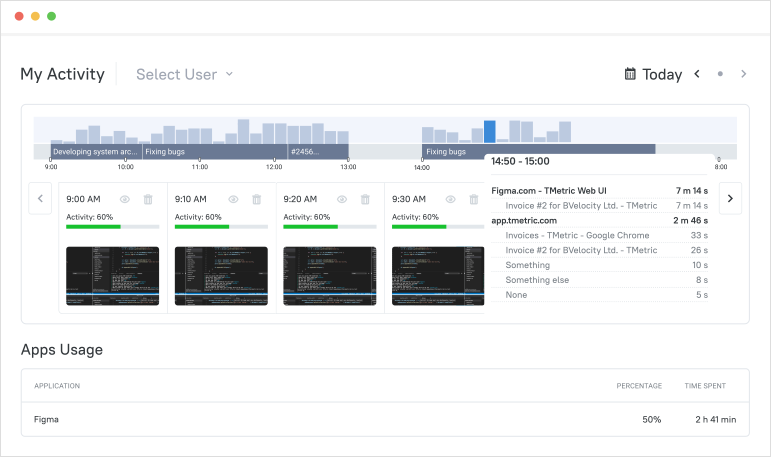
    Work Records and Monitoring Data Are Structured Automatically

    All tracked data, including hours, activity, app usage, and screenshots, is organized into detailed, easy-to-read records.

    Work Records and Monitoring Data Are Structured Automatically

  • Step 5

    Managers Review Monitoring Data and Verify Work Records

    Managers access dashboards and reports to review activity and validate work progress in real time.

    Managers Review Monitoring Data and Verify Work Records

  • Step 6

    Work Records Are Used for Payroll, Reporting, and Operational Analysis

    Structured records can be exported or used directly for payroll, invoicing clients, and analyzing team performance.

    Work Records Are Used for Payroll, Reporting, and Operational Analysis

Monitor Work,
Not People

Automatic time & app usage from your workflow with privacy controls built in.

See all integrations

Frequently Asked Questions

How does TMetric help improve payroll accuracy and reduce manual corrections?

TMetric employee monitoring software improves payroll accuracy by automatically tracking work hours and generating detailed reports, reducing manual calculations and minimizing payroll errors.

How does employee monitoring in TMetric help managers understand team workload?

TMetric software for employee monitoring helps managers understand team workload by showing how much time employees spend on tasks and projects. Managers can review reports and dashboards to see workload distribution, identify overloaded team members, and balance tasks to keep projects on schedule.

How quickly can teams start using TMetric for employee monitoring after signup?

Teams can start using TMetric almost immediately after signup. The onboarding process is quick and easy, typically taking just a few minutes.

Can TMetric provide proof of work for client billing or internal reporting?

Yes, the TMetric employee monitoring app provides various reports that can help prove your work when billing clients. They include tracked hours, activity logs, optional screenshots, and other details of your work. You can also use the Invoices feature to bill your clients accurately. Invoices show what work was done, how many hours were billed, and the total amount due. Additionally, you can use the Timesheets feature, which can be exported as proof of work.

How does TMetric protect employee privacy while providing monitoring visibility?

TMetric employee activity monitoring software protects employee privacy while providing monitoring visibility by making tracking features optional and configurable. Screenshots can be blurred, activity is recorded only during work hours, and access to data is limited to authorized managers. Employees can also view their own tracked time and activity data, ensuring transparency and privacy.

How easy is it to deploy TMetric employee monitoring across a team?

Deploying TMetric software for employee monitoring is quick: create a workspace, invite team members, install the apps, and employees can start tracking while managers view dashboards and reports within minutes.

What support is available during onboarding and initial setup?

During onboarding, the TMetric employee monitoring program offers help through a live demo, direct support, online guides, FAQs, and video tutorials.

Does the free trial include all employee monitoring features?

Yes, the TMetric free trial includes all employee monitoring features, including tracking, reporting, and optional screenshots. After the trial, advanced features require a paid plan.

Monitor teams without the micromanagement

Boost productivity with insights that help your service teams work better, not harder.

Start free trial
Monitor teams without the micromanagement