





Free Time Clock App for Employees and Teams

Clock in and clock out from any device, track employee hours, attendance, and breaks. Replace paper time cards and manual calculations, and turn worked hours into timesheets and payroll-ready reports.

Fully functional 14-day trial | No credit card needed

Trusted by over 10 000 companies worldwide

  • Endygo
  • ITsyndicate
  • Pulso
  • 050media
  • JOT Digital
  • Freshlab
  • Mvad
  • Swaven

What is TMetric Time Clock?

TMetric is an employee time clock app ideal for simple time tracking. It records start and stop times, plus total duration, making it easy to monitor employees' daily work hours.

The features that make TMetric the best free time clock app allow you to effortlessly track time, record billable hours, and streamline time reporting to reduce paperwork.

Why Use a Free Employee Time Clock App

Without TMetric

  • Employees forget to clock in/out
  • Manual time entries lead to errors
  • No clear record of work hours
  • Payroll requires manual calculations

With TMetric

  • Easy clock-in/out with one click
  • Accurate work hours tracked automatically
  • Real-time attendance and team status visibility
  • Automatic timesheets with start/end times

Key Features of TMetric Time Clock

Easy clock-in and clock-out

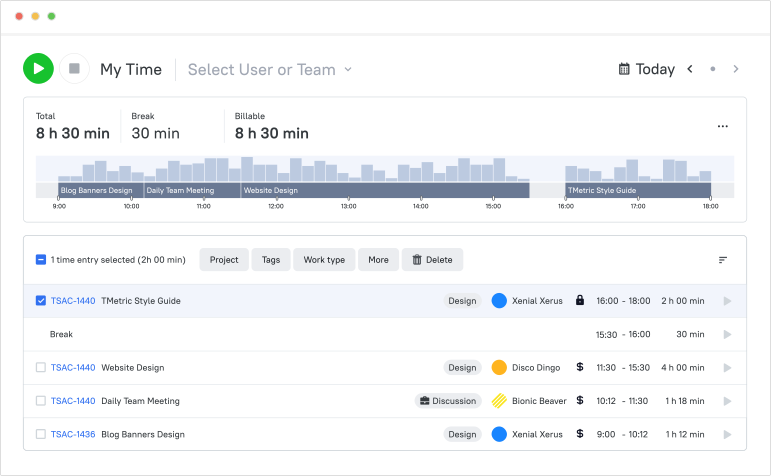
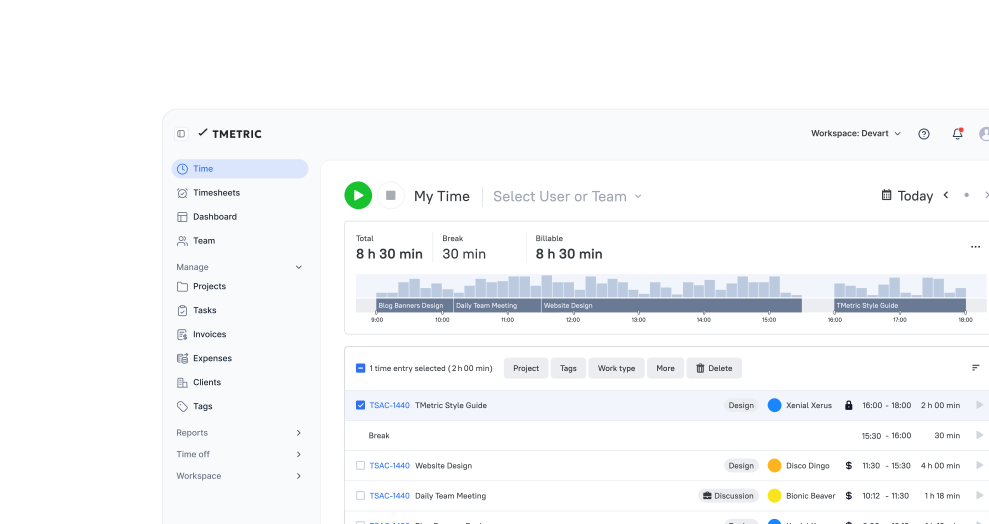
Employees can start and stop tracking their work hours with a one-click timer from anywhere, at any time, using TMetric’s web, desktop, and mobile apps.

  • Invite employees to the workspace and create a team
  • Install the desktop client on your employees' machines
  • Use mobile apps for out-of-office employees' work
  • Employees can now clock in and out with a single click
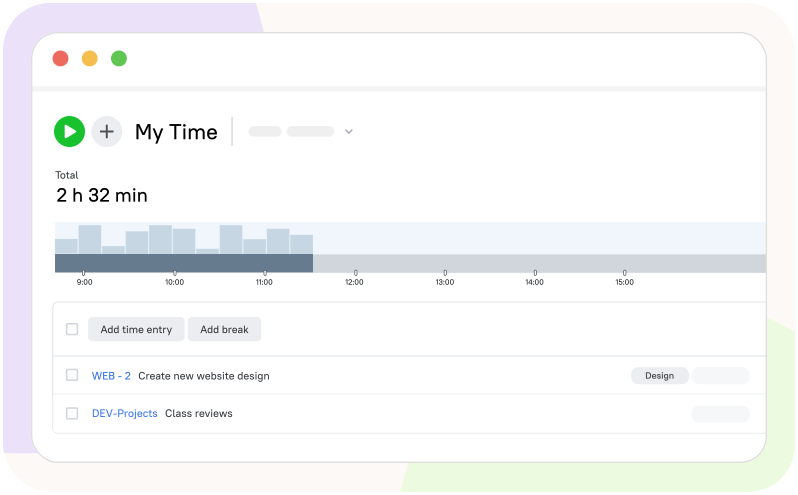
Easy clock-in and clock-out

Automatic work hours tracking

With automatic tracking, TMetric records employees’ work hours when the app is opened and closed without requiring any manual input.

  • TMetric can start the timer on app launch and stop it on exit
  • It automatically tracks employees' work hours in the background
  • Employees can track their work using a personal dashboard
  • No need to manually record work hours or fill out paperwork
Automatic work hours tracking

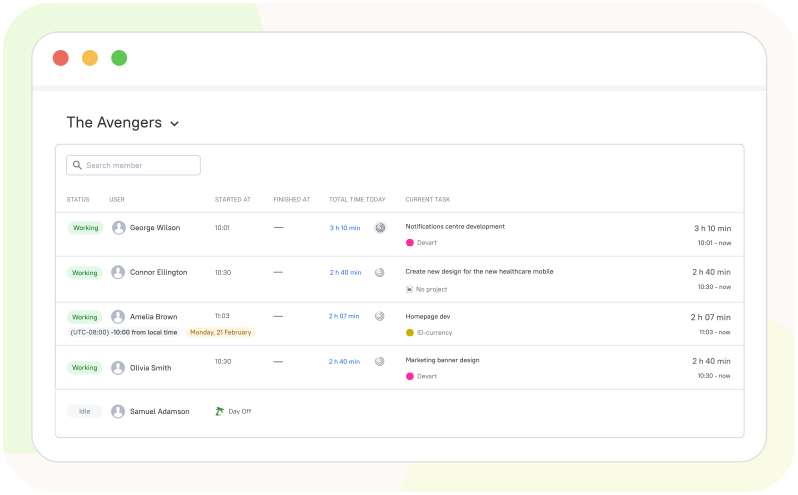
Real-time team attendance

Managers can monitor their employees’ work, either all at once or individually, to ensure everything is going as expected.

  • Monitor and manage the whole team in one place at a glance
  • Check employees’ work progress in real time or select a specific employee
  • See whether employees are working, what tasks they are doing, and the time spent
  • Monitor team members’ activity to see how productive they are
Real-time team attendance

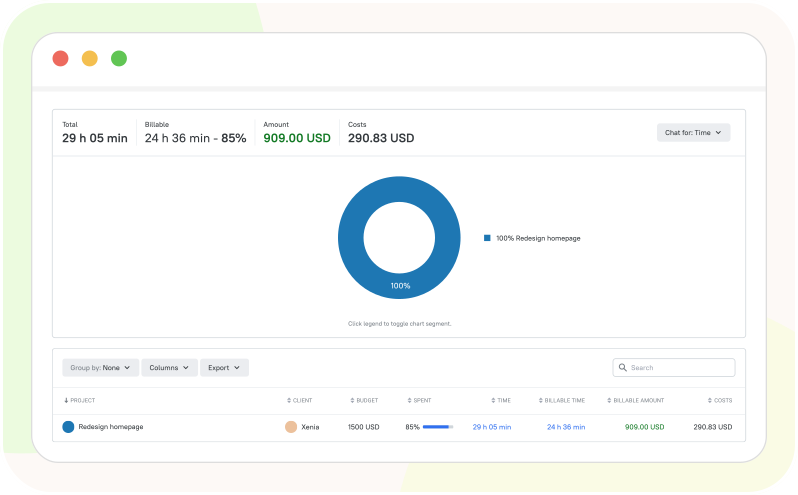
Track time by project and task

Record how much time you spend on each specific project and each task within that project.

  • When clicking the timer, select the project and task you need
  • Track time spent on the task that belongs to the project
  • End the timer when you finish to save your time entry
  • View reports to analyze billable time by project and tasks
Track time by project and task

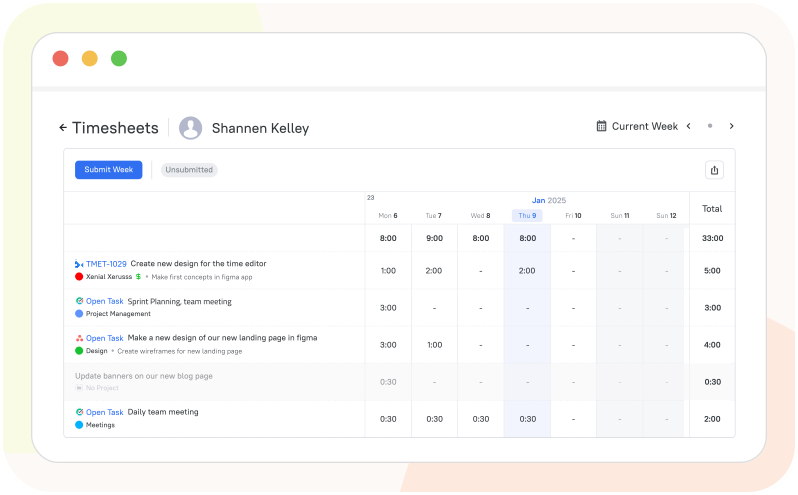
Accurate timesheets for payroll

With timesheets, you’ll have accurately recorded work hours to calculate employee pay without errors or effort.

  • Track employees’ work hours using the TMetric time clocking app
  • Ask employees to submit their timesheets on a regular basis
  • View, check, and approve employees' timesheets
  • Use timesheets to calculate employee salaries accurately
Accurate timesheets for payroll

How TMetric Time Clock Works

  • Step 1

    Sign up

    • If you haven't already, sign up for a TMetric account.
    • If you have an account, log in to your TMetric workspace.
  • Step 2

    Add team members

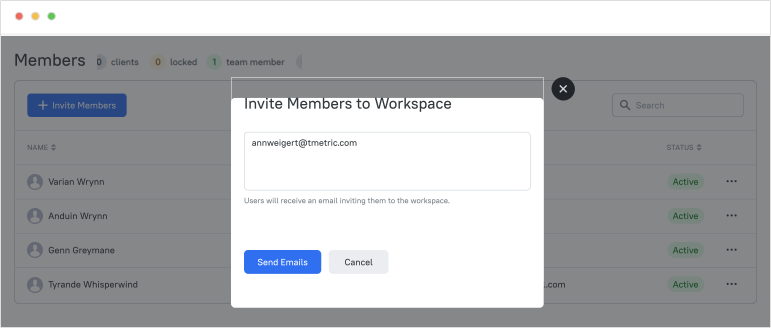
    • Go to the Members page.
    • Click the Invite Members button.
    • Enter the users' emails you want to add to your workspace and click the Send Emails button.

    Image Invite Members to Workspace

  • Step 3

    Ask your employees to install apps to work remotely

    • TMetric Desktop, a time clock computer software, enables your team to clock in/out by automatically starting and stopping the timer and prompting users at workday start and end.
    • Mobile App, a time clock app for Android and iOS, allows your employees to track time anytime, anywhere, making it ideal for remote work or when they are out of the office.

    Ask your employees to install apps to work remotely

  • Step 4

    Monitor who is tracking time

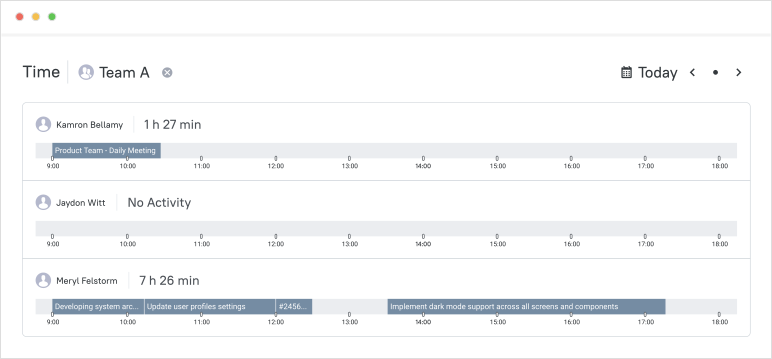
    • Use the Team View option to see whether your team members are working or not.
    • Go to the Time page, open the Select User or Team drop-down list, and click the See All Users link.
    • If you are out of the office, you can check your team attendance on your mobile device using the Check Team Status option.

    Monitor who is tracking time

  • Step 5

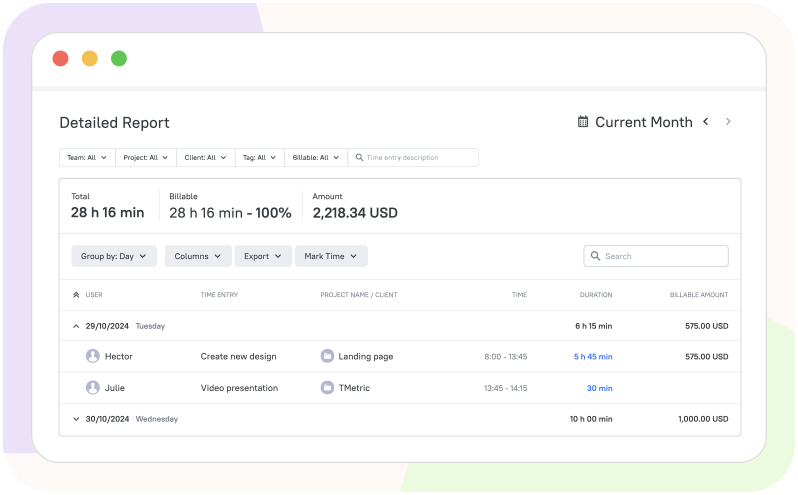
    Use detailed reports with check-in/out times

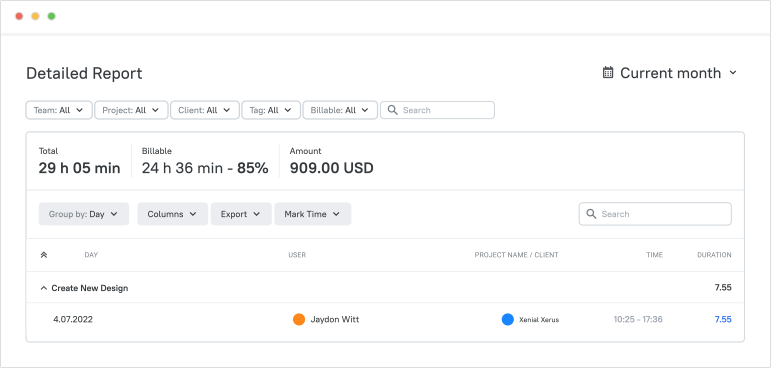
    • To track employees' attendance and view their start and end times, use the Detailed report.
    • Set the Show start and end time in detailed report option on the General Settings page to see when your employees clocked in/out.

    Image use detailed reports with check-in/out times

  • Step 6

    Ensure accurate payment to employees

    • In TMetric, you can set cost rates for your employees to determine their pay accurately.
    • On the Edit Member page, enter the desired value in the Cost Rate field, then click Save.
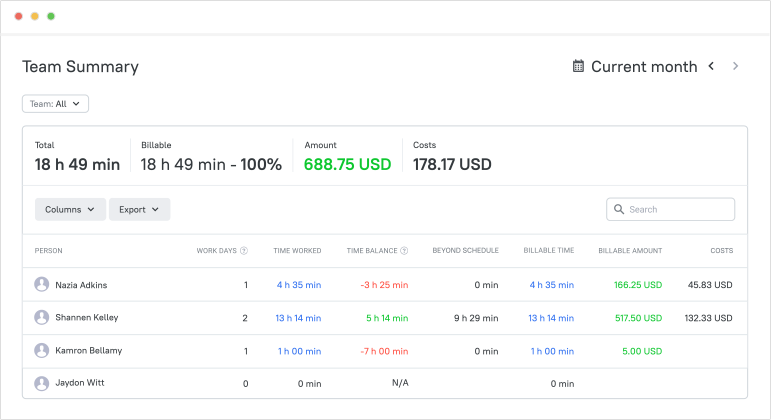
    • The Team Summary report will show the payment amounts in the Costs column.

    Ensure accurate payment to employees

Benefits of Using TMetric

TMetric is one of the time clock solutions aimed at boosting productivity, cutting costs, and enhancing efficiency for businesses. Here are its key benefits and unique selling points:

Accurate attendance records

Accurate attendance records

Automatically captures work hours and attendance data with precision.

Faster payroll preparation

Faster payroll preparation

Converts tracked time into payroll-ready data to speed up calculations.

Less manual admin work

Less manual admin work

Automates time tracking, reporting, and timesheets.

Visibility into team hours

Visibility into team hours

Provides real-time insights into how time is spent across projects and teams.

Easier labor cost tracking

Easier labor cost tracking

Tracks labor costs alongside time data to control budgets and expenses.

Frequently Asked Questions

How does an employee time clock app work?

A time clock application lets employees clock in and out digitally to track work hours. It records time spent on tasks and projects, while managers can review attendance, timesheets, and payroll reports in one place.

Can employees clock in and clock out with TMetric?

Yes, employees can clock in and clock out with TMetric free time clock software by starting and stopping the timer in the web, desktop, or mobile app. Managers can then review attendance and work hours in reports and timesheets.

Can I track attendance and worked hours?

Yes, you can track attendance and worked hours with the TMetric free employee time clock app. Employees clock in and out using the timer, and TMetric automatically records start and end times, breaks, overtime, and total hours worked. Managers can view real-time attendance, see who is currently working, check tasks and time spent, and use reports and timesheets for payroll and productivity analysis.

Can I use TMetric as a free employee time clock app?

Yes, you can use TMetric as a free time clock app for small business. Its Free plan includes unlimited time tracking, unlimited clients and projects, exportable project reports, web, desktop, and mobile apps, and it is free for up to 2 seats. For larger teams or advanced features like Team Timesheets and activity tracking, paid plans are required.

Does TMetric help with payroll preparation?

Yes, TMetric helps with payroll preparation by recording work hours, creating accurate timesheets, and providing reports for easy salary calculation and payroll processing.

Can teams use TMetric on desktop and mobile?

Yes, teams can use TMetric on desktop and mobile. It works on web, desktop (Windows, macOS, and Linux), and mobile apps for iOS and Android, so employees can track time from anywhere. All tracked data syncs automatically between the apps.

What makes a digital time clock better than paper time cards?

A digital time clock is better than paper time cards because it automatically records work hours, reduces manual errors, saves time, and makes payroll preparation easier. It also provides real-time attendance tracking, accurate timesheets, and easy access to reports from any device.

Stay on top of your team’s work hours

See who’s working, track time accurately, and manage payroll with ease

Start free trial
Stay on top of your team’s work hours