Top 6 Payroll Software for 2026: Comparison List
Compare the best payroll software for 2026, including TMetric, ADP, Gusto, Paylocity, QuickBooks Payroll, and Rippling. This guide explains key features, pricing, integrations, and payroll automation capabilities to help businesses choose the right system for accurate payroll processing and compliance.

By Dereck Mushingairi | March 13, 2026
Payroll has zero room for error. One slip, and you’re facing compliance chaos, frustrated employees, and cash-flow headaches. But the right payroll software stops these problems in their tracks.
In this guide, we cut straight to the best payroll software systems of 2026. You’ll discover which platform dominates in automation, reporting, integrations, and ease, so you walk away with the perfect fit for your business.
Compare:
Benefits of using payroll software
Payroll software reduces risk by standardizing the most error-prone parts of payroll. Instead of relying on spreadsheets, manual tax calculations, and disconnected timesheets, businesses can automate calculations, centralize records, and build a repeatable process.
The practical gains are clear: better payroll accuracy, faster processing, less admin work, stronger record keeping, and more confidence during audits or tax reviews. Employees benefit too, because they get paid on time, can often access pay stubs and tax forms through self-service, and deal with fewer payroll mistakes.
But these benefits depend on choosing the right payroll platform.
How we chose the best payroll software
To make this comparison useful, we focused on the practical factors that businesses actually rely on when evaluating payroll tools. These included:
- Payroll automation: how well the platform calculates wages, deductions, and payroll runs without manual work.
- Tax and compliance support: whether the software helps manage payroll taxes, filings, and regulatory requirements.
- Integrations: how easily the tool connects with time tracking software, accounting systems, and HR platforms.
- Reporting and payroll insights: the quality of reports for payroll costs, employee pay data, and financial visibility.
- Scalability: whether the software works for startups today and growing teams tomorrow.
- Ease of implementation: how quickly businesses can set up the system and start running payroll confidently.
The list also reflects different types of payroll solutions. Some tools, like TMetric, focus on turning tracked work hours into accurate payroll data, while platforms such as ADP, Gusto, Paylocity, QuickBooks Payroll, and Rippling provide broader payroll and HR management capabilities.
Now, let’s compare the leading payroll software side by side.
Payroll software feature overview
The table below provides a quick side-by-side comparison of the leading payroll platforms. It highlights where each tool performs best, along with key automation features, compliance capabilities, integrations, and pricing models.
| Software | Best for | Payroll automation | Tax & compliance | Integrations | Pricing model |
|---|---|---|---|---|---|
| TMetric | Agencies, remote teams, service businesses | Payroll-ready reports from tracked hours and cost rates | Payroll preparation rather than built-in tax filing | 50+ integrations including QuickBooks, Jira, Asana, and Notion | Free up to 2 seats; paid subscriptions start at $7/user monthly |
| ADP | SMBs and larger organizations needing full-service payroll | Automated payroll processing and optional auto-run payroll | Full tax filing and compliance support | QuickBooks, Xero, Wave, time tracking, HR add-ons | Custom pricing |
| Gusto | Small businesses and startups | Automated payroll processing with unlimited payroll runs | Federal, state, and local tax filing | Accounting, benefits, time tracking, HR tools | Simple $49/mo + $6/person; Plus $80/mo + $12/person; Premium custom |
| Paylocity | Companies needing HR, payroll, and workforce management | Automated payroll workflows and audit checks | Tax filing services and compliance support | HR systems, APIs, workforce tools | Custom pricing |
| QuickBooks Payroll | Businesses using QuickBooks accounting | Auto Payroll and same-day direct deposit (eligible plans) | Taxes calculated, filed, and paid automatically | Native QuickBooks integration; time tracking in Premium/Elite plans | Core from $44/mo + $6.50/employee (promo pricing) |
| Rippling | Fast-growing and global businesses | Automated payroll runs and pay-run comparison tools | Automated federal, state, and local tax filing | 600+ integrations, including Xero, QuickBooks, NetSuite | Custom pricing; Payroll add-on from ~$35/mo |
Now that you’ve seen the overview, let’s dive into the payroll software list.
The 6 best payroll solutions for 2026
Each tool below earned its place for a different reason. Some are true full-service payroll systems, while others are stronger when payroll accuracy depends on real-time time tracking, project billing, or distributed team workflows. Here is a closer look at the best software for payroll in 2026.
1. TMetric
⭐ 4.6/5 (G2)
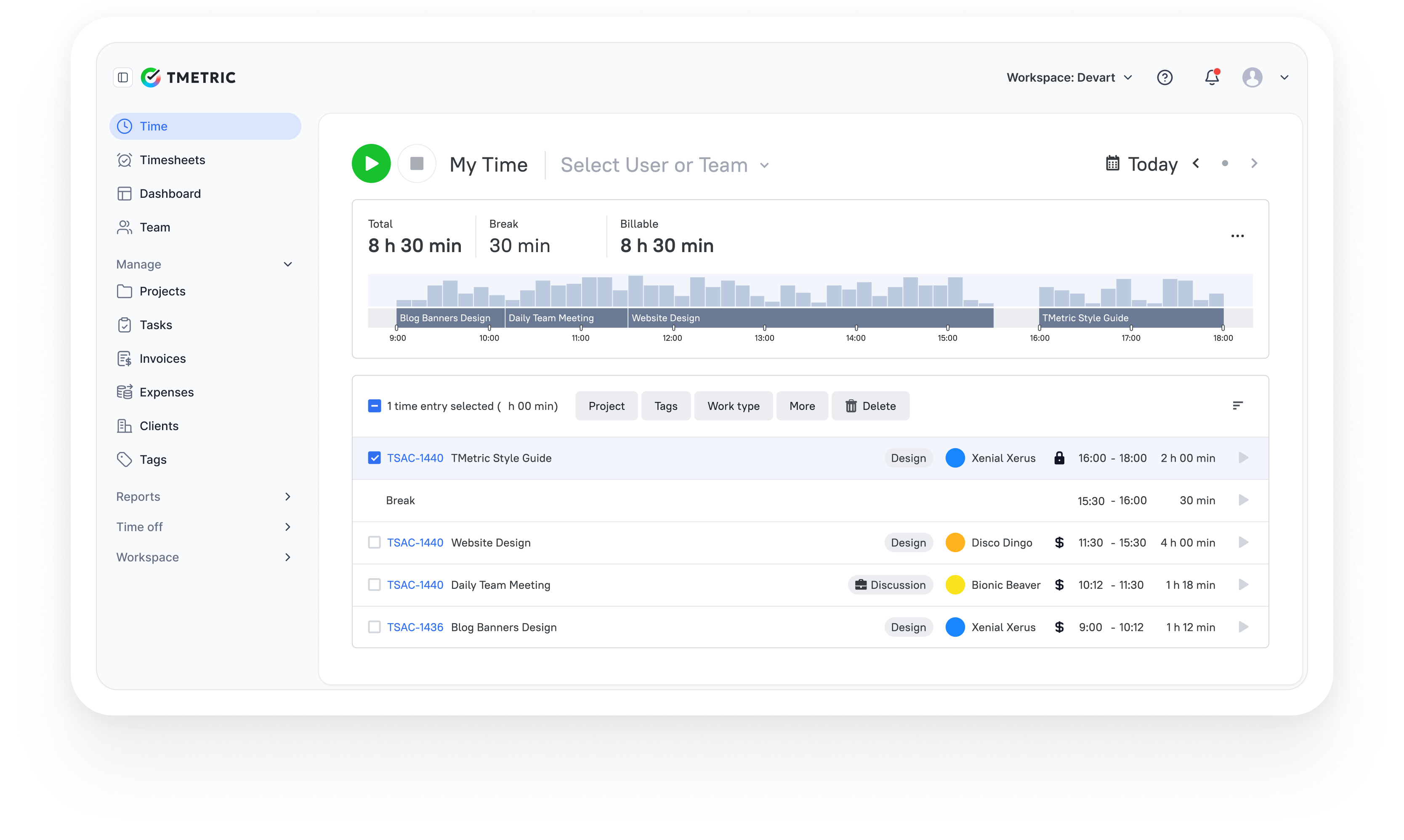
Best for: Small businesses that need accurate time tracking and payroll-ready timesheets before payroll processing.
Description
TMetric is the strongest fit here for businesses that build payroll from actual worked time. It tracks hours in real time, allows managers to assign employee cost rates, calculates payroll-ready costs in reports, and supports paid time off in cost calculations. Accurate labor rates per employee ensure that payroll reports reflect true workforce costs. It also syncs time data with QuickBooks, making payroll preparation and invoicing workflows easier.
This makes TMetric especially useful for agencies, remote teams, consultancies, and service businesses where pay depends on tracked hours, billable rates, and project work. With a free plan available, it can also serve as a practical starting point for teams looking for free payroll software options.
Key details
| Category | Details |
|---|---|
| Company | Devart |
| Best for | Agencies, consultancies, SaaS teams, service businesses |
| QuickBooks integration | Native integration with QuickBooks Online |
| Reporting focus | Project profitability, utilization, and labor cost analysis |
| Data sources | Time entries, billable rates, expenses, project budgets |
| Platforms | Web, Windows, macOS, Linux, iOS, Android |
Key Features of TMetric
Key features
- Timer-based and manual time tracking options.
- Native integration with QuickBooks Online.
- Export of approved billable hours directly to QuickBooks.
- Timesheet review and approval workflows.
- Flexible manual or automatic synchronization of tracked time.
- Time tracking by task, client, or project.
- Project budgeting with planned versus actual comparisons.
- Reporting on billable hours, utilization, and labor costs.
- Mobile apps for time tracking and reporting.
Pros
- Seamless QuickBooks Online integration for payroll and invoicing workflows.
- Clear insights into project profitability and labor costs.
- Quick setup with minimal onboarding requirements.
- Combines time tracking, budgeting, and reporting in one solution.
- Affordable pricing for freelancers and small teams.
Cons
- Supports integration only with QuickBooks Online.
- Not intended to replace full payroll or accounting systems.
- Limited capabilities for financial forecasting.
Pricing
Includes a free plan for up to two users. Paid plans start at $5.83 per user/month, adding project budgeting, advanced reporting, and team management features.
Advanced Time Tracking in TMetric
Review
“It’s easy to use and integrates smoothly into our daily routine. We especially appreciate how we can assign time to specific projects and clients—it’s very helpful for reporting.” — G2 Reviewer
Businesses that rely on accurate time data before running payroll can use TMetric to improve payroll accuracy while gaining better visibility into workforce costs.
2. ADP
⭐ 4.1/5 (G2)
Best for: Businesses that need full-service payroll with strong tax compliance and HR expansion options.
Description
ADP is a reliable choice for businesses that want full-service payroll with built-in tax compliance. Its RUN platform processes payroll, files payroll taxes, and connects payroll data with accounting tools like QuickBooks and Xero. It also supports HR, benefits, and workforce management as companies grow.
Key details
| Category | Details |
|---|---|
| Company | ADP |
| Best for | SMBs and growing businesses needing full-service payroll |
| Payroll processing | Automated payroll with optional Auto Payroll runs |
| Tax compliance | Automated tax calculation, filing, and payment |
| Integrations | QuickBooks, Xero, Wave, time tracking, HR systems |
| Platforms | Web, mobile apps |
Key features
- Comprehensive full-service payroll processing.
- Automated federal, state, and local tax filing.
- Optional Auto Payroll for recurring pay cycles.
- General ledger export to accounting platforms.
- Integrations with time tracking and attendance systems.
- Employee self-service portal for pay stubs and tax documents.
- Optional benefits administration add-ons.
- Expandable HR and workforce management features.
Pros
- Established provider with a strong market reputation.
- Includes built-in payroll tax filing and compliance support.
- Scales effectively from small businesses to larger enterprises.
- Extensive integration ecosystem.
Cons
- Pricing is not publicly disclosed.
- Initial setup may require onboarding assistance.
- Certain HR features are only available as add-ons.
Pricing
Pricing is customized based on company size, payroll complexity, and selected HR and payroll features.
Review
“I like ADP because it provides reliable payroll, an easy-to-use system, strong customer support, and mobile access, helping save time and simplify payroll management.” — G2 Reviewer
3. Gusto
⭐ 4.6/5 (G2)
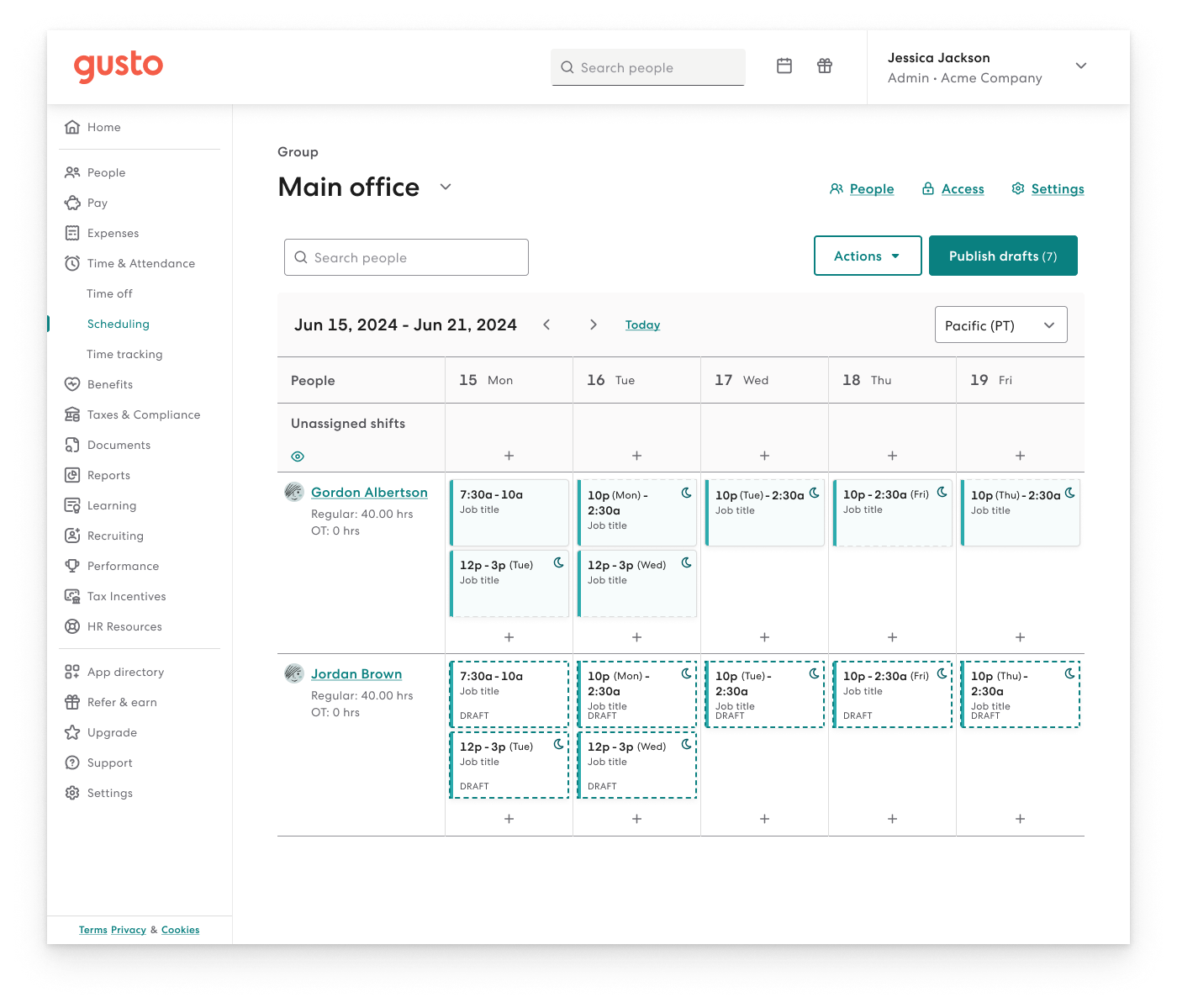
Best for: Small businesses and startups that want simple payroll, benefits, and HR tools in one platform.
Description
Gusto is a payroll platform built for small businesses that want automated payroll and transparent pricing. It handles payroll processing, tax filing, direct deposits, and employee benefits in one system while integrating with accounting and time-tracking tools. This makes it especially appealing for startups and growing teams.
Key details
| Category | Details |
|---|---|
| Company | Gusto |
| Best for | Small businesses and startups |
| Payroll automation | Automated payroll runs with unlimited pay cycles |
| Tax compliance | Federal, state, and local payroll tax filing |
| Integrations | QuickBooks, Xero, time tracking apps, HR, and benefits platforms |
| Platforms | Web, iOS, Android |
Key features
- Automated payroll processing for employees and contractors.
- Unlimited payroll runs with no additional fees.
- Automated federal, state, and local tax filing.
- Direct deposit and contractor payment support.
- Employee self-service portal for pay stubs and tax documents.
- Benefits administration, including health insurance and retirement plans.
- Built-in HR tools and employee onboarding workflows.
- Integrations with accounting and time tracking platforms.
Pros
- Transparent and predictable pricing structure.
- Simple and fast setup for small businesses.
- Combines payroll, HR, and benefits management in one system.
- Strong automation for recurring payroll tasks.
Cons
- Advanced HR functionality is limited to higher-tier plans.
- Less customizable than enterprise-grade payroll systems.
- Costs increase as the team size grows.
Pricing
Offers tiered pricing: Simple ($49/month + $6 per employee), Plus ($80/month + $12 per employee), and Premium (custom pricing).
Review
“I like that Gusto is easy and efficient. It makes submitting time off requests easy, and our pay information is clearly laid out and easy to navigate.” — G2 Reviewer
4. Paylocity
⭐ 4.5/5 (G2)
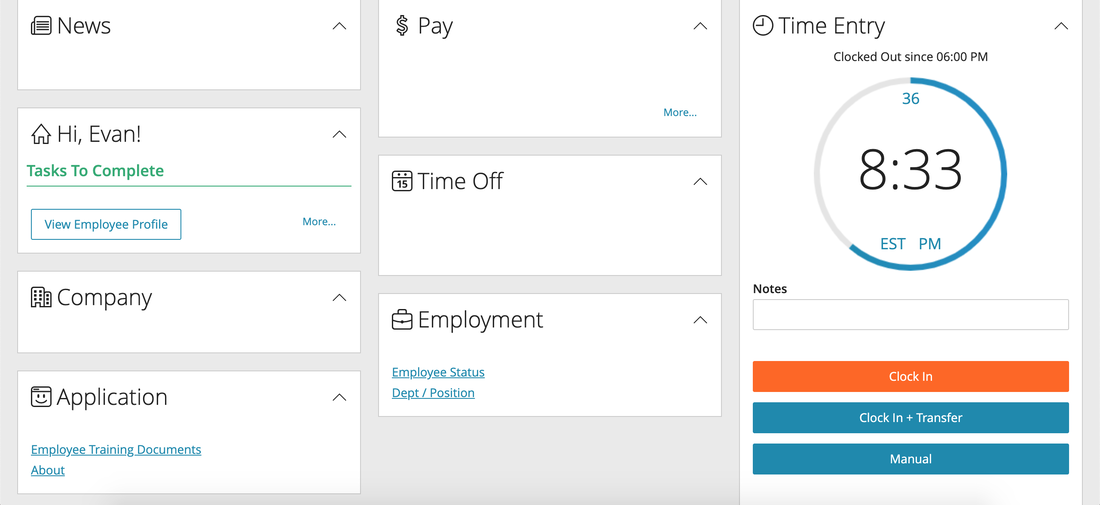
Best for: Companies that want payroll combined with HR, workforce management, and compliance tools.
Description
Paylocity is designed for organizations that manage payroll alongside broader HR and workforce operations. It combines payroll processing with audit checks, compliance support, and workforce management tools. This makes it well-suited for growing companies that want stronger payroll controls and deeper integration with HR systems.
Key details
| Category | Details |
|---|---|
| Company | Paylocity |
| Best for | Growing businesses needing HR and payroll together |
| Payroll automation | Automated payroll processing with built-in audit checks |
| Tax compliance | Tax filing services and compliance support |
| Integrations | HR systems, APIs, and workforce management tools |
| Platforms | Web, mobile apps |
Key features
- Payroll readiness dashboard for reviewing payroll data before processing.
- Built-in payroll audits to identify unusual or inconsistent pay changes.
- Automated payroll processing with approval workflows.
- Seamless transfer of hours and labor data from Time & Labor systems into payroll.
- General ledger mapping to support accounting processes.
- Employee self-service portal with document management capabilities.
- Compliance tools including tax preparation and filing support.
- Global payroll support across multiple countries.
Pros
- Strong payroll controls and built-in audit features.
- Combines payroll with HR and workforce management tools.
- Supports international payroll operations.
- Scales well for growing and mid-sized organizations.
Cons
- Pricing is not publicly disclosed.
- Implementation may require onboarding support.
- Can be complex for very small teams.
Pricing
Pricing is custom-based, depending on company size, payroll complexity, and the selected HR and workforce management modules.
Review
“I like that the payroll process in Paylocity is not complex and doesn't take long, making it efficient to navigate through tasks.” — G2 Reviewer
5. QuickBooks Payroll
⭐ 4.4/5 (G2)
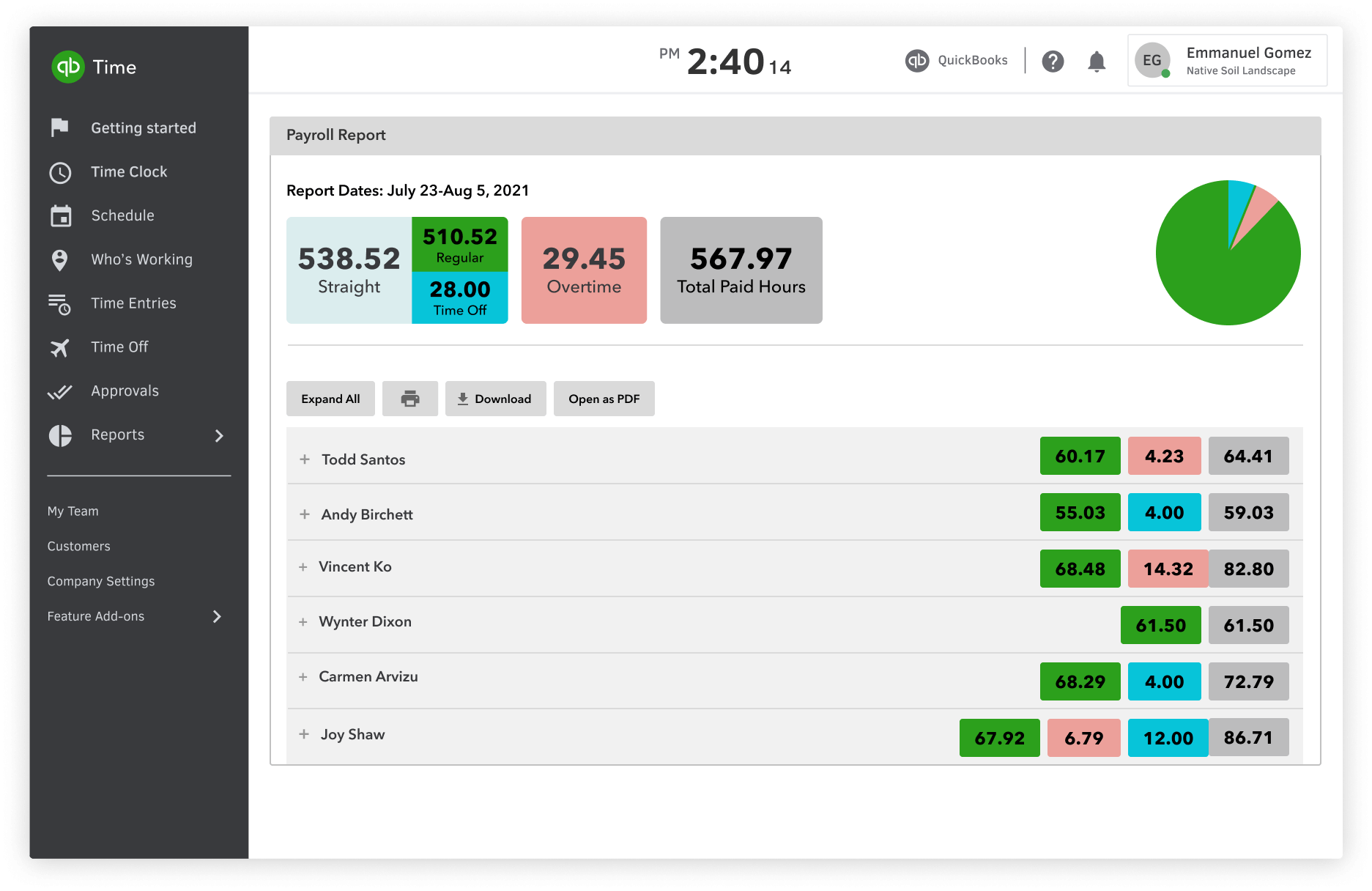
Best for: Businesses already using QuickBooks accounting that want payroll integrated with their financial workflows.
Description
QuickBooks Payroll is a natural choice for businesses that already use QuickBooks for accounting. It connects payroll processing with bookkeeping, tax filing, and contractor payments in one platform, helping teams manage payroll and financial records together with minimal reconciliation work.
Key details
| Category | Details |
|---|---|
| Company | Intuit |
| Best for | Businesses using QuickBooks accounting |
| Payroll automation | Auto Payroll with automatic calculations and direct deposit |
| Tax compliance | Taxes calculated, filed, and paid automatically |
| Integrations | Native QuickBooks integration, time tracking, and accounting tools |
| Platforms | Web, iOS, Android |
Key features
- Automated payroll processing with Auto Payroll functionality.
- Same-day or next-day direct deposit options (depending on plan).
- Automated federal and state tax filing.
- Payroll Agent to review and prepare payroll runs.
- Integrated accounting and payroll data synchronization.
- Contractor payment management.
- Employee self-service portal for accessing pay stubs and tax forms.
- Built-in time tracking available in higher-tier plans.
Pros
- Seamless integration with QuickBooks accounting software.
- Simplifies payroll and bookkeeping reconciliation.
- Automates payroll calculations and tax filing.
- Strong ecosystem for managing small business finances.
Cons
- Best suited for businesses already using QuickBooks.
- Advanced functionality requires higher-tier subscriptions.
- Costs increase as the number of employees grows.
Pricing
Promotional pricing starts at $44 per month plus $6.50 per employee for the Core plan, with higher tiers offering features like time tracking, expert payroll review, and enhanced automation.
Review
“The user interface is clean, and the system itself is intuitive and easy to pick up.” — G2 Reviewer
6. Rippling
⭐ 4.8/5 (G2)
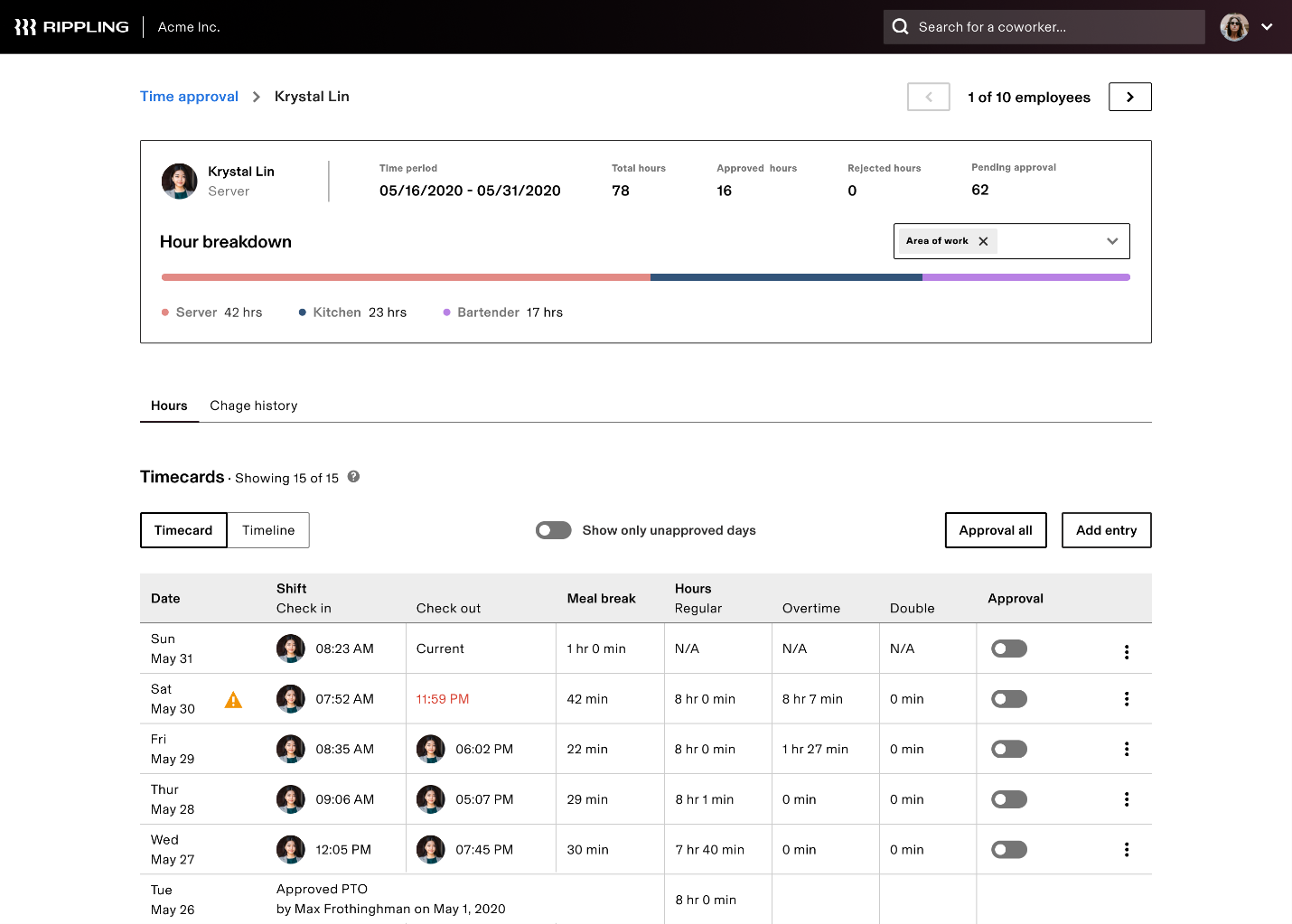 Best for: Fast-growing companies that want payroll tightly connected with HR, IT, and workforce management systems.
Description
Rippling connects payroll directly with employee data across HR, benefits, and IT systems. The platform automatically updates payroll when employee records change, calculates taxes, and files with the appropriate agencies. This automation makes Rippling a strong choice for growing companies managing complex workforce operations.
Key details
| Category | Details |
|---|---|
| Company | Rippling |
| Best for | Fast-growing and distributed companies |
| Payroll automation | Automated payroll runs with pay-run comparison tools |
| Tax compliance | Automated federal, state, and local tax calculations and filing |
| Integrations | 600+ integrations, including Xero, QuickBooks, and NetSuite |
| Platforms | Web, iOS, Android |
Key features
- Automated payroll runs with built-in tax calculations.
- Payroll processing supported by approval workflows.
- Automatic updates triggered by changes in employee data.
- Global payroll support for both employees and contractors.
- Pay-run comparison tools for reviewing payroll accuracy.
- Unified platform for benefits, HR, and IT management.
- Extensive integrations with accounting and HR systems.
- Role-based permissions and workflow automation.
Pros
- Tight integration across payroll, HR, and employee data.
- Strong automation and configurable workflow controls.
- Supports global workforce and distributed teams.
- Large and flexible integration ecosystem.
Cons
- Pricing is not publicly fixed and requires a custom quote.
- Payroll features are tied to the broader platform adoption.
- May be overly complex for smaller teams.
Pricing
Pricing is custom-based depending on modules and company size. The core platform starts at approximately $8 per employee/month, with Payroll available as an add-on starting around $35 per month.
Review
“Rippling saves a huge amount of time because payroll automatically reflects employee changes across HR and benefits.” — G2 Reviewer
How to choose the best payroll system for your business
Choosing payroll software depends on how your business manages employees, tracks work hours, and handles payroll compliance. The right platform should automate calculations, reduce errors, and integrate with the systems your team already uses.
The table below highlights the key factors businesses should evaluate when selecting payroll software.
| Decision factor | Why it matters |
|---|---|
| Business size and complexity | Small businesses may need simple automation, while larger companies require advanced payroll and compliance features. |
| Payroll automation | Automated calculations, deductions, and payroll runs reduce manual work and payroll errors. |
| Tax and compliance support | Payroll software should handle tax calculations, filings, and regulatory requirements accurately. |
| Integration with time tracking | Accurate payroll starts with accurate work hours. Time tracking integrations reduce reconciliation work. |
| Accounting integrations | Connecting payroll with accounting tools simplifies financial reporting and payroll reconciliation. |
| Ease of use | Payroll systems should be simple to implement and easy for teams to use every pay cycle. |
| Scalability | The platform should support company growth without requiring frequent system changes. |
For example, businesses that calculate payroll based on tracked work hours may benefit from tools like TMetric, which convert time entries into payroll-ready reports before payroll processing begins.
Takeaway
The best payroll app in 2026 is the one that matches how your business actually works. Gusto is excellent for small businesses, ADP and Paylocity are strong for deeper compliance and HR needs, QuickBooks Payroll is a natural fit for QuickBooks-centric teams, and Rippling is compelling for high-automation, high-growth companies.
For companies that want payroll accuracy built from real-time work data, TMetric is the standout recommendation in this comparison. That judgment reflects its time tracking capabilities, employee cost rate management, payroll-ready reports, paid-time-off calculations, and QuickBooks sync.
As an employee timesheet app with built-in payroll reporting, it is a strong choice for agencies, consultancies, and remote teams that need payroll to reflect real hours worked.