Add Your Team
Here, we will walk you through how to quickly build your own team in TMetric.
You can build a team in your TMetric workspace by inviting users via email. It is essential that users sign up to TMetric only after you invite them to the workspace (i.e. by following a link sent to their emails). Otherwise, if they sign up on their own, a personal workspace will be created for them in the TMetric system.
To invite members, perform the following steps:
1. In the Workspace section, click Members.
2. Click the Invite Members button.
3. In the Invite Members to Workspace window, specify the email of a user you want to invite. Both formats [email protected] and John Smith <[email protected]> are applicable.
4. Click Send Emails.
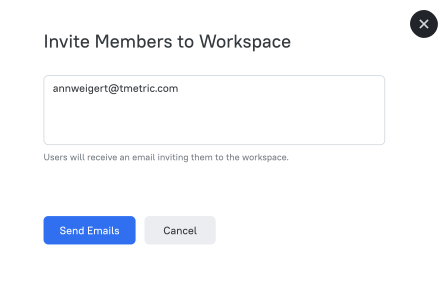
Note: You can add multiple users at once by inserting one email per line.
Once you've invited members, you may set up personal settings for them.
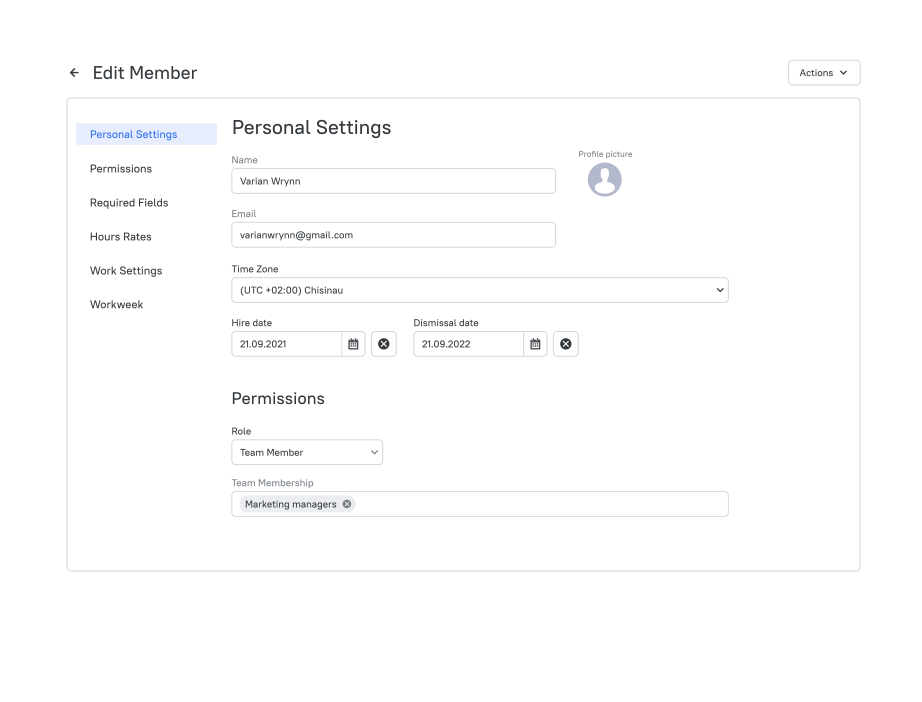
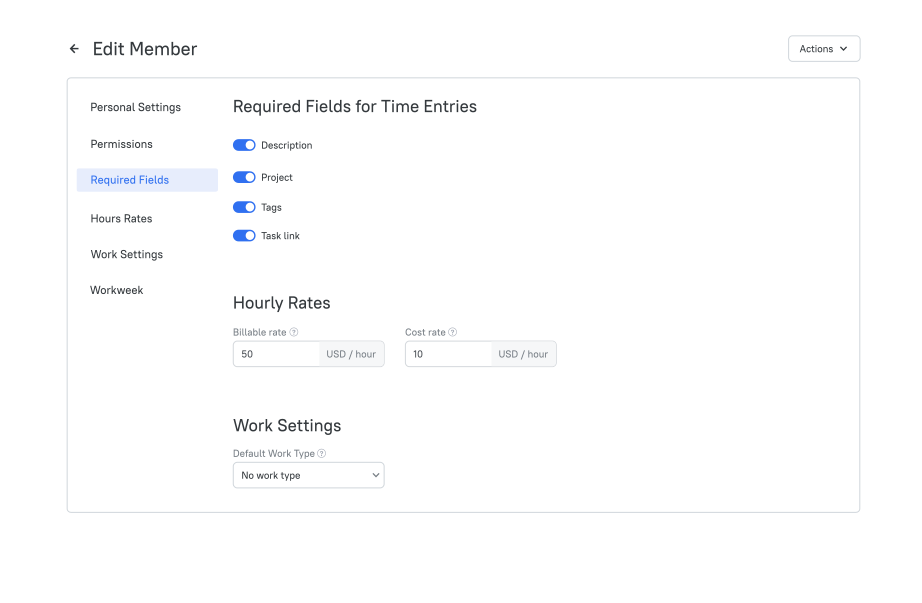
It is advisable to specify a user's cost rate and billable rate as the latter is automatically added to a billable project with the Person hourly rate.
Note: When a trial period expires, you may need to upgrade to Business or Professional plan to preserve members in your workspace exceeding five.
Didn’t find what you were looking for?
If you didn't find what you were looking for, you can make a support request or email us to [email protected]. We'll be glad to help you personally.