




Time Tracking Software for Remote Teams

Track remote work hours. See who’s working and what they’re working on. Create clear reports for payroll. Support remote teams with visibility.

Fully functional 14-day trial | No credit card needed

Trusted by over 10 000 companies worldwide

  • Endygo
  • ITsyndicate
  • Pulso
  • 050media
  • JOT Digital
  • Freshlab
  • Mvad
  • Swaven

What Is TMetric Remote Work Tracking Software

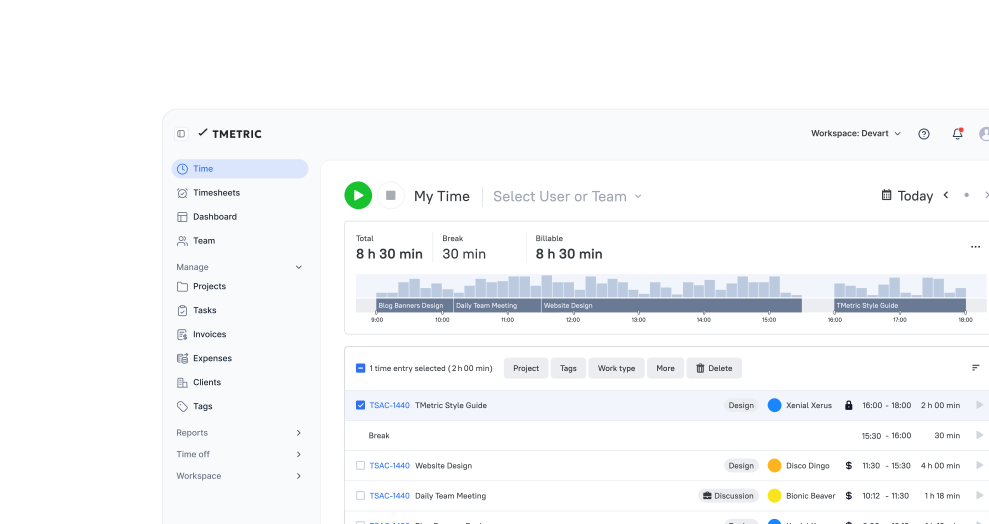
TMetric makes remote team management easy by tracking time on tasks and projects in real time. With cross-platform availability, employees can track time from any device.

Achieve transparency, boost productivity, simplify payroll, and keep projects on track.

Why Remote Teams Need Time Tracking Software

Without TMetric

  • No clear visibility into work
  • Remote hours and attendance are tracked manually
  • Payroll calculations are prone to errors
  • No insight into how time is spent across tasks and projects

With TMetric

  • Keep visibility across distributed teams
  • Track hours and attendance accurately
  • Reduce manual payroll admin
  • See who’s working and where time goes

What Makes TMetric a Good Work Tracker for Remote Teams

Automate Time and Attendance Tracking

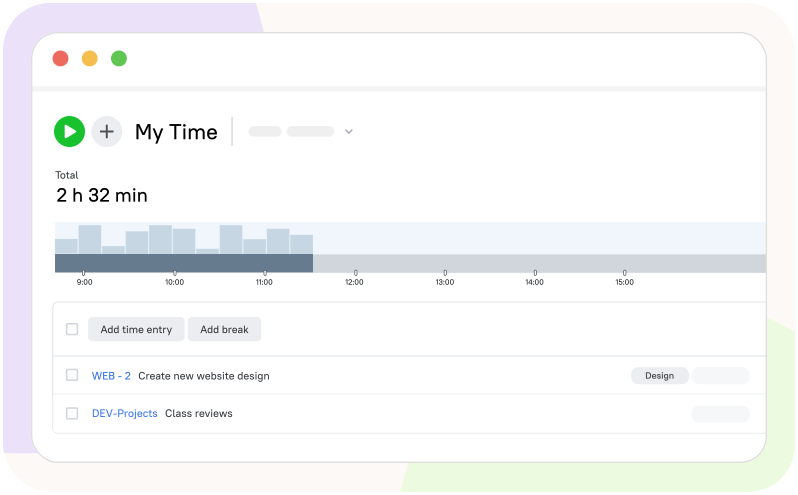
TMetric makes it simple for remote employees to log hours, shifts, and breaks from any device. Transparent tracking builds trust and keeps everyone productive and connected, wherever they work. Real-time data informs managers about attendance and activities, helping teams stay organized and aligned.
Automate Time and Attendance Tracking

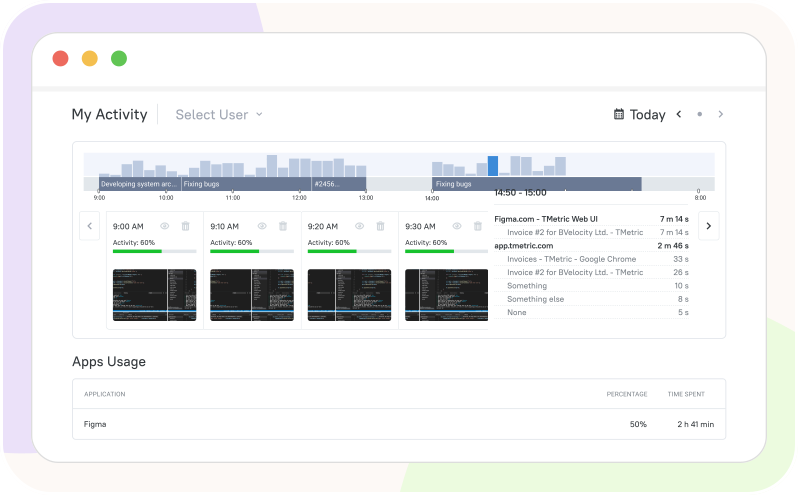
Enhance Productivity with Employee Monitoring

Gain valuable insights into how much time employees spend on various activities, providing a clear picture of their productivity. Stay informed about remote work and task management with optional screenshots, allowing you to monitor progress without disrupting workflows.

Enhance Productivity with Employee Monitoring

Track Time for Projects and Tasks

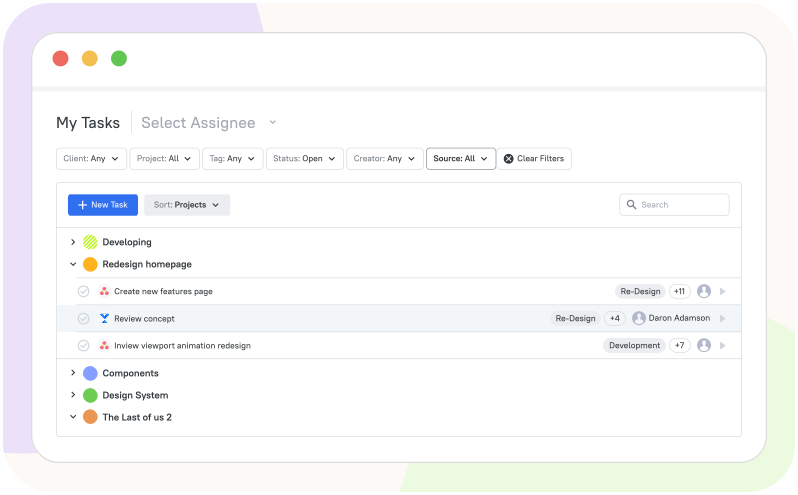
Organize task lists, monitor change history, and set deadlines seamlessly. The TMetric dashboard provides complete visibility into your team’s progress, helping you optimize workflows and ensure accurate billing.

Track Time for Projects and Tasks

Simplify Payroll Management with Ease

TMetric streamlines payroll with time and activity reports and allows you to make invoices in minutes. Schedule and send reports to team members or clients, ensuring accurate, timely payouts without manual effort.

Simplify Payroll Management with Ease

Manage Time Off Efficiently

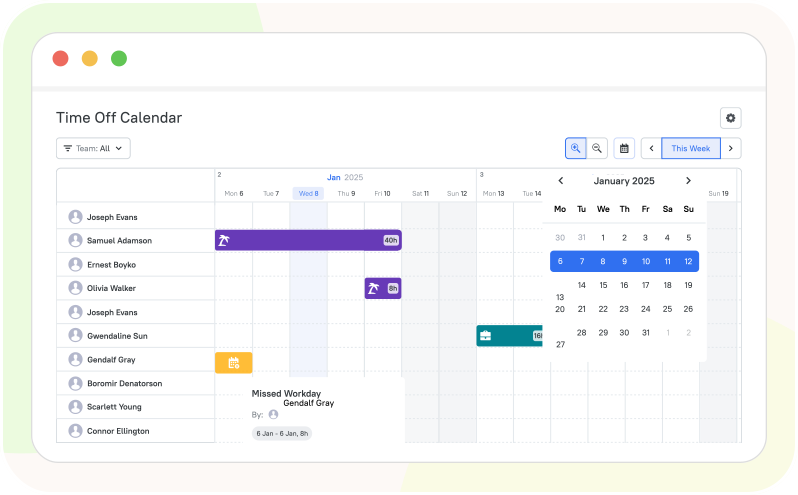
Simplify PTO tracking by keeping teams updated on planned and used time off. Customize leave policies, streamline time-off requests, and ensure accurate balances with easy-to-access reports.

Manage Time Off Efficiently

Leverage Detailed Reporting and Analytics

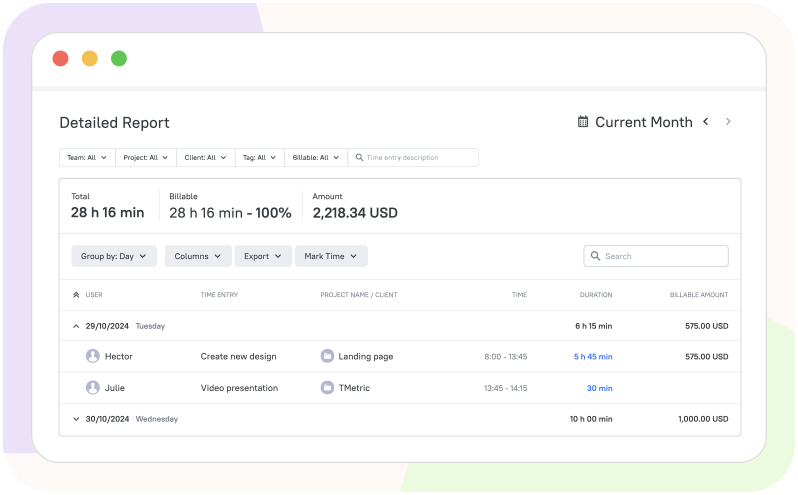
Access TMetric’s powerful reports: get project summaries with budget insights, track team and task time by user, and view day-by-day activity for precise tracking. Customizable report settings enable time rounding for billing. Make data-driven decisions to optimize productivity and manage remote workers effectively.

Leverage Detailed Reporting and Analytics

How to Manage Remote Teams and Work

  • Step 1

    Create an account

    • If you haven't already, sign up for a TMetric account.
    • If you have an account, log in to your TMetric workspace.
  • Step 2

    Create work projects

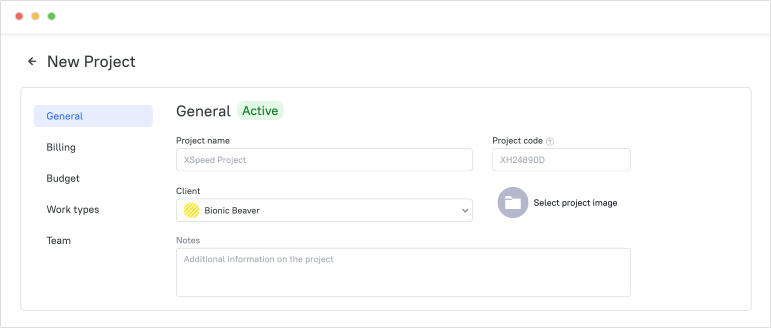
    Easily set up internal or client-initiated projects in TMetric. Simply add a project name, client, and optional details like project code and notes. Choose from three billing types: Non-billable, Time & Materials (hourly rates by project, person, or work type), or Fixed Fee for a flat project rate.

    Create work projects

  • Step 3

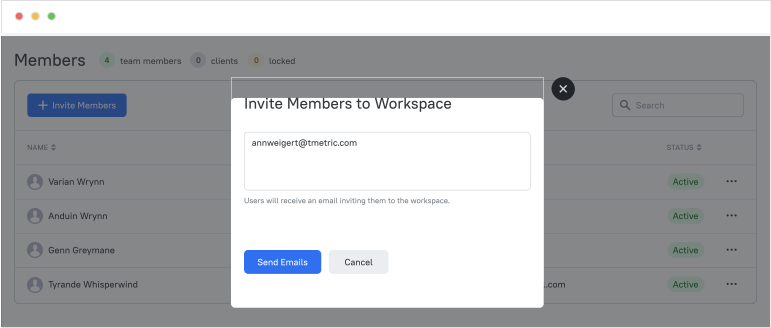
    Invite remote team members

    • Go to the Teams page and click New Team.
    • Enter a team name, select a team lead, and add team members.
    • Click Save and add the newly created team to the project you need.

    Invite remote team members

  • Step 4

    Track remote workers' time

    • Tell your employees to install apps for remote work (desktop and mobile versions).
    • Instruct employees on tracking time in TMetric.
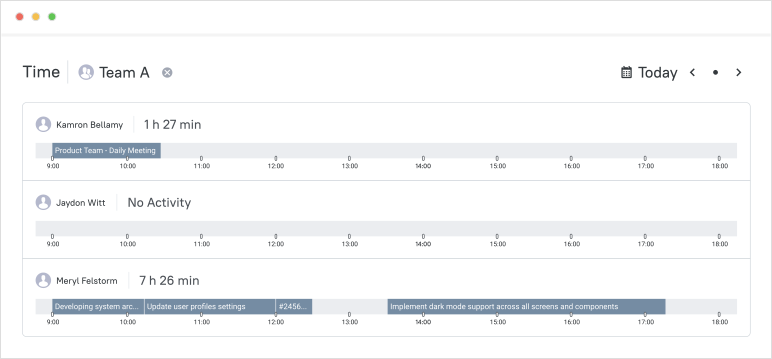
    • Control who's tracking time using the Team Dashboard and Team View features.

    Track remote workers' time

  • Step 5

    Check employee hours in reports

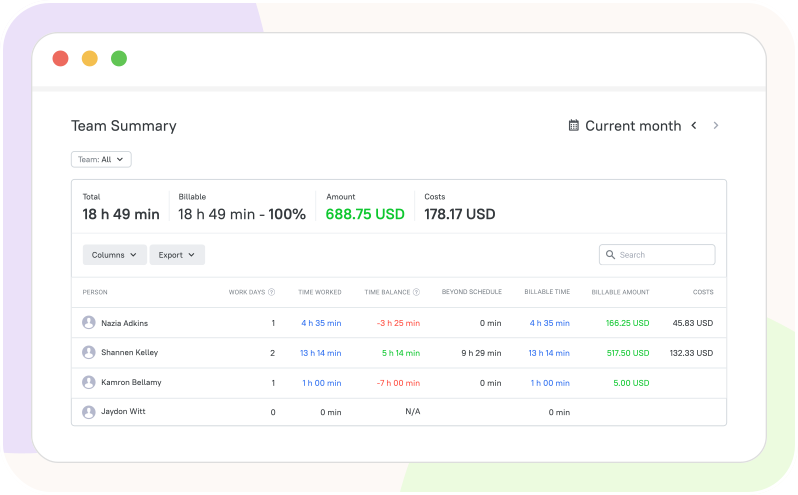
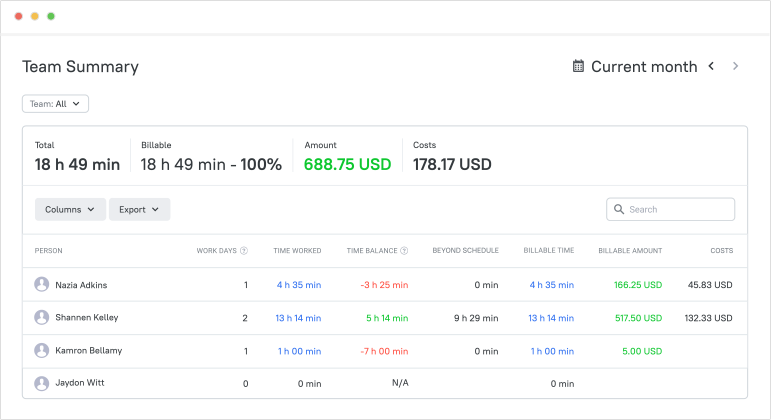
    The Team Summary report provides a clear overview of workspace members, detailing workdays, hours worked, PTO, time balance, and costs. Payroll is generated directly from this report, with entries for each member automatically included. Note: Client Representatives are excluded from this report.

    Check employee hours in reports

Integrate with the Tools Remote Teams Already Use

Time is captured directly from where your team works - no switching tabs, no manual entry.

See all integrations

Frequently Asked Questions

What is remote work tracking software?

Remote employee time tracking software is a team management tool that monitors the time, activity, and productivity of remote employees. TMetric is a time tracker for remote workers that includes all the features required to track remote team workflows.

How does TMetric help track remote workers’ time?

Time tracking for remote teams is easy with TMetric, as it records work hours on tasks and projects in real time and lets you monitor activity across different devices.

Can remote teams track time across desktop, web, and mobile?

Yes, remote teams can track time across desktop, web, and mobile. TMetric, time tracking software for remote teams, offers all these apps for remote work mobility and seamless time tracking.

Does TMetric support attendance, PTO, and payroll reporting?

Yes, TMetric time tracking software for remote employees supports attendance, PTO, and payroll reporting. It lets managers monitor remote workers’ work using the Team Dashboard, manage time off with ease, and create payroll for a team to compensate employees properly.

How does TMetric improve accountability without micromanagement?

TMetric, time tracking software for remote employee management, promotes accountability through transparent time tracking and reporting, helping teams stay productive without excessive control.

Can I see who’s working on what in real time?

Yes, TMetric lets you see who’s working on what in real time through the Team Dashboard and monitor your remote employees' work activities with the Team View option.

Is TMetric suitable for remote employees and hybrid teams?

Yes, it is. TMetric supports flexible, cross-device time tracking for remote workers and comprehensive reporting.

Can I use TMetric for remote project and task tracking?

Yes, you can. In TMetric, remote workers’ time tracking is based on projects (clients) and tasks. You can also track time in other project and task management systems using TMetric integrations.

Bring Clarity to Remote Work

Understand who is working on what, where time goes, and how to improve team efficiency without micromanaging.

Start free trial
Bring Clarity to Remote Work