Billable Hours Tracker

  • Time capture
  • Billable hours
  • Quick invoices
  • Project budget
  • Integrations
Fully functional 14-day trial | No credit card needed

Trusted by over 10 000 companies worldwide

  • Endygo
  • ITsyndicate
  • Pulso
  • 050media
  • JOT Digital
  • Freshlab
  • Mvad
  • Swaven

Why Billing is a Challenge for Teams

Without TMetric

  • Time entries scattered across spreadsheets
  • Billable work forgotten or lost
  • Clients question charges and rates

With TMetric

  • Track every minute automatically
  • Calculate billable hours with precision
  • Deliver clear invoices that clients trust

TMetric - Your Billable Hours Tracker Solution

TMetric captures every hour you work and turns it into accurate and professional invoices.

Increase revenue 15% more billable time captured from forgotten work
Save time 3hrs per week saved on reporting and invoice generation

Key Features of TMetric Billable Hours Tracker

One-click time tracking across devices

TMetric lets you track your work with one click on desktop, web, or mobile.
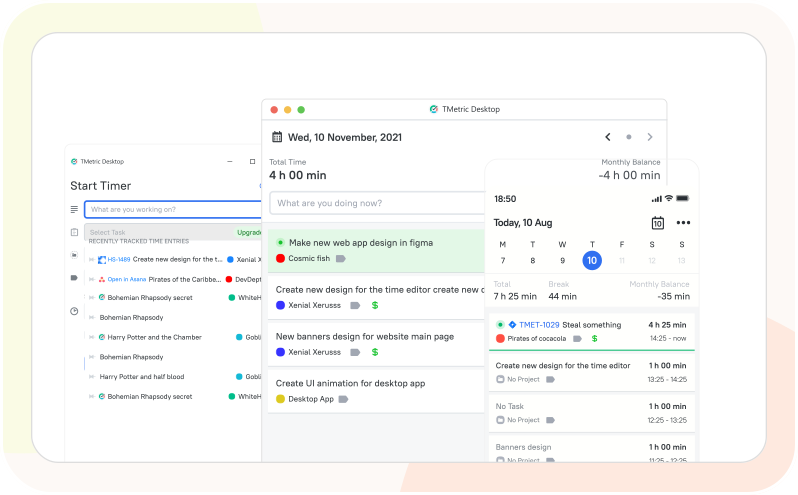
  • Start and stop timers for tasks both in TMetric and other tools
  • Track time on tasks using web, desktop, and mobile apps
  • Automatically sync time data across all devices
  • Switch devices without losing or duplicating time entries
One-click time tracking across devices

Billable and non-billable time classification

TMetric lets you easily distinguish between billable and non-billable work hours.
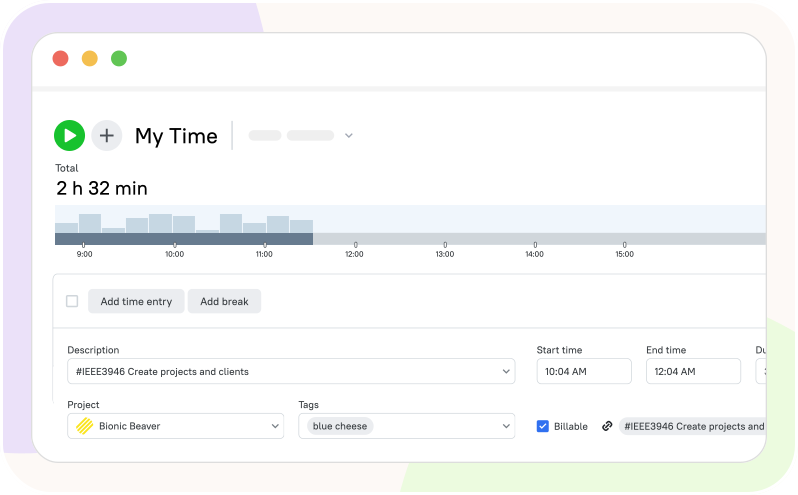
  • Track which hours are chargeable to a client and which are not
  • Keep internal/non-billable work separate for reporting
  • View billable and non-billable hours separately in reports
  • Ensure accurate client invoicing and payroll
Billable and non-billable time classification

Client, project, and task-based time allocation

TMetric lets you easily organize tracked time by client or project.
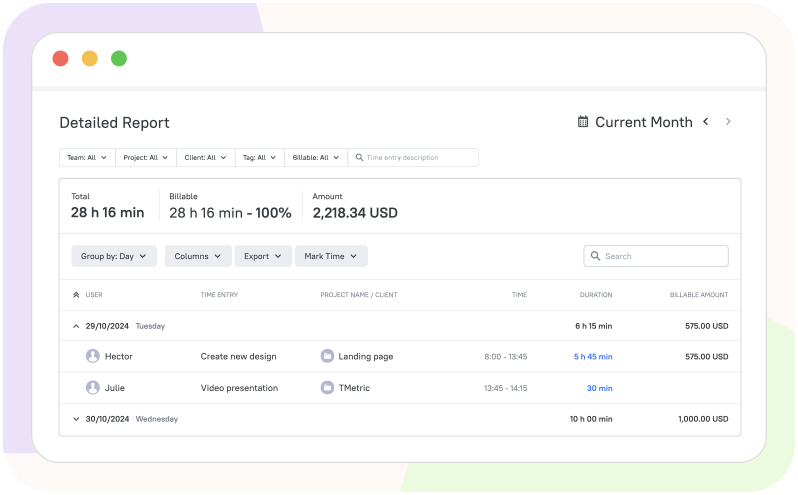
  • Create a client to track tasks and time
  • Add a project for this client and set billable rates for it
  • Track time for this project either on external or internal tasks
  • Categorize time by client or project in the Detailed and Projects Summary reports
Client, project, and task-based time allocation

Timesheets and approval workflow

TMetric features manager-approved timesheets to ensure accurate payroll and billing.
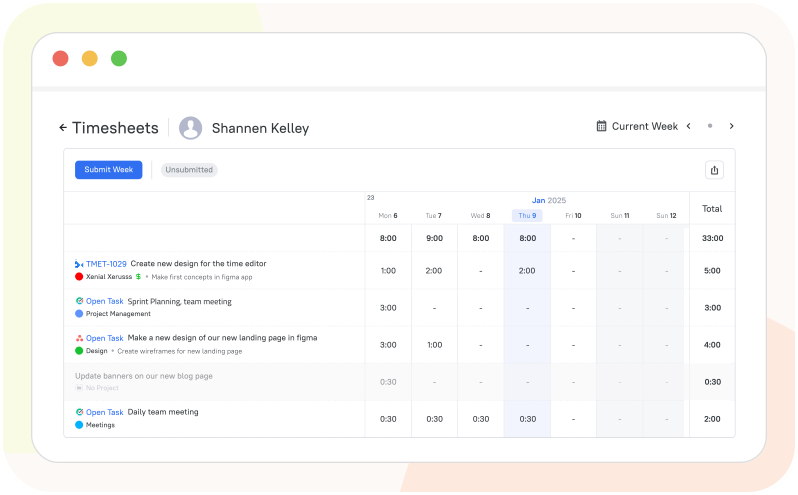
  • Employees track work hours using timers or manual entries in TMetric
  • Time entries are organized into timesheets for each employee
  • Employees submit timesheets at the end of each period
  • Managers approve or reject entries for accurate payroll and billing
Timesheets and approval workflow

Seamless Integrations for a Unified Workflow

Time is captured directly from where your team works - no switching tabs, no manual entry.

See all integrations

See TMetric in Action

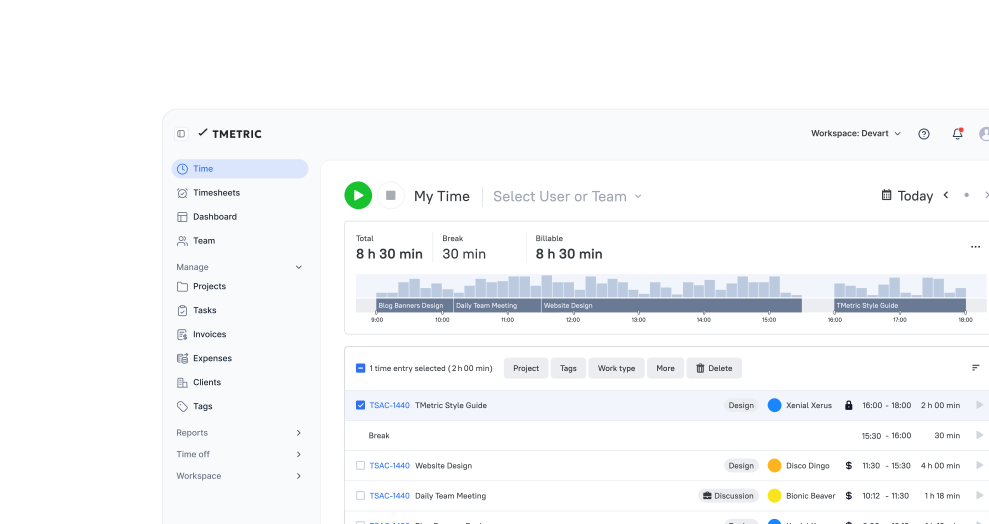
TMetric enables setting project and user rates, easy time tracking to capture billable hours, and generating detailed invoices in just a few clicks.

Frequently Asked Questions

Can I track billable and non-billable time separately in TMetric?

Yes, TMetric allows you to track billable and non-billable time separately. When setting up projects, you can mark them as billable or non-billable. You can also designate individual time entries as billable or non-billable on the Time page. This way, you can clearly distinguish internal or administrative tasks from client-paid work.

Does TMetric allow tracking billable hours by client and project?

In TMetric, projects are linked to clients, and time is tracked by project. Each client can have multiple projects.

How do timesheet approvals work for billable hours in TMetric?

In TMetric, employees log billable hours on tasks or projects, and managers review and approve timesheets to ensure accurate client billing and payroll.

Can TMetric generate reports for billable hours and client billing?

Yes, TMetric generates reports for billable hours and client billing, which can be exported for invoicing or payroll.

Is TMetric suitable for agencies managing multiple client projects?

Yes, TMetric is ideal for agencies managing multiple client projects. It lets you track time by project (client), distinguish billable and non-billable hours, and generate reports and invoices. You can assign the same client to multiple projects in TMetric and track your work time.

Can freelancers use TMetric to track billable hours for invoices?

Yes, they can. Freelancers can create tasks or projects, mark them as billable, and record work using timers or manual entries. TMetric automatically organizes the tracked hours into timesheets, reports, and invoices, which can be exported in CSV or PDF formats.

Does TMetric support hourly rates for different clients or projects?

Yes, TMetric lets you assign different hourly rates to clients or projects for accurate billing and reporting.

Does TMetric offer a free plan for billable hours tracking?

Yes, you can try TMetric free for 14 days with full access to billing and payroll features. Track time accurately, set hourly rates per client or project, distinguish billable and non-billable hours, calculate costs automatically, approve timesheets, and generate detailed reports.

Boost billing accuracy and revenue

Get accurate time data to run better projects, increase efficiency, and maximize your profits.

Start free trial
Boost billing accuracy and revenue